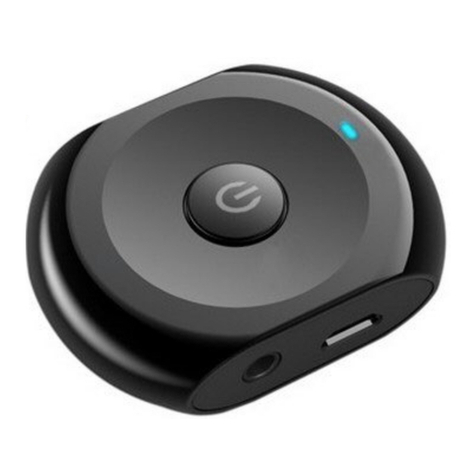
1) Slide the TX/RX switch to the "RX" position.
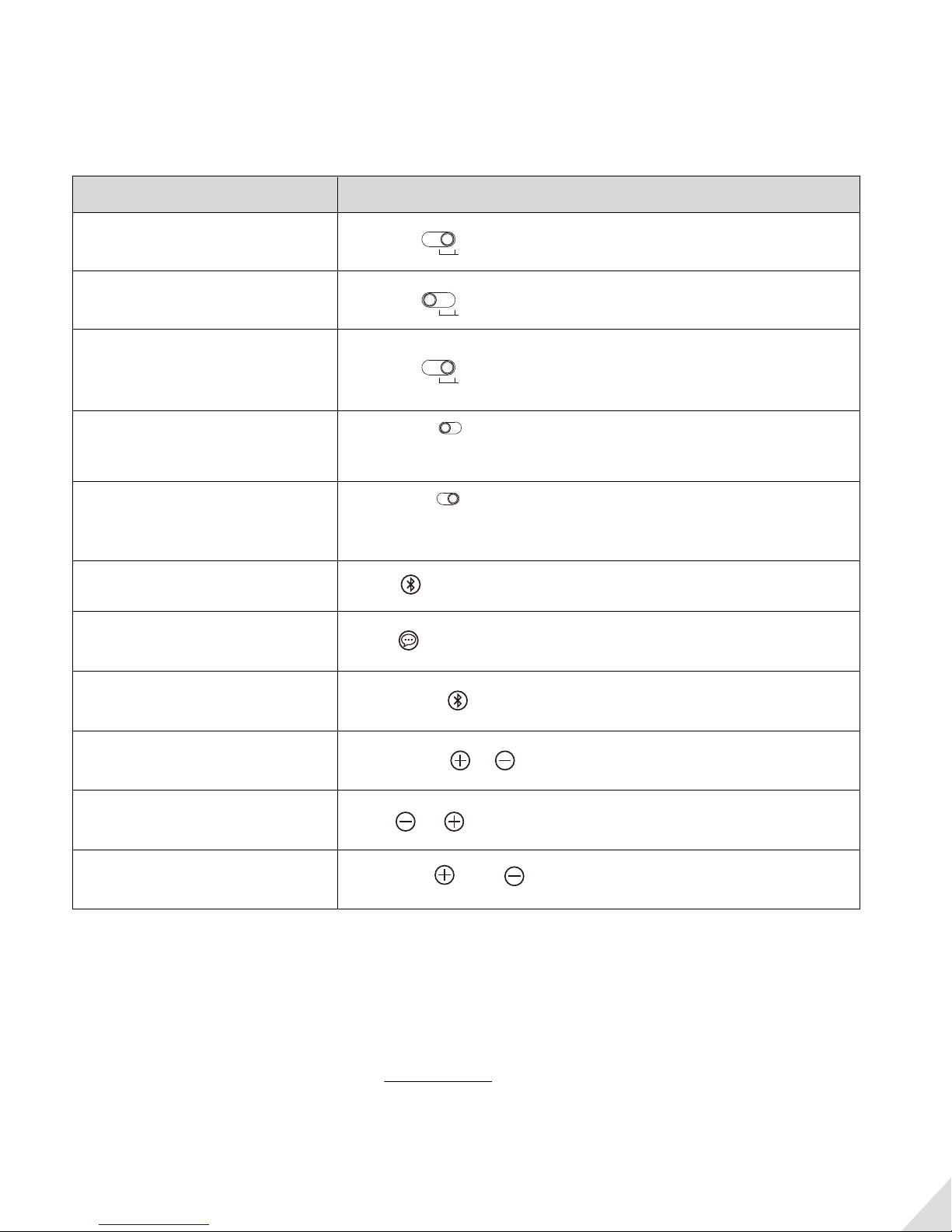
2) Slide the LL/HD switch to “LL” or “HD” priority position; refer to the “Function & Operation” table.
3) Pair the Oasis Plus with your Bluetooth-enabled phone/pc/tablet.
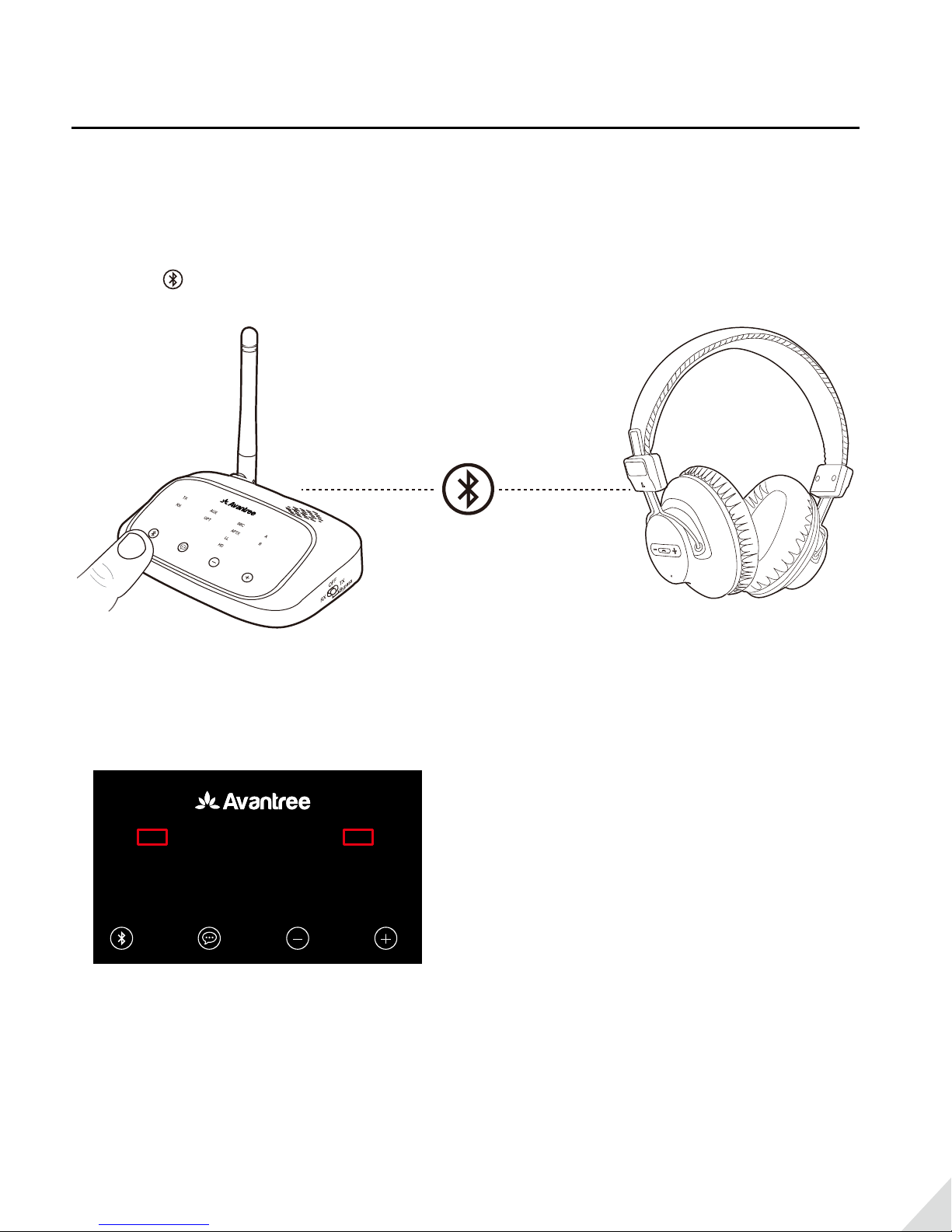
• The Oasis Plus should enter pairing mode automatically with “RX” alternately ashing GREEN and WHITE.
To manually enter pairing mode - hold button for 2s.
• Activate Bluetooth on your phone/device and search for “Avantree Oasis Plus“ - tap to connect.
• Keep devices close together and wait. Once connected, “RX” will stop ashing and LED Awill light up. And
you will hear” Connected. Ready for use.”
Use as a Wireless Receiver (RX mode)
The Avantree Oasis Plus is a long range Bluetooth transmitter or receiver. Class 1 Bluetooth technology and an
optimized antenna design allow it to work at ranges of up to 164ft/50M. Use the Oasis Plus as your home
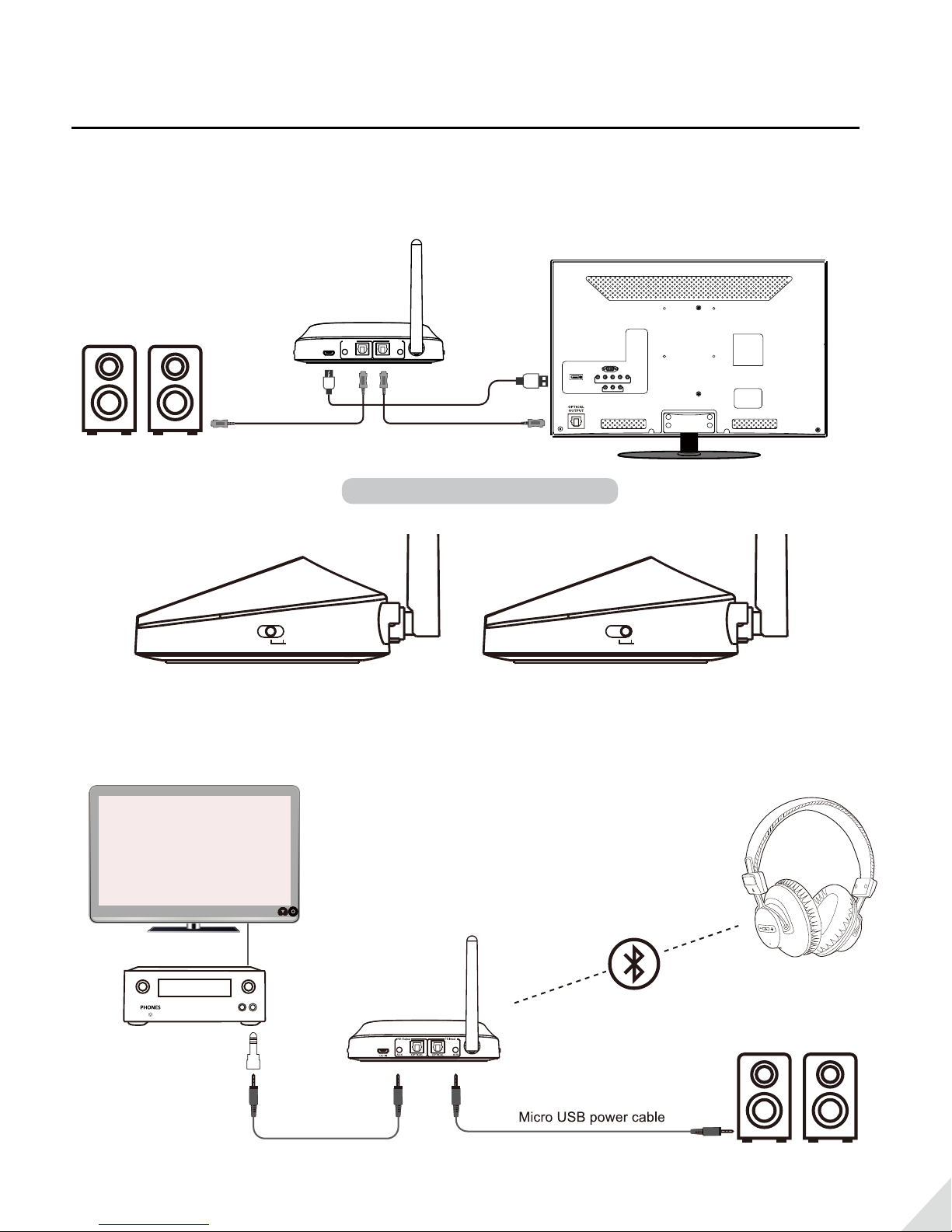
entertainment audio hub! As a Bluetooth transmitter to Bluetooth-enable your TV or AV receiver, to stream
audio to your Bluetooth headphones or speakers. As a Bluetooth receiver to Bluetooth-enable your traditional
non-wireless music system. It supports both wireless (Bluetooth) and wired (bypass) modes simultaneously.
Watch TV and independently control volume for a pair of Bluetooth headphones and a wired/connected
speaker at the same time. It supports the aptX-HD standard - when used with aptX-HD Bluetooth headphones,
for wireless streaming of high denition, natural sounding audio.
Package Contents
• Avantree Oasis Plus (BTTC-500P)
• Micro USB cable
• Optical cable
• 3.5mm audio cable
• 3.5mm female to RCA male cable
• User manual
Product Overview & Controls
Function & Operation:
1- aptX-LL supported devices: Avantree Audition Pro,Torpedo Plus, Plantronics Backbeat Pro etc.
2- aptX-HD supported devices: Avantree AH6, Audio-Technica ATH-DSR9BT, LG G5, etc.
For full list of suppprted devices please visit www.aptx.com
- More status indicator, please refer to support.avantree.com search ‘Oasis Plus LED status’
8
4:30 4G
Settings Bluetooth
Bluetooth
Bose Bluetooth Audio...
Avantree Oasis Plus
Not Connected
Now discoverable as “iPhone(2)”
MY DEVICES
OTHER DEVICES
To pair an Apple Watch with your iPhone, go to the Watch
app.
4:30 4G
Settings Bluetooth
Bluetooth
OPPO R9s
huawei
Avantree Oasis Plus Connected
Bose Bluetooth Audio... Not Connected
Now discoverable as “iPhone(2)”
MY DEVICES
OTHER DEVICES
To pair an Apple Watch with your iPhone, go to the Watch
app.
4:30 4G
Settings Bluetooth
Bluetooth
AirDrop, AirPlay, and location services require Bluetooth.
AUX
OPT
SBC
APTX
LL
HD
RX
TX A
B
Hold for 2s