manuals.online logo
Brands
  1. Home
  2. •
  3. Brands
  4. •
  5. Bauknecht
  6. •
  7. Refrigerator
  8. •
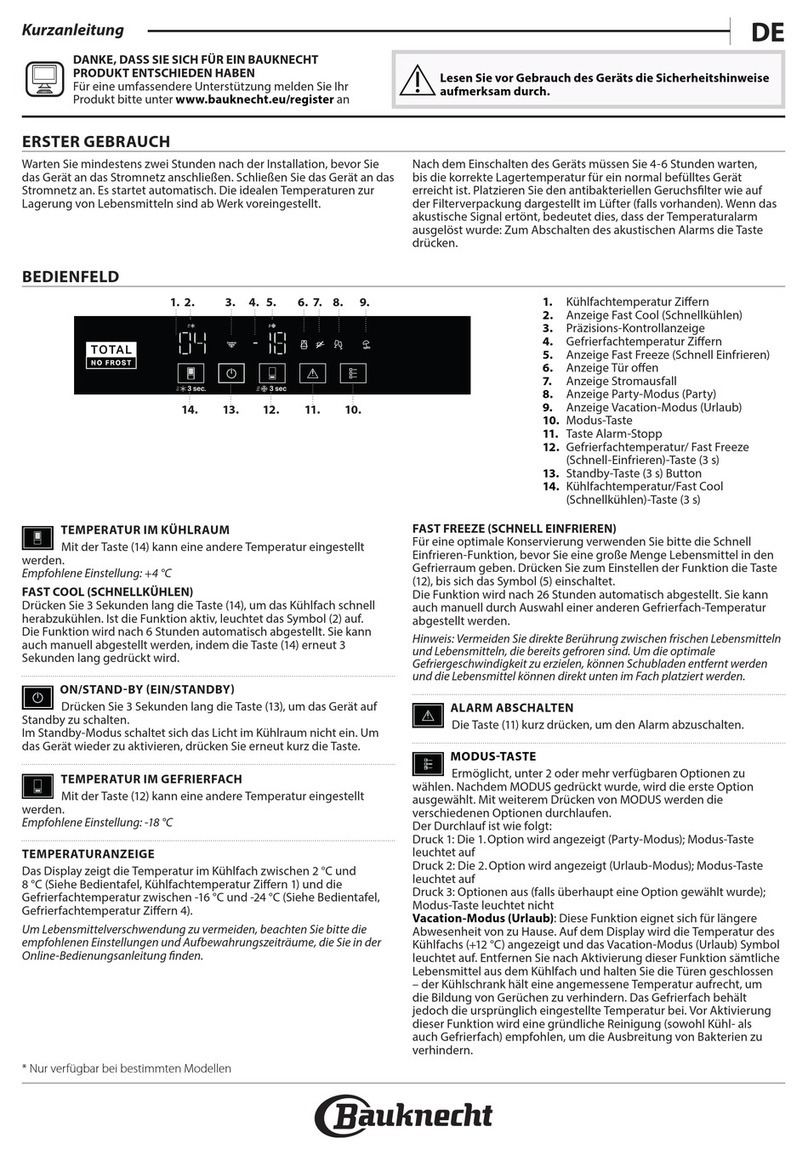
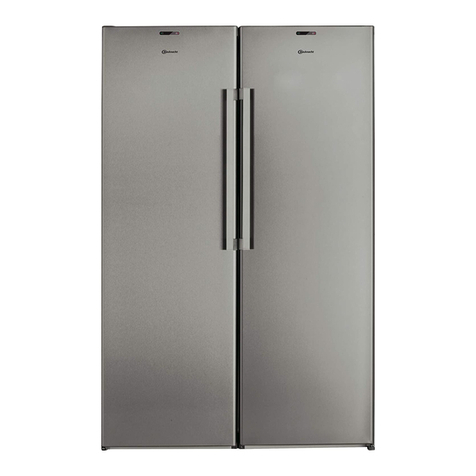
  9. Bauknecht KSDN 5061/A/1 User manual

Bauknecht KSDN 5061/A/1 User manual

Other Bauknecht Refrigerator manuals

Bauknecht GKEA 2550 Optima User manual

Bauknecht

Bauknecht GKEA 2550 Optima User manual

Bauknecht KSI 9VS1 User manual

Bauknecht

Bauknecht KSI 9VS1 User manual

Bauknecht GKEA 2515 OPTIMA Dimensions

Bauknecht

Bauknecht GKEA 2515 OPTIMA Dimensions

Bauknecht KVE 2530/A User manual

Bauknecht

Bauknecht KVE 2530/A User manual

Bauknecht KGTNF 20CME IN User manual

Bauknecht

Bauknecht KGTNF 20CME IN User manual

Bauknecht KDMC User manual

Bauknecht

Bauknecht KDMC User manual

Bauknecht Optima+ KVA 172 User manual

Bauknecht

Bauknecht Optima+ KVA 172 User manual

Bauknecht GKNA 3200 Optima User manual

Bauknecht

Bauknecht GKNA 3200 Optima User manual

Bauknecht KR 19G4 A2 + IN User manual

Bauknecht

Bauknecht KR 19G4 A2 + IN User manual

Bauknecht GKA 1713 Optima User manual

Bauknecht

Bauknecht GKA 1713 Optima User manual

Bauknecht KSDN 5060 User manual

Bauknecht

Bauknecht KSDN 5060 User manual

Bauknecht KGI 2900/A User manual

Bauknecht

Bauknecht KGI 2900/A User manual

Bauknecht BNF70 400 User manual

Bauknecht

Bauknecht BNF70 400 User manual

Bauknecht KVA 1312 User manual

Bauknecht

Bauknecht KVA 1312 User manual

Bauknecht KDA 3710 User manual

Bauknecht

Bauknecht KDA 3710 User manual

Bauknecht KDA 2800/1 User manual

Bauknecht

Bauknecht KDA 2800/1 User manual

Bauknecht KRA 175 OPTIMA User manual

Bauknecht

Bauknecht KRA 175 OPTIMA User manual

Bauknecht GKNE 1770 A User manual

Bauknecht

Bauknecht GKNE 1770 A User manual

Bauknecht KSN 7050 User manual

Bauknecht

Bauknecht KSN 7050 User manual

Bauknecht KVA 2500/1 User manual

Bauknecht

Bauknecht KVA 2500/1 User manual

Bauknecht GKN 1774 2 User manual

Bauknecht

Bauknecht GKN 1774 2 User manual

Bauknecht KGA 325 OPTIMA User manual

Bauknecht

Bauknecht KGA 325 OPTIMA User manual

Bauknecht KGNA 335 User manual

Bauknecht

Bauknecht KGNA 335 User manual

Bauknecht KVIE 2009/A User manual

Bauknecht

Bauknecht KVIE 2009/A User manual

Popular Refrigerator manuals by other brands

Frigidaire FRS26TS7DW2 Use & care manual

Frigidaire

Frigidaire FRS26TS7DW2 Use & care manual

Fisher Scientific 10ECEEFSA manual

Fisher Scientific

Fisher Scientific 10ECEEFSA manual

Summit FF22BDRSS user manual

Summit

Summit FF22BDRSS user manual

Frigidaire FFRU17B2QWE use & care

Frigidaire

Frigidaire FFRU17B2QWE use & care

Hotpoint ENBGH 19xxx FW operating instructions

Hotpoint

Hotpoint ENBGH 19xxx FW operating instructions

Hitachi R-SG28KPH instruction manual

Hitachi

Hitachi R-SG28KPH instruction manual

Dometic RMH 7390 L operating instructions

Dometic

Dometic RMH 7390 L operating instructions

AEG S71700TSW0 user manual

AEG

AEG S71700TSW0 user manual

Electrolux ENB3669 Instruction book

Electrolux

Electrolux ENB3669 Instruction book

Electrolux ERN 2930 Instruction book

Electrolux

Electrolux ERN 2930 Instruction book

Beko GNE 60520 X user manual

Beko

Beko GNE 60520 X user manual

Jenn-Air JUR248LBES00 Use & care guide

Jenn-Air

Jenn-Air JUR248LBES00 Use & care guide

Dometic RGE 4000 Installation and operating manual

Dometic

Dometic RGE 4000 Installation and operating manual

Dometic L-0191B Brochure & specs

Dometic

Dometic L-0191B Brochure & specs

LG LRBP1031W - 10 Cu. Ft. Cabinet Depth Bottom Freezer... owner's guide

LG

LG LRBP1031W - 10 Cu. Ft. Cabinet Depth Bottom Freezer... owner's guide

Daewoo RN-33 Series user manual

Daewoo

Daewoo RN-33 Series user manual

Haier RF-8888-174 Service manual

Haier

Haier RF-8888-174 Service manual

Blaupunkt 5CK2 Series user manual

Blaupunkt

Blaupunkt 5CK2 Series user manual

manuals.online logo
manuals.online logoBrands
  • About & Mission
  • Contact us
  • Privacy Policy
  • Terms and Conditions

Copyright 2025 Manuals.Online. All Rights Reserved.

Bauknecht AG, Industriestrasse 36, 5600 Lenzburg, www.bauknecht.ch
Verkauf Telefon 0848 801 002 Fax 0848 801 017 verkauf@bauknecht.ch
Kundendienst Telefon 0848 801 001 Fax 0848 801 003 service@bauknecht.ch
Ersatzteile Telefon 0848 801 005 Fax 0848 801 004 ersatzteilverkauf@bauknecht.ch
Instructions for use
KSDN 5061/A 
All manuals and user guides at all-guides.com
all-guides.com
.
All manuals and user guides at all-guides.com
25
Instructions for use
Description of the appliance
Before using the refrigerator
Installation
How to operate the refrigerator/freezer
Freezing
Use of the ice and water dispenser (on
some models)
Use of the dispenser light and dispenser
lock (on some models)
Automatic ice maker
Common ice maker problems
Maintenance and cleaning
Vacation
Troubleshooting guide/after-sales service
Water Filtration and Monitoring System
(on some models)
Disposal of your old refrigerator
Electrical connection
4gb33015.fm Page 25 Wednesday, March 10, 2004 4:02 PM
All manuals and user guides at all-guides.com
26
Description of the appliance
Freezer Compartment
S. Automatic ice maker
T. Grids
U. Bottom basket
V. Top basket
W. Ice cube bucket
X. Freezer inner door insert
Y. Freezer inner door door
tray
Z. Inside light
Refrigerator Compartment
A. Inside light
B. Intermediate light
C. Adjustable shelf
D. Drawer lid
E. Drawer
F. Crisper drawer
G. Crisper drawer
adjustment
H. Meat drawer
I. Meat drawer adjustment
L. Compartment
M. Door tray with bottle
holder
N. 2 litre door tray with
bottle holder
O. 0.75 litre door tray
P. Shelf divider
Q. Egg tray
R. Water filter (on some
models)
4gb33015.fm Page 26 Wednesday, March 10, 2004 4:02 PM
All manuals and user guides at all-guides.com
27
Before using the refrigerator
After unpacking, make sure
that the appliance is
undamaged and that the door
closes properly. Any damage
must be reported to your
dealer within 24 hours after
delivery of the appliance.
The packaging box is
recyclable and is marked with
the recycling symbol .
The appliance is manufactured
using recyclable material.
When scrapping, follow the
local disposal regulations for
safeguarding the
environment. To avoid the risk
of children being trapped and
therefore suffocating, do not
allow them to play or hide
inside the refrigerator.
Before scrapping, make the
refrigerator unusable by
removing the doors and
cutting the power cable off.
The appliance must be
delivered to an authorized
collection centre for the
recovery of refrigerant gas.
Make sure that the installation
and the electrical connection
are carried out by a qualified
technician according to the
manufacturers instructions
and local safety regulations.
Declaration of conformity
This appliance is designed to
store food and is manufactured
in conformity with European
directive No. 89/109/EEC.
This appliance is designed,
manufactured, and retailed in
compliance with:
- the safety objectives of the Low
Voltage Directive 73/23/EEC;
- the protection requirements of
the EMC;
- Directive 89/336/EEC amended
by Directive 93/68/EEC.
This appliance is CFC-free (the
refrigerant circuit contains
R134a). For more details, please
refer to the rating plate on the
appliance.
Precautions and general
recommendations
Use the refrigerator
compartment only for storing
fresh food and beverages and
use the freezer compartment
only for storing frozen food,
freezing fresh food and
making ice cubes.
After installation, make sure
that the refrigerator does not
stand on the power cable.
Do not store glass containers
with liquids in the freezer since
they may burst.
Do not eat ice cubes or ice
lollies immediately after
taking them out of the freezer
since they may cause cold
burns.
Before carrying out any
maintenance or cleaning,
always unplug the appliance
or disconnect the power
supply.
Do not store or use gasoline or
other flammable vapours and
liquids in the vicinity of this or
any other appliance. The
fumes can create a fire hazard
or explosion.
Installation
Make sure that your
refrigerator is not near a
heat source.
Install it in a dry and well
ventilated room.
To ensure proper
ventilation leave a 1 cm
space on both sides and
above the refrigerator.
Clean the inside of the
refrigerator before using it.
Let the refrigerator stand
(dont move it) for at least
one hour before
connecting it to the power
supply.
The appliance should be
connected to a water
supply that delivers
drinkable or chemically
purified water.
Install and level the
refrigerator on a floor
strong enough to take its
weight and in an area
suitable for its size and use.
Do not use the refrigerator
in an area where the room
temperature may fall below
13°C.
Be careful not to damage
the floors when you move
the appliance
(e.g. parquet flooring).
4gb33015.fm Page 27 Wednesday, March 10, 2004 4:02 PM

All manuals and user guides at all-guides.com
28
How to operate the refrigerator/freezer
Connect the appliance to
the water supply and power
supply
(see Installation manual).
When the appliance is
connected to the power
supply, two hyphens will
appear on the freezer
display until the optimal
temperature is reached.
The refrigerator display will
show a temperature of 5°C
(factory set).
When the appliance is
warm, the red alarm LED
will blink and the acoustic
alarm will sound, indicating
that the appliance has not
yet reached the optimal
temperature for storage of
foodstuffs.
Press the Reset button
to stop the acoustic
alarm.
The red LED will stop
blinking when the freezer
compartment reaches at
least
-12°C. At this point it is
possible to store food into
the freezer compartment.
After being switched on,
the refrigerator needs 2/3
hours to reach the correct
temperature to store a
typical volume of food in
the refrigerator
compartment.
IMPORTANT: If food is
placed in the refrigerator
before the appliance has
cooled completely, it may
deteriorate. Turning the
refrigerator and freezer
controls to a cooler than
recommended setting will
not cool the compartments
any faster.
Do not place food near the
air vents in the refrigerator
compartment.
A built-in exterior moisture
control continuously guards
against moisture build-up
on the front edges. Do not
be alarmed if these edges
sometimes feel warm to the
touch.
The inside light switches on
when both doors are
opened.
4gb33015.fm Page 28 Wednesday, March 10, 2004 4:02 PM
All manuals and user guides at all-guides.com
all-guides.com
29
Guide to the refrigerator/freezer and ice/water dispenser control panel
Standby
When button is
pressed, the appliance
switches to standby. This
function deactivates both
the refrigerator and
freezer compartments.
When the standby function is
activated, two green dots will
appear on both of the displays.
To restore the previous setting,
carry out the same procedure
until the previous temperatures
appear on both of the displays.
When the appliance is on
standby the light inside the
refrigerator compartment is off.
Remember that this operation
does not disconnect the
appliance from the power
supply.
Fast freezing
This function must be
activated before freezing
fresh food. To activate the
function press the specific
button (yellow LED lights
up). The function switches
off automatically after 24
hours or manually by
pressing the button again.
Freezer compartment
display
Shows the freezer compartment
temperature setting.
T° selection limit:
from - 18°C, least cold
temperature, to - 24°C coldest
temperature.
The set T° is stored and will
automatically be restored even
after a power failure or if the
appliance is switched off by
pressing the standby button.
Freezer
compartment
temperature
selection and
control
To change the internal
temperature press buttons
until the desired value is
reached and shown on the
display.
Refrigerator
compartment display
Shows the refrigerator
compartment temperature
setting. T° selection limit: from +
2°C coldest temperature to + 6°C,
warmest temperature.
The set T° is stored and will
automatically be restored even
after a power failure or if the
appliance is switched off by
pressing the standby button.
Refrigerator
compartment
temperature
selection and
control
To change the internal
temperature press buttons
until the desired value is
reached and shown on the
display.
Fast cooling
Switches on the Fast Cooling
function and shows its
operating status. Use this
function to chill the fresh
food stored in the refrigerator
compartment rapidly. The
function switches on when the
button (yellow LED) lights up
and switches off automatically
after 6 hours or manually by
pressing the button again.
4gb33015.fm Page 29 Wednesday, March 10, 2004 4:02 PM
All manuals and user guides at all-guides.com
30
Guide to the refrigerator/freezer and ice/water dispenser control panel
Vacation
This function turns off the
refrigerator compartment if
you are going away for some
time. To activate the
function press button
(yellow LED lights up).
T° disappears from the display
and a green dot appears. To
turn on the refrigerator
compartment, press button
again.
Important:
After activating this function
remove perishable food from
the refrigerator compartment
and keep the door closed.
Freezer/
Refrigerator Door
Open Indicator
Light
The refrigerator or freezer door
symbol lights up (green LED)
when one or both of the doors
are opened.
Alarms
In the event of an alarm, the
acoustic alarm and indicator
lights are activated.
To switch off the acoustic
alarm press button .
Freezer T° alarm
The acoustic alarm will
sound and the red LED will
blink, T° disappears from
the display and two
hyphens appear.
The alarm is activated
when:
The appliance is
connected to the power
supply for the first time
or after prolonged
disuse.
The freezer
compartment T° is too
high.
The quantity of foods
loaded into the freezer
exceeds that indicated
on the data plate.
The freezer door has
been left open for a long
time.
Power failure alarm
The maximum T° reached during
a power failure blinks on the
freezer display.
The red alarm LED lights up and
the acoustic alarm sounds at the
same time.
The alarm is activated when:
A prolonged power failure
takes place, causing the
internal temperature of the
freezer to increase to values
that cannot guarantee safe
storage of food.
To disable the alarm:
Press the reset button .
The display will show the
preset temperature.
Note
Check the state of the food in
both compartments before
refreezing or using it!
Operation alarms
If the acoustic alarm sounds and
the display shows letters such as
CF, contact the Whirlpool
After-sales Service.
4gb33015.fm Page 30 Wednesday, March 10, 2004 4:02 PM
All manuals and user guides at all-guides.com
31
Guide to the refrigerator/freezer and ice/water dispenser control panel
Freezer/
Refrigerator Door
Open Alarm
The refrigerator or freezer
door symbol (or both) blinks
(green LED), the acoustic
alarm sounds and the red
LED lights up.
The alarm is activated when:
One or both of the doors are
left open for more than 2
minutes. If the door is not
closed, the acoustic alarm will
sound again after two
minutes.
To stop the alarm:
Close the door/s or press the
reset button .
Control panel lock
function
This function prevents
anyone from inadvertently
changing settings or
switching off the
appliance.
To lock the panel, press
the fast freeze button
on the left hand side
of the control panel
and the fast cooling button
on the right hand side of
the control panel
simultaneously for about 3"
until the yellow LED lights up
and the acoustic signal
sounds.
To unlock the control panel,
carry out the same operation
until the yellow LED turns off.
4gb33015.fm Page 31 Wednesday, March 10, 2004 4:02 PM
All manuals and user guides at all-guides.com
32
Guide to the refrigerator/freezer and ice/water dispenser control panel
Ice maker on/off
This function enables/
disables the production of
ice.
To dispense ice
The function is activated
when the symbol is alight.
Press the button to select the
desired type of ice (cubes or
crushed). The symbol will light
up (yellow LED).
Light
The dispenser has a night
light. This feature can be
enabled / disabled by
pressing the specific button or
one of the two dispenser levers
(water, ice).
Ice maker control
panel lock
The ice/water dispenser can
be turned off for easy
cleaning or to prevent
accidental dispensing by
children and pets.
To lock the control panel, press
buttons Icemode and
 simultaneously for 3 until
the symbol lights up and
the acoustic signal sounds.
If any button is pressed when
the control panel is locked, an
acoustic signal will sound and
the yellow LED will blink.
To unlock the control panel,
repeat the operation.
Note: The lock feature does not
shut off power to the appliance,
to the ice maker or to the light.
It simply deactivates the
dispenser levers.
4gb33015.fm Page 32 Wednesday, March 10, 2004 4:02 PM
All manuals and user guides at all-guides.com