logo
Brands
  1. Home
  2. •
  3. Brands
  4. •
  5. Beko
  6. •
  7. Washer
  8. •
  9. Beko D 5323 FW User manual

Beko D 5323 FW User manual

Other Beko Washer manuals

Beko WM 6120 S Manual

Beko

Beko WM 6120 S Manual

Beko WMP 8744 XD User manual

Beko

Beko WMP 8744 XD User manual

Beko WTG1041B2W User manual

Beko

Beko WTG1041B2W User manual

Beko WMY 81483LMB1 User manual

Beko

Beko WMY 81483LMB1 User manual

Beko 50091464CH1 User manual

Beko

Beko 50091464CH1 User manual

Beko WMY 91493 LB1 User manual

Beko

Beko WMY 91493 LB1 User manual

Beko WTV 9636 XCM User manual

Beko

Beko WTV 9636 XCM User manual

Beko 2012 CXY User manual

Beko

Beko 2012 CXY User manual

Beko WTXS61232WI User manual

Beko

Beko WTXS61232WI User manual

Beko WMB 50601 Y+ User manual

Beko

Beko WMB 50601 Y+ User manual

Beko WTG941B3W User manual

Beko

Beko WTG941B3W User manual

Beko WIX845400 User manual

Beko

Beko WIX845400 User manual

Beko WTV 7501BW0 User manual

Beko

Beko WTV 7501BW0 User manual

Beko WCV9736XC0 User manual

Beko

Beko WCV9736XC0 User manual

Beko WMB91633LW User manual

Beko

Beko WMB91633LW User manual

Beko WTV77222XW11 User manual

Beko

Beko WTV77222XW11 User manual

Beko B5WF U78415 WB User manual

Beko

Beko B5WF U78415 WB User manual

Beko B3WFU57215MPB User manual

Beko

Beko B3WFU57215MPB User manual

Beko WMY 81243 PTLMB1 User manual

Beko

Beko WMY 81243 PTLMB1 User manual

Beko B5WT594189W2 User manual

Beko

Beko B5WT594189W2 User manual

Beko WMB 51041 PT User manual

Beko

Beko WMB 51041 PT User manual

Beko WMB 61041 User manual

Beko

Beko WMB 61041 User manual

Beko WMB 91243LW User manual

Beko

Beko WMB 91243LW User manual

Beko WMB 91242 LSC User manual

Beko

Beko WMB 91242 LSC User manual

Popular Washer manuals by other brands

Haier HWM96-0623S null

Haier

Haier HWM96-0623S null

Haier B828TX null

Haier

Haier B828TX null

Haier HWM30-0701 null

Haier

Haier HWM30-0701 null

Samsung WF8508NMW8 null

Samsung

Samsung WF8508NMW8 null

Samsung WF-B105AV null

Samsung

Samsung WF-B105AV null

Haier HWM20-0701 null

Haier

Haier HWM20-0701 null

Akai AWM1050WF null

Akai

Akai AWM1050WF null

Haier HWM15-0501 null

Haier

Haier HWM15-0501 null

Tricity Bendix AW 1000 W Operating & installation instructions

Tricity Bendix

Tricity Bendix AW 1000 W Operating & installation instructions

Panasonic NA-F60L5WRB operating instructions

Panasonic

Panasonic NA-F60L5WRB operating instructions

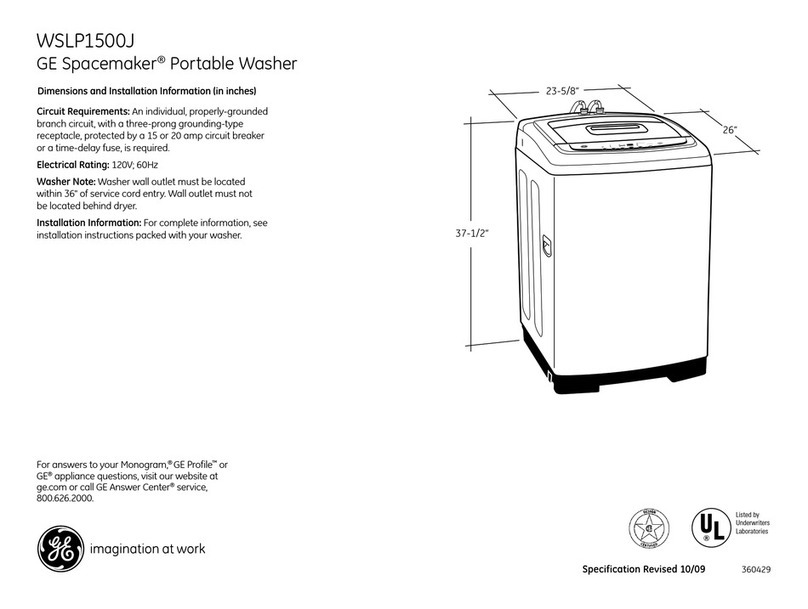
GE WSLP1500 Dimensions and installation information

GE

GE WSLP1500 Dimensions and installation information

Electrolux EWF1284EDW Service manual

Electrolux

Electrolux EWF1284EDW Service manual

LG TV2516DV3B owner's manual

LG

LG TV2516DV3B owner's manual

LG TH2517DSAV owner's manual

LG

LG TH2517DSAV owner's manual

VESTEL CMH-XL 7510 TE user manual

VESTEL

VESTEL CMH-XL 7510 TE user manual

AEG 74335 User information

AEG

AEG 74335 User information

Johnson JWF721A user manual

Johnson

Johnson JWF721A user manual

Danby DTT100A1WDB Owner's use and care guide

Danby

Danby DTT100A1WDB Owner's use and care guide

https://manuals.online logo
https://manuals.online logoBrands
  • About & Mission
  • Contact us
  • Privacy Policy
  • Terms and Conditions

Copyright 2026 Manuals.Online. All Rights Reserved.

Programme Chart and Quick Reference Card GB

* Values declared on the product or in the operating instruction booklet / programme chart and quick reference card supplied
with the product are obtained in tests performed under controlled laboratory conditions and these tests are as defined in relevant
standards
** Reference programme for the Testing Institute and energy labeling.
Programme Chart and Quick Reference Card GB

Detergent
compartment
A=25 cm³
15 cm³
B=5 cm³
programme
sequence
Consumption
figures
Water (Liter)
Energy (kWh)
Duration (min)
Programme
symbols and
temperatures
Testing program Eco 50°C as compliant to EN 50242 international norms. 18 9829 01 00-04
On Off
Button
Salt indicator
On Off
indicator light
Operating the dishwasher
Turn the tap on. Open the door of the machine.
Push in the on/off button and check that the indicator light comes on.
Check the salt and rinse aid level indicators before you start the machine. If
necessary add salt and rinse aid.
Check that the upper and lower spray arms can rotate freely. Pour (Put in) the
detergent.
Close the door of the machine.
Press start / stop button and check that the washing light comes on.
Care must be taken if opening the door, as steam and water will escape.
Press the on/off button after the programme is completed. The on/off indicator
light will go off.
Turn of the water tap, unload the baskets.
It will not affect the sequence if you leave the programme selection knob pushed
in or out.
Keep the knob pushed in to prevent children from tampering with the machine.
Do not open the dishwasher door whilst the appliance is in operation. However, in case
the door is opened while the machine is working, then a safety mechanism ensures the
machine immediately stops. Water may be very hot, so be careful.
!
Select the required programme by referring to the programme chart. Press the
programme selection knob and it pops out. You will see the programme numbers
on the knob. Select the desired programme by turning the knob. Do not force
the knob.
Wash
End
Progress
indicator lights
Start Stop Button
Soiled
dishes that
have been
kept in the
machine
A
50 °C wash
Cold rinse
Hot rinse
Drying
Prewash
Eco
50°C
2
15
1,05
136
65 °C wash
Cold rinse
Hot rinse
Drying
Prewash
A+B
Intensive
65°C
Heavily
soiled dishes
that have
been kept in
the machine
OR Heavily
soiled dishes
requiring pre-
wash.
3
15,8
1,36
110
-
Prewash
For rinsing
dishes that
will not be
washed
immediately
1
End
Prewash
4,2
-
14
The programme sequence throughout the washing process can be monitored
from the progress indicator lights on the control panel.
Programme Sequence
Following the washing stage, in order to drain and remove water from inside
the machine completely, the machine will pause for approximately 35 minutes.
Do not worry this is not a fault. Then End progress indicator light will come
on.
Do not switch the machine off before End light comes on.
How to change the washing programme
To change the programme selection while the machine is operating
Press start/stop button. The washing light will go off.
Select the new programme. Press start/stop button. The washing light will be on and new programme
will start.
! Important: The new programme will NOT right from the beginning. It will start from the stage last
carried out by the previous programme selection.
How to cancel the washing programme
To cancel a programme while the machine is operating
Press start/stop button for 3 seconds. The machine will drain the water inside the machine for 45
seconds. The programme is cancelled when washing light goes off. Then, you can choose and
start a new programme.
! Important: Depending on the stage of the programme you have cancelled, there may be detergent
residue or rinse aid inside the machine and on the load. Make sure the items in the dishwasher are
not used before washing properly.
On / Off
65°C50°C
12 3
Loading the dishwasher
There are three separate baskets, in which you can put your dinnerware, in your machine.
The shelves on the rack are made adjustable to accommodate tall pieces.
Long cutlery, such as ladles and long knives, etc must be placed horizontally on top of the full cutlery
basket or on the racks to prevent accidental injury.
Place spoons and forks in the cutlery basket with handles down and knives with handles up to
prevent accidental injury.
Upper Basket Height Adjustment
The default position of the upper basket
of your machine is adjusted at the higher
position. According to the size of the dishes
you can change the position of the upper
basket. To do this, Release the latches
on both the right and left tracks by turning
them sideways. Remove the basket.
Change the position of the rollers and
place the basket back on the track then
shut the latches.
Programme Chart and Quick Reference Card GB
Folding Plate Support Rods (If applicable)
There are four separate "folding plate support rods" in the lower basket of your dishwasher
designed to allow you more space to accommodate saucepans and large bowls in the lower
basket. You can either fold each section (1,2,3,4) individually or, all at once, to create a large
empty space. Simply press the handgrips (A) and fold them down"
(if provided)
A
A
A
BC
A
BC
THE ACROBAT SYSTEM (If provided)
The upper basket is designed with a built in
elevator system which allows you to move
the upper basket up or down even when its
fully loaded, without having to take it out of
the machine. 1
The upper basket is set at the "low" position
at production. To bring the upper basket to
the "high" position,hold from the side one of
the upper basket and gently pull upwards.
To raise the other end of the basket hold from the other side and do the same 2. To lower the upper
basket, hold from the lever on one side of the basket and gently lower the basket without removing
your hand from the lever 2. Do the same holding the lever on the other side of the basket. Always
ensure both sides of the elevator mechanism are level.
Three-way split cutlery basket (if provided)
Depending on the amount of load and load type, three-way split cutlery basket can be split into three
parts. Part B and/or part C can be placed in the upper basket.
To dismantle the three-way split cutlery basket follow the below instructions and see the diagrams
supplied.
Rotate handgrip which is at the bottom of handle.
Remove top and bottom hangers by sliding each part in opposite direction.
If you want to reassemble the cutlery basket, the reverse of the above operations should be carried
out.
Part A can not be placed into the upper basket.
Long cutlery, such as ladles and carving knives, should not be placed in the upper basket parts B
or C. They can be placed on the side racks on the upper basket.
In order to obtain the best cleaning and drying performance in cutlery basket, use the separators
of parts A, B and C.
To remove the separators follow the below instructions
For Part A ; Press from the sides and the separators can be removed easily
For Parts B and C; Press from the sides where handle is placed and the separators can be removed
easily.
Programme Chart and Quick Reference Card GB