ENGLISH
8
Cleaning
WARNING: Never use solvents or other harsh
chemicals for cleaning the non‑metallic parts of the
cart. These chemicals may weaken the plastic materials
used in these parts. Use a cloth dampened only with
water and mild soap. Never immerse any part of the
product into aliquid.
WARNING: Do not machine wash the fabric basket.
MAINTENANCE
WARNING: To reduce the risk of serious personal
injury ensure clothing, long hair, fingers and other
personal objects are clear of moving parts before
making any adjustments or removing/installing
attachments or accessories.
Your BLACK+DECKER cart has been designed to operate
over a long period of time with a minimum of maintenance.
Continuous satisfactory operation depends upon proper care
and regularcleaning.
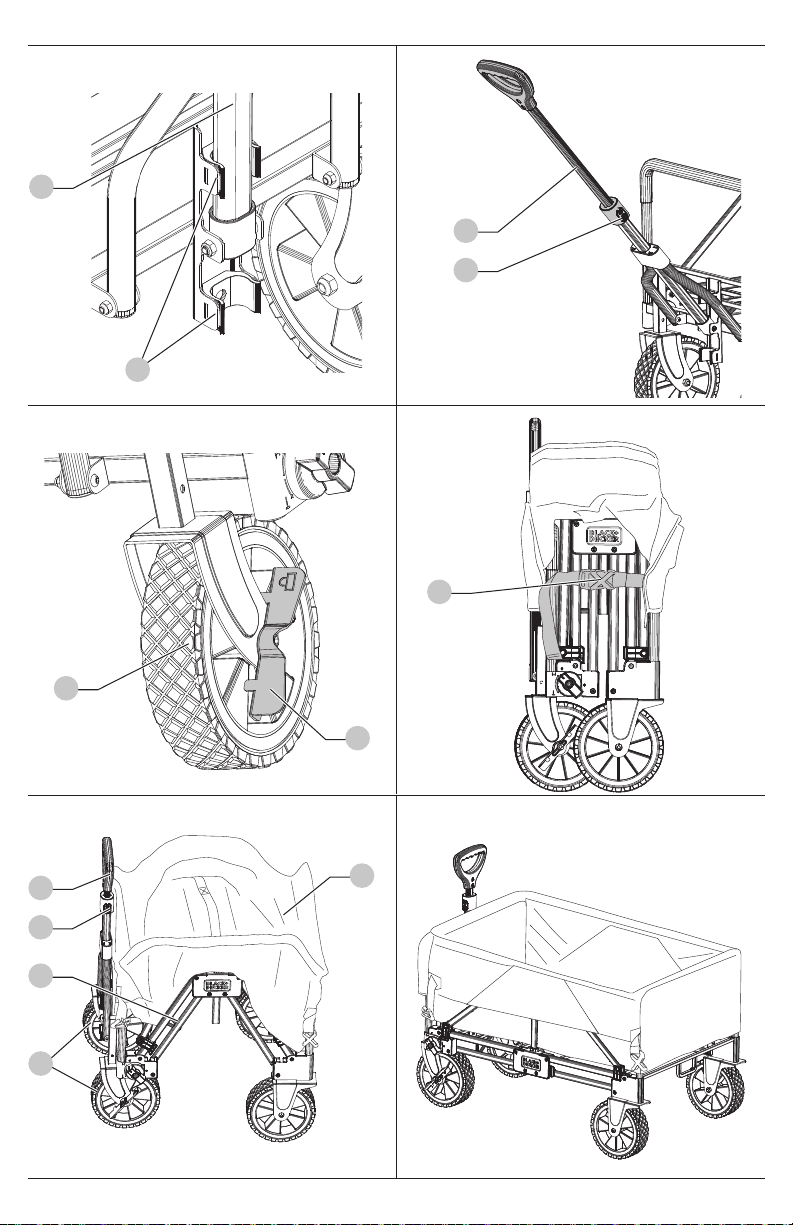
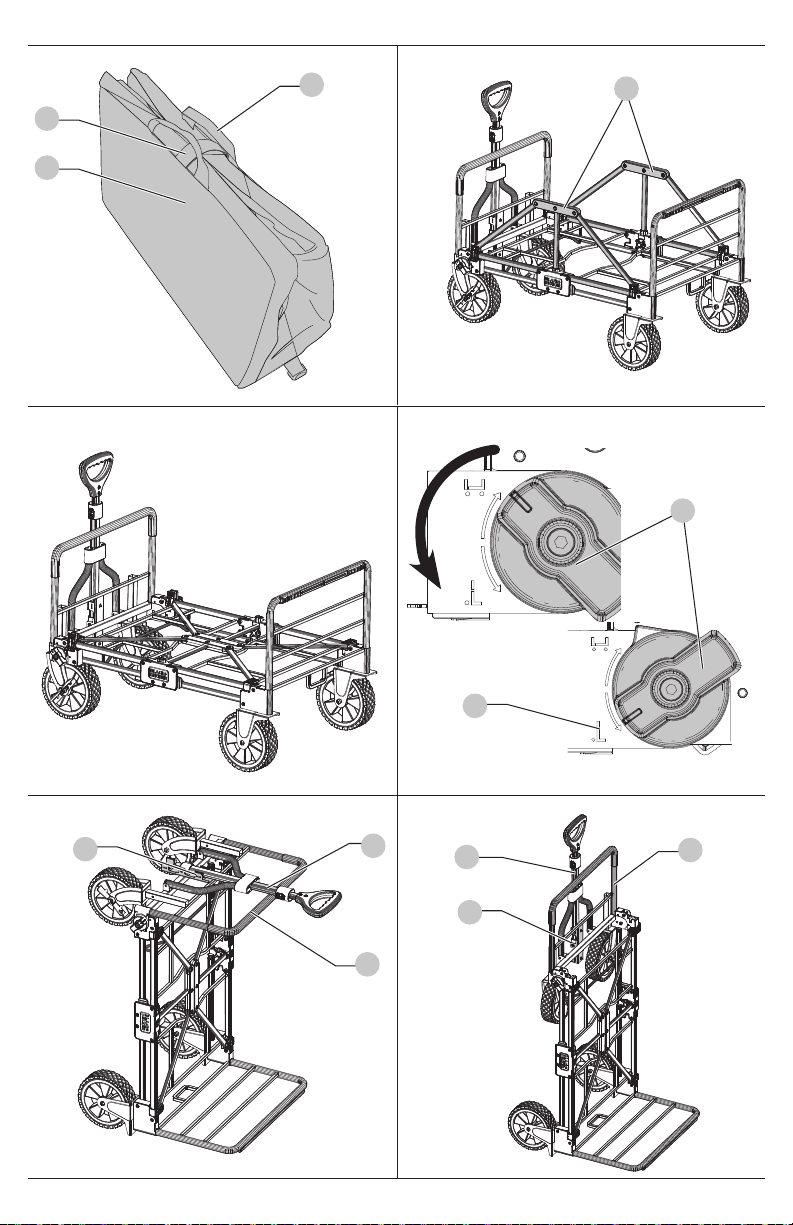
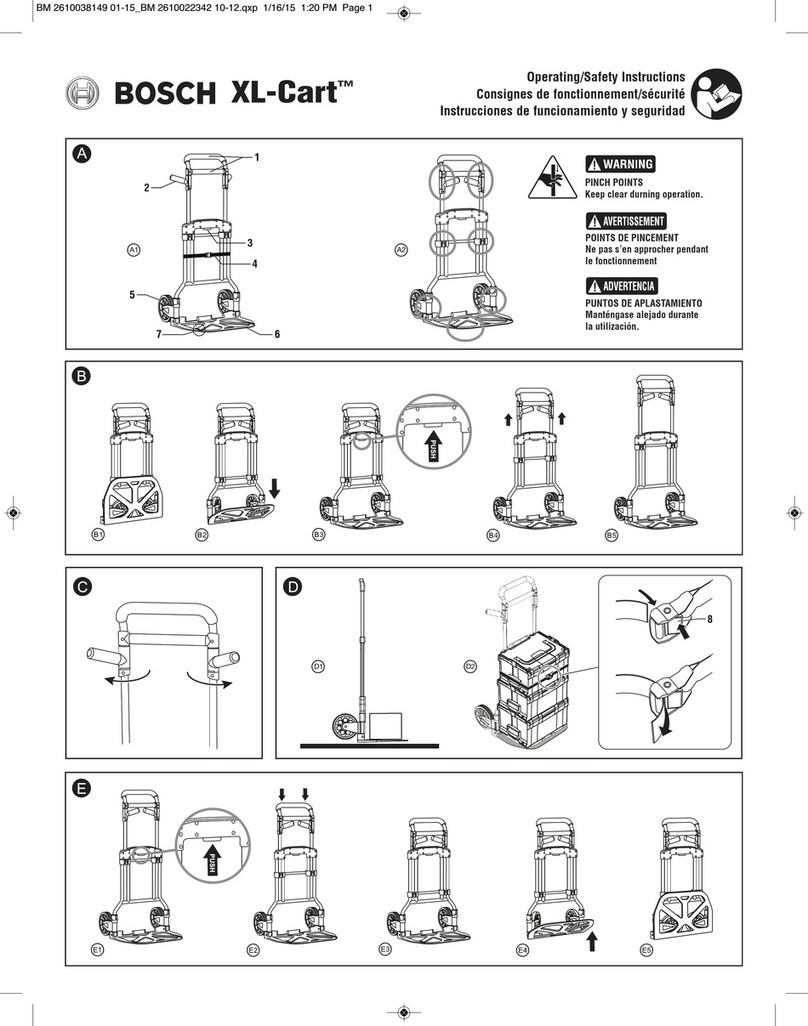
Converting Flat Bed Cart to Hand Truck
(Fig. P—U)
CAUTION: Ensure the frame side walls are fully folded
down and secure before converting the cart.
1. Start with the flat bed cart converted and ready for use.
2. Rotate the knobs 18 to the hand truck icon 19 .
NOTE: You will hear an audible click as it locks into place.
3. Rotate the cart onto the hand truck base as shown
inFig.R.
4. Rotate the front frame wall 22 towards the handle 1 .
The front wheels 6 will slide along the wheel guide 23
as shown in Fig. U. The front frame wall 22 will make an
audible click when locking into position.
5. Retract the handle and fold it down into the handleclip 2
to secure the front wheels 6 in place.
6. The hand truck is now ready for use.
NOTE: There is a built in foot rest 16 located between
the rear wheels for easier hand truck operation.
Converting Hand Truck to Flat Bed Cart
(Fig. U—X)
1. Start with the hand truck converted and ready for use.
2. Rotate the knobs 18 to the cart icon 20 .
NOTE: You will hear an audible click as it locks into place.
3. Rotate the front frame wall 22 to the cart position. The
front frame wall 22 will make an audible click when
locking intoposition.
4. Lift the handle from the handle clip 2 .
5. Rotate the cart so it sits on all four wheels as shown
inFig. X.
6. Press the handle button 3 and pull on the handle 1
toextend the handle.
7. The flat bed cart is now ready for use.
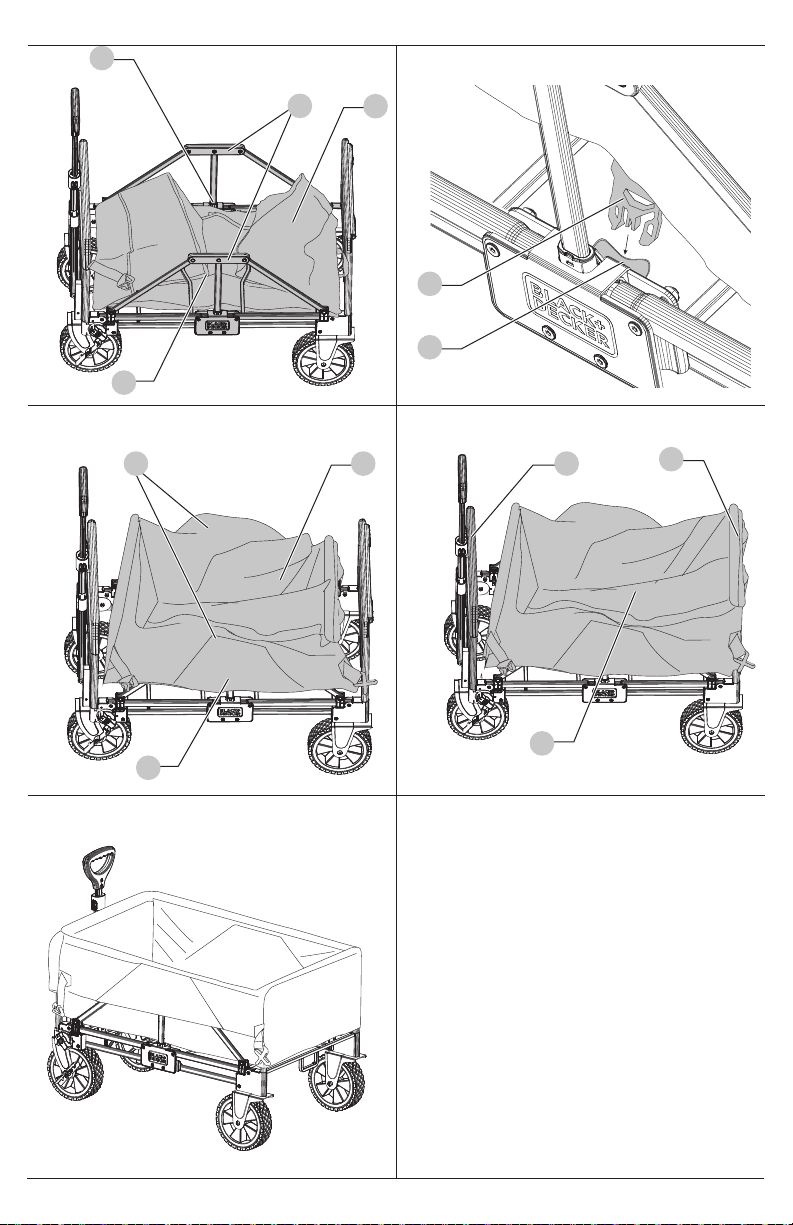
Converting Flat Bed Cart to Cart
(Fig. Y—DD)
1. Start with the flat bed cart converted and ready for use.
2. Fold the two frame side walls 12 upward until they lock
into position.
3. Place the folded fabric basket 4 in the center of thecart
and then unfold it.
NOTE: The fabric basket 4 can be installed with the
pockets on the front frame wall 22 towards the handle 1
or on the rear frame wall 17 .
4. Attach the side bracket buckles 7 to the
centerbrackets 24 .
NOTE: You will not be able to collapse the cart via the
fabric handle if these buckles are not attached.
5. Place the fabric basket 4 over the two frame side walls 12
and secure it with the hook and loop strips 11 .
6. Place the fabric basket 4 over the front and rear frame
wall 17 , ensuring a snug fit.
7. The cart is now ready for use.
Repairs
WARNING: To assure product SAFETY and RELIABILITY,
repairs, maintenance and adjustment should be
performed by a BLACK+DECKER factory service center
or a BLACK+DECKER authorized service center. Always
use identical replacementparts.
Recommended accessories for use with your product
are available at extra cost from your local dealer or
authorized service center. If you need assistance in
locating any accessory, please contact BLACK+DECKER call
1-800-544-6986
Accessories
WARNING:
Since accessories, other than those offered
by
BLACK+DECKER
, have not been tested with this
product, use of such accessories with this product
could be hazardous. To reduce the risk of injury, only
BLACK+DECKER
recommended accessories should be
used with thisproduct.
Recommended accessories for use with your product
are available at extra cost from your local dealer or
authorized service center. If you need assistance in
locating any accessory, please contact BLACK+DECKER call
1-800-544-6986
Register Online
Thank you for your purchase. Register your product nowfor:
• WARRANTY SERVICE: Registering your product will
help you obtain more efficient warranty service in case
there is a problem with yourproduct.
• CONFIRMATION OF OWNERSHIP: In case of an
insurance loss, such as fire, flood or theft, your registration
of ownership will serve as your proof ofpurchase.
• FOR YOUR SAFETY: Registering your product will allow
us to contact you in the unlikely event a safety notification
is required under the Federal Consumer SafetyAct.
• Register online at www.BlackandDecker.com
/
NewOwner