manuals.online logo
Brands
  1. Home
  2. •
  3. Brands
  4. •
  5. BOC
  6. •
  7. Oxygen Equipment
  8. •
  9. BOC Inhalo Instruction Manual

BOC Inhalo Instruction Manual

Popular Oxygen Equipment manuals by other brands
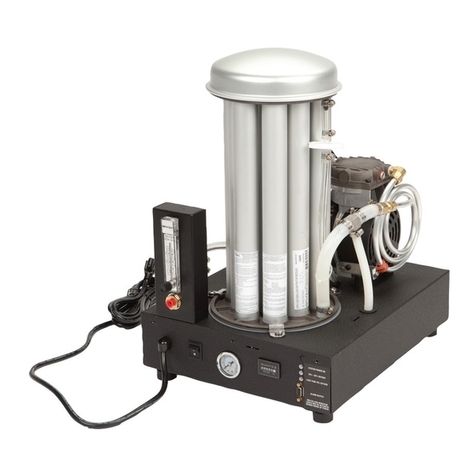
AirSep SeQual Workhorse Series instruction manual
AirSep

AirSep SeQual Workhorse Series instruction manual

Philips EverFlo user manual

Philips

Philips EverFlo user manual
Maxtec MAXO2+A Industrial Guide & Operating Instructions
Maxtec

Maxtec MAXO2+A Industrial Guide & Operating Instructions

ResMed MIRAGE LIBERTY 61848 user guide

ResMed

ResMed MIRAGE LIBERTY 61848 user guide

ResMed Mirage Liberty Component manual
ResMed

ResMed Mirage Liberty Component manual

Puritan Bennett Companion 1000 Technical manual

Puritan Bennett

Puritan Bennett Companion 1000 Technical manual

Teledyne 329R instruction manual

Teledyne

Teledyne 329R instruction manual

Drive Bonsai OM-812 PRODUCT INFORMATION AND INSTRUCTIONS
Drive

Drive Bonsai OM-812 PRODUCT INFORMATION AND INSTRUCTIONS

AirSep Focus Portable Service manual

AirSep

AirSep Focus Portable Service manual

Inova Labs Inc. LifeChoice Operator's manual

Inova Labs Inc.

Inova Labs Inc. LifeChoice Operator's manual

Ozotech Power Prep Phoenix Operation & maintenance manual
Ozotech

Ozotech Power Prep Phoenix Operation & maintenance manual

Nidek Medical Mark 5 Nuvo M5C5 user guide
Nidek Medical

Nidek Medical Mark 5 Nuvo M5C5 user guide
AirSep AS-20 instruction manual

AirSep

AirSep AS-20 instruction manual

Emerson World Class 3000 Instruction bulletin

Emerson

Emerson World Class 3000 Instruction bulletin

Invacare Platinum HF II Operator's manual

Invacare

Invacare Platinum HF II Operator's manual

ABB 9408 Series instruction manual

ABB

ABB 9408 Series instruction manual

Invacare Perfecto2IRC5PO2AW Service manual

Invacare

Invacare Perfecto2IRC5PO2AW Service manual

AirSep FreeStyle Patient manual

AirSep

AirSep FreeStyle Patient manual

manuals.online logo
manuals.online logoBrands
  • About & Mission
  • Contact us
  • Privacy Policy
  • Terms and Conditions

Copyright 2025 Manuals.Online. All Rights Reserved.

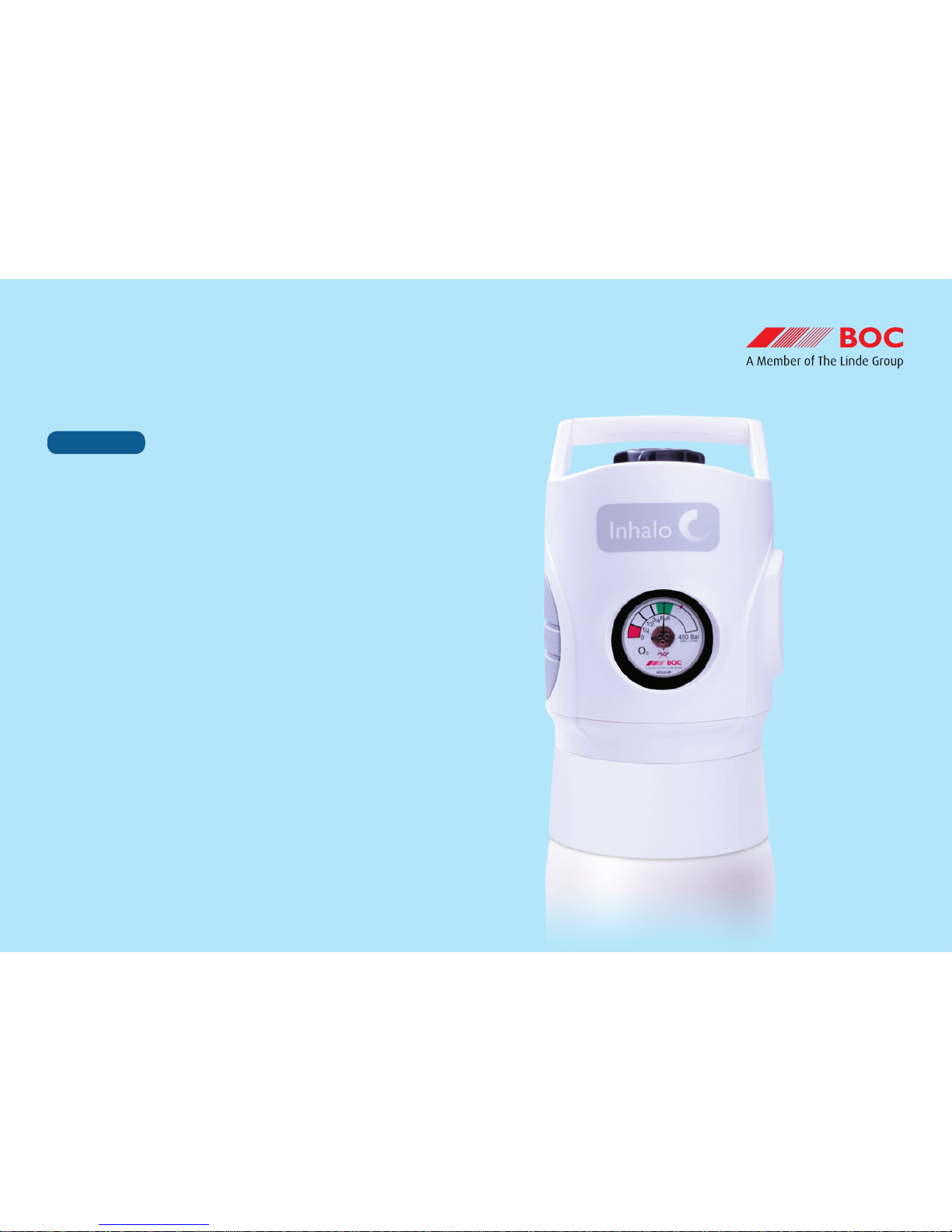
BOC: Living healthcare
lighter
safer
robust
reliable
Integrated delivery of therapeutic gas
Operating guidelines
Step by step
INHALO®
BOC: Living healthcare
Step by step operating guidelines – INHALO®
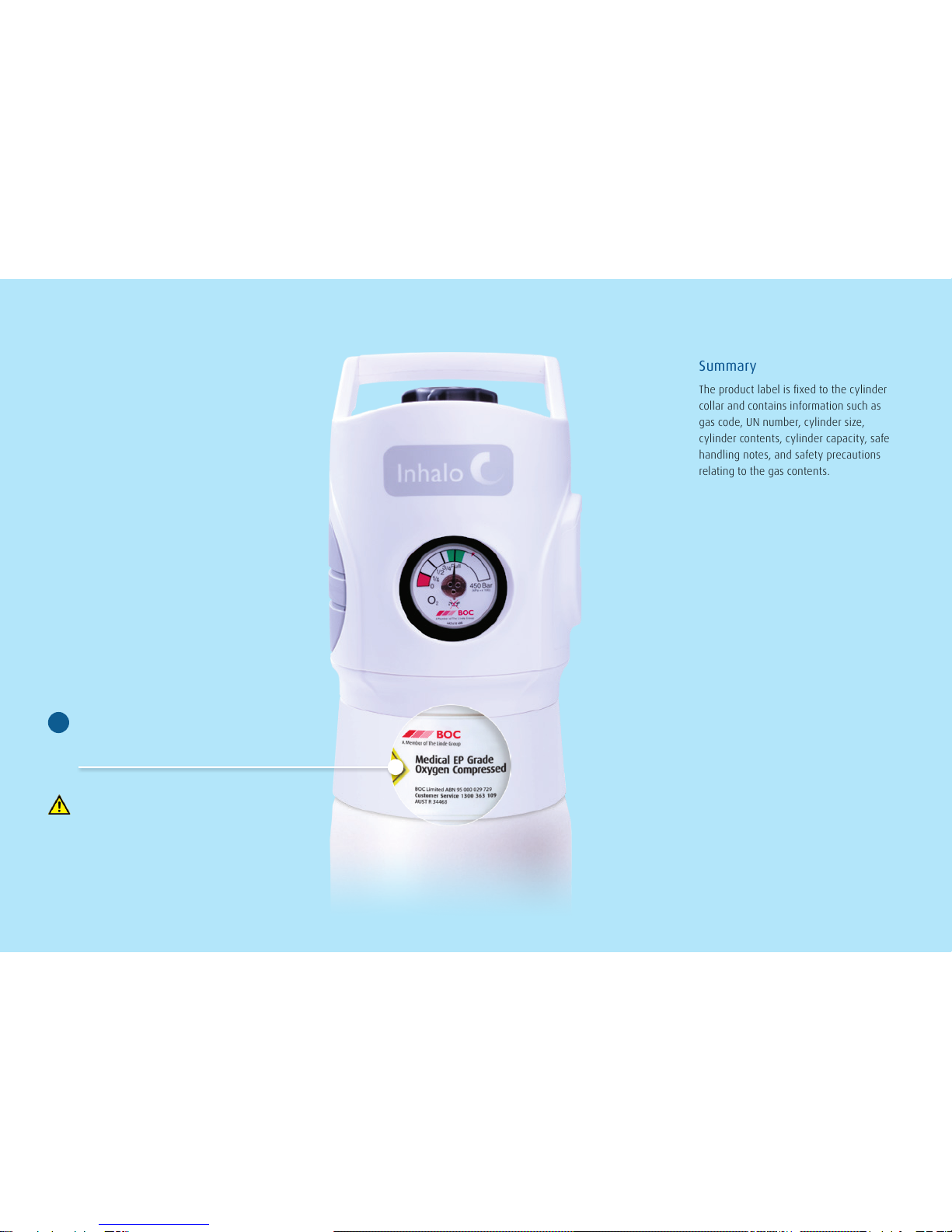
Summary
The product label is xed to the cylinder
collar and contains information such as
gas code, UN number, cylinder size,
cylinder contents, cylinder capacity, safe
handling notes, and safety precautions
relating to the gas contents.
Check product label to ensure
you have the correct gas.
1
Always use the label as the primary
means of identication.
BOC: Living healthcare
Step by step operating guidelines – INHALO®
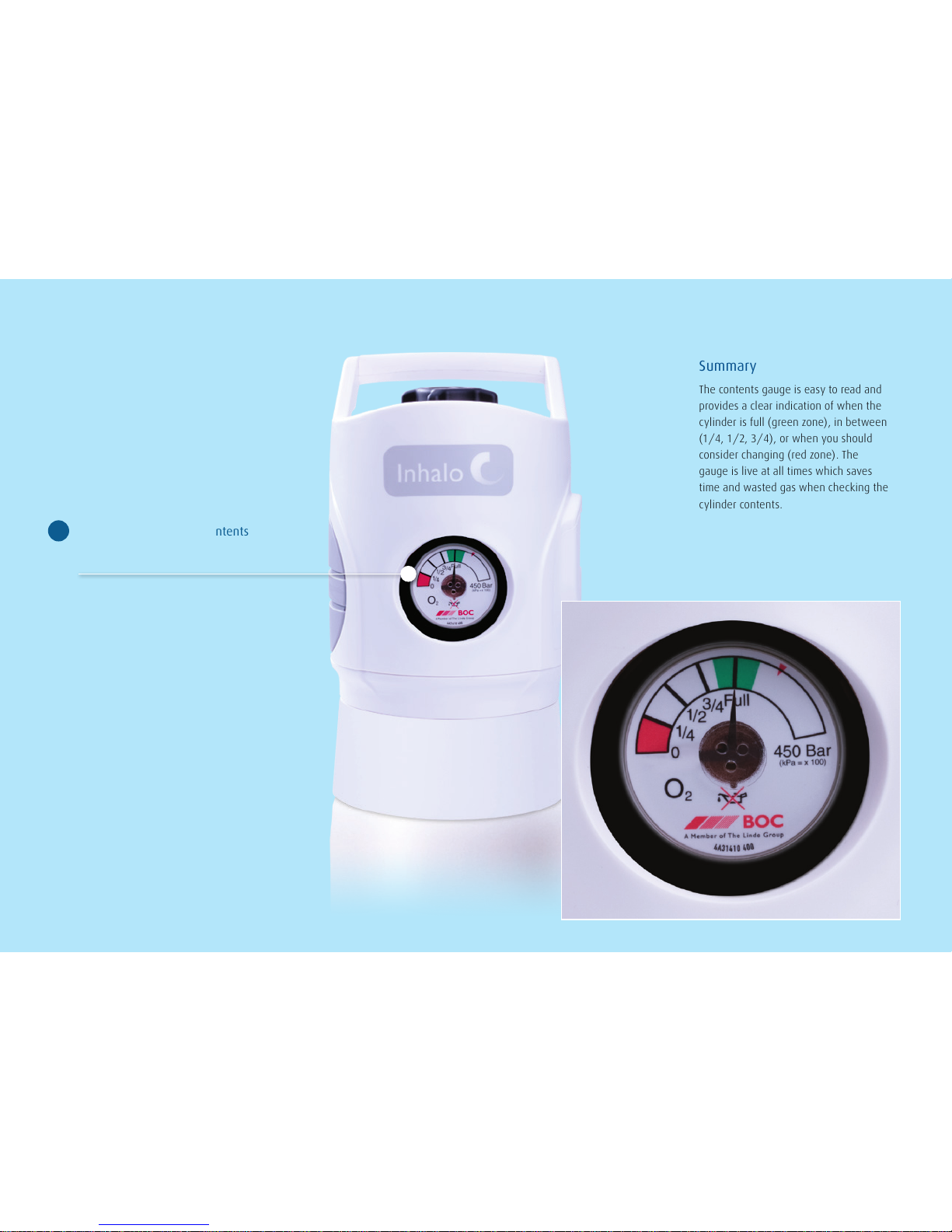
Summary
The contents gauge is easy to read and
provides a clear indication of when the
cylinder is full (green zone), in between
(1/4, 1/2, 3/4), or when you should
consider changing (red zone). The
gauge is live at all times which saves
time and wasted gas when checking the
cylinder contents.
Check there is su󹠣cient contents
for your requirements.
2
BOC: Living healthcare
Step by step operating guidelines – INHALO®
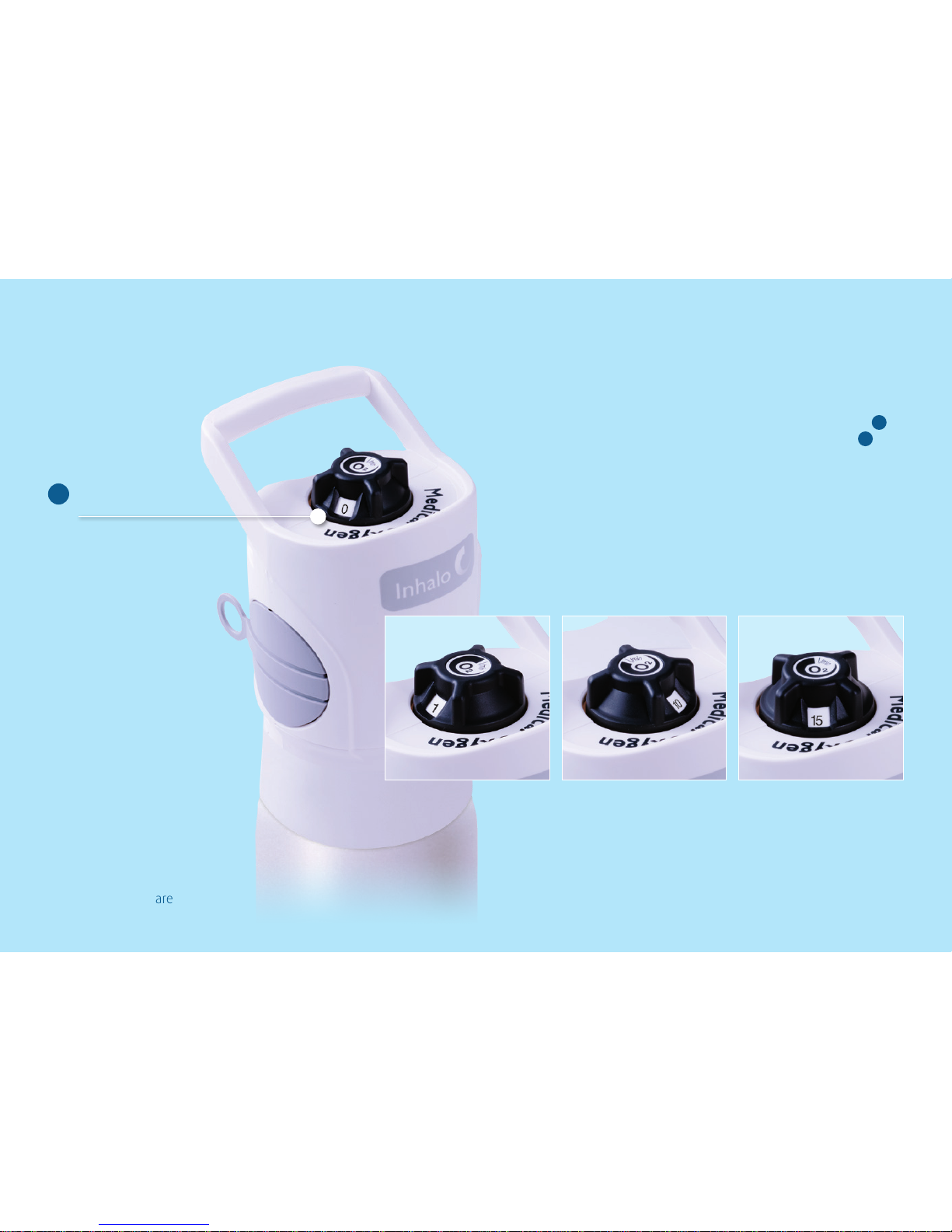
Summary
The ow selector knob is designed for
maximum grip and ease of use, it is used
in conjunction with the rtree outlet 6
and the OPEN/CLOSE hand wheel 8 to
deliver variable gas ow (0 – 15 lpm). The
ow indicator window rotates clockwise to
select higher ow settings, and in reverse
for lower settings and to return to zero.
When not in use or before opening the
cylinder for the rst time the ow selector
should be set to zero.
Turn ow selector to zero.
3
BOC: Living healthcare
Step by step operating guidelines – INHALO®
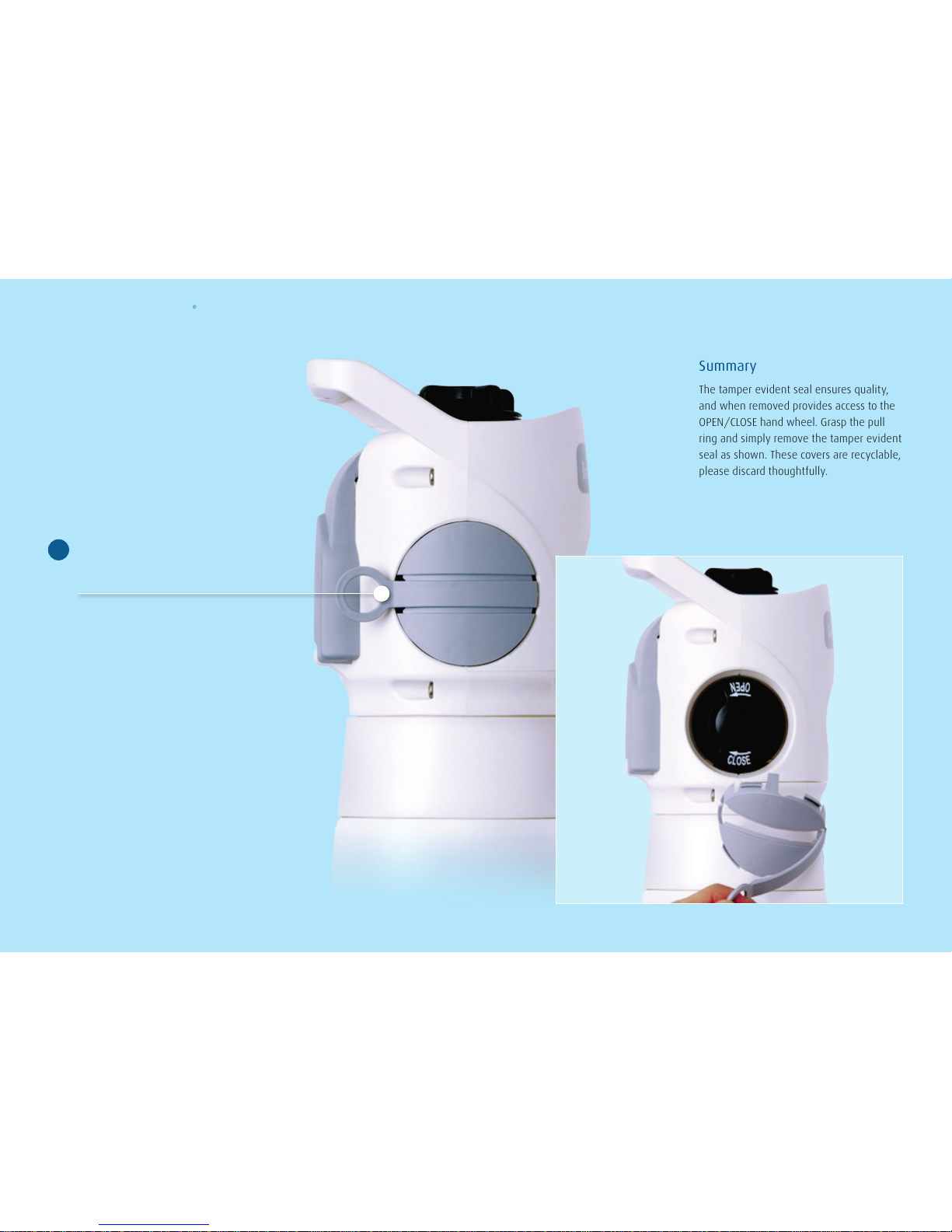
Summary
The tamper evident seal ensures quality,
and when removed provides access to the
OPEN/CLOSE hand wheel. Grasp the pull
ring and simply remove the tamper evident
seal as shown. These covers are recyclable,
please discard thoughtfully.
Remove the light grey
tamper evident seal.
4
BOC: Living healthcare
Step by step operating guidelines – INHALO®
Summary
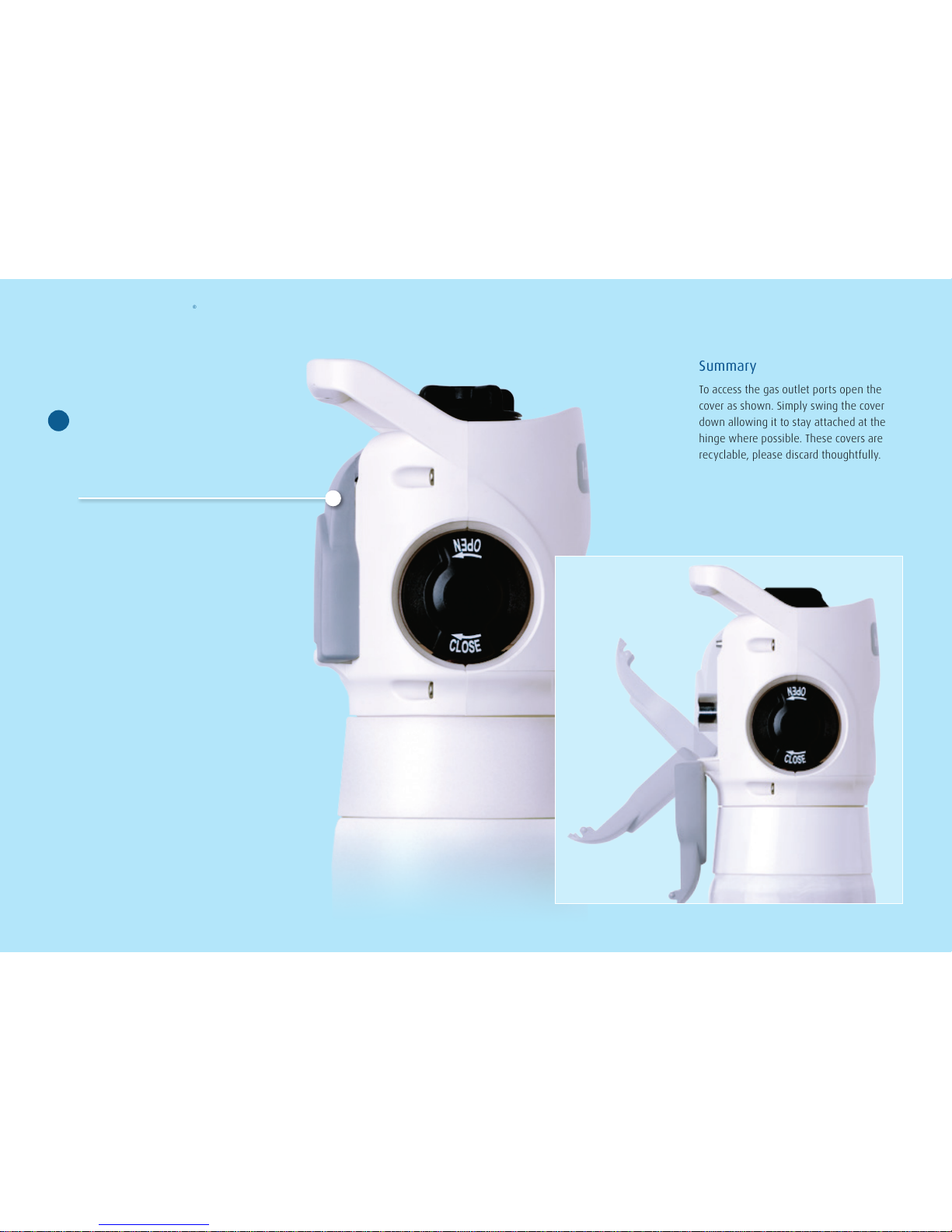
To access the gas outlet ports open the
cover as shown. Simply swing the cover
down allowing it to stay attached at the
hinge where possible. These covers are
recyclable, please discard thoughtfully.
Open the light grey hinged
cover which protects the rtree
and Diameter Index Outlet
(DIO) connections.
5
BOC: Living healthcare
Step by step operating guidelines – INHALO®
Summary
After you have checked that the ow
selector is set to zero 3 attach therapy
tubing, mask or cannulae directly to the
rtree outlet. This will allow you to deliver
gas to the patient after the OPEN/CLOSE
hand wheel has been opened 8 and the
ow selector set 9 .
The rtree outlet is suitable for tubing
diameters from 6mm to 8mm.
Connect
Firtree outlet:
This outlet is for connecting therapy
tubing, mask or canulae to the
variable ow selector.
6
BOC: Living healthcare
Step by step operating guidelines – INHALO®
Connect
DIO (Diameter Index Outlet):
This outlet is for the connection
of equipment eg. portable
suctiondevice.
NOTE: DIO is also know as SIS –
Sleeve Index System, refer AS2896
7
To achieve a gas-tight seal
equipment should only be tted
to the DIO hand-tight. To ensure
a good seal rst check that the
equipment to be tted to the DIO
has an O-ring in good condition
in place. Then t the equipment
connection to the DIO hand-
tight only. Tools or leveraging of
equipment should never be used
to secure equipment to the DIO
as it may damage the device and
endanger the user.
Summary
The DIO outlet is used in conjunction with the
OPEN/CLOSE hand wheel to deliver gas (4
Bar) to equipment attached to the DIO. Gas
will not ow from the DIO unless equipment
is attached to it. The DIO outlet delivers gas
independently of the rtree outlet.
Use the hand wheel connection on your
equipment to attach directly to the DIO,
ensure that the ow selector is set to
zero 3 then open the OPEN/CLOSE
hand wheel 8 to use equipment.
The DIO connection will allow you to
connect a variety of equipment depending
on your needs eg. portable suction devices,
ventilators and owmeters for low and
high range applications.
BOC: Living healthcare
Step by step operating guidelines – INHALO®
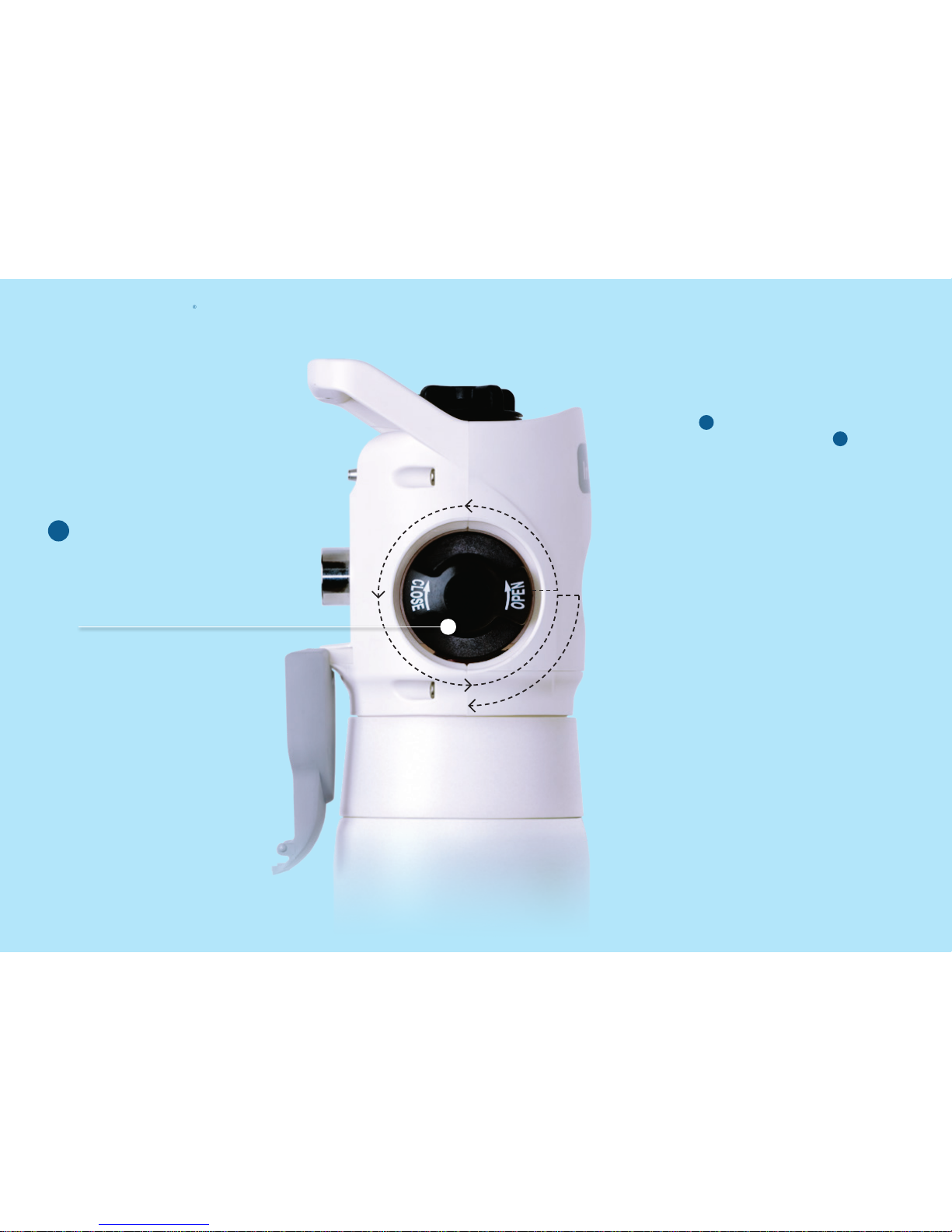
To open the cylinder valve
slowly rotate the OPEN/CLOSE
hand wheel in an anticlockwise
direction fully, then a quarter of
a turn clockwise, as illustrated.
8
Summary
The OPEN/CLOSE hand wheel is used
to provide gas to both the rtree outlet
6 once a ow setting has been
selected, and the DIO outlet 7 once
equipment has been attached.
The rtree & DIO outlets work
independently of each other.
BOC: Living healthcare
Step by step operating guidelines – INHALO®
Summary
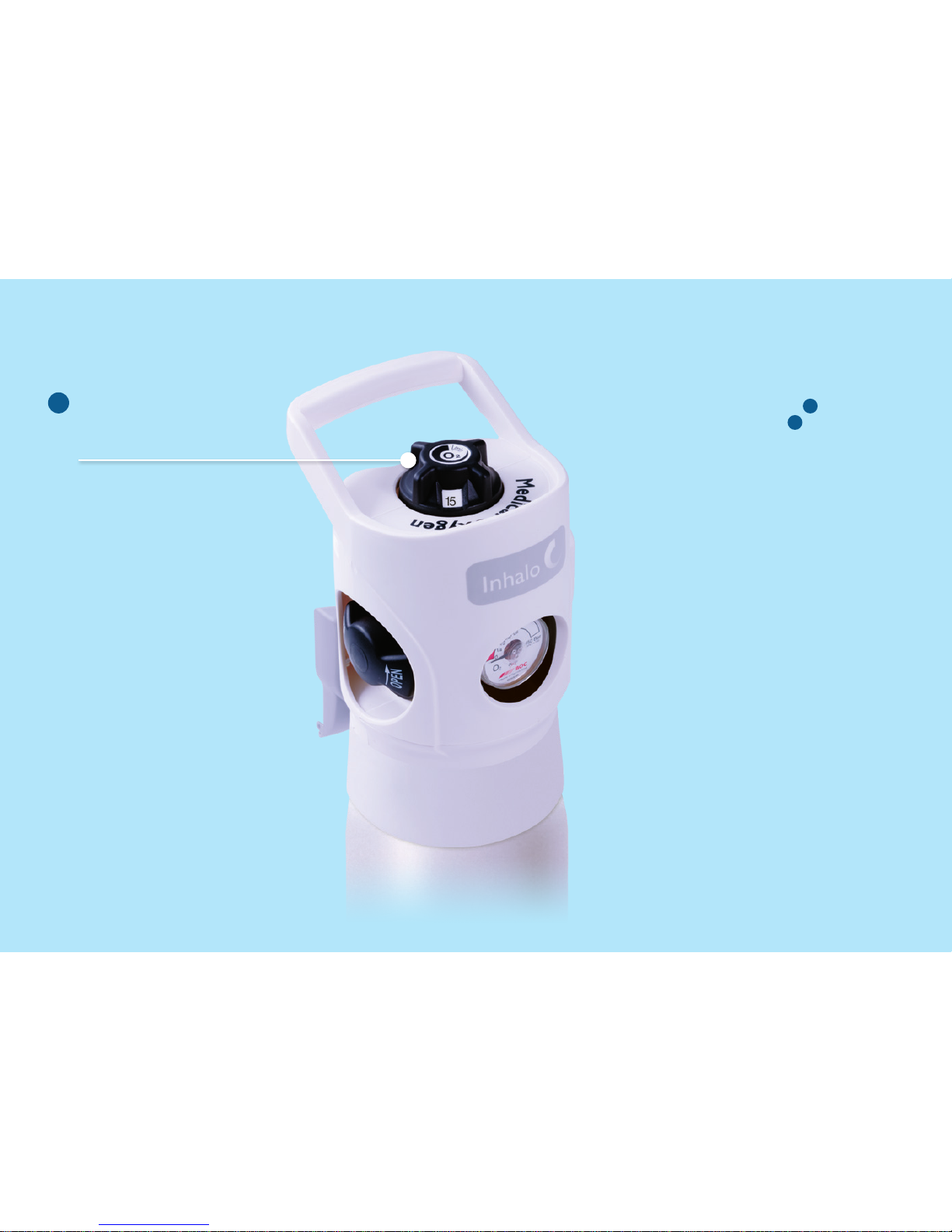
The ow selector is used in conjunction
with the rtree outlet 6 and the OPEN/
CLOSE hand wheel 8 to deliver variable
gas ow (0 - 15 lpm). When not in use or
before opening the cylinder for the rst
time the ow selector should be set to zero.
The ow indicator window rotates clockwise
to select higher ow settings, and in reverse
for lower settings and to return to zero.
Always place the setting directly on
the number in the window. The unique
design of the ow meter allows a nominal
amount of gas ow between settings if
accidentallyselected.
Rotate the gas ow selector
knob to the desired ow rate
for your application.
9