3
1 Introduction to DC-204-AI Series
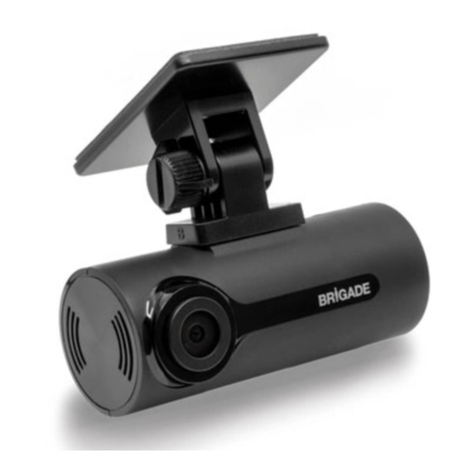
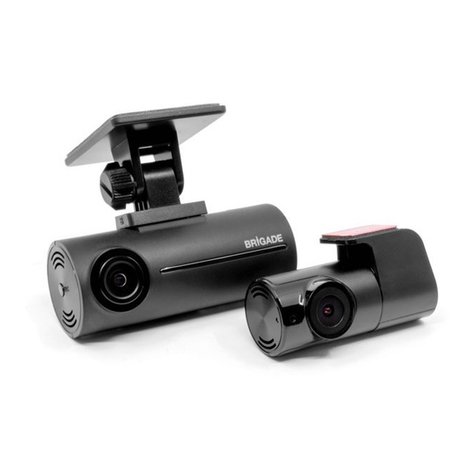
Brigade’s DC-204-AI Series are AI Connected Dashcams designed to record and playback various channels. Two channels are built into the
dashcam: the road facing Advance Driving Assistance System (ADAS) camera and the driver facing Driver Safety Cockpit (DSC) camera.
The system uses Analog High Definition (AHD) television system. The resolution can be CIF, WCIF, HD1, WHD1, D1, WD1, 720P, 960P, 1080P
or 1920P. 1920P is for the road facing ADAS camera only. Information related to recording parameters, alarms and trigger status can be
recorded along with speed, location, and G-Force data. In addition, data related to the unit itself such as voltage are recorded and plotted
graphically in MDR Software (MDR-Dashboard and MDR-Player). This information is called metadata.
Recordings can be searched, viewed, and exported (clipped and saved locally) using MDR-Dashboard software. This allows users to access all
the vehicle’s travel information, including route tracking. Recordings can be easily exported in three different formats:
1. MP4 format: in this format the file is playable by consumer media players.
2. Standard format: when the footage is clipped, a folder structure is created which contains the video files in the original native
proprietary format clips which can only be viewed using MDR-Dashboard/MDR-Player.
3. Export format: This creates a password protected executable (.exe) file with MDR-Player embedded in it.
The storage units for the AI connected dashcam are two micro-SD (Secure Digital) cards. They are set in the loop recording mode as default
which means that both micro-SD cards record as mainstream and there is no back-up however, they have more storage capacity than if the
recording mode were to be set to mirror recording mode. The mirror recording mode can also be set for the micro-SD cards, in this mode one
micro-SD card is used for mainstream and the other for sub-stream recording. Mainstream is the main storage micro-SD card (slot 1 at the top
see section 3.3) and sub-stream micro-SD card (slot 2 at the bottom, see section 3.3) acts as a back-up just in case something goes wrong with
the main storage (mainstream) micro-SD card but mirror recording mode does not have as much storage capacity as the loop recording mode
because the recordings are duplicated, see section 4.2.2.1 for details. The SD card stores video data and frame information only in chosen
image resolution and frame rate. The standard micro-SD card availability that comes with the AI connected dashcam is 2x 128GB, however, 2x
256GB are available as optional parts.
Note: Only micro-SD cards supplied by Brigade Electronics PLC are to be used.
Mobile network and Wi-Fi settings found in this manual relate to all models currently available.
AI Connected Dashcams require connection to the server through mobile network therefore users are advised to subscribe to the Brigade
Electronics BRIDGE Services to have access to the full capability of the device and benefit from seamless over the air firmware updates and
unlimited access and monitoring of vehicle to which the dashcam is installed. The device comes with a SIM pack which details how to connect
to BRIDGE Services.
Firmware upgrades and video exports can all be done through wireless connection to the MDR-Dashboard in server mode.
It is imperative that Brigade AI connected Dashcams are fitted and commissioned by competent and trained technicians. The installers are
responsible for the correct setup of the overall system and must adhere to relevant regulations and legislation.
Table 1: Description of DC-204-AI Series Models
# MODEL NUMBER OF
MAINSTREAM
SUBSTREAM
GPS MOB. NET WI-FI
(1) DC-204-AI(UK/EU) 2 128GB 128GB
(2) DC-204-AI(NA) 2 128GB 128GB
Warning: Prior to attempting the system setup, please ensure the DC-204-AI Series Installation & Operation Guide is thoroughly read
and understood. Brigade Electronics PLC are not responsible for any failures due to incorrect installation or operation.
Ensure your anti-virus software has exclusions in place to allow the MDR software package to function properly.
There is the need to download and install the MDR SmartController app on the installer’s mobile device because this app is needed to calibrate
the dashcam and the vehicle will need to be moved for the calibration process to be completed. See section 0 for detailed information.