67
P-6014
oL op Out 1
oL op Out 1 Lo ut op O 2Lo ut op O 2Loop Out 3Loop Out 3 Lo p Out o 4
Lo p Out o 4otr 1
M ni ootr 1
M ni o
Mo itor 2
n
Mo itor 2
n
IR InputIR Input
IOu p tR t uIOu p tR t u
PowerPower
us
Inp tus
Inp t
Cme a ra 1Cme a ra 1 Camera 2
Camera 2C me
ara 3
C me
ara 3 e
Camra 4e
Camra 4
d
Vieo
d
Vieo
Adio
u
Adio
u
PRO
L
CH A NNE
TM
I
VI S O N
L
CH A NNE
I
VI S O NTM
od
Mel
P014
-6
Vieo Pre end st
Vieo Pre end st
Camera 1Camera 1 C m ra
ae 2
C m ra
ae 2 Cm a a er 3
Cm a a er 3 Camera 4Camera 4 RS-232
RS-232
me d sTiAju tme d sTiAju t
Max
Max
CA C MRA QUNER
T5 A E SE E C
IR-2400
CANN I N
H EL VIS O
S
O
U
R
C
E
OZ NE
POWER
MUTE
4
3
2
1
CA ER
M A
CATV
MOD
VOL
1
2
3
4
LMODE
0A05 5
R
POWE
4
3
2
1
CAMERA
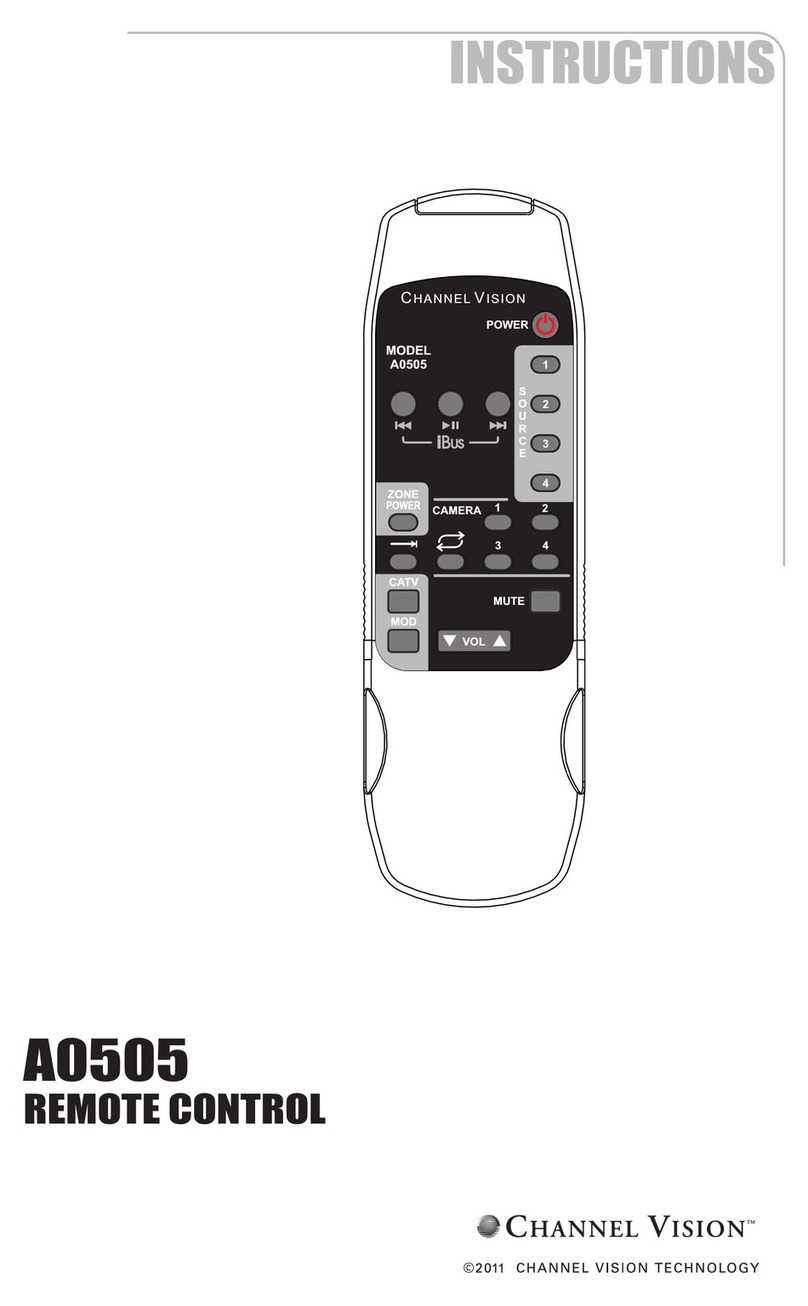
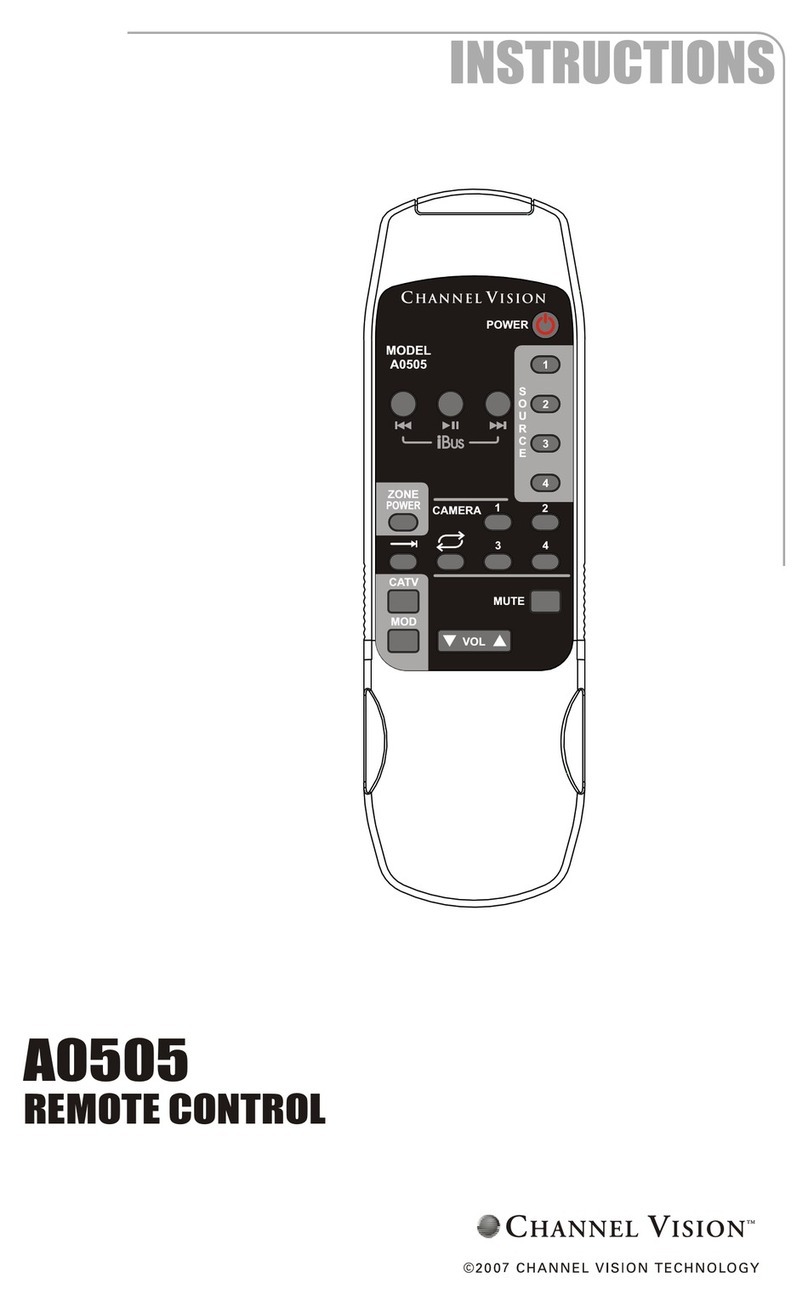
Using the A0505 remote control... P-6014 Camera Sequencer
The A0505 is designed to allow you to control the switching functions on your
P-6014. The A0505 allows you to choose any of the 4 cameras or select the
Auto Cycle mode.
Note: Camera
connections are not
shown in this diagram,
but the P-6014 can
support up to 4 CAT5
cameras.
A0505 IR codes in HEX format...
Some high-end programmable remote controls allow installers to input and
store IR codes in HEX format. These codes are listed below:
All Power: 0000 006D 0000 000C 001F 001F 003F 001F 001F 003F 001F 001F 001F 001F
001F 001F 001F 001F 003F 001F 001F 001F 001F 001F 001F 001F 001F 0CC3
iBus Play/Pause: 0000 006D 0000 000B 001F 001F 001F 001F 003F 003F 001F 001F
001F 001F 001F 001F 003F 001F 001F 001F 001F 003F 003F 003F 001F 0CA2
iBus Skip <<: 0000 006D 0000 000B 001F 001F 003F 001F 001F 003F 001F 001F 001F
001F 001F 001F 003F 001F 001F 003F 001F 001F 003F 003F 001F 0CA2
iBus Skip >>: 0000 006D 0000 000A 001F 001F 001F 001F 003F 003F 001F 001F 001F
001F 001F 001F 003F 003F 003F 001F 001F 003F 003F 0CC3
Mute: 0000 006D 0000 000A 001F 001F 001F 001F 003F 003F 001F 001F 001F 001F
001F 001F 003F 003F 003F 003F 003F 001F 001F 0CCA
Source 1: 0000 006D 0000 000B 001F 001F 003F 001F 001F 003F 001F 001F 001F 001F
001F 001F 003F 003F 001F 001F 003F 001F 001F 001F 001F 0CCA
Source 2: 0000 006D 0000 000C 001F 001F 001F 001F 0040 0040 001F 001F 001F 001F
001F 001F 0040 0040 001F 001F 001F 001F 001F 001F 001F 001F 001F 0CA9
Source 3: 0000 006D 0000 000B 001F 001F 001F 001F 003F 003F 001F 001F 001F 001F
001F 001F 003F 003F 003F 003F 001F 001F 001F 001F 001F 0CAA
Source 4: 0000 006D 0000 000B 001F 001F 001F 001F 003F 003F 001F 001F 001F 001F
001F 001F 003F 003F 003F 001F 001F 001F 001F 003F 001F 0CAA
Volume Down: 0000 006D 0000 000C 001F 001F 0040 001F 001F 0040 001F 001F 001F
001F 001F 001F 0040 001F 001F 001F 001F 001F 001F 001F 001F 0040 001F 0CAA
Volume Up: 0000 006D 0000 000C 001F 001F 001F 001F 003F 003F 001F 001F 001F
001F 001F 001F 003F 001F 001F 001F 001F 001F 001F 003F 001F 001F 001F 0CA6
Zone Power: 0000 006D 0000 000C 001F 001F 001F 001F 0040 0040 001F 001F 001F
001F 001F 001F 001F 001F 0040 001F 001F 001F 001F 0040 001F 001F 001F 0CA9
Camera 1: 0000 006D 0000 000B 001F 001F 003F 001F 001F 003F 001F 001F 001F 001F
001F 001F 003F 003F 001F 001F 003F 001F 001F 003F 001F 0CA5
Camera 2: 0000 006D 0000 000C 001F 001F 003F 001F 001F 003F 001F 001F 001F 001F
001F 001F 001F 001F 003F 001F 001F 001F 001F 001F 001F 003F 001F 0CA5
Camera 3: 0000 006D 0000 000A 001F 001F 001F 001F 003F 003F 001F 001F 001F 001F
001F 001F 003F 003F 001F 001F 003F 003F 003F 0CC5
Camera 4: 0000 006D 0000 000B 001F 001F 001F 001F 003F 003F 001F 001F 001F 001F
001F 001F 001F 001F 003F 001F 001F 001F 001F 003F 003F 0CC5
Camera Next: 0000 006D 0000 000C 001F 001F 001F 001F 003F 003F 001F 001F 001F
001F 001F 001F 003F 001F 001F 001F 001F 003F 001F 001F 001F 001F 001F 0CA5
Camera Cycle: 0000 006D 0000 000B 001F 001F 003F 001F 001F 003F 001F 001F 001F
001F 001F 001F 003F 001F 001F 001F 001F 001F 001F 003F 003F 0CC5
CATV: 0000 006D 0000 000B 001F 001F 003F 001F 001F 003F 001F 001F 001F 001F
001F 001F 003F 003F 001F 001F 001F 001F 001F 001F 003F 0CC5
MOD: 0000 006D 0000 000B 001F 001F 001F 001F 003F 003F 001F 001F 001F 001F 001F
001F 003F 003F 001F 001F 003F 003F 001F 001F 001F 0CA5
What these buttons do:
Camera Next... Changes the Monitor output to the next
camera in the sequence. If you’re viewing camera 1, pressing
it once will show camera 2 and so on.
Camera Cycle... Causes the Monitor output to sequence
through the cameras. The time adjustment on the P-6014 determines
how long each camera view is displayed before switching to the next one.
1, 2, 3, 4 Camera Views... Changes the Monitor output directly to the
corresponding camera input.