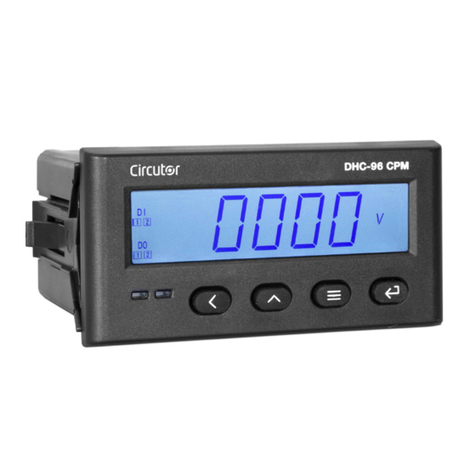
Circutor DHC-96 CPM User manual

INSTRUCTION MANUAL
DC Multimeter
DHC-96 CPM
(M246B01-03-22A)

2
DHC-96 CPM
Instruction Manual

3
Instruction Manual
DHC-96 CPM
SAFETY PRECAUTIONS
DANGER
Warns of a risk, which could result in personal injury or material damage.
ATTENTION
Indicates that special attention should be paid to a specific point.
Follow the warnings described in this manual with the symbols shown below.
If you must handle the unit for its installation, start-up or maintenance, the following should be
taken into consideration:
Incorrect handling or installation of the device may result in injury to personnel as well as damage to
the device. In particular, handling with voltages applied may result in electric shock, which may cause
death or serious injury to personnel. Defective installation or maintenance may also lead to the risk of
fire.
Read the manual carefully prior to connecting the device. Follow all installation and maintenance in-
structions throughout the device’s working life. Pay special attention to the installation standards of
the National Electrical Code.
Refer to the instruction manual before using the device
In this manual, if the instructions marked with this symbol are not respected or carried out correctly, it can result
in injury or damage to the device and/or installations.
CIRCUTOR S.A.U. reserves the right to modify features or the product manual without prior notification.
DISCLAIMER
CIRCUTOR S.A.U. reserves the right to make modifications to the device or the unit specifications set
out in this instruction manual without prior notice.
CIRCUTOR S.A.U. on its web site, supplies its customers with the latest versions of the device specifi-
cations and the most updated manuals.
www.circutor.com
CIRCUTOR S.A.U. recommends using the original cables and accessories that are sup-
plied with the device.

4
DHC-96 CPM
Instruction Manual
CONTENTS
SAFETY PRECAUTIONS .........................................................................................................................................................3
DISCLAIMER ..........................................................................................................................................................................3
CONTENTS.............................................................................................................................................................................4
REVISION LOG .......................................................................................................................................................................6
SYMBOLS...............................................................................................................................................................................6
1. VERIFICATION UPON RECEPTION....................................................................................................................................7
2. PRODUCT DESCRIPTION .................................................................................................................................................7
3. DEVICE INSTALLATION....................................................................................................................................................9
3.1.- PRIOR RECOMMENDATIONS ....................................................................................................................................9
3.2.- INSTALLATION ......................................................................................................................................................10
3.3.- DEVICE TERMINALS................................................................................................................................................11
3.4.- CONNECTION DIAGRAM......................................................................................................................................... 12
3.4.1.- DHC-96 CPM: VOLTAGE AND CURRENT MEASUREMENT WITH SHUNT AT THE NEGATIVE POLE OF THE
INSTALLATION............................................................................................................................................................ 12
3.4.2.- DHC-96 CPM: VOLTAGE AND CURRENT MEASUREMENT WITH SHUNT AT THE POSITIVE POLE OF THE
INSTALLATION............................................................................................................................................................ 13
3.4.3.- DHC-96 CPM-HS: CURRENT MEASUREMENT USING HALL EFFECT SENSOR .............................................. 14
4. OPERATION....................................................................................................................................................................15
4.1.- DISPLAY .................................................................................................................................................................15
4.2.- KEYBOARD FUNCTIONS.........................................................................................................................................15
4.3.- RELAY OUTPUTS ...................................................................................................................................................16
4.4.- ANALOG OUTPUT ..................................................................................................................................................16
4.5.- DIGITAL INPUTS ...................................................................................................................................................16
4.6.- DISPLAY................................................................................................................................................................. 17
4.6.1.- MAXIMUM & MINIMUM VALUES .....................................................................................................................18
4.6.2.- TOTALISERS ....................................................................................................................................................18
5. CONFIGURATION ...........................................................................................................................................................19
5.1.- CONFIGURATION OF THE INPUT ............................................................................................................................ 21
5.1.1.- VOLTAGE DISPLAY VALUE.................................................................................................................................22
5.1.2.- VOLTAGE MEASUREMENT RANGE ...................................................................................................................22
5.1.3.- CURRENT DISPLAY VALUE..............................................................................................................................23
5.1.4.- CURRENT INPUT..............................................................................................................................................23
5.1.5.- SHUNT POSITION.............................................................................................................................................24
5.1.6.- DECIMAL POINT FOR VOLTAGE DISPLAY .........................................................................................................24
5.1.7.- SAVE CONFIGURATION.....................................................................................................................................25
5.2.- RS-485 COMMUNICATIONS.................................................................................................................................. 26
5.2.1.- MODBUS ADDRESS ........................................................................................................................................ 26
5.2.2.- BAUD RATE .....................................................................................................................................................27
5.2.3.- DATA FORMAT.................................................................................................................................................27
5.2.4.- SAVE CONFIGURATION....................................................................................................................................27
5.3.- ANALOG OUTPUT ................................................................................................................................................. 28
5.3.1.- TYPE OF OUTPUT........................................................................................................................................... 28
5.3.2.- ANALOG OUTPUT PARAMETER..................................................................................................................... 29
5.3.3.- READING FOR THE START OF THE ANALOG OUTPUT .................................................................................... 29
5.3.4.-READING FOR THE END OF THE ANALOG OUTPUT ........................................................................................ 30
5.3.5.- SAVE CONFIGURATION.................................................................................................................................... 31
5.4.- RELAY OUTPUT 1................................................................................................................................................... 31
5.4.1.- RELAY MODE...................................................................................................................................................32
5.4.2.- RELAY PULSE DURATION ................................................................................................................................32
5.4.3.- ALARM PARAMETER ......................................................................................................................................33
5.4.4.- CONNECTION DELAY .......................................................................................................................................33
5.4.5.- ALARM VALUE.................................................................................................................................................34
5.4.6.- HYSTERESIS................................................................................................................................................... 35
5.4.7.- SAVE CONFIGURATION .................................................................................................................................. 35
5.5.- RELAY OUTPUT 2 ................................................................................................................................................ 35
5.6.- CONFIGURATION OF THE DISPLAY ....................................................................................................................... 36
5.6.1.- LOGIN PASSWORD ...........................................................................................................................................37
5.6.2.- CYCLIC DISPLAY .............................................................................................................................................37
5.6.3.- BACKLIGHT OF THE DISPLAY ........................................................................................................................ 38

5
Instruction Manual
DHC-96 CPM
5.6.4.- LIGHT ALARM ................................................................................................................................................ 38
5.6.5.-DISPLAY HOME SCREEN..................................................................................................................................39
5.6.6.- REFRESH TIME ...............................................................................................................................................39
5.6.7.- DELETING THE MAXIMUM & MINIMUM VALUES............................................................................................ 40
5.6.8.- DELETING THE ELECTRICAL CHARGE TOTALISERS ....................................................................................... 40
5.6.9.- DELETING THE ENERGY TOTALISERS.............................................................................................................. 41
5.6.10.- SAVE CONFIGURATION ................................................................................................................................. 41
5.7.- SOFTWARE VERSION ............................................................................................................................................. 41
6. RS485 COMMUNICATIONS ..........................................................................................................................................42
6.1.- CONNECTIONS .......................................................................................................................................................42
6.2.- MODBUS PROTOCOL..............................................................................................................................................43
6.2.1. READING EXAMPLE: FUNCTION 0x01...............................................................................................................43
6.2.2. EXAMPLE OF OPERATION OF THE REMOTE CONTROL: FUNCTION 0X05. ......................................................43
6.3.- MODBUS COMMANDS ...........................................................................................................................................44
6.3.1.- MEASUREMENT VARIABLES AND DEVICE STATUS .........................................................................................44
6.3.2.- RELAY OUTPUTS .............................................................................................................................................45
6.3.3.- DIGITAL INPUTS ..............................................................................................................................................45
6.3.4.- REMOTE CONTROL OUTPUT (Relay output)...................................................................................................46
6.3.5.- DELETING VALUES..........................................................................................................................................46
6.3.6.- DEVICE CONFIGURATION VARIABLES .............................................................................................................47
7. TECHNICAL FEATURES ................................................................................................................................................. 50
8. MAINTENANCE AND TECHNICAL SERVICE ...................................................................................................................53
9. GUARANTEE ..................................................................................................................................................................53
10. EU DECLARATION OF CONFORMITY ...........................................................................................................................54
ANNEX A. CONFIGURATION MENU....................................................................................................................................57
ANNEX A.1.- DHC-96 CPM .............................................................................................................................................57
ANNEX A.2.- DHC-96 CPM-HS.......................................................................................................................................59

6
DHC-96 CPM
Instruction Manual
REVISION LOG
Table 1: Revision log.
Date Revision Description
09/20 M246B01-03-19A Initial version
12/22 M246B01-03-22A
Changes in the following sections:
3.4.1.- 3.4.2. - 5.1.- 5.1.4.- 5.1.5.- 5.1.6.- 5.3.3. - 5.3.4.- 5.4.5.
-5.4.6.- 5.6.- 5.6.6.- 6.3.6.1.- 6.3.6.3.- 6.3.6.4.- 6.3.6.5. - 7.-
Annex A
Note: Devices images are for illustrative purposes only and may differ from the actual device.
SYMBOLS
Table 2: Symbols.
Symbol Description
In compliance with the relevant European directive.
Device covered by European directive 2012/19/EC. At the end of its useful life, do not leave the
unit in a household waste container. Follow local regulations on electronic equipment recycling.
DC current
~AC current

7
Instruction Manual
DHC-96 CPM
1. VERIFICATION UPON RECEPTION
Check the following points when you receive the device:
a) The device meets the specifications described in your order.
b) The device has not suffered any damage during transport.
c) Perform an external visual inspection of the device prior to switching it on.
d) Check that it has been delivered with the following:
- An installation guide,
If any problem is noticed upon reception, immediately contact the transport com-
pany and/or CIRCUTOR’s after-sales service.
2. PRODUCT DESCRIPTION
The DHC-96 CPM is designed to measure and display the DC voltage, DC current, power, energy and
electric charge.
Depending on the input current, Circutor has two models:
DHC-96 CPM, current measurement using shunt.
DHC-96 CPM-HS, current measurement using a Hall effect sensor.
The device features:
- 4 keys that allow you to browse between the various screens and program the device.
- LED display, displays all parameters.
- 2 fully programmable relay outputs
- 2 digital inputs.
- 1 programmable analog output, voltage or current.
- Communications RS-485.
CIRCUTOR has different models, see Table 3.

8
DHC-96 CPM
Instruction Manual
Table 3: DHC-96 CPM Models.
Model Power Supply Analog output
80... 270 V ~ 80... 270 V 20... 60 V V A
DHC-96 CPM
M223A8 - -
M223A80040000 - - -
M223AA --
M223AA0040000 - - -
DHC-96 CPM-HS
M223B8 - -
M223B80040000 - - -
M223BA --
M223BA0040000 - - -

9
Instruction Manual
DHC-96 CPM
3. DEVICE INSTALLATION
3.1.- PRIOR RECOMMENDATIONS
In order to use the device safely, it is critical that individuals who handle it follow the
safety measures set out in the standards of the country where it is being used, use the
necessary personal protective equipment, and pay attention to the various warnings
indicated in this instruction manual.
The DHC-96 CPM device must be installed by authorised and qualified staff.
The power supply plug must be disconnected and measuring systems switched off before handling, al-
tering the connections or replacing the device. It is dangerous to handle the device while it is powered.
Also, it is critical to keep the cables in perfect condition in order to avoid accidents, personal injury and
damage to installations.
The device’s functionality is limited to the category of measuring voltage or specific current values.
The manufacturer of the device is not responsible for any damage resulting from failure by the user
or installer to heed the warnings and/or recommendations set out in this manual, nor for damage
resulting from the use of non-original products or accessories or those made by other manufacturers.
If an anomaly or malfunction is detected in the device, do not use it to take any measurements.
Disconnect the device from the power supply (device and measuring system power
supply) before maintaining, repairing or handling the device’s connections.
Please contact the after-sales service if you suspect that there is an operational fault
in the device.

10
DHC-96 CPM
Instruction Manual
3.2.- INSTALLATION
Terminals, opening covers or removing elements can expose parts that are hazard-
ous to the touch while the device is powered. Do not use the device until it is fully
installed.
The device should be installed inside an electric panel or enclosure, and panel-mounted.
To install it, take the following steps:
1.- Make a cut in the panel, according to the dimensions in Figure 1.
91
44
Figure 1: Cut in the panel.
2.- Remove the device’s fixing clips (Figure 2).
Clip de jación / Fixing clip
Figure 2: Fixing clips.
3.- Insert the device into the cut in the panel.
4.- Fit the fixing clips until the device is fixed to the panel.
The device should be connected to a power circuit protected by a fuse with a maximum nominal cur-
rent of 0.25 A.
Other manuals for DHC-96 CPM
2
Table of contents
Other Circutor Multimeter manuals
Popular Multimeter manuals by other brands

Gossen MetraWatt
Gossen MetraWatt METRAmax 6 operating instructions

PeakTech
PeakTech 4000 Procedure of calibration

YOKOGAWA
YOKOGAWA 90050B user manual

Gossen MetraWatt
Gossen MetraWatt METRALINE DMM16 operating instructions

Fluke
Fluke 8846A Programmer's manual

Tempo Communications
Tempo Communications MM200 instruction manual