manuals.online logo
Brands
  1. Home
  2. •
  3. Brands
  4. •
  5. Citizen
  6. •
  7. Printer
  8. •
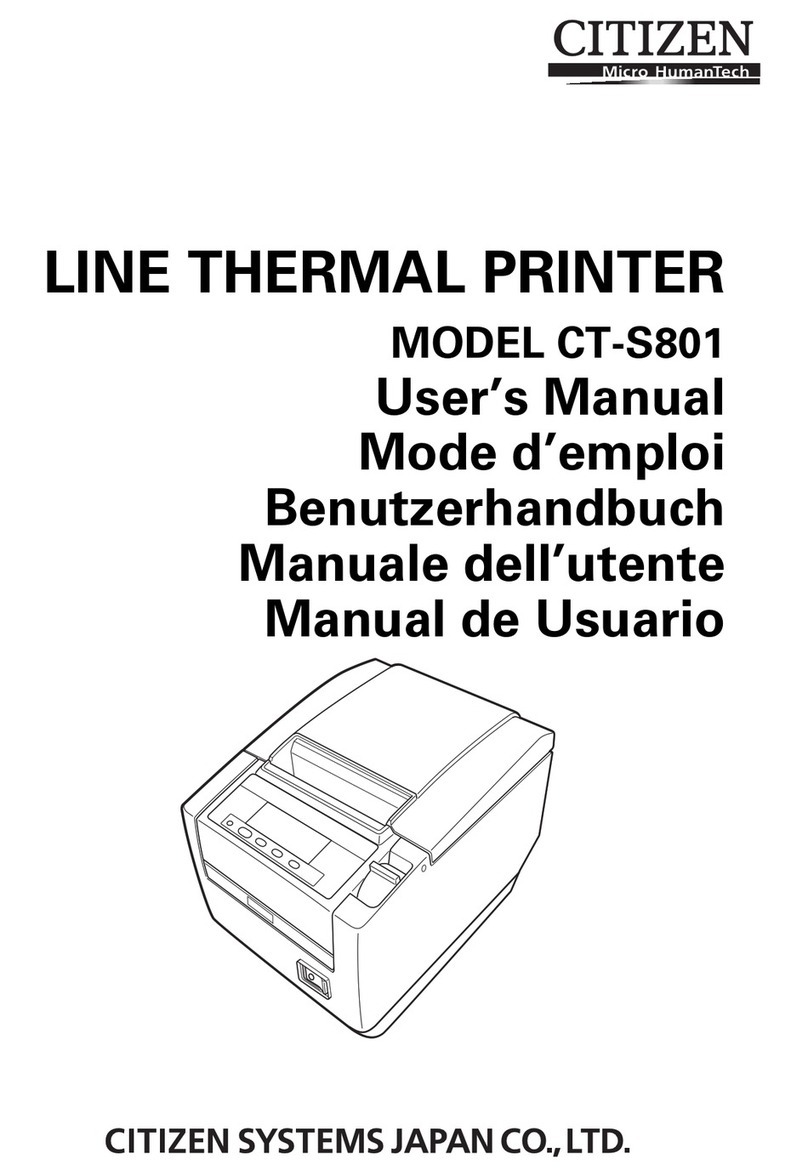
  9. Citizen CT-S601 II User manual

Citizen CT-S601 II User manual

Other manuals for CT-S601 II

1

Other Citizen Printer manuals

Citizen CMP-20 User manual

Citizen

Citizen CMP-20 User manual

Citizen CT-S2000 User manual

Citizen

Citizen CT-S2000 User manual

Citizen CBM-270 User manual

Citizen

Citizen CBM-270 User manual

Citizen PD-24 Installation manual

Citizen

Citizen PD-24 Installation manual

Citizen PD 24  PD-24 PD-24 User manual

Citizen

Citizen PD 24 PD-24 PD-24 User manual

Citizen iDP-3410 User manual

Citizen

Citizen iDP-3410 User manual

Citizen PPU-700 User manual

Citizen

Citizen PPU-700 User manual

Citizen LINE THERMAL PRINTER CT-S280 Installation manual

Citizen

Citizen LINE THERMAL PRINTER CT-S280 Installation manual

Citizen CMP-30 series User manual

Citizen

Citizen CMP-30 series User manual

Citizen CT-S801 User manual

Citizen

Citizen CT-S801 User manual

Citizen PD-04 User manual

Citizen

Citizen PD-04 User manual

Citizen CT-E301 Series User manual

Citizen

Citizen CT-E301 Series User manual

Citizen CBM1000II Type 2 User manual

Citizen

Citizen CBM1000II Type 2 User manual

Citizen CBM-920 User manual

Citizen

Citizen CBM-920 User manual

Citizen CBM-910 Series User manual

Citizen

Citizen CBM-910 Series User manual

Citizen CT-P292 User manual

Citizen

Citizen CT-P292 User manual

Citizen CMP-30 series User manual

Citizen

Citizen CMP-30 series User manual

Citizen CBM-292 User manual

Citizen

Citizen CBM-292 User manual

Citizen iDP-3535 User manual

Citizen

Citizen iDP-3535 User manual

Citizen CT-S251 User manual

Citizen

Citizen CT-S251 User manual

Citizen CLP-6401 User manual

Citizen

Citizen CLP-6401 User manual

Citizen CT-S300 User manual

Citizen

Citizen CT-S300 User manual

Citizen CT-S851 User manual

Citizen

Citizen CT-S851 User manual

Citizen CT-S851 III User manual

Citizen

Citizen CT-S851 III User manual

Popular Printer manuals by other brands

Evolis Elypso user guide

Evolis

Evolis Elypso user guide

Lexmark 522n - C Color Laser Printer Service manual

Lexmark

Lexmark 522n - C Color Laser Printer Service manual

Panduit COUGAR LS9Q Operator's manual

Panduit

Panduit COUGAR LS9Q Operator's manual

Olivetti PG L2140 Operation guide

Olivetti

Olivetti PG L2140 Operation guide

Samsung SL-M2820DW user manual

Samsung

Samsung SL-M2820DW user manual

Kyocera FS-9530DN specification

Kyocera

Kyocera FS-9530DN specification

Canon LASER SHOT LBP-1210 Specifications

Canon

Canon LASER SHOT LBP-1210 Specifications

Canon PIXMA PRO-1 Series Getting started

Canon

Canon PIXMA PRO-1 Series Getting started

Canon LBP113w Getting started

Canon

Canon LBP113w Getting started

Lexmark Infoprint 1332 user manual

Lexmark

Lexmark Infoprint 1332 user manual

Epson M1120 user guide

Epson

Epson M1120 user guide

TransAct POSJET 1500 Spare parts

TransAct

TransAct POSJET 1500 Spare parts

Telpar MTP-1500 user manual

Telpar

Telpar MTP-1500 user manual

Star DP8340 SERIES user manual

Star

Star DP8340 SERIES user manual

MGI JETVARNISH 3DS user manual

MGI

MGI JETVARNISH 3DS user manual

Kyocera TASKalfa PA4500ci Operation guide

Kyocera

Kyocera TASKalfa PA4500ci Operation guide

Emaar EP-360 user manual

Emaar

Emaar EP-360 user manual

Fujitsu DL7400 user manual

Fujitsu

Fujitsu DL7400 user manual

manuals.online logo
manuals.online logoBrands
  • About & Mission
  • Contact us
  • Privacy Policy
  • Terms and Conditions

Copyright 2025 Manuals.Online. All Rights Reserved.

LINE THERMAL PRINTER
MODEL CT-S601 Type II
User’s Manual
WEEE MARK
En
Wenn Sie dieses Produkt entsorgen wollen, dann tun Sie dies bitte nicht zusammen mit dem
Haushaltsmüll. Es gibt im Rahmen der WEEE-Direktive innerhalb der Europäischen Union
gesetzliche Bestimmungen für separate Sammelsysteme für gebrauchte elektronische Geräte
und Produkte.
Ge
Si vous souhaitez vous débarrasser de cet appareil, ne le mettez pas à la poubelle avec vos
ordures ménagères. Il existe un système de récupération distinct pour les vieux appareils
électroniques conformément à la législation WEEE sur le recyclage des déchets des
équipements électriques et électroniques qui est uniquement valable dans les pays de
l’Union européenne.
Les appareils et les machines électriques et électroniques contiennent souvent des matières
dangereuses pour l’homme et l’environnement si vous les utilisez et vous vous en débarrassez
de façon inappropriée.
Fr
Si desea deshacerse de este producto, no lo mezcle con residuos domésticos de carácter
general. Existe un sistema de recogida selectiva de aparatos electrónicos usados, según
establece la legislación prevista por la Directiva sobre residuos de aparatos eléctricos y
electrónicos (RAEE), vigente únicamente en la Unión Europea.
Sp
Se desiderate gettare via questo prodotto, non mescolatelo ai rifiuti generici di casa. Esiste
un sistema di raccolta separato per i prodotti elettronici usati in conformità alla legislazione
RAEE, valida solo all’interno dell’Unione Europea.
It
Deponeer dit product niet bij het gewone huishoudelijk afval wanneer u het wilt verwijderen. Er
bestaat ingevolge de WEEE-richtlijn een speciaal wettelijk voorgeschreven verzamelsysteem
voor gebruikte elektronische producten, welk alleen geldt binnen de Europese Unie.
Du
Hvis du vil skille dig af med dette produkt, må du ikke smide det ud sammen med dit almindelige
husholdningsaffald. Der findes et separat indsamlingssystem for udtjente elektroniske produkter
i overensstemmelse med lovgivningen under WEEE-direktivet, som kun er gældende i den
Europæiske Union.
Da
Se quiser deitar fora este produto, não o misture com o lixo comum. De acordo com a legislação
que decorre da Directiva REEE – Resíduos de Equipamentos Eléctricos e Electrónicos, existe
um sistema de recolha separado para os equipamentos electrónicos fora de uso, em vigor
apenas na União Europeia.
Por
Pol Jeżeli zamierzasz pozbyć się tego produktu, nie wyrzucaj go razem ze zwykłymi
domowymi odpadkami. Według dyrektywy WEEE obowiązującej w Unii
Europejskiej dla używanych produktów elektronicznych należy stosować
oddzielne sposoby utylizacji.
If you want to dispose of this product, do not mix it with general household waste. There is a
separate collection systems for used electronics products in accordance with legislation under
the WEEE Directive and is effective only within European Union.
Compliance Statement for European Users
CE marking shows conformity to the following criteria and provisions:
Low Voltage Directive (2014/35/EU), EMC Directive (2014/30/EU), and RoHS direc-tive
(2011/65/EU)
Full text of the EU declaration of conformity is available at the following internet address:
http://www.citizen-systems.co.jp/english/support/download/printer/others/eu_doc/
IMPORTANT: This equipment generates, uses, and can radiate radio frequency
energy and if not installed and used in accordance with the instruction manual, may
cause interference to radio communications. It has been tested and found to comply
with the limits for a Class A computing device pursuant to Subpart J of Part 15 of FCC
Rules, which are designed to provide reasonable protection against such interference
when operated in a commercial environment. Operation of this equipment in a
residential area is likely to cause interference, in which case the user at his own
expense will be required to take whatever measures may be necessary to correct the
interference.
CAUTION: Use shielded cable for this equipment.
Sicherheitshinweis
Die Steckdose zum Anschluß dieses Druckers muß nahe dem Gerät angebracht und
leicht zugänglich sein.
For Uses in Canada
This Class A Information Technology Equipment (ITE) complies with Canadian CAN
ICES-3(A)/NMB-3(A).
This Information Technology Equipment (ITE) does not exceed the Class A limits for
radio noise emissions from digital apparatus set out in the Radio Interference
Regulations of the Canadian Department of Communications.
Pour L’utilisateurs Canadiens
Cet Equipements informatiques (EI) de la classe A est conforme a la norme CAN
ICES-3(A)/NMB-3(A) du Canada.
Le present Equipements informatiques (EI) n’emet pas de bruite radio electriques
depassant les limites applicables aux appareils numeriques de la classe A prescrites
dans le Reglement sur le brouillage radioelectrique edicte par le ministere des
Communications du Canada.
—1—
GENERAL PRECAUTIONS
zBefore using this product, be sure to read through this manual. After
having read this manual, keep it in a safe, readily accessible place for
future reference.
zThe information contained herein is subject to change without prior
notice.
zReproduction or transfer of part or all of this document in any means is
prohibited without permission from Citizen Systems.
zNote that Citizen Systems is not responsible for any operation results
regardless of omissions, errors, or misprints in this manual.
zNote that Citizen Systems is not responsible for any trouble caused as a
result of using options or consumables that are not specified in this
manual.
zExcept explained elsewhere in this manual, do not attempt to service,
disassemble, or repair this product.
zNote that Citizen Systems is not responsible for any damage attributable
to incorrect operation/handling or improper operating environments that
are not specified in this manual.
zData is basically for temporary use and not stored for an extended period
of time or permanently. Please note that Citizen Systems is not
responsible for damage or lost profit resulting from the loss of data
caused by accidents, repairs, tests or other occurrences.
zIf you find omissions, errors, or have questions, please contact your
Citizen Systems dealer.
zIf you find any pages missing or out of order, contact your Citizen Systems
dealer for a replacement.
NOTICE
IN NO EVENT SHALL CITIZEN (INCLUDING ANY OF ITS PARENT,
SUBSIDIARY OR AFFILIATED COMPANIES) BE LIABLE TO PURCHASER
OR OTHERS FOR ANY COLLATERAL, CONSEQUENTIAL, INDIRECT,
INCIDENTAL, GENERAL OR EXEMPLARY DAMAGES, INCLUDING
WITHOUT LIMITATION ANY DAMAGES INCURRED AS OR IN
CONNECTION WITH ANY LOSS OF USE, DATA, REVENUES OR
PROFITS, ARISING OUT OF OR CONNECTED IN ANY WAY WITH THE
PURCHASE OR USE OF ITS PRINTER PRODUCTS (INCLUDING PARTS,
SUPPLIES, SOFTWARE, FIRMWARE, OR OTHER ITEMS OR SERVICES
SOLD OR LICENSED BY IT), HOWSOEVER ARISING AND REGARDLESS
OF THE FORM OF ACTION (INCLUDING NEGLIGENCE) AND WHETHER
CITIZEN HAS BEEN INFORMED OF THE POSSIBILITY THEREOF.
WARRANTY: TERMS AND CONDITIONS OF ANY WARRANTY
APPLICABLE TO THIS AND OTHER CITIZEN PRODUCTS, TOGETHER
WITH OTHER USEFUL INFORMATION ABOUT CITIZEN PRODUCTS AND
SERVICES, CAN BE FOUND AT THE CITIZEN (U.S./CSA) WEBSITE:
https://www.citizen-systems.com/us/
THE WARRANTY, IF ANY, APPLICABLE TO ANY CITIZEN PRODUCT AND
SERVICE SHALL BE THAT OF THE APPLICABLE CITIZEN SELLING ENTITY,
IN EFFECT ON THE DATE OF PRODUCT OR SERVICE PURCHASE.

—2—
"Made for iPod," "Made for iPhone," and "Made for iPad" mean that an electronic
accessory has been designed to connect specifically to iPod, iPhone, or iPad,
respectively, and has been certified by the developer to meet Apple performance
standards. Apple is not responsible for the operation of this device or its compliance

with safety and regulatory standards.
Please note that the use of this accessory with iPod, iPhone or iPad may affect
wireless performance.
ziPad, iPhone and iPod touch are trademarks of Apple Inc., registered in the U.S. and other
countries. iPad Air and iPad mini are trademarks of Apple Inc.
zEPSON and ESC/POS are registered trademarks of Seiko Epson Corporation.
zQR Code is a registered trademark of DENSO WAVE INCORPORATED.
zEthernet is a registered trademark of Fuji Xerox Corporation.
zBluetooth®is a registered trademark of Bluetooth-SIG Inc.
zCITIZEN is a registered trademark of Citizen Watch Co., Ltd. Japan
zMAXStick®is a registered trademark of MAXStick®Products Ltd.
zAll other trademarks are the property of their respective owners.
zCitizen Systems use these trademarks in accordance with the license of relevant owners.
Copyright ©2019 by CITIZEN SYSTEMS JAPAN CO., LTD.
—3—
Before using this product for the first time, carefully read these SAFETY PRECAUTIONS.
Improper handling may result in accidents (fire, electric shock or injury).
In order to prevent injury to operators, third parties, or damage to property, special
warning symbols are used in the User’s Manual to indicate important items to be strictly
observed.
zAfter having read this Manual, keep it in a safe, readily accessible place for future
reference.
zSome of the descriptions contained in this manual may not be relevant to some printer
models.
The following describes the degree of hazard and damage that could occur if the printer
is improperly operated by ignoring the instructions indicated by the warning symbols.
SAFETY PRECAUTIONS
...WHICH SHOULD BE STRICTLY OBSERVED
WARNING
Neglecting precautions indicated by this symbol may result in fatal or serious injury.
CAUTION
Neglecting precautions indicated by this symbol may result in injury or damage to
property.
This symbol is used to alert your attention to important items.
This symbol is used to alert you to the danger of electric shock or electrostatic
damage.
This symbol denotes a request to unplug the printer from the wall outlet.
This symbol is used to indicate that the power supply must be grounded.
This symbol is used to indicate useful information, such as procedures,
instructions or the like.
This symbol is used to indicate prohibited actions.
—4—
PRECAUTIONS ON PRINTER INSTALLATION
WARNING
Do not use or store this product in a place where it will be exposed to:
* Flames or moist air.
* Direct sunlight.
* Hot airflow or radiation from a heating device.
* Salty air or corrosive gases.
* Ill-ventilated atmosphere.
* Chemical reactions in a laboratory.
* Airborne oil, steel particles, or dust.
* Static electricity or strong magnetic fields.
• Neglecting these warnings may result in printer failure, overheating,
emission of smoke, fire, or electric shock.
Do not drop any foreign object nor spill liquid into the printer. Do not
place any object on the printer either.
Do not drop any metallic object such as paper clips, pins or screws
into the printer.
Do not place a flower vase, pot, or anything containing water on the
printer.
Do not spill coffee, soft drinks, or any other liquid into the printer.
Do not spray insecticide or any other chemical liquid over the printer.
• Dropping a metallic foreign object into the printer, may cause printer
failure, fire, or electric shock. Should it occur, immediately turn the
printer off, unplug it from the supply outlet, and call your local Citizen
Systems dealer.
Do not handle the printer in the following ways:
Do not subject the printer to strong impacts or hard jolts (e.g., being
stepped on, dropped or struck).
Never attempt to disassemble or modify the printer.
• Neglecting to handle properly may result in printer failure,
overheating, emission of smoke, fire, or electric shock.
Install, use, or store the printer out of the reach of children.
• Electric appliances could cause an unexpected injury or accident if
they are handled or used improperly.
• Keep the power cord and signal cables out of the reach of children.
Also children should not be allowed to gain access to any internal
part of the printer.
• The plastic bag the printer came in must be disposed of properly or
kept away from children. Wearing it over the head may lead to
suffocation.
—5—
CAUTION
Do not use the printer under the following conditions.
Avoid locations subject to vibration or instability.
Avoid locations where the printer is not level.
• The printer may fall and cause an injury.
• The quality of printing may deteriorate.
Do not obstruct the printer’s air vents.
Do not place anything on the printer.
Do not cover or wrap the printer in cloth or blankets.
• Doing so could cause heat to build up and deform the case or start a
fire.
Avoid using the printer near a radio or TV set or from supplying it from
the same electric outlet as these appliances.
Avoid using the printer interconnected with a cable or cord that has no
protection against noise. (For interconnections, use shielded or a
twisted pair of cables and ferrite cores, or other anti-noise devices.)
Avoid using the printer with a device that is a strong source of noise.
• The printer may have an adverse effect on nearby radio or TV
transmissions. There may also be cases when nearby electrical
appliances adversely influence the printer, causing data errors or
malfunction.
Installed in any orientation other than those specified.
• Malfunction, failure, or electric shock may result.
Connect the printer to a ground.
• Electric leakage may cause an electric shock.
Do not connect the printer’s ground to any of the following:
* Gas piping
•A gas explosion could result.
* Telephone line ground
* Lightning rod
•If lightning strikes a large surge of current may cause fire or
shock.
* Water pipes
•Plastic water pipes should not be used for grounding. (Those
approved by a Waterworks Department may be used.)
Before connecting or disconnecting the grounding lead to or from the
printer, always unplug it from the electric outlet.
—6—
PRECAUTIONS IN HANDLING THE PRINTER
WARNING
Please observe the following precautions for power source and power
cord:
Do not plug or unplug the power cord with a wet hand.
Use the printer only at the specified supply voltage and frequency.
Use only the specified AC adapter with the printer.
Check to make sure that the supply outlet from which the printer is
powered has a sufficient capacity.
Do not supply the printer from a power strip or current tap shared with
other appliances.
Do not plug the power cord into an electric outlet with dust or debris
left on the plug.
Do not use a deformed or damaged power cord.
Do not move the printer while its power is on.
• Neglecting to handle it properly may result in printer failure, emission
of smoke, fire, or electric shock.
• An overload may cause the power cord to overheat, catch fire, or the
circuit breaker to trip.
Do not allow anything to rest on the power cord. Do not place the
printer where the power cord may be stepped on.
Do not use or carry the printer with its power cord bent, twisted, or
pulled.
Do not attempt to modify the power cord unnecessarily.
Do not place the power cord near any heating device.
• Neglecting these cautions may cause wires or insulation to break,
which could result in electric leakage, electric shock, or printer failure.
If the power cord sustains damage, contact your Citizen Systems
dealer.
Do not leave things around the electric outlet.
Supply power to the printer from a convenient electric outlet, readily
accessible in an emergency.
• Pull the plug to immediately shut it down in an emergency.
Insert the power plug fully into the outlet.
If the printer will not be used for a long time, disconnect it from its
electric outlet.
Hold the plug and connector when plugging or unplugging the power
cord or signal cable after turning off the printer and the appliance
connected to it.
—7—
CAUTION
Caution label is attached in the position shown in the following figure. Carefully read
the handling precautions before using the printer.
Do not transport this printer with the paper roll inside.
• Printer failure or damage may occur.
To prevent possible malfunction or failure observe the following.
Do not open the paper cover during printing.
Avoid operating the printer without paper properly loaded.
Avoid the use of paper not complying with specifications.
• May result in poor print quality.
Avoid using torn pieces of paper or paper spliced with plastic adhesive
tape.
Avoid forcibly pulling already loaded paper by hand.
Avoid using a sharp pointed device to operate panel buttons.
Be sure to firmly insert the cable plugs into their mating sockets.
• A cross connection may damage the printer’s internal electronics or
the host system’s hardware.
Only use the printer with devices that have designated solenoid
specifications for the cash drawer interface connector.
• Neglecting this caution may result in malfunction or failure.
THIS LABEL INDICATES THE
RISK OF BURNS DUE TO THE
HIGH TEMPERATURE OF THE
PRINT HEAD AND A RISK OF
BEING CUT BY THE MANUAL
AND AUTO CUTTERS WHILE
THE PAPER COVER IS OPEN.