CHAPTER 2 INSTALLATION
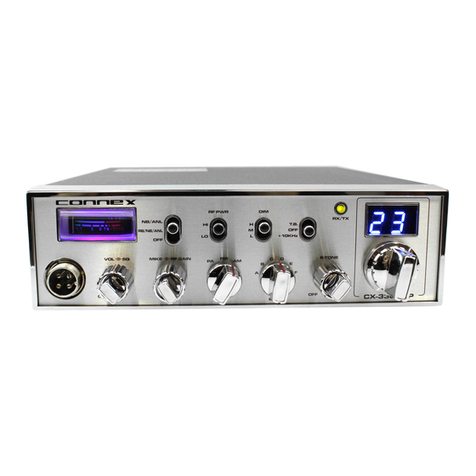
INSTALLING THE RADIO
Choose a convenient location for operation that does not interfere with driver or
passenger. This radio is supplied with a universal mounting bracket. When mounting
the bracket and radio to your car, make sure it is mechanically strong. Also, provide a
good electrical grounding connection to the chassis of vehicle. Proceed as follows to
install the radio.
1.
Locate a convenient area in your vehicle for the installation of the radio. Hold the
mounting bracket with the radio in the location where the radio is to be installed.
Make sure nothing will interfere with either the radio or the mounting bolts. Mark
and then drill holes for the mounting bracket.
2.
Most radio antennas come equipped with a PL-259 plug. Connect this plug to the
ANT. Jack in the rear of the radio.
3.
Extending from the rear of the radio is a fused red and black wire for the DC
connections to the vehicle's electrical system. For best performance, it is strongly
recommended that the red lead be taken directly to the positive terminal on the
vehicle's battery and the black lead be connected to the nearest chassis ground.
(Note:
This radio is designed for vehicles with negative ground systems.)
Connections should be made using appropriate "crimp on" lugs of a size large
enough to make good contact with the bolt used to fasten to the battery and the
chassis ground. It is a good safety idea to install a second fuse that would provide
protection in case the red wire was to "fray" or get pinched and short to the body
of the vehicle, somewhere between the battery and the radio.
High power radios such as this one require large DC current flow when in the TX
mode. Poor power connections cause supply voltage drops that can substantially
decrease the performance of your radio. A good DC connection is probably one of
the most important things for getting the best transmitter performance and in some
cases, least receiver noise.
4.
Mount the microphone bracket near the radio in an easily accessible spot using the
two screws provided.
IGNITION NOISE INTERFERENCE
With weak signals, you may experience interference of the signal by background
noise. This radio has NB and ANL circuits which will help reduce background noise
from sources such as your ignition system. However, background electrical noise may
come from several sources and all noise may not be eliminated. With extremely weak
signals, you can operate this radio with the engine turned off, which should improve
reception. If the ignition noise level is too high to allow proper operation under most
conditions, you should have your installation of the radio checked by a qualified
technician.
ANTENNA
This radio has a jack in the rear for a standard PL-259 antenna plug. If you are
looking for the most range for your transmission, use a vertically polarized, quarter-
wave length antenna. If antenna height is a problem, you may use a shorter, loaded-
type whip antenna although you can expect some loss of transmission range.
To improve performance, your antenna should be matched to your radio. Your
antenna can be adjusted so that it matches your radio.
EXTERNAL SPEAKER
The external speaker jack (EXT SP.) on the rear panel is used for remote receiver
monitoring. The external speaker should have 8 ohms impedance and be able to
handle at least 4 watts. When the external speaker is plugged in, the internal speaker is
disconnected.
PUBLIC ADDRESS
To use the Public Address (PA) function, first connect an external speaker to the PA.
SP. Jack on the rear of the radio. See the above specifications for a proper external
speaker. Keep the speaker away from the microphone to avoid acoustic feedback.