manuals.online logo
Brands
  1. Home
  2. •
  3. Brands
  4. •
  5. Conrad-Johnson
  6. •
  7. Amplifier
  8. •
  9. Conrad-Johnson PV14L User manual

Conrad-Johnson PV14L User manual

Other Conrad-Johnson Amplifier manuals

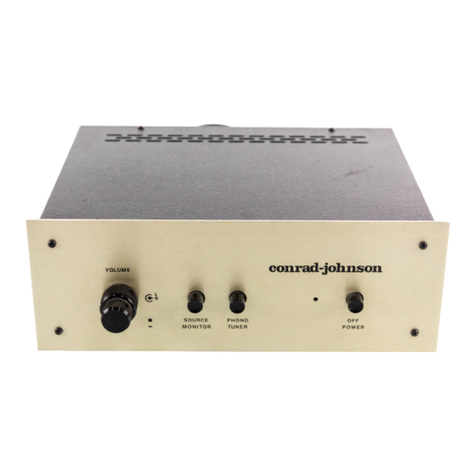
Conrad-Johnson ART 27A User manual

Conrad-Johnson

Conrad-Johnson ART 27A User manual

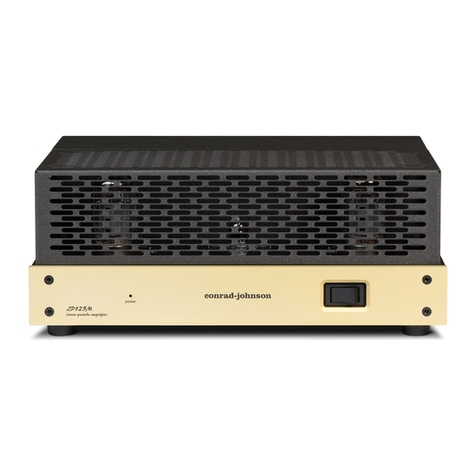
Conrad-Johnson LP275M User manual

Conrad-Johnson

Conrad-Johnson LP275M User manual

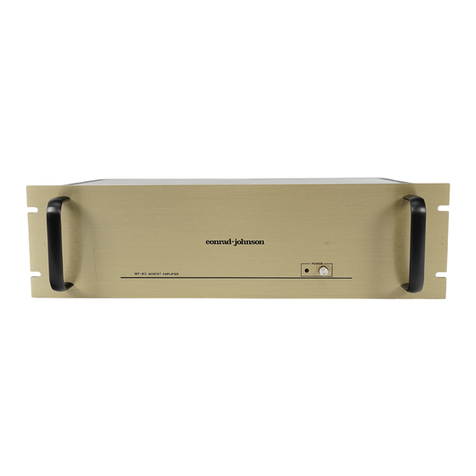
Conrad-Johnson PV8 User manual

Conrad-Johnson

Conrad-Johnson PV8 User manual

Conrad-Johnson CA200 User manual

Conrad-Johnson

Conrad-Johnson CA200 User manual

Conrad-Johnson Classic 2 User manual

Conrad-Johnson

Conrad-Johnson Classic 2 User manual

Conrad-Johnson MET1 User manual

Conrad-Johnson

Conrad-Johnson MET1 User manual

Conrad-Johnson LP70S User manual

Conrad-Johnson

Conrad-Johnson LP70S User manual

Conrad-Johnson PV-3 User manual

Conrad-Johnson

Conrad-Johnson PV-3 User manual

Conrad-Johnson LP66S User manual

Conrad-Johnson

Conrad-Johnson LP66S User manual

Conrad-Johnson MV60SE User manual

Conrad-Johnson

Conrad-Johnson MV60SE User manual

Conrad-Johnson Sonographe SA400 User manual

Conrad-Johnson

Conrad-Johnson Sonographe SA400 User manual

Conrad-Johnson ART 150 User manual

Conrad-Johnson

Conrad-Johnson ART 150 User manual

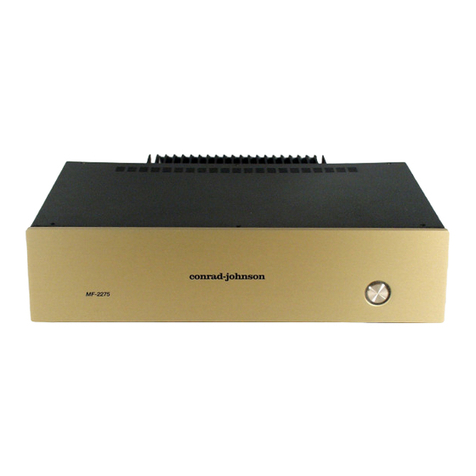
Conrad-Johnson MF2275 User manual

Conrad-Johnson

Conrad-Johnson MF2275 User manual

Conrad-Johnson MF2100 User manual

Conrad-Johnson

Conrad-Johnson MF2100 User manual

Conrad-Johnson MF200 User manual

Conrad-Johnson

Conrad-Johnson MF200 User manual

Conrad-Johnson Premier Four User manual

Conrad-Johnson

Conrad-Johnson Premier Four User manual

Conrad-Johnson CA150 User manual

Conrad-Johnson

Conrad-Johnson CA150 User manual

Conrad-Johnson Premier 18LS User manual

Conrad-Johnson

Conrad-Johnson Premier 18LS User manual

Conrad-Johnson Sonographe SA250 User manual

Conrad-Johnson

Conrad-Johnson Sonographe SA250 User manual

Conrad-Johnson CAV50 User manual

Conrad-Johnson

Conrad-Johnson CAV50 User manual

Conrad-Johnson MV45 User manual

Conrad-Johnson

Conrad-Johnson MV45 User manual

Conrad-Johnson ART 108A User manual

Conrad-Johnson

Conrad-Johnson ART 108A User manual

Conrad-Johnson ET7 User manual

Conrad-Johnson

Conrad-Johnson ET7 User manual

Conrad-Johnson TEA2 User manual

Conrad-Johnson

Conrad-Johnson TEA2 User manual

Popular Amplifier manuals by other brands

Magnat Audio EDITION FOUR Owner's manual/warranty document

Magnat Audio

Magnat Audio EDITION FOUR Owner's manual/warranty document

Inter-m PA-2000A Operation manual

Inter-m

Inter-m PA-2000A Operation manual

Yamaha TX6n owner's manual

Yamaha

Yamaha TX6n owner's manual

Peavey TNT 150 user guide

Peavey

Peavey TNT 150 user guide

Bosch LBB 1903/10 Installation and user instructions

Bosch

Bosch LBB 1903/10 Installation and user instructions

Avocent Emerge DA1200D Installer/user guide

Avocent

Avocent Emerge DA1200D Installer/user guide

Redgum RGi35 operating instructions

Redgum

Redgum RGi35 operating instructions

Cambridge Audio AXA25 user manual

Cambridge Audio

Cambridge Audio AXA25 user manual

Alpine MRP-M200 owner's manual

Alpine

Alpine MRP-M200 owner's manual

Technical Pro H1502UrBT user manual

Technical Pro

Technical Pro H1502UrBT user manual

FMS EMGZ307 operating manual

FMS

FMS EMGZ307 operating manual

Racal Instruments 5601 user manual

Racal Instruments

Racal Instruments 5601 user manual

Valcom V-1094A Technical specifications

Valcom

Valcom V-1094A Technical specifications

Cambridge Audio 851D user manual

Cambridge Audio

Cambridge Audio 851D user manual

QSC 3800 Specifications

QSC

QSC 3800 Specifications

NAD C300 owner's manual

NAD

NAD C300 owner's manual

Rotel RMB-1077 owner's manual

Rotel

Rotel RMB-1077 owner's manual

Peavey Monitor 300 Series operating guide

Peavey

Peavey Monitor 300 Series operating guide

manuals.online logo
manuals.online logoBrands
  • About & Mission
  • Contact us
  • Privacy Policy
  • Terms and Conditions

Copyright 2025 Manuals.Online. All Rights Reserved.

Thank you for selecting the PV14L as the control center for your audio
system. Using it, we believe that you will hear more from your favorite
recordings than ever before. Drawing on more than two decades of
researchatconrad-johnsonintothereproductionofrecordedmusic,the
PV14L line-stage preamplifier excels at the recreation of the dynamics,
textures, tonalities, and ambience of live musical performances.
Atconrad-johnson,weexpectourproductstobea source of satisfaction
and of pride to their owners for many years to come. Accordingly, circuit
designs, parts and materials have been selected with a view to main-
taining optimal performance over the years. Our reputation for produc-
ing among the industry’s most reliable components is a natural
consequence of this engineering approach.
Although the PV14L has been designed to operate in an intuitively
apparent way, you will find useful information on installation and on
operation in this manual. Please take a few minutes to read the manual
to better understand the features and capabilities of your PV14L. Note
that this unit is phase inverting. See the section entitled "Getting the
most from your PV14L" for details on correct hookup in your system.
In closing, we’d like to welcome you to the family of conrad-johnson
owners. We want you to enjoy your conrad-johnson product to the
fullest. To this end, our staff stands ready to answer any questions you
may have about the function and application of your PV14L, and to
provide any needed service both during, and after the warranty period.
Our goal is to heighten your enjoyment of recorded music.
PV14LS Owner’s Manual 1
Limited Warranty For Conrad-Johnson Components
conrad-johnson design, inc. will provide service under warranty to the
original owner on products sold new in the United States for the lesser
period of three years from the date of purchase by the original pur-
chaser, or five years from the date of shipment to the authorized
conrad-johnson dealer. During the warranty period, conrad-johnson will
repair defective units without charge for labor or parts (with the excep-
tion of vacuum tubes and batteries).
Exclusions. The following are not covered under this warranty:
a) Units which have been damaged by misuse, abuse, or accident.
b) Units which have been modified, altered, or improperly repaired by
anyone not specifically authorized by conrad-johnson design, inc.
c) Units not purchased from an authorized conrad-johnson dealer in the
United States for use in the United States.
d) Normal wear.
e) Incidental or consequential damages are not covered under this
warranty. Some states do not allow the exclusion of incidental or
consequential damages, so this exclusion may not apply to you.
Obtaining Warranty Service:To obtain warranty service, the unit must
be shipped, along with evidence of purchase, in factory packing to
conrad-johnson design (or designated service center) with freight and
insurance prepaid by the owner. After repair, the unit will be returned
with freight and insurance prepaid by conrad-johnson design to any
destination in the United States.
All implied warranties, including merchantability and fitness for a par-
ticular purpose are limited in duration to the duration of this express
warranty. Some states do not allow limitations on the duration of implied
warranties so the above limitations may not apply to you.
This warranty gives you specific legal rights and you may also have
other rights which vary from state to state.
Conrad-Johnson products purchased outside the United States are
covered by warranty terms of the importing distributor in the country in
which the product was originally purchased, which may differ from the
terms set out herein. Importing distributors are not obligated to provide
warranty service for products originally purchased outside their country.
Conrad-Johnson will provide warranty service for products outside the
PV14LS Owner’s Manual 2

United States, but the customer must pay all shipping, handling and
customs costs both to and from our Service Department.
Questions about this warranty can be sent by mail to:
Service Department
conrad-johnson design, inc.
2733 Merrilee Drive
Fairfax, VA 22031
or by e-mail to: [email protected]
The Service Department can also be reached by phone at 703-698-
8581,by fax at 703-560-5360.
Service
If your conrad-johnson audio component requires service, repack it
using the original box and packing material and ship to the Service
Department address above. Boxes and packing materials can be pur-
chasedfromourservicedepartmentifyounolonger haveyours.Include
with the unit a note describing the problem you are having in as much
detail as possible. It is especially important for our technician to know if
the problem is intermittent. If you want an estimate of cost for out of
warranty service, be sure to request it in this note. Be aware that
requesting an estimate will delay service to your unit as we will have to
contact you for your approval before commencing service.
Registering The Warranty
Please return the enclosed card to the factory within 30 days of pur-
chase to register the warranty.
PV14LS Owner’s Manual 3
Installation
The PV14L dissipates approximately 20 watts of heat, and must be
adequatelyventilated. Mount the unithorizontallyonaflat,hardsurface,
and take care that the ventilation holes in the bottom are unobstructed.
Allow at least two inches of clearance above the unit and keep the
cabinet or shelf open at the back. Vertical installation is not recom-
mended.
All PV14Ls sold in the United States are configured for operation on a
60Hz ac power line producing between 108 and 126 volts. Export
versions of the PV14L will have the correct operating voltage and
frequency clearly marked on the back panel of the unit, near the ac
power cord. In all cases, the actual line voltage should be within + 5/-
10% of the nominal rated voltage.
Electromagnetic Interference (EMI)
Considerable care has been taken in the design of the PV14L to
minimize it’s susceptibility to radio frequency interference and other
forms of EMI. Choice of materials, physical layout, grounding practice,
andpower supply designhave all beenspecified with aview to reducing
the impact of electromagnetic fields on the performance of this unit. At
the same time, however, our primary goal is the accurate reproduction
of recorded music in the normal home environment, and we have
elected not to compromise this objective by the application of heavy-
handed RFI filters, or by using grounding practices that reduce RFI at
theexpense of degradedaudio performance. Wefind that theapproach
we have taken has worked extremely well, resulting in only rare in-
stances of EMI problems which could be treated locally as needed,
rather than compromising the performance of our product in the 99.9%
of installations where EMI is not a problem.
CareininstallationcanoftenavoidEMIinducedproblems.Thefollowing
practices should generally be observed in any application, and will be
especially important where EMI may be a problem.
Interconnect cables should be kept as short as possible (3 meters or
less), and shielded cable should be used (cable which has two center
conductors, and a separate external shield connected at only one end).
PV14LS Owner’s Manual 4
Physical location and cable "dress" can be an important factor in
minimizing hum pickup. The installation should situate the preamplifier
well away from the power amplifier, and power (ac mains) cords should
be dressed to remain at least 4" (100mm) away from input/output
cables.
Connection
SOURCES (AUX1/PH, TUNER, CD, VIDEO, AUX2): These inputs are
electrically equivalent. The load presented to the source varies with the
volume control setting, but in no case will it drop below 39 kohms.
Connect the corresponding source components to these inputs.
EXTERNAL PROCESSOR LOOP (EPL1): A set of line-level inputs and
outputs are provided for the connection of external signal processors
(eg.parametricequalizer,tonecontrols).Thesecanalsobeusedforthe
connection of a tape recorder. In this case, connect the EPL OUT to the
recording input of your tape recorder, and the EPL IN to the output of
your tape recorder. The EPL IN connection can also be used as an
additional line level input.
THTR/EPL2: This is an external processor loop designed to conven-
iently accommodate the addition of a surround-sound processor (SSP)
to a high-quality two channel system without compromising two channel
performance. Connect the front left and front right channel outputs from
your SSP to the THTR/EPL2 input. You can also connect the

THTR2/EPL2 OUT to an input on your SSP, allowing you to do matrix
processing on selected two channel sources. When this THTR loop is
selected, the level controls are set to unity gain. Level and balance
control is then accomplished via your surround sound processor.
OUTPUT: Connect to the input of your amplifier (or crossover in a
bi-amplified system). We recommend the use of an amplifier with an
input impedance of 20k ohms or higher. Since the PV14L inverts phase,
it may be necessary to invert the speaker leads to maintain correct
absolute phase. See the section on "Getting the most out of your
PV14L" for an explanation.
PV14LS Owner’s Manual 5
Controls
power: TheredLEDimmediatelybelowthepowerswitchwillbelitwhen
the preamp is connected to the ac mains to indicate that the control
circuits are powered. Press the button labeled power to switch the
preamplifier on. A time delay auto-muting circuit is incorporated into the
PV14L to eliminate transients generated at power-on and power-off. All
outputs are grounded via relays for approximately 90 seconds after the
unit is turned on in order to suppress warm-up transient noises. During
this auto-muting period, the red mute indicator led will flash. All control
functions are disabled during the auto-muting cycle. The muting circuit
also grounds the outputs immediately at turn-off or in the event of any
power line interruption.
When first connected to ac mains, or after an interruption of power , the
PV14L will turn on, after auto-muting, in a default mode with the level
control set at 20 and the CD input selected. In subsequent sessions, as
long as the ac mains has not suffered a power outage, the unit will turn
on at the last used volume setting and input.
mute: Pressing the mute button will silence the preamplifier’s main
outputs, and light the led labeled mute. Pressing the mute button again
will restore normal operation.
volume (up/down): Level setting on the PV14L is achieved by using a
programmed microprocessor to select combinations from among an
array of high quality precision resistors. This arrangement allows a
control with 100 steps of approximately .7 dB per step. The steps are
numbered 0 through 99, with 0 being silence and 99 being maximum
volume.
source selectors (aux1/ph, tuner, cd, video, aux2): Pressing any of
these buttons will select the associated source, routing it to the EPL
outputs, and to the line-stage if neither EPL nor THEATER is selected.
The selected source will be indicated by an illuminated led.
epl selectors (source, epl, theater): Pressing the epl button will acti-
vate the external processor loop. The selected source will first pass
through the external processor loop before being routed to the volume
control and line stage. Pressing the theater button will activate the
theater mode. The selected source will pass through the device con-
PV14LS Owner’s Manual 6
nected to the theater loop before being routed to the line stage. In
theater mode the level will be set and locked at unity gain for both
channels. Pressing the source button will connect the selected source
directly to the volume control and line stage.
Remote Control
All operations of the PV14L can be controlled by the hand-held wireless
remote unit.
MUTE: Pressing the mute button will cause the main outputs to mute
and the level display to be zero. Pressing it again will restore the last
level setting. Pressing and holding the mute button for more than three
seconds will switch the PV14L into standby mode (all tube circuitry
switchedoff).Pressingthe mute button whentheunitis in standby mode
will switch it back on.
PH/AUX,TUNER, CD, VIDEO, AUX2: Youcandirectlyaccessanyinput
by pressing the associated button on the remote.
EPL1, EPL2: Pressing the EPL buttons will insert the associated exter-
nal processor in the signal path. Pressing the button again will re-estab-
lish a direct connection to the selected source. Note that pressing the
EPL2 button selects the THTR/EPL2 input, setting the level to unity
gain.
LEVEL - +: Duplicates the function of the front panel vol down, vol up
controls.
BALANCE: Allows attenuation of either channel independently of the
other.Pressing theright balance button will reducethe left channel level
setting by one step. Pressing and holding the right balance button will
cause the left channel to cycle down through its level settings at an
acceleratingrate.Pressingtheleft balance button willattenuatetheright
channel in the same manner.
PV14LS Owner’s Manual 7
Vacuum Tube Replacement
The audio circuit of the PV14L uses two type 6C4 miniature triode
vacuum tubes. The brand of tubes we supply has been chosen by first
selecting those brands which are known to be most reliable, then by
extensive auditioning of these acceptable brands with the final choices
being made solely on the basis of sonic performance. We know of no
vacuum tubes available which will improve the sonic performance of
your PV14L. The tubes in your preamplifier have been tempered by a
controlled burn-in procedure that permits them to perform for a greatly
extended period without sonic degradation, then selected for minimum
residual noise. Replacement tubes are prepared and selected in the
same way. Therefore, we highly recommend that you purchase replace-
ment tube sets from conrad-johnson design.
We anticipate tube life to accommodate two to three years of operation
without degradation in normal use - if the preamplifier is switched off
when not in use. If the preamplifier is left on at all times, tube life can be
exhausted in a matter of a few months.
PV14LS Owner’s Manual 8
Getting The Most From Your PV14L
When connected to a system of high quality components, the conrad-
johnsonPV14Loffers an extraordinarylevelof sophistication and refine-
ment in music reproduction. To get the best performance out of any
audio system, there are a number of important details which must be
attended to.
Absolute Phase
Musical notes are heard through the ear’s response to waves of alter-
nating rise and fall of air pressure. Musical transients are almost exclu-
sively positive: that is, the initial effect is a rise in pressure. The ear is
capable of distinguishing these positive transients from the musically
unnatural alternative of a negative transient (an initial fall in air pres-
sure). In terms of your stereo system, these transients are created by
your loudspeakers. If the speakers respond to musical transients by first
moving out, they are creating a rise in pressure, and the system is said
to be "phase correct". If they respond by moving in, they create a fall in
pressure and the system is said to be phase inverting. Each component
in the stereo system either preserves the phase of the incoming signal,
and is said to be phase correct or inverts the phase and is said to be
phase inverting. It is unimportant whether an individual component is
phase correct or phase inverting, as long as the system as a whole is
phase correct. This will be the case if the number of phase inversions is
even (or zero).
The PV14L is phase inverting. If your system has an odd number of
inversions, (for example, if the PV14L is the only phase inverting unit in
the chain) then you must add one phase inversion. This is conveniently
done by reversing the positive and negative connections to your speak-
ers (be sure to reverse both channels).
If you are not sure about the phase of every piece in your system, you
can establish correct absolute phase by careful listening. When the
system is in correct phase, transients will be noticeably cleaner and
more sharply defined. The effect is especially apparent on plucked
string sounds. A final warning - not all recordings are phase correct
(including some "audiophile" recordings), so listen to several before
concluding your investigation of absolute phase.
PV14LS Owner’s Manual 9