SPECIFICATIONS
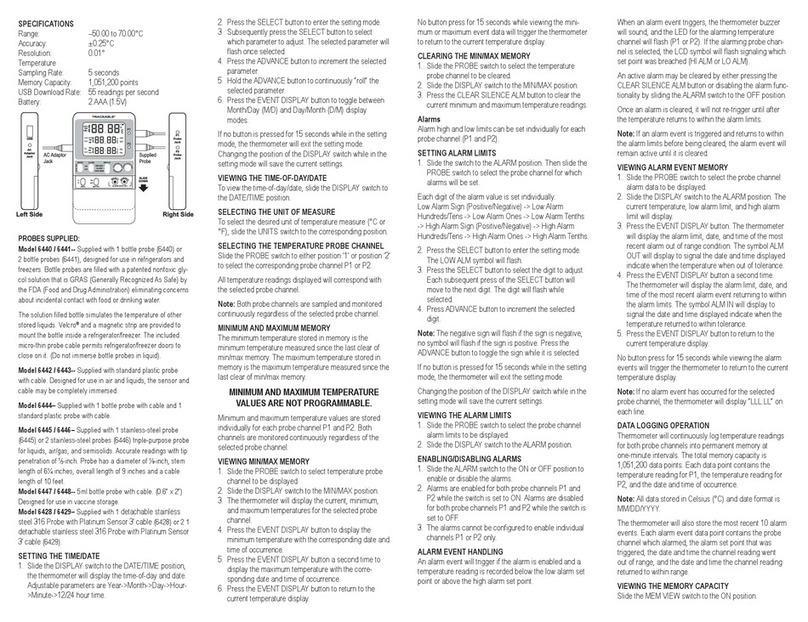
Display: Triple 4 digit LCD.
Over Range Indication: OL - appears.
Low Battery Indicative: shows up when tire
battery’s voltage below the
operating voltage.
Sampling Rate : about 1 time per second
Power Requirement: 6pcs 1.5V size AAA alkaline
batteries or 9V AC Adaptor /
500mA minimum.
Battery Life: Approx. 90 hours. (Interval
printing = 60 minutes, excluding
beeper). 160 hours (without
printing & beeper).
Printing Interval: 6 sec to 59 win 59 sec
Operating Temperature
and Humidity: 0 to 50°C (32 to 122°F) below
95% RH
Storage Temperature
and Humidity: –10 to 60°C (14 to 140°F)
below 70% RH Dimensions
(Meter): 193 (L) x 74 (W) x 37(H) mm
(Probe): 160 (L) x 13(D) mm/1m cable
Weight: Approx. 430g with batteries &
thermo-paper.
Accessories Carrying case, Instruction
manual, Batteries, 2 Rolls of
thermo-paper, type K probe.
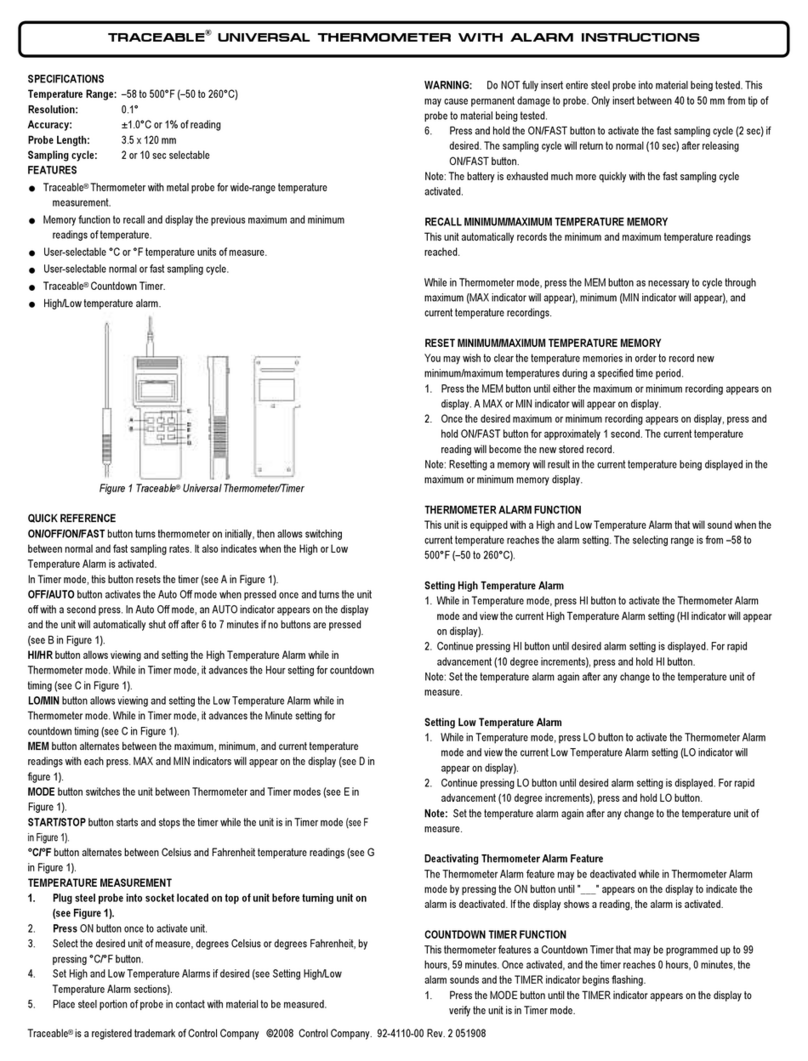
Printer: Thermo-printing tape with 16
characters per line using 38mm
width plain thermo-paper.
Electrical Specications
Humidity:
Range: 30%RH to 95%RH
Resolution: 0.1%RH
Temperature (T1):
Range: –20 to 60°C (–4 to 140°F)
Resolution: 0.1°C / 0.1°F
Dew Point:
Range: –44.0 to 58.5°C (–47.2 to 137.3°F)
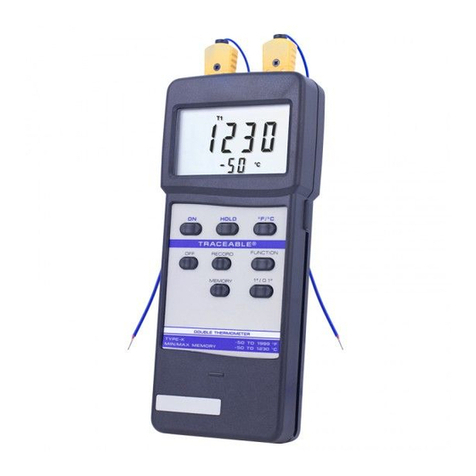
NAME OF PARTS AND POSITION
1. LCD: Measured values, until, symbols, and decimal
points are displayed.
2. (CIRCLE): Key for power on/off
3. [C/F]: Key for exchanging temperature unit °C and °F.
4. [PRINT]:
Key for start printing current data. The format
as below:
LINE 1 20:12:01 02-21
LINE 2 58.9%RH
LINE 3 td 15.7°C
LINE 4 T1 24.3°C
LINE 5 T2 24.8°C
Line 1: printing time hour minute: second, month- day.
Line 2: printing humidity value.
Line 3: printing Dew point value.
Line 4: printing T1 temperature value.
Line 5: printing T2 temperature value (K-Type).
Press this button for 2 seconds, the printer will
enter interval printing status, and won’t stop
unless this button is pressed again or FEED
button is pressed.
5. DC 9V VAC adaptor input jack.
6. [FEED] PAPER (Fig-2):
Key for moving forward thermo-paper
one line.
Perform force stop printing, and skip any
printing data.
7. [DEW POINT]: Key for changing humidity in
dew-point display.
8. [MAX/MIN]:
Press this key one time to enter
maximum/minimum record mode, the
“REC” symbol is displayed.
Press this key to display the maximum
reading (“MAXREC” symbol displayed),
the minimum reading (“MINREC” symbol
displayed) in cycle.
Press this key 2 seconds to exit this mode.
9. [HOLD]: Key for holding the display reading and press
again to exit.
10. : Key for start/stop set-up parameters mode.
Parameters (in sequence):
ON/OFF (interval printing enable or disable).
TIME INTV (printing interval ranging from
00m:06s to 59m:59s).
INTV► (Intervalprintingstarttimerangingfrom
00h:00m to 23h:59m).
INTV■(Interval printing stop time ranging from
00h:00m to 23h:59m).
TIME (Calendar setting year, month, day, hour,
minute).
11. DOWN: Key for decreasing the value of
parameters.
12. RIGHT: Key for moving to the desired next
parameter setting.
13. UP: Key for increasing the value of
parameters setting.
14. LEFT: Key for moving to the desired forward
parameter setting.
15. Way out for thermo-paper.
16. Type K temperature probe jack.
17. Battery cabinet and cover: 6pcs 1.5V size AAA
alkaline batteries.
18. Humidity (including temperature) probe.
LCD DISPLAY
1. Dew point measurement indicator.
2. Preset interval printing function ON indicator.
3. Low battery indicator.
4. Printing indicator.
5. Interval printing start time setting indicator.
6. Interval printing stop time setting indicator.
7. Calendar time indicator.
8. Interval printing indicator.
9. T1 measurement indicator.
10. T1 measurement value (NTC).
11. T2 measurement indicator.
12. T2 measured value (Type-K).
13. Temperature measurement units.
14. Humidity measurement units.
15. Recording indicator.
16. Minimum measurement value indicator.
17. Maximum measurement value indicator.
18. Data hold indicator.
19. Humidity and dew point temperature measured
value
PRECAUTIONS AND PREPARATIONS FOR
MEASUREMENT
1. Before operating this instrument, please examine it
to make sure no shipping damage occurs. Otherwise
notify your dealer.
2. Save all packing materials until you are sure that this
unit can normally operate.
3. Be sure that batteries are correctly placed in the case
or adaptive 9V Adaptor is in correct connection.
4. An unsecured battery cover will cause error
measuring.
5. To avoid battery leakage problem, remove batteries if
this meter will not be used for a long time.
6. Do not use or store this meter outside the operating/
storage environment.
OPERATING PROCEDURE
1. This meter can be supplied with batteries or DC 9V
AC Adaptor. If using batteries:
Remove the rear cover, and install batteries, pay
attention to the polarity of battery socket. If using 9V
Adaptor, make sure that it is in good connection to
the Adaptor socket of the meter. Choose the K-type
temperature probe for your application and insert it
into T2 the temperature probe socket. Insert Humidity/
Temperature (T1) probe into T1 the meter socket.
2. Press the button to power on the meter, the current
date and time will display about 3 seconds. If “---“ ap-
pears, it indicates no probe or the probe is broken.
3. T1 indicates room temperature, T2 indicates K-type
thermocouple test value.
4. Printing date:
Press [PRINT] one time to print one set date.
If need continuous printing, press and hold down
PRINT button, until LCD display “INTV” mark and
enter continuous interval printing mode, the printer will
print data as follows:
INTV 00:06 Interval printing time, minute : second
10:55:19 08-16 Printing time, hour:minute:second,
month:day
62.7 %RH Humidity test value and unit.
td 19.8 °C Dew point and unit
T1 27.6 °C Room temperature test value and unit.
T2 26.5 °C K-type thermocouple test value
and unit.
10:55:25 08-16
62.7 %RH
td 19.8 °C
T1 27.6 °C
T2 26.5 °C
10:55:31 08-16
62.7 %RH
td 19.8 °C
T1 27.6 °C
T2 26.5 °C
10:55:37 08-16
62.8 %RH
td 19.8 °C
T1 27.6 °C
T2 26.5 °C
Press [PRINT] or [FEED] key to exit printing mode.
When the meter is powered on, if the printing function
setting is “ON”, and now time is interval printing start
time, the meter will enter to continuous interval print-
ing mode and start printing.
* Press (PRINT) or (FEED) key to exit printing mode.
* The interval printing function worked only when the
start printing time is earlier than the stop printing time,
and interval print time can not be longer than
24 hours.
Caution: Before printing, please check thermo-paper is
not clipped by thermo-paper cover, if anything interrupts
the printer, the mater will shut off the printer power, and
“”symbolickers.
SETTING MODE
Press “ ” button to enter setting function, re-press this
button can select setting parameters in circle (printer
on or off, interval printing time, start printing time and
calendarsetting).Themodierparameterwillickeruntil