4
ILL871-A
10. If the room becomes too cool or too
humid, turn the cool knob ( ) off and/or
turn the fan knob ( ) to a lower setting.
11. To turn your cooler off, simply turn the
fan knob ( ) off.
5SEELEY INTERNATIONAL –OWNER’S MANUAL
®
MAINTENANCE
NGPH series Portable Evaporative Cooler
OPERATING THE COOLER cont.
5. Ensure that there is adequate
ventilation in the room by leaving a door
or window opposite the cooler.open
6. Plug the cord into the power outlet
and turn the power on.
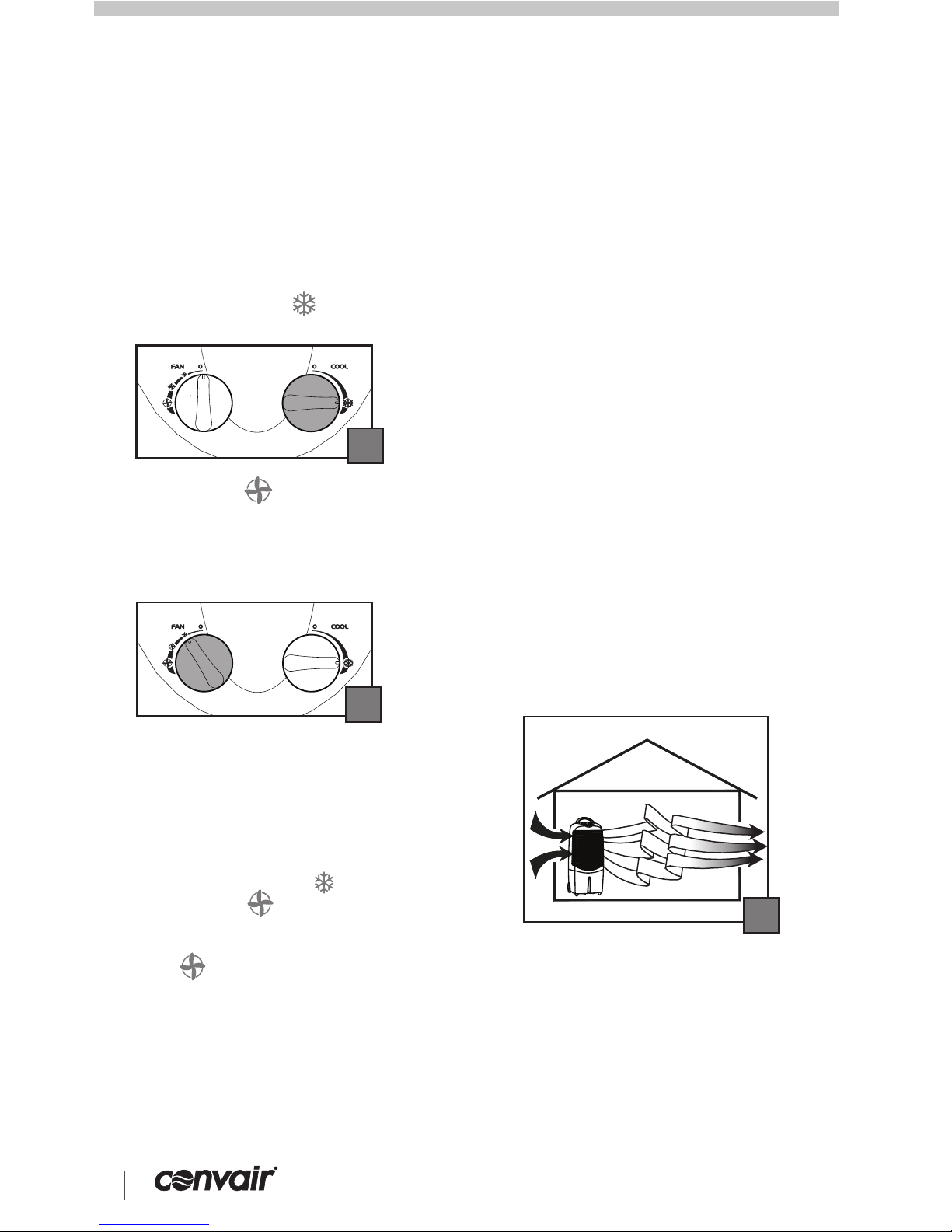
7. Turn the cool knob ( ) to the
position (Fig 04).
8. Turn the fan ( ) on to the desired
speed (Fig 05). Maximum cooling
capacity will not be reached until the
cooling pad is completely saturated. This
may take several minutes.
"cool"
Note!
ILL1258-C
04
ILL1259-C
05
9. If the desired comfort level is not
achieved after this time, increase the fan
speed. Lower fan speeds provide quieter
operation.
Conditioning of Cooling Pads
Your cooler is fully operational when you
receive it, and is ready to provide hours of
efficient cooling.
As with many new items, your cooler may
have a 'new' cooler odour when first used.
This may persist for 4-8 hours, but will fade
with use.
To assist with this process, you can drain the
water tank and refill with clean water after
approx. ½ hour.
Warning! Ensure the cooler is switched off
and the plug is removed from the power
socket before performing any
maintenance.
To clean the exterior of the cooler, use a
damp cloth and mild household detergent.
At the end of each season it is advisable to
carry out some simple maintenance on your
cooler. This will help maintain its high
performance. Follow the next few steps.
1. Drain the water from the cooler. Move the
cooler to a drain and remove the drain plug
located on the bottom of the tank (Fig 07).
When the cooler is empty replace the plug in
the tank.
ILL1264-A
06
07
ILL1280-A 08
2. To gain access to the inside of the cooler,
remove the rear panel by disengaging the
clips at the top. Pivot the rear panel
backwards and lift it off (Fig 08). Take care
when removing the rear panel as water may
drip from the pad secured to the inside of the
panel.
3. Wash the pad with a gentle spray of
water while it is still in the rear panel (Fig
09). Do not use a high pressure hose to
clean the pad. Replace the pad if salt (a
white coating) has built-up and reduced
the cooler’s performance.
09
ILL1267-A
How to get the best Cooling
Performance
Place the cooler with its back near to an open
window or door so it can draw in 100% fresh
air.
Open another window or door on the opposite
side of the room for “flow through” ventilation.
This cooler will not cool properly in a closed
room (Fig 06).
4. For Silver coolers only, clean or
replace the filter every three months, or
sooner as required. The filter can be
vacuumed or cleaned with water,
however, to maintain maximum
performance it is recommended that the
filter be replaced. To remove the filter,
disengage the filter frame clips (Fig 10) at
the top rear of the cooler while lifting the
frame up and outwards.
ILL1281-A 10