First time use or re-pairing the unit to a new BT Device, pair asfollows:
1.
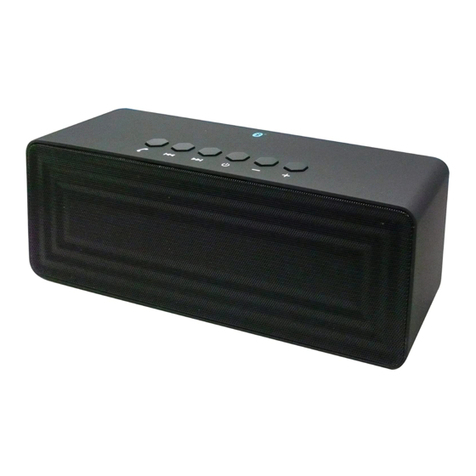
Press and hold the 0 Button on the top of unit approximately 1second
to power on the unit. The blue MODE Indicator on top of the unitwill
illuminate and blink.
2.
Power on the external BT Device and enter to BT searchingmode.
Start pairing following the on screen instructions from the externalBT
Device. When paired, the blue MODE Indicator will stopblinking.
3.
If pairing is complete you may now play music and answer callswith
your external BT Device.
4.
During playback:
●
Press the 0 Button on the unit to pause, press again to resume normalplayback.
●
Press and release the “+” or “−” Buttons repeatedly to adjust volume level asdesired
●
Press and hold the “+” or “−” Buttons repeatedly to skip tracks.
5.
If the unit is paired to a Cell Phone:
●
If a call is incoming during an active music session, press the 0 Button to pausethe
music playback then speak to the MIC (Microphone) to answer the call. Whenyour
call is complete, press the 0 Button to end the call and resume to musicplayback.
Or, press and hold the 0 Button approximate 1 second to decline the incoming call
then resume normal music playback.
●
Press the 0 Button twice to redial the last phone number.
6.
When finished listening, press and hold the 0 Button approximately 1 second toshut
off the unit. The blue MODE Indicator on the top of unit will notlight.
●
When the external BT Device searched the unit, our model number “MET1427”will
appear on the display of external BT Device.
●
If while pairing you are asked for a code please try "0000" or"1234".
Normal operation after pairing:
1.
Power on the external BT Device and enter to BT playback mode.
2.
Press and hold the 0 Button on the top of unit approximately 1 second to power on
the unit. The blue MODE Indicator on top of the unit will illuminate andblink.
3.
Wait a few seconds until the unit is automatically paired to the external BT Device.
The blue MODE Indicator will stop blinking.
4.
After pairing is complete you may now play music and answer calls withyour
external BT Device.
OPERATION: