10
English
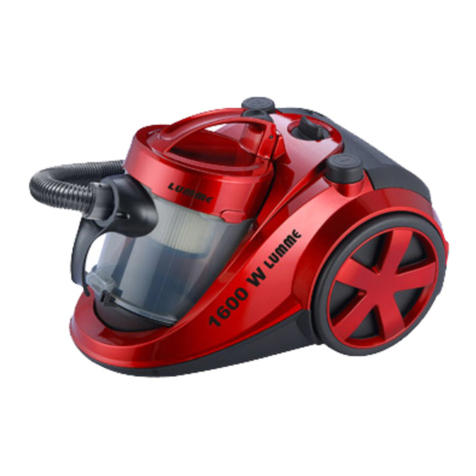
stores, ofces. Power tools allow you vacuuming up
non-harmful dry dust, ne debris.
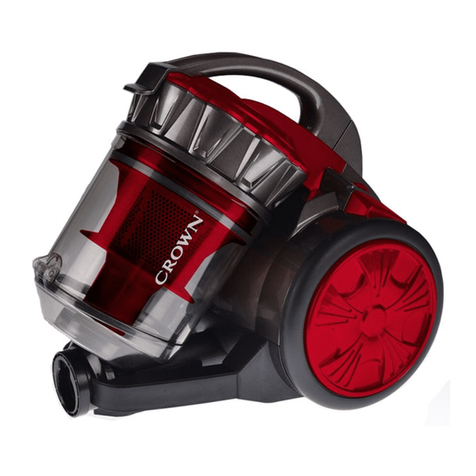
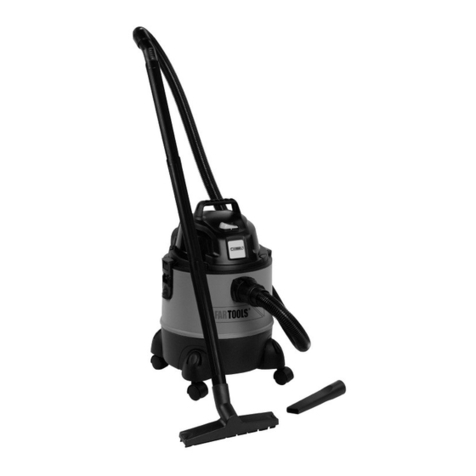
Power tool components
1 Dust-collecting container (assembly)
2 Hose connector
3 Handle
4 Wheel
5 Ventilation slots
6 On / off switch
7 Power regulator
8 Power cable rewind button
9 Power cable
10 Air hose *
11 Telescopic tube *
12 Rectangular nozzle *
13 Crevice nozzle *
14 Telescopic tube lock *
15 Air ow regulator *
16 Locking button of the dust-collecting container
17 Locking button of the bottom cover
18 Reservoir
19 Bottom cover
20 Upper part of dust-collecting container (assembly)
21 Belt lter
22 Top cover
23 Lock of top cover
24 Housing of the foam lter
25 Foam lter
26 Cover of the HEPA lter
27 HEPA lter
* Optional extra
Not all of the accessories illustrated or described
are included as standard delivery.
Installation and regulation of power tool
elements
Before carrying out any works on the power tool it
must be disconnected from the mains.
Built-in brushes of the rectangular nozzle and
crevice nozzle (see g. 1)
Rectangular nozzle 12 and crevice nozzle 13 has built-
in brushes that allow suction of dust on hairy surfaces
(e�g� crumbs on furniture upholstery or carpet)�
•Press button of the rectangular nozzle 12 to extend
the built-in brush and rubber scraper (see g. 1.1).
•Rotate built-in brush of crevice nozzle 13 as shown
in g 1.2.
Mounting / dismounting of air hose and accesso-
ries (see g. 2)
•You can change legth of telescopic tube 11: move
and hold lock 14 as shown in g. 2.1, put forward the
thinner part of telescopic tube 11, release lock 14�
•Connect air hose 10 to hose connector 2as shown
in g. 2.2.
•Connect telescopic tube 11 to the air hose 10,
connect nozzle 12 or 13 as shown in g. 2.2.
•Disassembly operations do in reverse sequence�
Initial operating of the power tool
Always use the correct supply voltage: the power sup-
ply voltage must match the information quoted on the
power tool identication plate.
Switching the power tool on / off
Switching on:
Press and release on / off switch 6�
Switching off:
Press and release on / off switch 6�
Design features of the power tool
Power regulator (see g. 3.1)
You can adjust the power of vacuum cleaner by
moving power regulator 7 as shown on g. 3.1. This
function may be useful for the removal of waste from
light unxed objects (oorcloths, mats, etc.).
Air ow regulator (see g. 3.2)
You can adjust the air ow (and as a consequence,
the suction force) by moving regulator 15 on the tube
of air hose 10� By moving regulator 15 you can open
or close the tube orice (see g. 3.2). When the orice
is opened, the suction force is reduced� This function
may be useful for the removal of waste from light
unxed objects (oorcloths, mats, etc.).
Cable winder
Cable winder - winds the power cable 9on the reel
quickly and neatly�
Press and hold the button 8- the power cable 9will be
wrapped around the reel� It is recommended to guide the
power cable 9so that it does not get tangled or twisted�
Recommendations on the power tool op-
eration
Carry out all above mentioned prepara-
tion and assembly steps depending on
the works to be done.
•Choose an appropriate nozzle depending on the
type of operation and work surface area�
•Unwind the power cable 9 to sufcient length.
Power cable 9has 2 marks:
•yellow mark shows optimal cable length;
•red mark shows end point of cable�
Do not unwind the power cable 9beyond the red
mark�
•Connect the power tool to the mains and switch it
on. Adjust power and air ow as described above.
•Pick up dust or small dry debris�
•In the event of the reduction in efciency during op-
eration, take the following actions:
•check the suction line - if you nd any clogs, re-
move them;
•check the lters, clean it if durty.
•After operation, switch off the power tool and wind
up the power cable 9as described above�