150 WATT HALOGEN SERVICE MANUAL
LIT115 CUDA®FIBEROPTICS
(English) Page 6 of 8
LAMP HOLDER REPLACEMENT
CAUTION: Before performing this procedure, be sure the unit has cooled to
room temperature.
1. Disconnect the illuminator from the power source.
2. Open lamp access door and remove from unit.
3 Remove the lamp.
4 Loosen screws that hold the lamp holder to the lamp door.
5 Replace lamp holder and fasten with the screws.
TRANSFORMER REPLACEMENT
1. Disconnect the illuminator from the power source.
2. Remove the 8 cover screws in the sides of the unit.
3. Remove the top cover from the unit. Set aside.
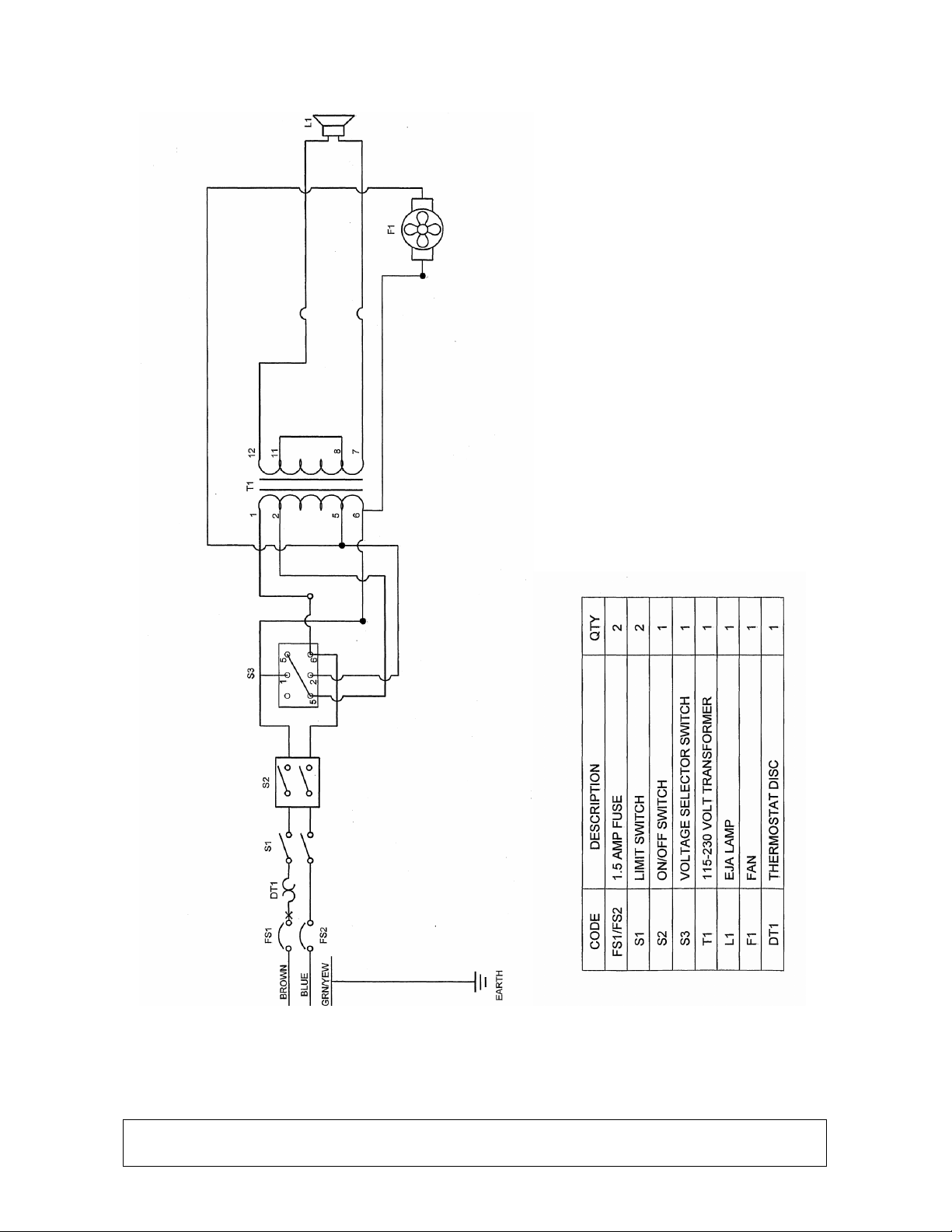
4. Disconnect the fan lead connector, the AC power input connectors, and the
lamp output power wires from the power supply.
5. Set the unit on its side.
6. While holding the transformer with one hand, remove the 4 mounting screws
from the bottom of the unit.
7. Place the new transformer in the unit so all 4 holes line up with the holes in
the chassis. Secure with the 4 mounting screws from the bottom.
8. Place the unit back on its feet.
9. Reconnect the fan lead connector, the AC power input connectors, and the
lamp output power wires to the power supply.
10. Replace the top cover.
11. Replace the 8 cover screws and secure.
COOLING FAN REPLACEMENT
1. Disconnect the illuminator from the power source.
2. Remove the 8 cover screws of the unit.
3. Disconnect the fan lead connector from the transformer.
4. Remove the fan mounting screws and nuts. This will free the fan louver also.
5. Replace the fan assembly with the airflow blowing out the back of the unit.
The fan leads should be coming out of the fan at the top and against the
back panel.
6. Secure the fan mounting screws with the nuts.
7. Reconnect the fan lead connector to the transformer.
8. Replace the top cover.
9. Replace the 8 cover screws and secure.