manuals.online logo
Brands
  1. Home
  2. •
  3. Brands
  4. •
  5. Curtis
  6. •
  7. DVD Player
  8. •
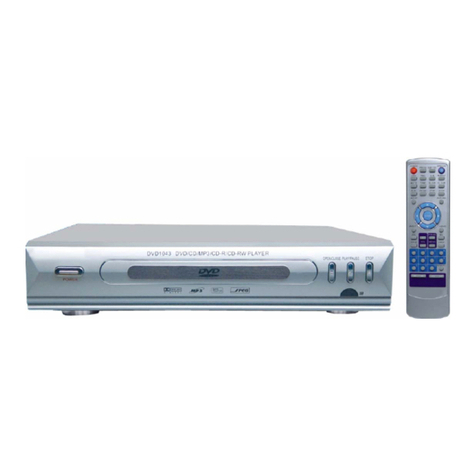
  9. Curtis DVD1053D User manual

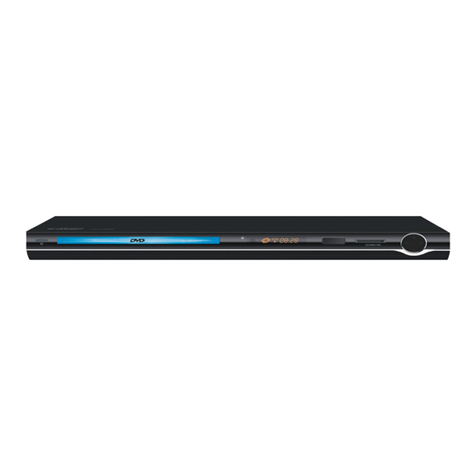
Curtis DVD1053D User manual

Other Curtis DVD Player manuals

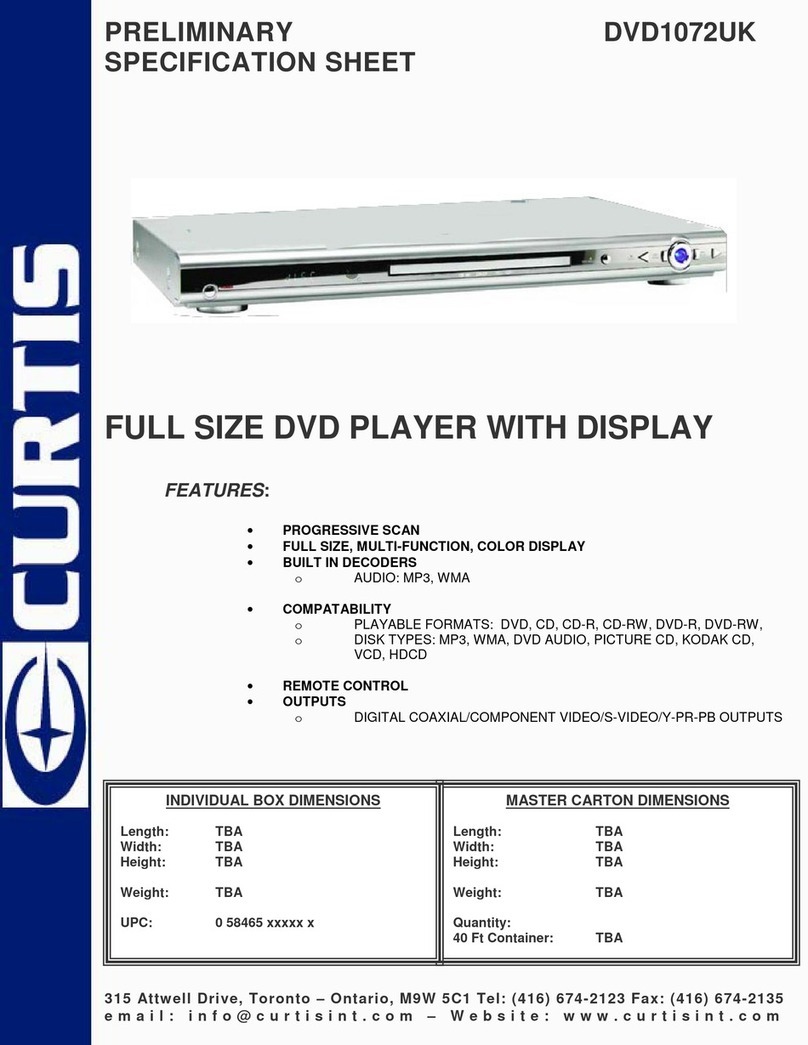
Curtis DVD1093 User manual

Curtis

Curtis DVD1093 User manual

Curtis DVD6019-B User manual

Curtis

Curtis DVD6019-B User manual

Curtis DVD1098C User manual

Curtis

Curtis DVD1098C User manual

Curtis DVD1066 User manual

Curtis

Curtis DVD1066 User manual

Curtis dvd5041 User manual

Curtis

Curtis dvd5041 User manual

Curtis DVD1140 User manual

Curtis

Curtis DVD1140 User manual

Curtis DVD 1112 User manual

Curtis

Curtis DVD 1112 User manual

Curtis DVD8009 User manual

Curtis

Curtis DVD8009 User manual

Curtis DVD1046 User manual

Curtis

Curtis DVD1046 User manual

Curtis DVD1035 User manual

Curtis

Curtis DVD1035 User manual

Curtis DVD1057 User manual

Curtis

Curtis DVD1057 User manual

Curtis DVD1041 User manual

Curtis

Curtis DVD1041 User manual

Curtis DVD1100UK User manual

Curtis

Curtis DVD1100UK User manual

Curtis DVD1096 User manual

Curtis

Curtis DVD1096 User manual

Curtis DVD1041D User manual

Curtis

Curtis DVD1041D User manual

Curtis DVD1096B User manual

Curtis

Curtis DVD1096B User manual

Curtis DVD1100 User manual

Curtis

Curtis DVD1100 User manual

Curtis DVD1057 User manual

Curtis

Curtis DVD1057 User manual

Curtis DVD1045 User manual

Curtis

Curtis DVD1045 User manual

Curtis DV1096HDUK User manual

Curtis

Curtis DV1096HDUK User manual

Curtis DVD 1112 User manual

Curtis

Curtis DVD 1112 User manual

Curtis DVD1098B User manual

Curtis

Curtis DVD1098B User manual

Curtis DVD1044 User manual

Curtis

Curtis DVD1044 User manual

Curtis DVD1043 User manual

Curtis

Curtis DVD1043 User manual

Popular DVD Player manuals by other brands

Yamaha DVD S540 - Progressive Scan DVD Player Service manual

Yamaha

Yamaha DVD S540 - Progressive Scan DVD Player Service manual

Yamakawa DVD-MP12i user manual

Yamakawa

Yamakawa DVD-MP12i user manual

Philips DVP3042/12 user manual

Philips

Philips DVP3042/12 user manual

Philips DVP5900/37B Quick use guide

Philips

Philips DVP5900/37B Quick use guide

Roadstar DVD-2020H Service manual

Roadstar

Roadstar DVD-2020H Service manual

Beko DVD 2006 user manual

Beko

Beko DVD 2006 user manual

Atak DVDA2015 instruction manual

Atak

Atak DVDA2015 instruction manual

LG DV257K owner's manual

LG

LG DV257K owner's manual

auna 10005069 manual

auna

auna 10005069 manual

Philips MCD700/61 user manual

Philips

Philips MCD700/61 user manual

Sony DVP-F11 Service manual

Sony

Sony DVP-F11 Service manual

Toshiba SD-2300U owner's manual

Toshiba

Toshiba SD-2300U owner's manual

LENCO DVP-740 X2 user manual

LENCO

LENCO DVP-740 X2 user manual

Tevion 44330 user guide

Tevion

Tevion 44330 user guide

Aiwa XD-DV370 operating instructions

Aiwa

Aiwa XD-DV370 operating instructions

Sony DVP S530D operating instructions

Sony

Sony DVP S530D operating instructions

Denon DVM-1805 - DVD Changer operating instructions

Denon

Denon DVM-1805 - DVD Changer operating instructions

Toshiba SD-3815 owner's manual

Toshiba

Toshiba SD-3815 owner's manual

manuals.online logo
manuals.online logoBrands
  • About & Mission
  • Contact us
  • Privacy Policy
  • Terms and Conditions

Copyright 2025 Manuals.Online. All Rights Reserved.

Please read this User Manual carefully to ensure proper use of this product and
keep this manual for future reference.
DVD1053D
USER MANUAL
1
1. READ INSTRUCTIONS - All the safety and
operating instructions should be read before the
product is operated.
2. RETAIN INSTRUCTIONS - The safety and
operating instructions should be retained for future
reference.
3. HEED WARNINGS - All warnings on the
product and in the operating instructions should
be adhered to.
4. FOLLOW INSTRUCTIONS - All operating and
use instructions should be followed.
5. CLEANING - Unplug this product from the wall
outlet before cleaning. Do not use liquid cleaners
or aerosol cleaners. Use a damp cloth for cleaning.
6. ATTACHMENTS - Do not use attachments not
recommended by the product manufacturer as they
may cause hazards.
7. WATER AND MOISTURE - Do not use this
product near water - for example, near a bath tub,
wash bowl, kitchen sink, or laundry tub; in a wet
basement; or near a swimming pool; and the like.
8. ACCESSORIES - Do not place this product on
an unstable cart, stand, tripod, bracket, or table.
The product may fall, causing serious injury to a
child or adult, and serious damage to the product.
IMPORTANT SAFETY INSTRUCTIONS
DVD PLAYER
The lightning flash with arrowhead
symbol within an equilateral triangle
intended to alert the user to the
presence of uninsulated dangerous voltage
within the product
The exclamation point within an
equilateral triangle is intended to alert
the user to the presence of important
operating and maintenance (servicing)
instructions in the literature accompanying the
appliance.
enclosure that may of
sufficient magnitude to constitute a risk of electric
shock to persons.
Use only with a cart, stand, tripod, bracket, or
table recommended by the manufacturer, or sold
with the product. Any mounting of the product
should follow the manufacturer’s
A Product and Cart Combination Should Be Moved
with Care - Quick stops, excessive force and uneven
surfaces may cause the product and cart combination
to overturn.
9. VENTILATION - Slots and openings in the cabinet
are provided for ventilation and to ensure reliable
operation of the product and to protect it from
overheating, and these openings must not be blocked
or covered. The openings should never be blocked
by placing the product on a bed, sofa, rug or other
similar surface. This product should not be placed in
a built-in installation, such as a bookcase or rack,
unless proper ventilation is provided or the
manufacturer
10. POWER SOURCES - This product should be
operated only from the type of power source
indicated on the marking label. If you are not sure
of the type of power supply to your home, consult
your product dealer or local power company. For
products intended to operate from battery power,
or other sources, refer to the operating instructions.
11. GROUNDING OR POLARIZATION - This
product may be equipped with a polarized
alternating-current line plug (a plug having one blade
wider than the other). This plug will fit into the power
outlet only one way. This is a safety feature: If you are
unable to insert the plug fully into the outlet, try
reversing the plug. If the plug should still fail to fit,
contact your electrician to replace your obsolete outlet.
Do not defeat the safety purpose of the polarized plug.
12. POWER-CORD PROTECTION - Power supply
cords should be routed so that they are not likely to be
walked on or pinched by items placed upon or against
them, paying particular attention to cords at plugs,
convenience receptacles, and the point where exit
from the product.
instructions, and
should use a mounting accessory recommended by
the manufacturer.

1
14. OUTDOOR ANTENNA GROUNDING - If an
outside antenna or cable system is connected to
the product, be sure the antenna or cable system is
grounded so as to provide some protection against
voltage surges and built-up static charges.
Article 810 of the National Electrical Code, ANSI/
NFPA 70, provides information with regard to proper
grounding of the mast and supporting structure,
grounding of the lead-in wire to an antenna
discharge unit, size of grounding conductors,
location of antenna-discharge unit, connection to
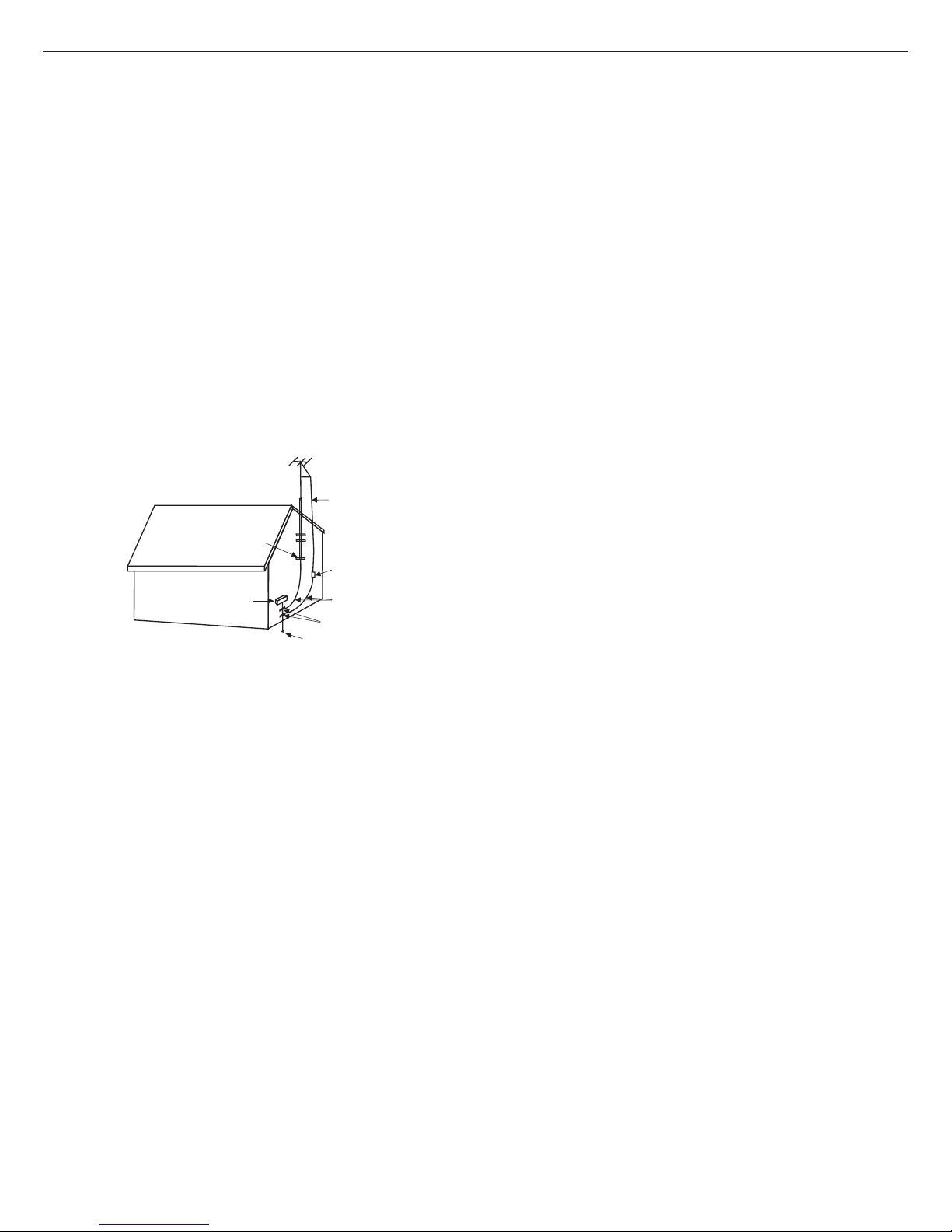
grounding electrodes, and requirements for the g
rounding electrode. See Figure 1.
15. LIGHTNING - For added protection for this
product during a lightning storm, or when it is left
unattended and unused for long periods of time,
unplug it from the wall outlet and disconnect the
antenna or cable system. This will prevent damage
to the product due to lightning and power-line surges.
16. POWER LINES - An outside antenna system
should not be located in the vicinity of overhead
power lines or other electric light or power circuits,
or where it can fall into such power lines or other
electric light or power circuits. When installing an
outside antenna system, extreme care should be
taken to keep from touching power lines or circuits
as contact with them might be fatal.
17. OVERLOADING - Do not overload wall outlets,
extension cords, or integral convenience receptacles
a s this can result in a risk of fire or electric shock.
18. OBJECT AND LIQUID ENTRY - Never push
objects of any kind into this product through
openings as they may touch dangerous voltage
points or short-out parts that could result in a fire or
electric shock. Never spill liquid of any kind on the
product.
3. NONUSE PERIODS - The power cord of the
product should be unplugged from the outlet when
left unused for long periods of time.
19. SERVICING - Do not attempt to service this
product yourself as opening or removing covers may
expose you to dangerous voltage or other hazards.
Refer all servicing to qualified service personnel.
20. DAMAGES REQUIRING SERVICE -
Unplug this product from the wall outlet and refer
servicing to qualified service personnel under the
following conditions.
a) When the power-supply cord or plug is damaged.
b) If liquid has been spilled, or objects have fallen
into the product.
c) If the product has been exposed to rain or water.
d) If the product does not operate normally by
following the operating instructions. Adjust only
those controls that are covered by the operating
instructions as an improving adjustment of other
controls may result in damage and will often
require extensive work by a qualified technician
to restore the product to its normal operation.
e) When the product exhibits a distinct change in
performance - this indicates a need for service.
21. REPLACEMENT PARTS - When replacement
parts are required, be sure the service technician
has used replacement parts specified by the
manufacturer or have the same characteristics as
the original part, Unauthorized substitutions may
result in fire, electric shock or other hazards.
22. SAFETY CHECK - Upon completion of any
service or repair to this product, ask the service
technician to perform safety checks to determine
that the product is in proper operating condition.
23. HEAT - The product should be situated away
from heat sources such as radiators, heat registers,
stoves or other products (including amplifiers) that
produce heat.
ANTENNA
LEAD WIRE
ANTENNA DISCHARGE UNT
(NEC SECTION 810-20)
POWER SERVICE GROUNDING
ELECTRODE SYSTEM
(NEC ART 250,PART H)
GROUD CLAMP
GROUNDING CONDUCTORS
(NEC SECTION 810-21)
GROUND
CLAMP
ELECTRIC
SERVICE
SQUIPMENT
EXAMPLE OF ANTENNA GROUNDING
AS PER NATIIONAL ELECTRICAL CODE
IMPORTANT SAFETY INSTRUCTIONS
DVD PLAYER
2
To protect intellectual property, the involved organizations partition the world into six regions, each of
which can only use the DVD player and DVD disc with the given regional code.
The illustration on the right shows symbols of the six regions. One DVD player with a given regional
code cannot play disc of another regional code. The partition of regional codes is shown as follows:
1. Canada, USA;
2. Japan, Europe, South Africa, Middle East
3. Southeast Asia, East Asia
4. Australia, New Zealand, Oceania, Central America, Mexico, Latin America, Caribbean Sea;
5. Russia, India, Africa, Korea, Mongolia.
6. China.
1
1
2
2
3
3
4
4
5
5
6
6
Connecting to the multi-system TV
Connecting to NTSC TV Connecting to PAL TV
DISC
PAL
NTSC
TV MONITOR
Play in PAL system
Play in NTSC system
DISC
PAL
NTSC
TV MONITOR
No clear images are shown
on the screen.
Play in NTSC system
DISC
PAL
NTSC
TV MONITOR
Play in PAL system
No clear images are shown
on the screen.
TV connections for DVD discs recorded in PAL and NTSC systems
Generally, DVD discs are recorded in PAL or NTSC systems, please refer to the following table:
Note: THE REGION CODE FOR THE UNIT IS 1.
IMPORTANT SAFETY INSTRUCTIONS
DVD PLAYER
3
Please read the user manual carefully before connection or operation
TABLE OF CONTENT
Important Safety
Features
Precautions
Accessories
Front Panel
Rear Panel
Remote Control
Basic Connection
Remote Control Preparation
Operations
Preparation
Play
Stop
Prev/Next
FB/FF
Slow
Step
Pause
Number(0-9,10+) button
Mute
VOL+/VOL-
OSD
Zoom
A-B Repeat
Repeat
Angle
Program
PBC
GO TO
Title/Chapter search
Menu
Subtitle
Video
L/R
Setup
Reference(Menu/Submenu/Options)
Handing Precautions
player Maintenance
Definition of terms
Specifications
Troubleshooting
TITLE
1
5
5
6
6
6
7
8
10
11
11
11
11
11
11
11
11
11
11
12
12
12
12
12
12
12
12
12
12
13
13
13
13
13
13
14
15
16
17
17
17
18
DVD PLAYER
4
Language 12
Placement
Non-use Periods
Turn off the power when the unit is not used.
It should be unplugged when the unit is idle for a long period of time.
No fingers or other objects inside
Touching internal parts of this unit is dangerous, and may cause serious damage to the unit and
even human injury.
Do not try to disassemble this unit.
Do not put any other object on the disc tray.
Keep away from water and magnets
Keep the unit away from flower vases, tubs, sinks, etc. If liquids are spilled into the unit, serious
damage could occur.

Never place magnetic objects such as speakers near the unit.

The internal parts may be seriously damaged if the unit is placed in areas of:
Direct sunlight or heating radiators or closed automobiles;
High temperature (over 35 C) or high humidity (over 90%)
Excessive dust;
Strong magnetic or static electricity;
Vibration, impact or where the surface is tilted.
Stacking
Place the unit in a horizontal position and do not place anything heavy on it.
Do not put the unit on amplifiers or other equipment.
Condensation
Moisture may form on the lens under the following conditions:
In a steamy or very humid room.
Immediately after a heater is turned on.
If moisture forms inside this unit, it may not operate properly. In this case, turn on the power and
wait for about 1 hour to evaporate it.
Interference for the TV broadcast
Depending on the reception condition of the TV, interference may appear on the TV screen while
you are watching a TV broadcast and the unit is turned on, This is not a malfunction of the unit of
the TV. Just ensure that the unit is turned off when you watch a TV broadcast.
DVD - A completely new dimension in video entertainment
Subtitles may be displayed in one of a maximum of 32 languages available (multi-subtitles
DVD only).
Audio soundtrack can be heard in up to 8 languages (multi-languages DVD only).
Multi-angle function allows you to choose the viewing angles of scene
(for DVD with multiple camera angles only).
Other convenient features
Parental lock settings to prevent playing unsuitable discs for some audiences (DVD only).
A full function remote control provides quick access to DVD functions.
Compatible with PAL DVD and NTSC DVD
This player can play discs recorded in either PAL or NTSC system.
Power cord protection
To avoid any malfunctions of the unit, and to protect against electric shock, fire or personal injury,
please observe the following.
Hold the plug firmly when connecting or disconnecting the AC power cord to this unit.
Do not connect or disconnect the AC power cord when your hands are wet.
Keep the AC power cord away from heating appliances.
Never put any heavy object on the AC power cord.
Do not attempt to repair or reconstruct the AC power cord.
Remove dust, dirt etc. on the plug regularly.
If the unit has been dropped or otherwise damaged, turn off the power and disconnect the AC
power cord.
If you find smoke, unusual odour or noise from the unit, turn off the power and disconnect the AC
power cord.
DVD PLAYER
FEATURES
5
Compatible with CD besides DVD, MP3, CD-R
This player could play various discs such as DVD, CD (8cm/12cm discs).
PRECAUTIONS
Please read these precautions before operating this unit.
ACCESSORIES
(Please check whether all the following accessories are available after unpacking.)
Remote control
Instruction
Manual
Video/Audio cord
DVD PLAYER
66
REAR PANEL
Note:
Unplug the plug-in and keep the power cord well when the player is idle for a long period in order
to avoid electricity leak and shock resulted from scratched power cord.
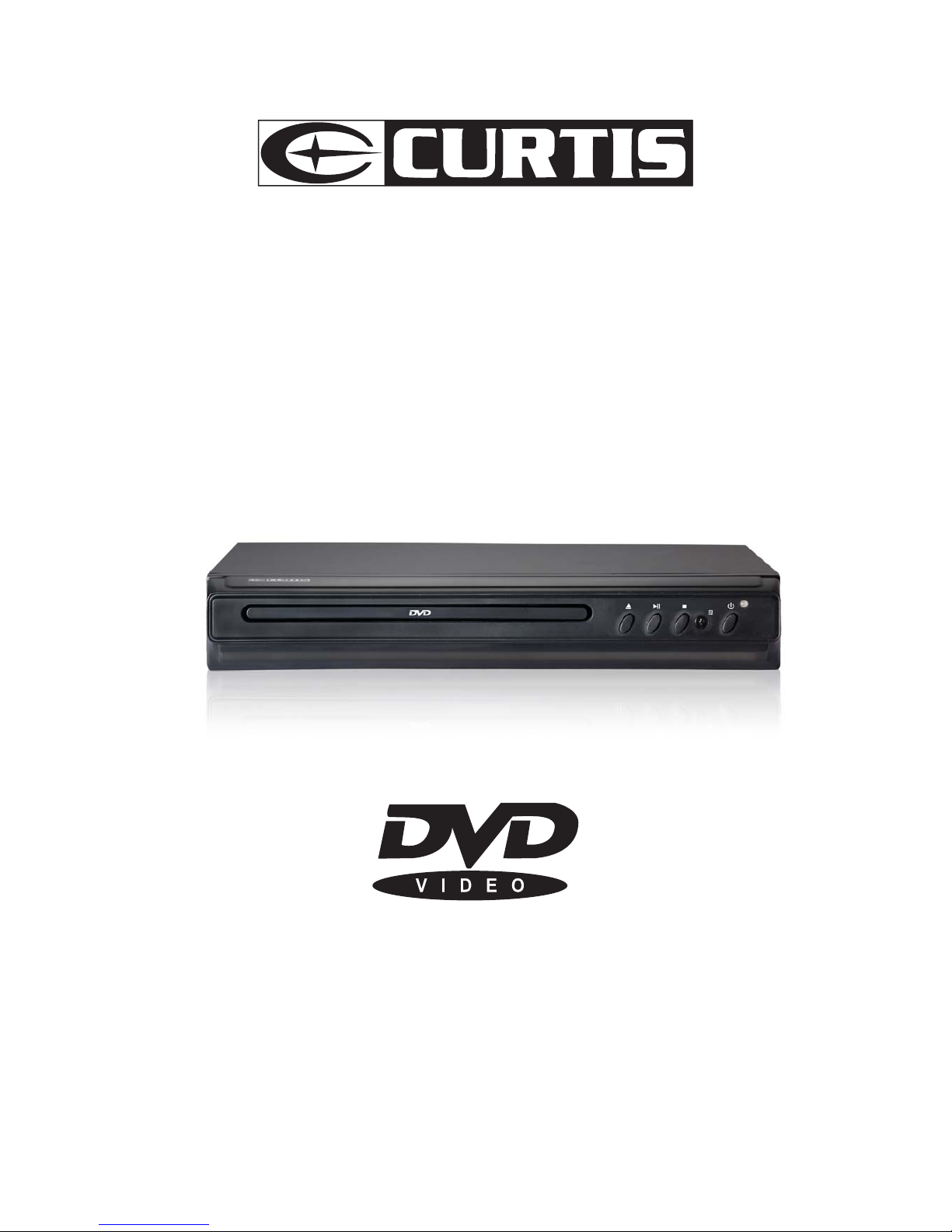
1. Disc tray
2. Open/Close key
3. Play/Pause key
4. Stop key
5. Remote control sensor
6. Power switch key
7. Power Indicator
FRONT PANEL
3
12
65 7
12 3 4 5 6
PROG STEP PBC
L/R N/P SLOW REPEAT
OPEN/CLOSE
VOL+
OSD POWER
CLEAR
A-B
GOTO
VOL
-
7
1. Left audio output jack.
2. Right audio output jack.
3.Digital coaxial audio output jack.
4. S-video output jack.
5.Component video
(Y, Pb/Cb & Pr/Cr)
6.Video output.
7.AC power cord.
4
VIDEO
COAXIAL S-VIDEO
DIGITALAUDIO VIDEO OUT
LR
YPb/Cb Pr/Cr
Note:
The same buttons on remote control and front panel have identical functions.
REMOTE CONTROL
DVD PLAYER
7
PBC
1
2
3
4
5
6
7
8
9
10
11
12
13
14
15
16
17
18
19
20
21
22
23
24
25
26
27
OSD
STEP
POWER
A-B
L/R
OPEN/CLOSE
GOTO
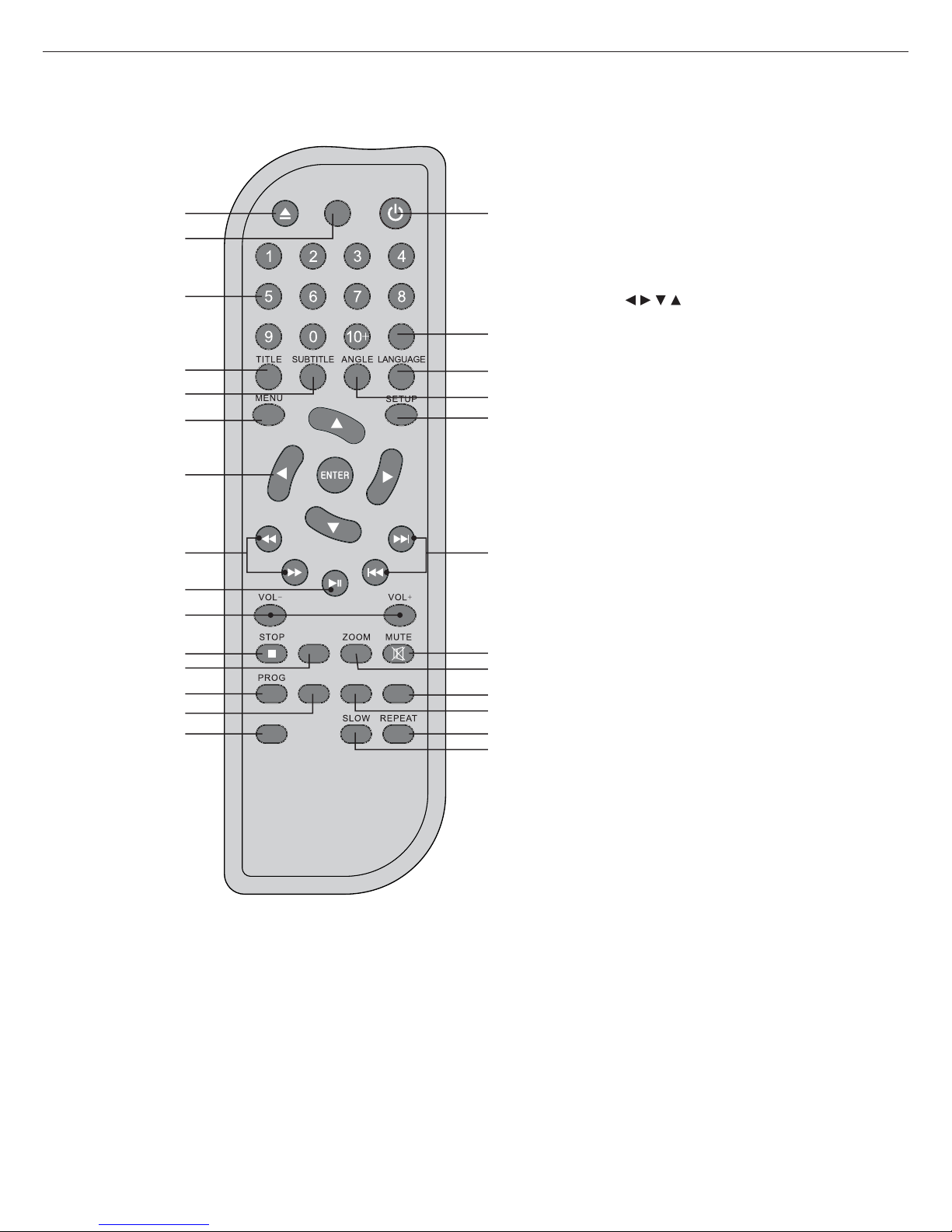
1. OPEN/CLOSE button
2. OSD button
3. Number (0-9) button
4. Title button
5. Subtitle button
6. Menu button
7. button
8. Fast reverse/Fast forward button
9. Play/Pause button
10. VOL+/ VOL- button
11. Stop button
12. Video b utton
13. Prog button
14. Step button
15. L/R button
16. Power button
17. Goto button
18. Language button
19. Angle button
20. Setup button
21. Next/Prev button
22. Mute button
23. Zoom button
24. A-B button
25. PBC button
26. Repeat button
27. Slow button
VIDEO
BASIC CONNECTION
DVD PLAYER
8
Ensure that thepower switch ofthis unit and
other equipment tobe connected isturned off
before commencing connection.
Read through theinstructions before connecting
other equipment.
Ensure that youobserve the colour-coding
when connecting audioand video cords.
A: Connecting toa stereo TVset
1. TV set(optional)
2. DVD/CD player
3. Connecting Video,R/L audio cords
4. To TV Audio input connection
5. ACpower cord
Toget the bestviewing quality you are advised to
use S-video cordto connect theTV set withS-video
input and tochange the TVset to S-videoinput format.
The TV setwith Y,Pb/Cb,Pr/Cr input couldget more
clear picture andrealistic image whenconnecting
to Y,Pb/Cb,Pr/Cr video position.
Recommendation: Set analogaudio output
up 2 channels
B: Connection tomonophonic TV
1. TV set(optional)
2. DVD/CD player
3. Audio cords
4. To TV setaudio input connector
5. To TV setvideo input connector
6.Component connector cord(optional)
7.ToTV component (Y,Pb/Cb,Pr/Cr)input connector
Note: User can choosethe proper video
connection according tothe TV setjacks and its
requirement (same asbelow)
C: Connection toaudio equipment
1. Audioplayer (optional)
2. TV set(optional)
3. DVD/CD players
4. Video/audio cords
5. To TV videoinput connector (yellow)
6. To audio inputconnectors (red, white)
7. To TV S-videoinput connector
8. S-video cord(optional)
Recommendation: Set analogue audiooutput up to2 channels
VIDEO
COAXIAL S-VIDEOLR
YPb/Cb Pr/Cr
DIGITALAUDIO VIDEO OUT
A
1
2
C
2
5
3
2
5
3
4
5
7
6
5
6
4
1
VIDEO
COAXIAL S-VIDEOLR
YPb/Cb Pr/Cr
DIGITALAUDIO VIDEO OUT
4
3
1
B
VIDEO
COAXIAL S-VIDEOLR
YPb/Cb Pr/Cr
DIGITALAUDIO VIDEO OUT
8
7
BASIC CONNECTION
DVD PLAYER
9
D: Connecting to AV amplifierwith 2-channel input
connector
1.TV set(optional)
2.DVD /CD player
3.Video /Audio cords / S-video cord(optional)
4.Amplifier with2 channel inputconnectors
5.To audio input connector (L,R)
6.Left speaker
7.Right speaker
2
VIDEO
COAXIAL S-VIDEOLR
YPb/Cb Pr/Cr
DIGITALAUDIO VIDEO OUT
5
67
4
3
1
3