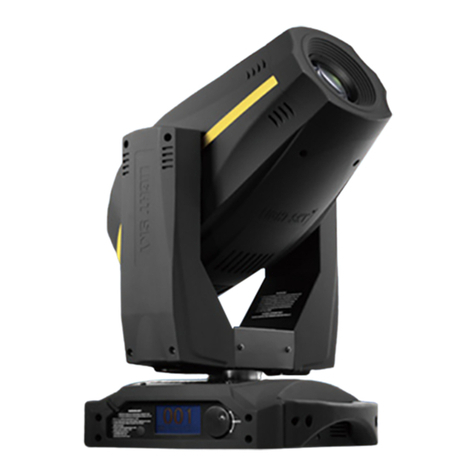
Cyclops Lighting CL200B-E User manual

USER MANUAL
M
o
v
i
n
g
-H
e
a
d
KEEP THIS MANUAL FOR FUTURE NEEDS

2
Every person involved with the installation, operation and maintenance of this device has to
-
be qualified
-
follow the instructions of this manual
-
consider this manual to be part of the total product
-
keep this manual for the entire service life of the product
pass this manual on to every further owner or user of the product
download the latest version of the user manual from the Internet
CAUTION!
Keep this device away from rain and
moisture!
Unplug mains lead before opening the
housing!
For your own safety, please read this user manual carefully before you initially start-up.
INTRODUCTION
Thank you for having chosen CYCLOPS CL-200B-E model. We are confident that our excellent products and
service can satisfy you. You will see you have acquired a powerful and versatile device.
Unpack the device you will find following items inside the box:
1. The fixture device
2. User manual
3. Omega holder with quick-lock fastener
4. DMX cable 3m
5. PowerCon power socket in&out
6. Safety rope
SAFETY INSTRUCTIONS
This device has left our factory in absolutely perfect condition. In order to maintain this condition and to ensure
a safe operation, it is absolutely necessary for the user to follow the safety instructions and warning notes written
in this user manual.
Important:
Damages caused by the disregard of this user manual are not subject to warranty. The dealer
will not accept liability for any resulting defects or problems.
CAUTION!
Be careful with your operations. With a dangerous voltage you can suffer a
dangerous
electric shock when touching the
wires

3
If the device has been exposed to drastic temperature fluctuation (e.g. after transportation), do not switch it on
immediately. The arising condensation water might damage your device. Leave the device switched off until
it has reached room temperature.
Please make sure that there are no obvious transport damages. Should you notice any damages on the A/C
connection cable or on the casing, do not take the device into operation and immediately consult your local
dealer.
This device falls under protection-class I. The power plug must only be plugged into a protection class I outlet.
The voltage and frequency must exactly be the same as stated on the device. Wrong voltages or power
outlets can lead to the destruction of the device and to mortal electrical shock.
Always plug in the power plug last. The power plug must always be inserted without force. Make sure that the
plug is tightly connected with the outlet.
Never let the power-cord come into contact with other cables! Handle the power-cord and all connections with
the mains with particular caution! Never touch them with wet hands, as this could lead to mortal electrical
shock.
Never modify, bend, strain mechanically, put pressure on, pull or heat up the power cord. Never operate next
to sources of heat or cold. Disregard can lead to power cord damages, fire or mortal electrical shock.
The cable insert or the female part in the device must never be strained. There must always be sufficient cable
to the device. Otherwise, the cable may be damaged which may lead to mortal damage.
Make sure that the power-cord is never crimped or damaged by sharp edges. Check the device and the
power-cord from time to time.
If extension cords are used, make sure that the core diameter is sufficient for the required power consumption
of the device. All warnings concerning the power cords are also valid for possible extension cords.
Always disconnect from the mains, when the device is not in use or before cleaning it. Only handle the
power-cord by the plug. Never pull out the plug by tugging the power-cord. Otherwise, the cable or plug can be
damaged leading to mortal electrical shock. If the power plug or the power switch is not accessible, the device
must be disconnected via the mains.
If the power plug or the device is dusty, the device must be taken out of operation, disconnected and then be
cleaned with a dry cloth. Dust can reduce the insulation which may lead to mortal electrical shock. More
severe dirt in and at the device should only be removed by a specialist.
There must never enter any liquid into power outlets, extension cords or any holes in the housing of the
device. If you suppose that also a minimal amount of liquid may have entered the device, it must immediately
be disconnected. This is also valid, if the device was exposed to high humidity. Also if the device is still
running, the device must be checked by a specialist if the liquid has reduced any insulation. Reduced
insulation can cause mortal electrical shock.
There must never be any objects entering into the device. This is especially valid for metal parts. If any metal
parts like staples or coarse metal chips enter into the device, the device must be taken out of operation and
disconnected immediately. Malfunction or short-circuits caused by metal parts may cause mortal injuries.
HEALTH HAZARD!
Never look directly into the light source, as sensitive persons may suffer
an
epileptic shock (especially meant for
epileptics)!
Keep away children and amateurs!
Never leave this device running unattended.

4
OPERATING DETERMINATIONS
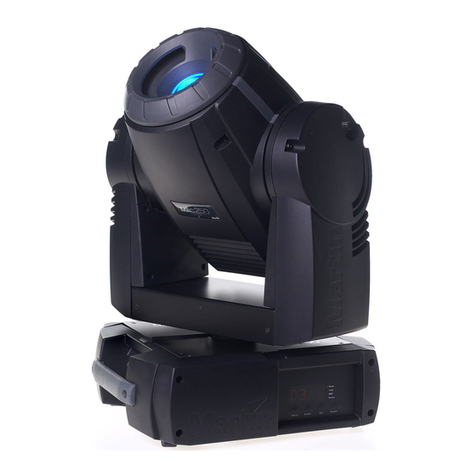
This device is a moving-head lighting effect for creating decorative effects. This product is only allowed to be
operated with an alternating voltage of 100-240 V, 50/60 Hz and was designed for indoor use only.
This device is designed for professional use, e.g. on stages, in clubs, bars, theatres etc.
Lighting effects are not designed for permanent operation. Consistent operation breaks will ensure that the
device will serve you for a long time without defects.
Do not shake the device. Avoid brute force when installing or operating the device.
Never lift the fixture by holding it at the projector-head, as the mechanics may be damaged. Always hold the
fixture at the transport handles.
When choosing the installation-spot, please make sure that the device is not exposed to extreme heat,
moisture or dust. There should not be any cables lying around. Please make sure that the unit cannot be
touched or bumped.
This device must never be operated or stockpiled in surroundings where splash water, rain, moisture or fog
may harm the device. Moisture or very high humidity can reduce the insulation and lead to mortal electrical
shocks. When using smoke machines, make sure that the device is never exposed to the direct smoke jet and
is installed in a distance of 0.5 meters between smoke machine and device. The room must only be saturated
with an amount of smoke that the visibility will always be more than 10 meters.
The ambient temperature must always be between -15° C and +45° C. Keep away from direct insulation
(particularly in cars) and heaters.
The relative humidity must not exceed 50 % with an ambient temperature of 45° C.
This device must only be operated in an altitude between -20 and 2000 m over NN.
Never use the device during thunderstorms. Over voltage could destroy the device. Always disconnect the
device during thunderstorms.
The symbol
- -
-m determines the minimum distance from lighted objects. The
minimum distance between light-output and the illuminated surface must be more than this value.
The device must only be installed on a non-flammable surface. In order to safeguard sufficient ventilation,
leave 50 cm of free space around the device.
The housing must never touch surrounding surfaces or objects.
Make sure that the area below the installation place is blocked when rigging, derigging or servicing the fixture.
For overhead use (mounting height >100 cm), always fix the fixture with an appropriate safety-rope. Fix the
safety-rope at the correct fixation points only. The safety-rope must never be fixed at the transport handles!
Only operate the fixture after having checked that the housing is firmly closed and all screws are tightly
fastened.
The maximum ambient temperature Ta = 45° C must never be exceeded.
Operate the device only after having become familiarized with its functions. Do not permit operation by
persons not qualified for operating the device. Most damages are the result of unprofessional operation!
Please use the original packaging if the device is to be transported.
Please consider that unauthorized modifications on the device are forbidden due to safety reasons!
Never remove the serial barcode from the device as this would make the guarantee void.
If this device will be operated in any way different to the one described in this manual, the product may suffer
damages and the guarantee becomes void. Furthermore, any other operation may lead to dangers like short-
circuit, burns, electric shock, crash etc.

5
DESCRIPTION OF THE DEVICE
Features
Source
Light source: Osram Sirius HRI 132W discharge lamp
Lamp life: 10.000 hours
Luminous Flux: 6200lumen, 354200lux@5m
Control: Remote on/off via DMX
Ballast: switching mode power supply
Optical System
Beam angle: 2°
X/Y
Pan: 360° (2.8 sec) or 540°(2.0 sec), Tilt: 265° (1.8 sec)
3 phase motor for fast and quiet movement
16-bit resolution
Auto repositioning
Colors
14+open, interchangeable, indexable and bidirectional rainbow effect
Color bounce
Gobos
¢
Outside 13.8 ¢
mm, inside 6mm
17+ open static gobos
Real indexable and gobo shaking
Distinctive gobo animation effect
Features
DMX channels: 13/16/10/12
Color wheel: 14+1 colors
Static gobo wheel: 17+1 gobos
Motorized focus
Full range 0-100% dimmer
Various strobe
8 facets rotating Effect wheel
RDM function to change DMX address, display flip, X/Y Reverse and so on
RDM read voltage, current, power consumption of lamp
Software upgrade via DMX
Hibernation when lost DMX for preset time
Indicate temperature info of base, arm and lamp
Fan speed auto change according to temperature
Display
2.4inch super nice LCD display with friendly English/ Chinese/French/Spanish menu
Auto lock
Flip
Back-up communicating IC
Power
Max power consumption: 250W
Powercon in and out
Power supply: Electronic auto-ranging
Input voltage range: 100–240V, 50-60Hz
Dimension and Weight
Fixture: 300X188X435MM
Packing: 510X370X270MM
Net Weight: 10KG
Gross Weight: 12KG

6
15 16 18
17
14
13
1
2
3
4
56
78910 11 12
Overview
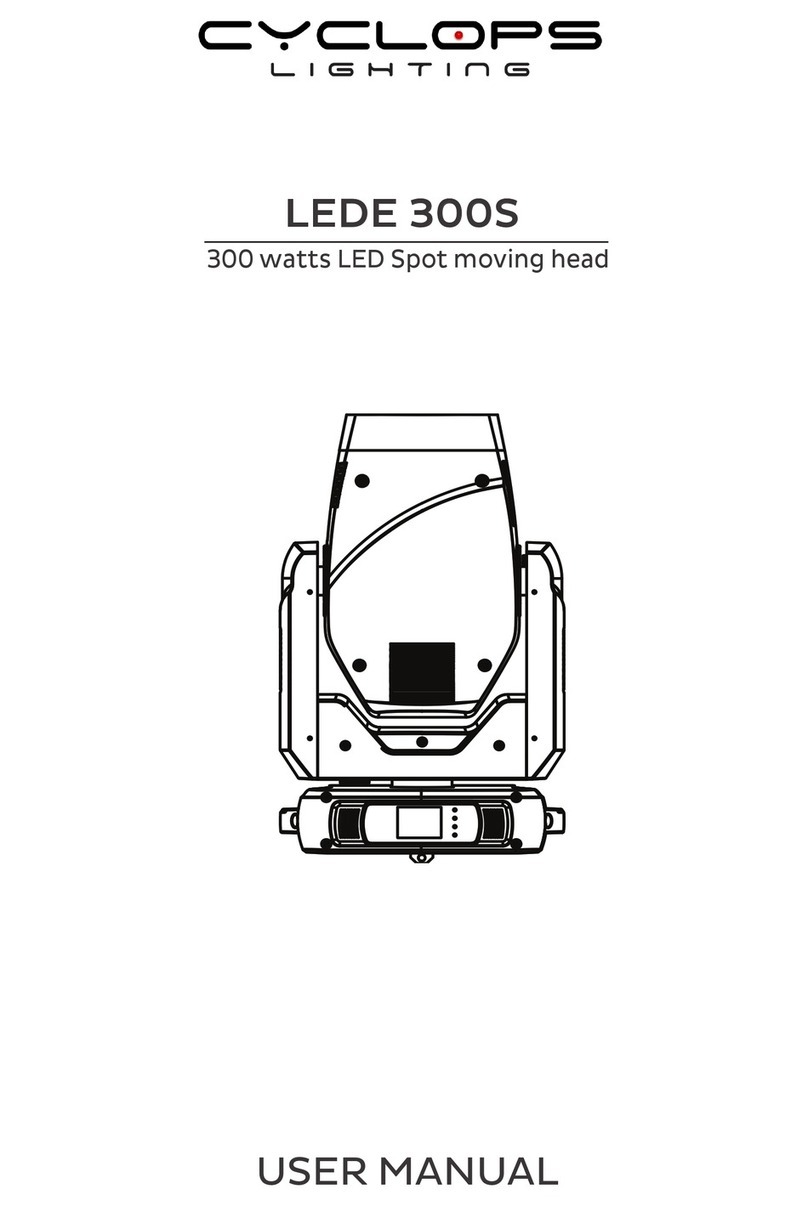
(1) Objective lens
(2) Arm
(3) Base
(4) Handle
(5) Wireless indicator
(6) Display
(7) Microphone
(8) Left button
(9) Down buttom
(10) Enter button
(11) Up button
(12) Right button
(13) 3-PIN DMX input socket
(14) 3-PIN DMX output socket
(15) Power input
(16) Power output
(17) Fuseholder
(18)Powerswitch

7
INSTALLATION
Installing/Replacing the lamp
DANGER TO LIFE!
Only install the lamp with the device switched off!
Unplug from mains before!
For the installation, you need one Osram Sirius HRI 132 W discharge lamp.
The lamp must only be changed when wearing appropriate protective clothing (protection glasses, protection
gloves, helmet with sight, leather apron).
CAUTION!
The lamp has to be replaced when it is damaged
or deformed due to the heat!
The lamp life given by the manufacturer must never be exceeded. This is why you need to take notes on the
operational time of the lamp or check the operating hour meter regularly and replace the lamp in time.
Keep exchanged lamp in a protective container and remove accordingly.
During the operation, the lamp reaches temperatures of up to 600° C.
Before replacing the lamp, unplug mains lead and let the lamp cool down (approx. 10 minutes).
During the installation do not touch the glass-bulbs bare-handed! Please follow the lamp manufacturer's
notes!
Do not install lamps with a higher wattage! Lamps with a higher wattage generate temperatures the device
was
not designed for. Damages caused by non-observance are not subject to warranty.
Procedure:
Step 1: Unscrew the eight housing screws (standard Philips screws) of the projector head cover and
remove the projector head cover.
Step 2: Unscrew the fixation screws A and B of the lamp system and carefully remove the cover from the
housing.
Step 3: Unscrew the fixation screw of the lamp holder.
Step 4: Push the plate to the right side.
Step 5: If replacing the lamp, remove the old lamp from the lamp holder. First of all, carefully detach the
two connection wires from the lamp base. Carefully remove the lamp from the lamp holder.
Step 6: Carefully insert the new lamp into the lamp holder. Carefully attach the two connection wires onto
the lamp base. Please make sure that the new lamp is in the same position as the old lamp
before
closing the device.
Step 7: Replace the lamp system in the housing and tighten the fixation screws.
Step 8: Replace the pojector head cover and tighten the srews.

8
Attention: Please note, the Osram Sirius HRI 132 W lamp is not a hot-restrike type. You must
wait
approximately 10 minutes before you can attempt to strike the lamp once it has been
turned off!
Do not operate this device with opened cover!
Inserting/Exchanging gobos
DANGER!
Install the gobos with the device switched off
only.
Unplug from mains
before!
If you wish to use other forms and patterns as the standard-gobos, or if gobos are to be exchanged, please
follow the instructions below:
CAUTION!
Never unscrew the screws of the rotating
gobo
as the ball bearing will otherwise be
opened!
Rigging
The installation of the projector has to be built and constructed in a way that it can hold 10 times the weight for
1 hour without any harming deformation.
The installation must always be secured with a secondary safety attachment, e.g. an appropriate catch net.
This secondary safety attachment must be constructed in a way that no part of the installation can fall down if
the main attachment fails.
When rigging, derigging or servicing the fixture staying in the area below the installation place, on bridges,
under high working places and other endangered areas is forbidden.
The operator has to make sure that safety-relating and machine-technical installations are approved by an
expert before taking into operation for the first time and after changes before taking into operation another
time.
The operator has to make sure that safety-relating and machine-technical installations are approved by an
expert after every four year in the course of an acceptance test.
The operator has to make sure that safety-relating and machine-technical installations are approved by a
skilled person once a year.
Procedure:
The projector should be installed outside areas where persons may walk by or be seated.
IMPORTANT! OVERHEAD RIGGING REQUIRES EXTENSIVE EXPERIENCE, including (but not limited to)
calculating working load limits, installation material being used, and periodic safety inspection of all installation
material and the projector. If you lack these qualifications, do not attempt the installation yourself, but instead
use a professional structural rigger. Improper installation can result in bodily injury and.or damage to
property.

9
The projector has to be installed out of the reach of people.
If the projector shall be lowered from the ceiling or high joists, professional trussing systems have to be used.
The projector must never be fixed swinging freely in the room.
Caution: Projectors may cause severe injuries when crashing down! If you have doubts concerning the
safety of a possible installation, do NOT install the projector!
Before rigging make sure that the installation area can hold a minimum point load of 10 times the projector's
weight.
DANGER
OF
FIRE!
When installing the device, make sure there is no
highly-inflammable
material (decoration articles, etc.) within a distance of min. 0.5
m.
CAUTION!
Use an appropriate clamp to rig the fixture on the
truss.
Follow the instructions mentioned at the bottom of the
base.
Make sure that the device is fixed properly! Ensure
that
the structure (truss) to which you are attaching the fixtures is
secure.
The Moving-Head can be placed directly on the stage floor or rigged in any orientation on a truss without
altering its operation characteristics (see the drawing).
The fixture’s base enables to be mounted in two ways.
For overhead use (mounting height >100 cm), always install an
appropriate safety bond.
Please note: for overhead rigging in public or industrial areas, a
series of safety instructions have to be followed that this manual
can only give in part. The operator must therefore inform
himself on the current safety instructions and consider them.

10
The manufacturer cannot be made liable for damages caused by incorrect installations or insufficient safety
precautions!
Install the safety bond by inserting the quick link in the hole on the bottom of the base. Pull the safety bond over
the trussing system etc. Insert the end in the quick link and tighten the fixation screw.
The maximum drop distance must never exceed 20 cm.
A safety bond which already hold the strain of a crash or which is defective must not be used again.
DANGER
TO
LIFE!
Before taking into
operation
for the first time, the
installation
has to be
approved
by an
expert!
2 3
(1)
Omega-holder
(2)
Clamp 1
(3)
Safety-rope
(4)
Quick-lock fastener
4
Screw the clamp via a M12 screw and nut onto the Omega-holder.
Insert the quick-lock fasteners of the Omega-holder into the respective holes
on the bottom of the device. Tighten the quick-lock fasteners fully clockwise.

11
DMX-512 connection / connection between fixtures
Projector1 Projector2 Projector3
Starting address 1 Starting address 20 Starting address 39
120 Ohms DMX-512 Controller
The wires must not come contact with each other, otherwise
the fixtures will not work at all, or will not work properly.
Please note, the starting address depends upon which controller is being used.
Only use a DMX-cable and 3-pin XLR-plugs and connectors in order to connect the controller with the fixture
or one fixture with another.
Occupation of the XLR-connection:
If you are using controllers with this occupation, you can connect the DMX-output of the controller directly with
the DMX-input of the first fixture in the DMX-chain. If you wish to connect DMX-controllers with other
XLR-outputs, you need to use adapter-cables.
Building a serial DMX-chain:
Connect the DMX-output of the first fixture in the DMX-chain with the DMX-input of the next fixture. Always
connect one output with the input of the next fixture until all fixtures are connected.
Caution: At the last fixture, the DMX-cable has to be terminated. Plug the terminator with a 120 Ωresistor
between Signal (–) and Signal (+) in the DMX-output of the last fixture.

12
Connection with the mains
Connect the device to the mains with the enclosed power supply cable.
The occupation of the connection-cablesis as follows:
Cable Pin International
Brown Live L
Blue Neutral N
Yellow/Green Earth
The earth has to be connected!
If the device will be directly connected with the local power supply network, a disconnection switch with a
minimum opening of 3 mm at every pole has to be included in the permanent electrical installation.
The device must only be connected with an electric installation carried out in compliance with the IEC-
standards. The electric installation must be equipped with a Residual Current Device (RCD) with a maximum
fault current of 30 mA.
Lighting effects must not be connected to dimming-packs.
The device is equipped with a lockable power input connector. Plug in the power cord and turn it to the right
until it locks. Plug the power cord into a grounded electrical outlet that matches the rated voltage of the
machine.
OPERATION
With the power switch, you can switch the device on and off.
After you connected the effect to the mains, the fixture starts running. During the reset, the motors are
trimmed and the device is ready for use afterwards.
Stand Alone operation
In the Stand Alone mode, the model can be used without controller.
Disconnect the fixture from the controller and call the internal program.
Please refer to the instructions under Control Board.
DMX-controlled operation
You can control the projectors individually via your DMX-controller. Every DMX-channel has a different
occupation with different features. The individual channels and their features are listed under DMX-protocol.
Addressing
The Control Board allows you to assign the DMX starting address, which is defined as the first channel from
which the fixture will respond to the controller.
If you set, for example, the address to channel 20, the fixture will use the channel 20 to 38 for control.
Please, be sure that you don’t have any overlapping channels in order to control each fixture correctly and
independently from any other fixture on the DMX-chain.
If several fixture are addressed similarly, they will work synchronically.
Press the Up/Down-buttons for setting the desired starting address. Now you can start operating the fixture via
your lighting controller.

Note:
After switching on, the device will automatically detect whether DMX 512 data is received or not. If there
is no data received at the DMX-input, the display will flash.
This situation can occur if:
-
the XLR plug (cable with DMX signal from controller) is not connected with the input of the device.
-
the controller is switched off or defective, if the cable or connector is defective or the signal wires
are
swap
in the input connector.
Note:
It’s necessary to insert the XLR termination plug (with 120 Ohm) in the last lighting in the link in order
to ensure proper transmission on the DMX data link.
DMX-protocol
Channel
St Ex
Ba
8bit
Ba
16bit
name function Min
DMX
Max
DMX
1 1 1 1 Pan Pan Coarse 0 255
2 2 Pan fine Pan Fine 0 255
2 3 2 3 Tilt Tilt Coarse 0 255
4 4 Tilt fine Tilt Fine 0 255
3 5 3 5 Movment
Speed fastest to Slowest 0 255
Normal 0 15
Movement With Backout 16 31
6 Movment
Function
TBD 32 255
Normal Shutter Functions 0 15
Pulse-effect Forward 16 31
Pulse-effect Reverse 32 47
Random Strobe 48 63
4 7 Shutter
Function
TBD 64 255
Normal Shutter Functions
Close 0 31
Strobe Rate (slow to fast) 32 223
Open 224 255
Pulse-effect Forward
Close 0 31
Strobe Rate (slow to fast) 32 223
Open 224 255
Pulse-effect Reverse
Close 0 31
Strobe Rate (slow to fast) 32 223
Open 224 255
Random Strobe
Close 0 31
Strobe Rate (slow to fast) 32 223
5 8 Shutter
Open 224 255
Shutter closed 0 31
4 6 Shutter
No function (shutter open) 32 63

14
Strobe effect slow to fast 64 95
No function (shutter open) 96 127
Pulse-effect in sequences 128 159
No function (shutter open) 160 191
Random strobe effect slow to fast 192 223
No function (shutter open) 224 255
6 9 5 7 Dimmer Dimmer(Close to Open) 0 255
Indexed 0 15
Indexed With BackOut 16 31
Forward Spin 32 47
Reverse Spin 48 63
Continuous 64 79
Color Bounce 80 111
7 10 Color Function
TBD 112 255
Indexed & Indexed With BackOut&Color Bounce
Position 1 (Open) 0 16
Position 2 ~ Position 15 17 255
Forward Spin
Stop to fastest 0 255
Reverse Spin
Stop to fastest 0 255
Continuous
8 11 Color
Positioning from 0-360 degrees 0 255
Indexed
Position 1 (Open) 0 2
Position 2 ~ Position 15 3 44
Indexed With Backout
Position 1 (Open) 45 47
Position 2 ~ Position 15 48 89
Indexed With Bounce
Position 1 90 98
Position 2 ~ Position 15 99 223
Forward Wheel Spin
Stop to fastest 224 239
Reverse Wheel Spin
6 8 Color
Stop to fastest 240 255
Indexed 0 15
Indexed With BackOut 16 31
Forward Spin 32 47
Reverse Spin 48 63
Continuous 64 79
Shake 80 95
9 12 Gobo Function
TBD 96 255
Indexed & Indexed With Backout&Shake
Position 1 (Open) 0 13
Position 2 ~ Position 18 14 255
Forward Wheel Spin
Stop to fastest 0 255
10 13 Gobo
Reverse Wheel Spin

15
Stop to fastest 0 255
Continuous
Positioning from 0-360 degrees 0 255
Indexed
Position 1 (Open) 0 1
Position 2 ~ Position 18 2 35
Indexed With Backout
Position 1 (Open) 36 37
Position 2 ~ Position 18 38 71
Indexed With Shake
Position 2 72 80
Position 3 ~ Position 18 81 223
Forward Wheel Spin
Stop to fastest 224 239
Reverse Wheel Spin
7 9 Gobo
Stop to fastest 240 255
Prism
Position 1 (Open) 0 3
Prism Rot Forward Spin
Stop to fastest 4 127
Prism Rot Reverse Spin
11 14 8 10 Prism &
Prism Rot
Stop to fastest 128 255
Continuous
12 15 9 11 Focus Focus In to Focus Out 0 255
Normal 0 7
Reset All 8 15
Pan&Tilt Reset 16 23
Color Reset 24 31
Gobo Reset 32 39
Shutter Reset 40 47
Other Reset 48 55
Display Off 56 63
Display On 64 71
Lamp Off 72 79
Lamp On 80 87
Hibernation 88 95
13 16 10 12 Control
TBD 96 255
Control Board
The Control Board offers several features: you can simply set the starting address, run the pre-programmed
program or make a reset.
The main menu is accessed by pressing Enter until the display is lit. Browse through the menu by pressing
the arrow buttons (up, down, left, right). Press Enter in order to select the desired menu. You can change the
selection by pressing the arrow buttons. Press Enter in order to confirm. The functions provided are
described in the following sections.
Default settings shaded. 1 Basic Reload / 2 Program Reload / 3 Private Reload

16
Conne
ct
DMX Address①XXX DMX address setting
Lamp On/Off ON/OFF Lamp On
Automatic ON/OFF Lamp On/off when
power on
DMX Control ON/OFF DMX control or not
Max
Temperature①
80~139℃, 120℃/176~282℉, 248℉Lamp off if
temperature
continuously over for
5 minutes
Light
Lamp Adjust①PAN…… Adjust value of
channel
Time Info. Current XXXX(Hours)
Fixture Life XXXX(Hours)
Fixture boot time
Fixture total run time
Lamp Info. Voltage
Current
Power
HID Lamp
Information
Temperature Near Lamp Temp (depends on fixture) Temperature
Sensors
Fans Speed Near Lamp Fan (depends on fixture) Fan speed Sensors
Channel Value PAN…… Display value of
channel
Error Message Pan,Tilt…… Error channels
Fixture Model xxxxxxxxxxxx Display model brand
and model
Information
Software Ver 1U01 V1.0.00
2U01 V1.0.00
:
Version of each IC
Reset All
Pan&Tilt
Shutter
Colors
Gobos
Others
Reset all
Reset Pan&Tilt
Reset Shutter
Reset Colors
Reset Gobos
Reset Others
Set
Movment Pan Reverse①
Tilt Reverse①
Pan Degree①
Encoders①
Pan/Tilt Mode①
ON/OFF
ON/OFF
630/540
ON/OFF
Stand/Smooth
Pan Reverse
Tilt Reverse
Choose Pan Degree
Encoder wheel
on/off
Choose pan/tilt
mode

17
UI Set Mic Sens. ③
No Signal①
Temperature. C/F①
Fans Mode①
Hibernation①
Backlight①
Flip Display①
Display Bright③
Brand Show①
Key Lock①
Language①
0~99%,60%
Close/Hold/Auto/Music
Fahrenheit/Celsius
Auto Speed /High Speed
OFF, 01M~99M,15M
02~60m 02m
ON/OFF
00~31 10
ON/OFF
ON/OFF
En/简/繁/Fr/Sp
Sensitivity of Mic
Mode when no
signal
Temperature at
℃/℉
Fans mode
Sleeping mode
Show backlight time
Display 180°reverse
Display Brightness
Show brand or not
Key lock on/off
Language Select
User Mode①Standard
Extended
Basic-8bit
Basic-16bit
User
Standard mode
Extended mode
Basic-8bit mode
Basic-16bit mode
User program mode
Users
Edit User③Max Channel = XX
PAN = CH01
:
Edit users mode
Calibration③-Password-
Color
:
=XXX
=XXX
:
Password: 050
Calibrate channel
value
Fixture ID③Name
-Password-
PID Code
Name
Password: 050
Set PID of RDM
Reload Default Basic Reload(①)
Program Reload(②)
---Password---
Private Reload(③)
All Reload
ON/OFF
ON/OFF
XXX
ON/OFF
ON/OFF
Basic Reload
Program Reload
Password: 050
Private Reload
All Reload
Play①DMX Receive
Slave Receive
Sequence
Music
Slave Receive 1,2,3
Master / Alone
Master / Alone
DMX Receive
Choose slave
position
Run Sequence
Music mode
Select Chase②Chase Part 1
Chase Part 2
Chase Part 3
Chase 1 ~ 8 Chase 1
Chase 1 ~ 8 Chase 2
Chase 1 ~ 8 Chase 3
Select and run auto
program
Edit Chase②Chase 1
:
Chase 8
Chase Test
Step 01
Step 64
=SCxxx
=SCxxx
Test
Beginning scene
Ending scene
Program
Edit Scenes②Edit Scene 001
~ Edit Scene
250
Pan,Tilt,……
--Fade Time--
--Secne
Time--
DMX Input
=xxx
=xxx
=xxx
Input manual scene
Modify manually
fading time
Modify manually
scene time
Input scene from
exterior controller

18
Scenes Record ScXX=>ScXX Auto Input scenes
Connect
DMX address setting
With this function, you can adjust the desired DMX-address via the Control Board.
Select “DMX Address“ by pressing Up or Down.
Press the Enter-button, adjust the DMX address by pressing Up or Down.
Press the Enter-button to confirm.
Wireless
With this function, you can enter wireless mode, then no need signal cable connection, in this mode
signal still transmitted by cable if the signal cables are connected, if want to send signal via wireless
cables must be disconnected.
Light
MaxTemperate
With this function you can set the inside temperature at which the projector will automatically switch the
lamp off. Press Up or Down to select the maximum inside temperature between 80 °C and 139 °C.
Inside temperatures below 90 °C are not critical. 90 °C and more should lead to the lamp being switched
off. Please note that the outside temperature should not exceed 45 °C.
Information
Time information Current
With this function, you can display the temporary running time of the device from the last power on. The
display shows “XXXX”, “X“ stands for the number of hours. The counter is reset after turning the device
off.
Fixture Life
With this function, you can display the running time of the device. The display shows “XXXX”, “X“ stands
for the number of hours.
Temperature Near lamp Temp
With this function you can display the temperature in the projector-head in degree
Celsius/degree Fahrenheit.
...
Fan speed
With this function you can display the current fan speed. The display shows “XXXX”, “X“ stands for Hz.
Initial status
With this function, you can display with which value the respective channels will start.
Error channels
With this function, you can display the channel errors.
Fixture Model
With this function, you can display the model number and brand of the fixture.
Software version
With this function you can display the software version of each IC.
•
Select “Software ver.” by pressing Up or Down.
•
Press the Enter-button, the display shows e.g. “1U01 VX.X.XX”, “X.X.XX“ stands for the version number.
Set
Reset
With this function you can reset the device via the Control Board. You can select the different Reset- functions

19
by pressing Up or Down.
Movement
PAN Reverse
With this function you can reverse the PAN-movement.
TILT Reverse
With this function you can reverse the TILT-movement.
PAN degree
With this function you can select the PAN-degree.
•
Select “PAN degree” by pressing Up or Down.
•
Press the Enter-button, the display shows “540”.
•
Press Up or Down to select the desired degree between “540” and “630”.
•
Press the Enter-button to confirm.
Automatic PAN/TILT calibration
With the function "Encoders" you can calibrate the PAN/TILT movement to the correct starting position.
Adjust PAN/TILT speed
With this function you can define the PAN/TILT speed. You can select one of two different modes.
UI Set
Mic sensitivity
With this function, you can select the desired microphone sensitivity between 0 % and 99 %.
•
Select “Mic Sens” by pressing Up or Down.
•
Press the Enter-button.
•
Press Up or Down to select the desired sensitivity.
•
Press the Enter-button to confirm.
No DMX status
With the function "No Signal", you can set different modes if there is no DMX-signal.
•
Select "Close, Hold, Auto or Music" by pressing Up or Down.
•
Press Up or Down to select between "Close", "Hold", "Auto" or "Music".
•
Press the Enter-button to confirm.
Select temperature designation
With this function you can select the temperature designation.
•
Select “TemperatureC/F” by pressing Up or Down.
•
Press Up or Down to select the desired degree between “Celsius” and “Fahrenheit”.
•
Press the Enter-button to confirm.
Hibernation - power standby mode
With this function you can put the device in the power standby mode. This function will be automatically
activated after a predefined period of time of no DMX activity. In standby mode the lamp/LEDs and all motors
will power down if no DMX signal is sent to the fixture for a period of e. g. 15 minutes (can be user defined). The
fixture will automatically reset and return to normal operation once a DMX signal is sendet.
Backlight
With this function you can shut off the display after 2 to 60 minutes.
Flip Display
With this function you can flip the display by 180° for a better view when the fixture is hung from the truss or a
ceiling.
Short-cut: Press “up” and “down” for three seconds to flip the display directly.
Brand Show
With this function you can show or hide the brand name 'Ablelite' on the display during
menu operation, but still show it after reset.
Key lock
With this function you can lock the keys of the Control Board to e.g. prevent menu tampering. If this function is

20
activated, the keys will be automatically locked as soon as exit the menu. In order to deactivate or temporarily
deactivate the keylock function, press the button UP-DOWN-LEFT-RIGHT-ENTER regain access to the menu
commands.
Users
User mode
With this function, you can create user defined channel orders.
Edit User
With this function, you can adjust the Preset user defined channel order.
Calibration
With this function, you can calibrate and adjust the effect wheels to their correct positions. The password for this
function is “050“.
Fixture ID
RDM
With this function you can call up various submenus via RDM.
This device is RDM ready. RDM stands for "Remote Device Management" and makes remote control of
devices connected to the DMX-bus possible. ANSI E1.20-2006 by ESTA specifies the RDM standard as an
extension of the DMX512 protocol.
Manual settings like adjusting the DMX starting address are no longer needed. This is especially useful when
the device is installed in a remote area.
RDM is integrated in DMX without influencing the connections. The RDM-data is transmitted via the standard
XLR-poles 1 and 2 – new DMX-cables are not necessary. RDM ready and conventional DMX devices can be
operated in one DMX line. The RDM protocol sends own packages in the DMX512 data feed and does not
influence conventional devices.
If DMX splitters are used and RDM control is to be used, these splitters must support RDM.
The number and type of RDM parameters depend on the (optional) RDM controller being used.
RDM Parameter ID's
(
Slot 21-22
)
Value
Cate
g
or
y
_
Network Mana
g
ement
DISC
_
UNIQUE
_
BR
A
NCH 0x0001
DISC
_
MUTE 0x0002
DISC
_
UN
_
MUTE 0x0003
Cate
g
or
y
-RDM Information
SUPPORTED
_
P
A
R
A
METERS 0x0050
P
A
R
A
METER
_
DESCRIPTION 0x0051
Cate
g
or
y
_
Product Information
DEVICE
_
INFO 0x0060
DEVICE
_
MODEL
_
DESCRIPTION 0x0080
M
A
NUF
A
CTURER
_
L
A
BEL 0x0081
DEVICE
_
L
A
BEL 0x0082
F
A
CTORY
_
DEF
A
ULTS 0x0090
SOFTW
A
RE
_
VERSION
_
L
A
BEL 0x00C0
Cate
g
or
y
-DMX512 Setu
p
DMX
_
PERSON
A
LITY 0x00E0
DMX
_
PERSON
A
LITY
_
DESCRIPTION 0x00E1
DMX
_
ST
A
RT
_
A
DDRESS 0x00F0
SLOT
_
INFO 0x0120
SLOT
_
DESCRIPTION 0x0121
Cate
g
or
y
_
Sensors
SENSOR
_
DEFINITION 0x0200
SENSOR
_
V
A
LUE 0x0201
Cate
g
or
y
_
Power/Lam
p
Settin
g
s 0x04xx
DEVICE
_
HOURS 0x0400
Cate
g
or
y
-Dis
p
la
y
Settin
g
s
DISPL
A
Y
_
INVERT 0x0500
Table of contents
Other Cyclops Lighting Light Fixture manuals
Popular Light Fixture manuals by other brands

Sonifex
Sonifex SignalLED Series Handbook

Chauvet
Chauvet DMX-600 user manual

Whelen Engineering Company
Whelen Engineering Company LFL Liberty Mini Edge installation guide

Iluminarc
Iluminarc Ilumiline 36 IP Optic RGB user manual

Westfalia
Westfalia 90 05 36 Original instructions

LIGHTS 4 Europe
LIGHTS 4 Europe Lucid nova eos Operation, installation and service instructions

Cooper Lighting
Cooper Lighting Combo Classic CR230M39 Specification sheet

Chauvet Professional
Chauvet Professional ROGUEOUTCAST2BEAM Quick reference guide

Flash
Flash F7100311 user manual

Martin
Martin CYCLO 04 DMX user manual

Cooper Lighting
Cooper Lighting Cobolight T5HO39 Specifications

Melissa
Melissa 637-005 Specifications