▯Intended Use
The product is designed for use both indoors and outdoors. The
product is intended purely for private use and not for commercial
purposes or other usage.
The headlamp is not suitable for lighting rooms within a house-
hold.
▯Observe the Safety Information
Read and observe all the safety information to protect yourself
and the environment from any harm. Refer to the information
sheet enclosed for the relevant information on safety.
▯General View
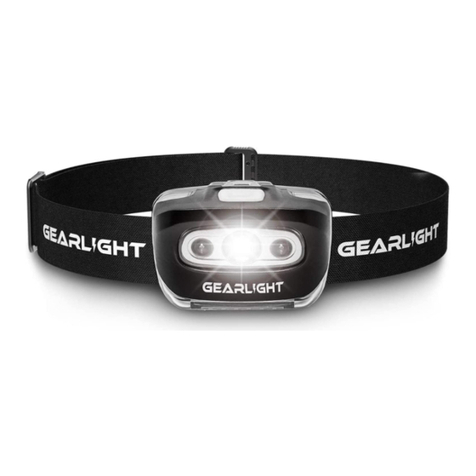
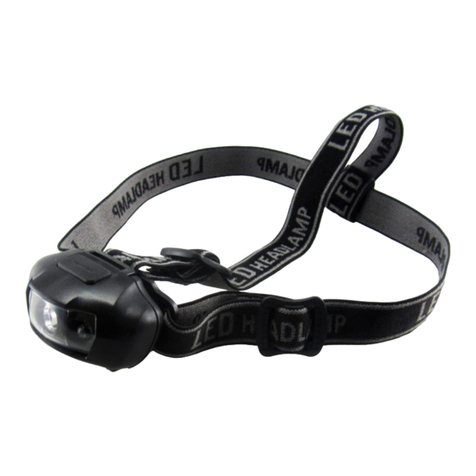
The illustration depicts the headlamp in detail.
Housing
Status indicator
Operating mode
press switch
Full beam
Base (adjustable)
Sensor press
switch
Floodlight
USB port
Magnets
Headband
Holder on
headband
USB cable
▯Checking the Package Contents
Check the package contents carefully before putting the device
into operation. If anything is missing or damaged, please contact
our Service partners.
▸1 × LED headlamp (including built-in Li-ion battery)
▸1 x removable headband
▸1 x USB cable
▸1 × gift box
▸1 × manual
▯Charging the Headlamp
The headlamp is equipped with a permanently built-in Li-ion bat-
tery. The battery must be fully charged before being used for the
rst time.
The status indicator
lights up red if the headlamp is switched on
and the Li-ion battery charge is low.
1. Open the protective cover from the USB port
.
2. Connect the USB cable
to the micro USB port
.
3. Connect the USB cable
to a USB charger via the USB-A
connector.
4. The status indicator
lights up red during the charging
process.
5. Disconnect the USB cable
from the micro USB port
when
the charging process has nished. The status indicator
lights
up green when the Li-ion battery is fully charged.
6. Close the protective cover from the USB port
.
The headlamp only fulls the requirements of the type of protec-
tion specied when the protective cover of the USB port
is
closed.
▯Operating the Headlamp
The adjustable headband is used
to attach the headlamp to
your head. The headlamp and base
can be adjusted to an angle
of maximally 60° to each other.
The headlamp can be used in 4 operating modes which are
selected using the operating mode press switch
.
The switching cycle of the headlamp operating modes is as follows:
Operating mode 1 èOperating mode 2 èOperating mode 3 è
Operating mode 4 è O
Operating
mode 1 Full beam (100% brightness)
Operating
mode 2
Full beam energy-save mode (50%
brightness)
Operating
mode 3 Floodlight
Operating
mode 4 Full beam and oodlight
Press the operating mode press switch
as often as necessary
until the required mode is activated.
1. Press the operating mode press switch
to select operating
mode 1.
2. Press the operating mode press switch
to select operating
mode 2.
Use this sequence of steps to select the operating mode required
for the headlamp.
Using the Motion Sensor
The headlamp is equipped with a motion sensor. When the motion
sensor is switched on, you can switch the headlamp on and o
with a wave of the hand.
1. Press the sensor press switch
to switch the motion sensor
on. When the motion sensor is switched on, the status indicator
ashes green.
2. Move your hand while it is in front of the headlamp to switch
the headlamp on. The headlamp lights up in the operating
mode last selected.
3. Move your hand while it is in front of the headlamp to switch
the headlamp o.
4. Press the sensor press switch
to switch the motion sensor
o. The status indicator
no longer ashes.
If you press the operating mode press switch
while the motion
sensor is switched on, the Motion sensor is switched o.
Dimming Function
The headlamp is provided with a dimming function. You can adjust
the brightness in any operating mode.
1. Press the operating mode press switch
to switch the head-
lamp on.
2. Press and hold the operating mode press switch
to adjust
the brightness. After a brief ash sequence, the brightness is
reduced continuously. On reaching the minimum brightness,
the headlamp ashes briey again and the brightness is
continuously increased.
3. Release the operating mode press switch
on reaching the
required brightness.
Detaching and Attaching the Headlamp
The headlamp is provided with a removable headband
. You can
x the headlamp, without the headband
, to steel surfaces by
means of the magnets
.
1. Slide the holder on the headband
to the side and out of the
base
in order to remove the headband
.
2. Slide the holder on the headband
to the side and into the
base
in order to attach the headband
.
▯Technical Data
Designation HLG112 LED headlamp
Weight (without
batteries)
97 g
Dimensions 67 x 37 x 40 mm
Batteries 1 × type 902554, 3.7 V, 1400 mAh
GG G
GG
G
Illuminant
(not replaceable)
OSRAM LED
COB oodlight
Lighting period
(compliant with
ANSI standard)
Approx. 2.5 hours (OSRAM LED 100%)
Approx. 8 hours (OSRAM LED 50%)
Approx. 3.5 hours (COB oodlight)
Approx. 1.45 hours (OSRAM LED and COB
oodlight)
Lighting range
(compliant with
ANSI standard)
Max. 55 metres (OSRAM LED)
Max. 7 metres (COB oodlight)
Brightness Max. 250 lumen (OSRAM LED)
Max. 250 lumen (COB oodlight)
Max. 450 lumen (OSRAM LED and COB
oodlight)
Service life (LED) Approx. 50,000 hours
Functions 4 operating modes (full beam (100%), full
beam energy-save mode (50%), oodlight,
full beam and oodlight)
Motion sensor
Dimming function
Removable headband
Magnet
Type of protection IP 54 (dustproof and splashproof)
▯Manufacturer
GO Europe GmbH
Zum Kraftwerk 1
D-45527 Hattingen
GERMANY
1 2 3 4 5 6 7
891011
12
LED Headlamp
▯For Your Safety
Read the manual thoroughly and observe the information
contained when using the device. Keep the manual close
by for future reference.
Refer to the information sheet enclosed for important
information on the subjects of safety, disposal, guarantee and
product care.
G
GO Europe GmbH
Zum Kraftwerk 1
45527 Hattingen
GERMANY
11 / 2020
Art.-No. 40416
20201111_uni_taschenlampe_hlg112.indd 220201111_uni_taschenlampe_hlg112.indd 2 11.11.2020 09:10:0211.11.2020 09:10:02