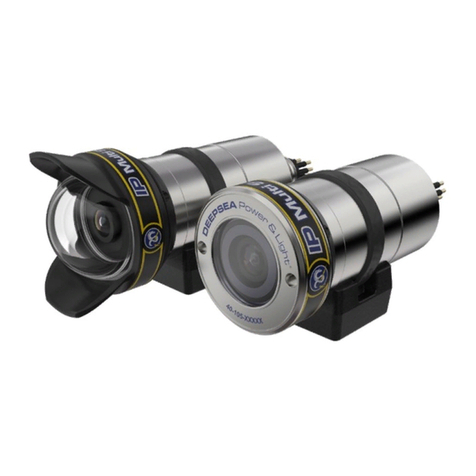
SSC-5000 User Manual September 21, 2004
7
Setup and Pre Test Procedures
Prepare a clean, dry, stable workspace. Ensure that all system components are easily
accommodated in the workspace. Do not connect any components.
1. Confirm that all power switches are in the "off" position.
2. If there is any doubt as to the output voltage level of the power supply, confirm the output
level now. Be sure to turn off the power supply before proceeding to step 3.
3. Connect the mating cable to the camera.
4. Connect the video monitor to the cable's video output.
5. Connect the camera power supply to the cable’s camera power leads..
6. Ensure that the video monitor 75-Ohm termination switch is set to "on". Plug in the power
cords to the monitor, video control unit, and/or power supply. Power up each unit. Watch for
indications of malfunction and short circuit as each unit is powered.
7. After all units have "warmed up" check the display of the video image on the monitor. It
should be sharp and clear. Should no picture appear, power all components off,
recheck/reinstall all connections and power the system again.
8. Turn off all components before disconnecting the system.
Mounting the Camera on the Carrying Vehicle
Exercise extreme care in mounting the camera to the carrying vehicle. Do not over tighten the
mount hardware onto the camera housing. Any coupling which causes the housing to deform, or
causes the housing to go "out of round", will adversely impact the ability of the camera to go to
rated depth, and may cause damage to the camera internals. Damage caused by a camera-
mounting bracket is not covered under warranty.
Preparing the System for Deployment
If it has been more than a few days since the system was last in service, or if any components of
the system are different from last use, or if any component of the system has behaved erratically
or experienced rough or extreme conditions, it is strongly recommended that the system be pre
tested before deployment (see the section titled Setup and Test Procedure).
Preparing the system for deployment is very similar to the steps followed in testing the system.
Note, however, that it is very important that the cable, at both the camera and topside ends, be
carefully prepared to provide complete strain relief to the connectors. Failure of the strain relief
provisions will almost certainly damage the connectors and, possibly, other components of the
system.
To prepare the system for deployment:
1. Place or confirm that all power switches are in the "off" position.
2. If there is any doubt as to the voltage level of the power supply, confirm the voltage output
now. Be sure to power off the unit before proceeding to step 3.
3. Connect the video cable to the camera and video control unit/power supply. It is critical that
the 12-pin, wet end connector that attaches to the camera is carefully and fully seated. Use
extra care when establishing this connection. Attach the locking sleeve hand tight. Do not use
a tool to tighten the locking sleeve.