manuals.online logo
Brands
  1. Home
  2. •
  3. Brands
  4. •
  5. Denon
  6. •
  7. DVD Player
  8. •
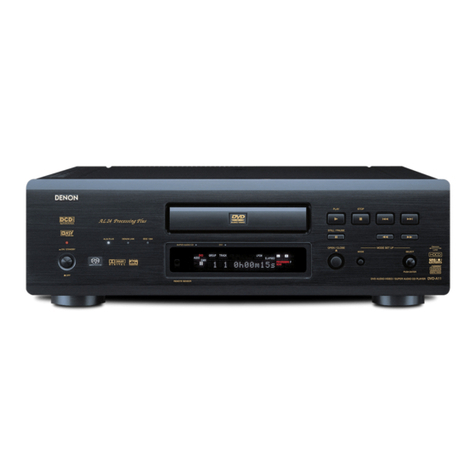
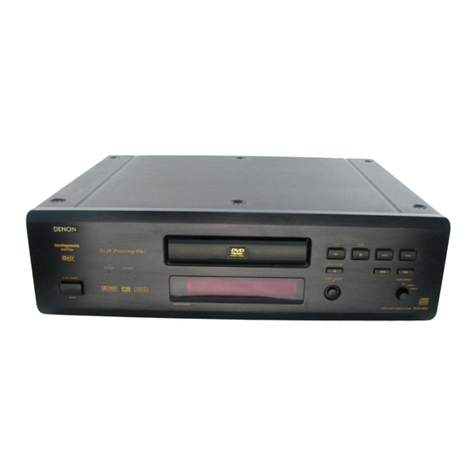
  9. Denon DVD-2800 User manual

Denon DVD-2800 User manual

Other manuals for DVD-2800

3

Other Denon DVD Player manuals

Denon DVD-2930CI User manual

Denon

Denon DVD-2930CI User manual

Denon DVD 1740 User guide

Denon

Denon DVD 1740 User guide

Denon DVM 1845 User guide

Denon

Denon DVM 1845 User guide

Denon DVD-2930 User manual

Denon

Denon DVD-2930 User manual

Denon Professional DN-V100 User manual

Denon

Denon Professional DN-V100 User manual

Denon DVD-910 User manual

Denon

Denon DVD-910 User manual

Denon DVD-2910 User manual

Denon

Denon DVD-2910 User manual

Denon DVD-770SD User manual

Denon

Denon DVD-770SD User manual

Denon DN V310 - Professional DVD Player User manual

Denon

Denon DN V310 - Professional DVD Player User manual

Denon DN-V300 - Professional DVD Player Use and maintenance manual

Denon

Denon DN-V300 - Professional DVD Player Use and maintenance manual

Denon DVD558 - DVD 558 Player User manual

Denon

Denon DVD558 - DVD 558 Player User manual

Denon DVD-800 User manual

Denon

Denon DVD-800 User manual

Denon DVM-1835 - DVD Changer User manual

Denon

Denon DVM-1835 - DVD Changer User manual

Denon DVD-1730 User manual

Denon

Denon DVD-1730 User manual

Denon DVD-1710 User manual

Denon

Denon DVD-1710 User manual

Denon DVD-2900 User manual

Denon

Denon DVD-2900 User manual

Denon DVD 1740 User manual

Denon

Denon DVD 1740 User manual

Denon DVD-2910 User manual

Denon

Denon DVD-2910 User manual

Denon DVD-5910CI Operating instructions

Denon

Denon DVD-5910CI Operating instructions

Denon DVD-1940CI User manual

Denon

Denon DVD-1940CI User manual

Denon DVD-1930CI User manual

Denon

Denon DVD-1930CI User manual

Denon DVD-5900 User manual

Denon

Denon DVD-5900 User manual

Denon DVD-2900 User manual

Denon

Denon DVD-2900 User manual

Denon DVD-5000 User manual

Denon

Denon DVD-5000 User manual

Popular DVD Player manuals by other brands

Yamaha DVD S540 - Progressive Scan DVD Player Service manual

Yamaha

Yamaha DVD S540 - Progressive Scan DVD Player Service manual

Yamakawa DVD-MP12i user manual

Yamakawa

Yamakawa DVD-MP12i user manual

Philips DVP3042/12 user manual

Philips

Philips DVP3042/12 user manual

Philips DVP5900/37B Quick use guide

Philips

Philips DVP5900/37B Quick use guide

Roadstar DVD-2020H Service manual

Roadstar

Roadstar DVD-2020H Service manual

Beko DVD 2006 user manual

Beko

Beko DVD 2006 user manual

Atak DVDA2015 instruction manual

Atak

Atak DVDA2015 instruction manual

LG DV257K owner's manual

LG

LG DV257K owner's manual

auna 10005069 manual

auna

auna 10005069 manual

Philips MCD700/61 user manual

Philips

Philips MCD700/61 user manual

Sony DVP-F11 Service manual

Sony

Sony DVP-F11 Service manual

Toshiba SD-2300U owner's manual

Toshiba

Toshiba SD-2300U owner's manual

LENCO DVP-740 X2 user manual

LENCO

LENCO DVP-740 X2 user manual

Tevion 44330 user guide

Tevion

Tevion 44330 user guide

Aiwa XD-DV370 operating instructions

Aiwa

Aiwa XD-DV370 operating instructions

Sony DVP S530D operating instructions

Sony

Sony DVP S530D operating instructions

Toshiba SD-3815 owner's manual

Toshiba

Toshiba SD-3815 owner's manual

Sylvania DP170SL8 Service manual

Sylvania

Sylvania DP170SL8 Service manual

manuals.online logo
manuals.online logoBrands
  • About & Mission
  • Contact us
  • Privacy Policy
  • Terms and Conditions

Copyright 2025 Manuals.Online. All Rights Reserved.

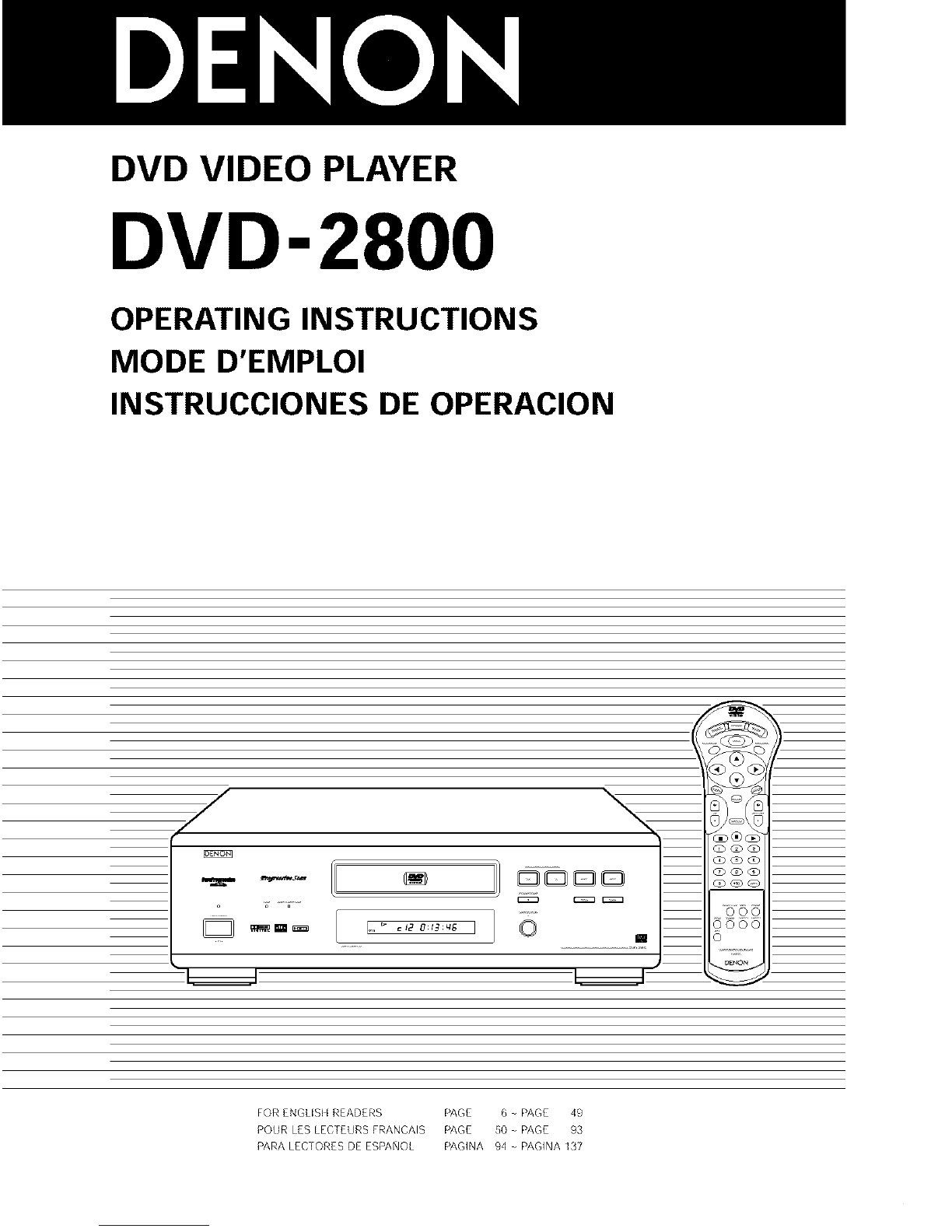
DVD VIDEO PLAYER
DVD-2800
OPERATING INSTRUCTIONS
MODE D'EMPLOI
INSTRUCCIONES DE OPERACION
FOR ENGLISI I READERS P/'_GE 6 PAGE 49
POUR LES LEGTEtJRS FRANCAIS PAGE 50 PAGE 93
_ARALEGTORESDE ES_ANOL PAGINA 94 - PAGINA 137
IMPORTANT TO SAFETY
WARNING:
TO PREVENT FIRE OR SHOCK HAZARD, DO NOT
EXPOSE THIS APPLIANCE TO RAIN OR MOISTURE.
CAUTION:
1. Handle the power supply cord carefully
Do not damage or deform the power supply cord If it is damaged or
deformed, it may cause electric shock or malfunction when used
When removing from wall outlet, be sure to remove by holding the plug
attachment and not by pulling the cord
2. Do not open the top cover
In order to prevent electric shock, do not open the top cover
If problems occur, contact your DENON DEALER
3. Do not place anything inside
Do not pl_ce metal objects or spill liquid inside the DVD video player
Electric shock or malfunction may result
Pleaser record and retain the Model name and serial number of your set
shown on the rating label
Model No DVD 2800 Serial No
NOTE:
This DVD video player uses the semiconductor laser ]o allow you to enjoy
music at a stable operation, it is recommended to use this in a room of 5
"C(41°F) 35°C(95°F)
CAUTION:
USE OF CONTROLS OR ADJUSTMENTS OR REFORMANCE OF
PROCEDURES OTHER THAN THOSE SPECIFIED HEREIN MAY RESULT
IN HAZARDOUS RADIATION EXPOSURE,
THE COMPACT DISC PLAYER SHOULD NOT BE ADJUSTED OR
REPAIRED BY ANYONE EXCEPT PROPERLY QUALIFIED SERVICE
PERSONNEL.
This device complies with Part 15 of the FCC Rules Operation is
subJeCt to the following two conditions: (1) This device may not
cause harmful interferencer alld (2) this device must accept any
interference recewed, including interference that may cause
undesired operation
This Class B digital apparatus meets all requirements of the
Canadian Interference Causing Equipment Regulations
Cet appareil numedque de la classe B respecte routes les
exEgences du R®glement sur le mat®del brouiileur du Canada
•FOR CANADA MODEL ONLY
CAUTION
TO PREVENT ELECTRIC SHOCK, MATCH WIDE BLADE OF
PLUG TO WIDE SLOT, FULLY INSERT
•POUR LES MODELE CANADIENS UNIQUEMENT
ATTENTION
POUR EVITER LES CHOCS ELECTRIQUES, INTERODUIRE LA
LAME LA PLUS LARGE DE LA FICHE DANS LA BORNE
CORRESPONDANTE DE LA PRISE ET POUSSER JUSQU' AU
FOND
CAUTION: TO REDUCE THE RISK OF ELECTRIC SHOCK,
DO NOT REMOVE COVER (OR BACK). NO
USER SERVICEABLE PARTS INSIDE. REFER
SERVICING TO QUALIFIED SERVICE
PESONNEL.
The lightning flash with arrowhead symbol, withill
an equilateral triangle, is intended to alert the user to
the presence of uninsulated "dangerous voltage"
within the product's enclosure that may be of
sufficient magnitude to constitute a risk of electric
shock to persons
The exclamation point within arl equilateral triangle
,_ _s intended to alert the user to the presence of
important operating and maintenance (servicing)
instructions in the literature accompanying the
appliance
2
FRONT PANEL
PANNEAU AVANT
PANEL FRONTAL
el )t)
_ r"_-4 _
M
REAR PANEL
PANNEAU ARRIERE
PANEL TRASERO
\
AUOl_ 01_I_AL0UT
mira
3
2
3
4
5
6
6A
7
8
9
10
11
SAFETY INSTRUCTIONS
Read Instructions -All the safety and operating instructions
should be read before the appliance is operated
Retain Instructions -The safety and operating instructions
should be retained for future reference
Heed Warnings - All warnings on the appliance and in the
operating instructions should be adhered to
Follow Instructions - All operating and use instructions
should be foflowed
Water and Moisture - The appliance should not be used
near water - for example, near a bathtub, washbowl,
kitchen sink, laundry tub, m a wet basement, or near a
swimming pool, and the like
Carts and Stands - The appliance should be used only with
a cart or stand that is recommended by the manufacturer
An appliance and cart
combination should be
moved with care
Quick stops, excessive
force, and uneven
surfaces may cause
the appliance and cart
combination to overturn
Wall or Ceiling Mounting -The appliance should be
mounted to a wall or ceiling only as recommended by the
manufacturer
Ventilation -The appliance should be situated so that its
location or position does not interfere with its proper
ventilation For example, the appliance should not be
situated on a bed, sofa, rug, or similar surface that may
block the ventilation openings; or, placed in a built-in
installation, such as a bookcase or cabinet that may mTpede
the flow of air through the ventilation openings
Heat - The appliance should be situated away from heat
sources such as radiators, heat registers, stoves, or other
appliances (including amplifiers) that produce heat
Power Sources -The appliance should be connected to a
power supply only of the type described in the operating
instructions or as marked on the appliance
Grounding or Polarization -Precautions should be taken so
that the grounding or polarization means of an appliance is
not defeated
12
14
15
16
17
18
19
20
PowepCord Protection - Powepsupply cords should be
routed so that they are not likely to be walked on or pinched
by items placed upon or against them, paying particular
attention to cords at plugs, convenience receptacles, and
the point where they exit fTom the appliance
Cleaning - The appliance should be cleaned only as
recommended by the manufacturer
Power Lines - An outdoor antenna should be located away
From power lines
Outdoor Antenna Grounding - If an outside antenna is
connected to the receiver, be sure the antenna system is
grounded so as to provide some protection against voltage
surges and built-up static charges Article 810 of the
National Electrical Code, ANSI/NFPA 70, provides
information with regard to proper grounding of the mast and
supporting structure, grounding of the leadqn wire to an
antenna-discharge unit, size of grounding conductors,
location of antenna-discharge unit, connection to grounding
electrodes, and requirements for the grounding electrode
See Figure A
Nonuse Periods -The power cord of the appliance should
be unplugged from the outlet when left unused for a long
period of time
Object and Liquid Entry -Care should be taken so that
objects do not fall and liquids are not spilled into the
enclosure through openings
Damage Requiring Service -The appliance should be
serviced by quafified service personnel when:
A The power-supply cord or the plug has been damaged; or
B Objects have fallen, or liquid has been spilled into the
appliance; or
C. The appliance has been exposed to rain; or
D The appliance does not appear to operate normally or
exhibits a marked change in performance; or
E The appliance has been dropped, or the enclosure
damaged
Servicing - The user should not attempt to service the
appliance beyond that described in the operating
instructions All other servicing should be referred to
qualified service personnel
ELECTRIC
SERVICE
_NEC SECTION _102_)
POWER SERVICE GROUNDING
_NEC ART 25O, PART H)
4

NOTE ON USE /OBSERVATIONS RELATIVES A L'UTILISATION /NOTAS SOBRE EL USO
• Avoid high temperatures
Allow for sufficient heat dispersion when
installed on a rack
• Eviter des temporatures elevoes
Tenir compte d'une dispersion de chaleur
suffisaHte Iors de Irinstallation sur une
etagOre
• Evite altas temperaturas
Permite la suficiente dispersion del calor
ciJando est8 instalado en la conso]a
/
• Handle the power cord carefully
Hold the plug when unplugging the cord
• Manipuler le cordon d'alimentation avec
precaution
Tenir la prise ]ors du debranchement du
cordon
• Maneje el cordon de energla con
cuidado
Sostenga el enchufe cuando desconecte
el cordon de energ/a
• Keep the set free from moisture, water,
and dust
• Proteger I'appareil contre I'humidite,
Ireau et lapoussiere
• Mantenga el equipo libre de humedad,
agua y polvo
• Unplug the power cord when not using
the set for long periods of time
• Debrancher le cordon d'alimentation
Iorsque I'appareil West pas utilise
pendaHt de Iongues periodes
• Uesconecte el cordon de energ[a cuando
no utilice el equipo pot mucho tiempo
/ ij I
/For sets with ventilation holes)
• DO not obstruct the ventilation holes
• Ne pas obstruer les trous d'aeration
• No obstruya los odficios de ventilaciOn
• Do not let foreign obJeCts in the set
• Ne pas laisser des ob]ets etrangers dans
I'appareil
• No deje ob]etos extranos dentro del
equEpo
•:;7¸¸ ::v
• Do not let insecticides, ber_zene, and
thhlner come in contact with the set
• Ne pas mettre erl contact des
insecticides, du benzene et un diluant
avec fappareil
• No permita el contacto de insecticidas,
gasolina y diluyentes con el equipo
• Never disassemble or modify the set in
any way
• Ne jama]s demonter ou modifier
IIappareil d'une maniere ou dIulle autre
• Nunca desarme o modifique el equipo de
RlnguAa manera
Copyrights /Droits d'auteur /Derechos de Autor
• It is prohibited by law to reproduce,
broadcast, rent or play discs in public
without the consent of the copyright
holder
• La reproduction, la diffusion, la
location, le prGt ou la lecture publique
de cos disques sont interdits sans le
consentement du detenteur des
droits d'auteur
• De acuerdo con las leyes esta
prohibido reproducir, emitir: alquilar o
interpretar discos en pOblico sin la
autodzacion del propietado de los
derechos de autor
5
l:l_[_ll!._ :I
-- TABLE OF CONTENTS --
Features ....................................................................................... 6
Discs ............................................................................................ 7
Cautions on Handling Discs ......................................................... 8
Connections ........................................................................ 9 - 13
Part Names and Functions .................................................. 13, 14
Remote Control Unit ............................................................ 15, 16
Loading Discs ............................................................................ 17
Playback ............................................................................ 18 - 21
Using the On Screen Display ..................................................... 22
Adjusting the Picture Quali_ ..................................................... 23
@ Playing Repeatedly .............................................................. 24, 25
@ Playing Tracks in the Desired Order .......................................... 26
Playing Tracks in the Random Order ......................................... 27
MP3 Playback ...................................................................... 28, 29
Using the Multiple Audio, Subtitle and Angle Functions .30 32
Using the Menus ................................................................. 33, 34
@ Changing the Default Settings .......................................... 35 - 47
Troubleshooting ......................................................................... 48
Main Specifications .................................................................... 49
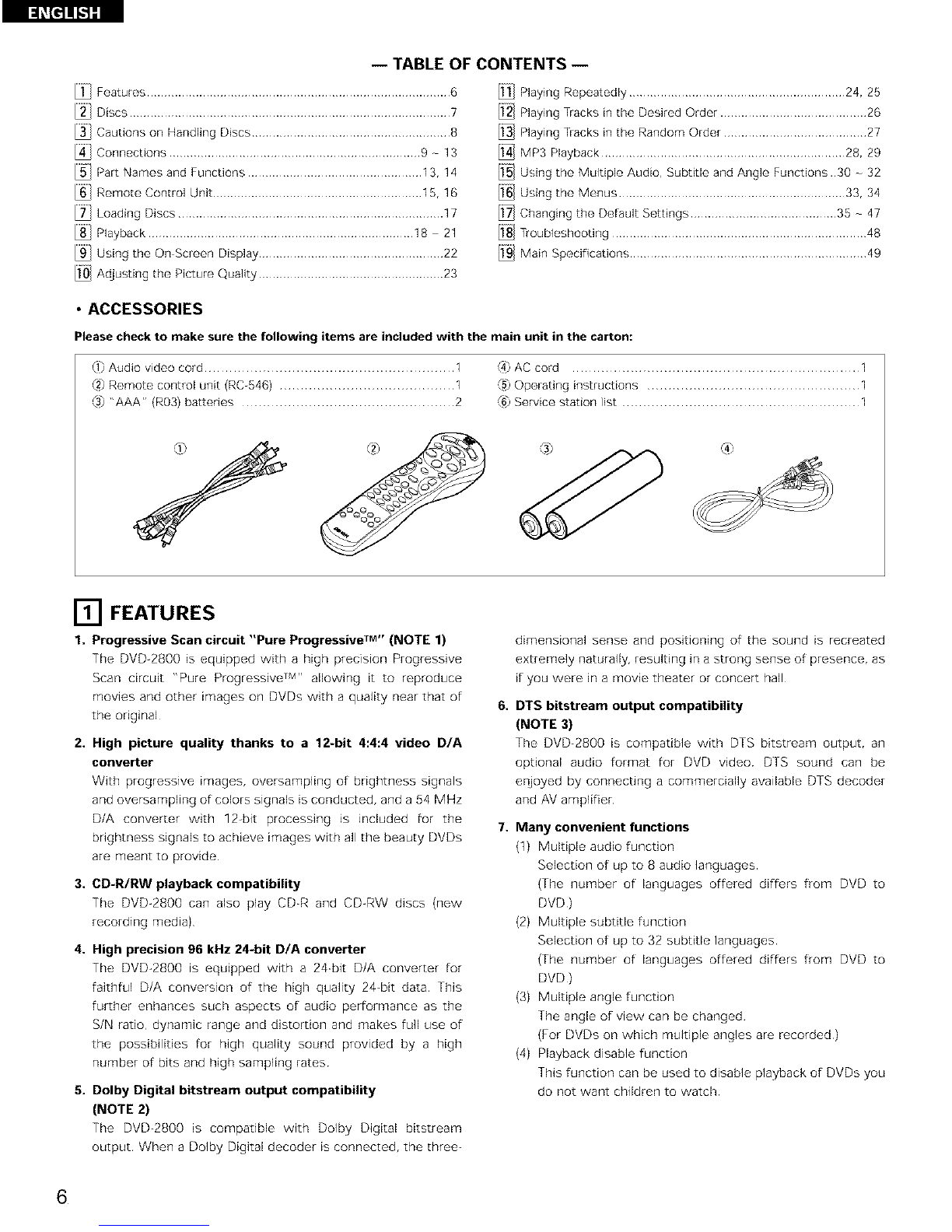
• ACCESSORIES
Please check to make sure the following items are included with the main unit in the carton:
(1)Audio video cord ............................................................ 1 (4)AC cord ..................................................................... 1
(2) Remote control unit (RC-546) .......................................... 1 {5)Operating instructions ................................................... 1
(3) "AAA" (R03) batteries ................................................... 2 {6)Service station list ......................................................... 1
[] FEATURES
1. Progressive Scan circuit "Pure Progressive TM'' (NOTE 1)
The DVD-2800 is equipped with a high precision Progressive
Scan circuit "Pure Progressive TM'' allowing it to reproduce
movies and other images on DVDs with a quality near that of
the original
2. High picture quality thanks to a 12-bit 4:4:4 video D/A
converter
With progresswe images, oversampling of brightness signals
and oversampling of colors signals is conducted, and a 54 MHz
D/A converter with 12-bit processing is included for the
brightness signals to achieve images with all the beauty DVDs
are meant to provide
3. CD-R/RW playback compatibility
The DVD-2800 can also play CD-R and CD-RW discs (new
recording media)
4. High precision 96 kHz 24-bit D/A converter
The DVD-2800 is equipped with a 24-bit D/A converter for
faithful D/A conversion of the high quality 24-bit data This
further enhances such aspects of audio performance as the
S/N ratio, dynamic range and distortion and makes full use of
the possibilities for high quafity sound provided by a high
number of bits and high sampling rates
5. Dolby Digital bitstream output compatibility
(NOTE 2)
The DVD-2800 is compatible with Dolby Digital bitstream
output When a Dolby Digital decoder is connected, the three-
6.
7.
dimensional sense and positioning of the sound is recreated
extremely naturally, resulting in a strong sense of presence, as
if you were in a movie theater or concert hall
DTS bitstream output compatibility
(NOTE 3)
The DVD_2800 is co_ _E _ e wE_ DTS _E_s_ m o_t_t ra_
optional audio format for DVD video DTS sound can be
enjoyed by connecting a commercially available DTS decoder
and AV amplifier
Many convenient functions
(1) Multiple audio function
Selection of up to 8 audio languages
(The number of languages offered differs flom DVD to
DVD)
(2) Multiple subtitle function
Selection of up to 32 subtitle languages
(The number of languages offered differs from DVD to
DVD)
(3) Multiple angle function
The angle of view can be changed
(For DVDs on which multiple angles are recorded)
(4) Playback disable function
This function can be used to disable playback of DVDs you
do not want children to watch
6
I:I_[_ II_'I-"I
NOTES:
1 "Pure Progressive" is a trademark of Silicon Image, Inc
2 Manufactured under license from Dolby Laboratories
"Dolby" and the double_D symbol are trademarks of Dolby
Laboratories Confidential unpublished works ¢_1992 - 1997
Dolby Laboratories All rights reserved
3 "DTS" is a trademark of Digital Theater Systems, Inc
[] DISCS
• The types of discs listed on the table below can be used on the DVD-2800
The marks are indicated on the disc labels or jackets
Usable Recorded
discs Mark (logo) signals
DVD video
DVD audio
(NOTE 1)
Video CD
CD
CD R
CD RW
(NOTE 2)
VIDEO
DIGITAl.AUDIO
Ollln'AI. AUnlO OlDM_L AUDIO
Digital aLidio e
digital video
(MPEG2)
Digital audio
digital video
(MPEG1)
Digital audio
MP3
Disc size
12cm
cm
12cm
cm
12cm
CrTI
•Disc terminology
•Titles and chapters (DVD-videos)
DVD-videos are divided into several large sections called
"titles" and smaller sections called "chapters"
Numbers are allotted to these sections These numbers are
called "title numbers" and "chapter numbers"
For example:
Title 1 Title 2
1 Chapter 2
•Tracks (video and music CDs)
Video and music CDs are divided into sections called
"tracks"
Numbers are allotted to these sections These numbers are
called "track numbers"
For example:
1lack 1 Track 2 1lack 3 Track 4 1lack 6
-b d- -I_ q- -
•The following types of discs cannot be played on the
DVD-2800:
DVDs with region numbers other than "1" or "ALL"
DVD audio discs (NOTE 1)
DVD-R/RW
DVD-ROM/RAMs
CVD
SVCD
CD-ROMs (Only MP3 file can be played)
VSDs
CDVs (Only the audio parL can be played )
CD-Gs (Only the audio is output)
Photo CDs (NEVER play such discs on the DVD 2800)
If you attempt to play photo CDs, the data on the disc may be
damaged
NOTE 1: Video part which based on DVDwideo specification only
can be played
NOTE 2: According to recording quality, some CD_R/RW cannot
be played
•Playback control (video CDs)
Video CDs including the words "playback controfi' on the
disc or jacket are equipped with a function for displaying
menus on the TV screen for selecting the desired position,
displaying information, etc, in dialog fashion
In this manual, playing video CDs using such menus is
referred to "menu playback"
Video CDs with playback control can be used on the DVD-
2800
NOTE:
•This DVD video player is designed and
manufactured to respond to the Region
Management Information that is recorded
on a DVD disc
If the Region number described on the
DVD disc does not correspond to the
Region number of this DVD video playen
this DVD video player cannot play this disc
The Region number for this DVD video
player is 1
7
l:l_[_ll!._ :I
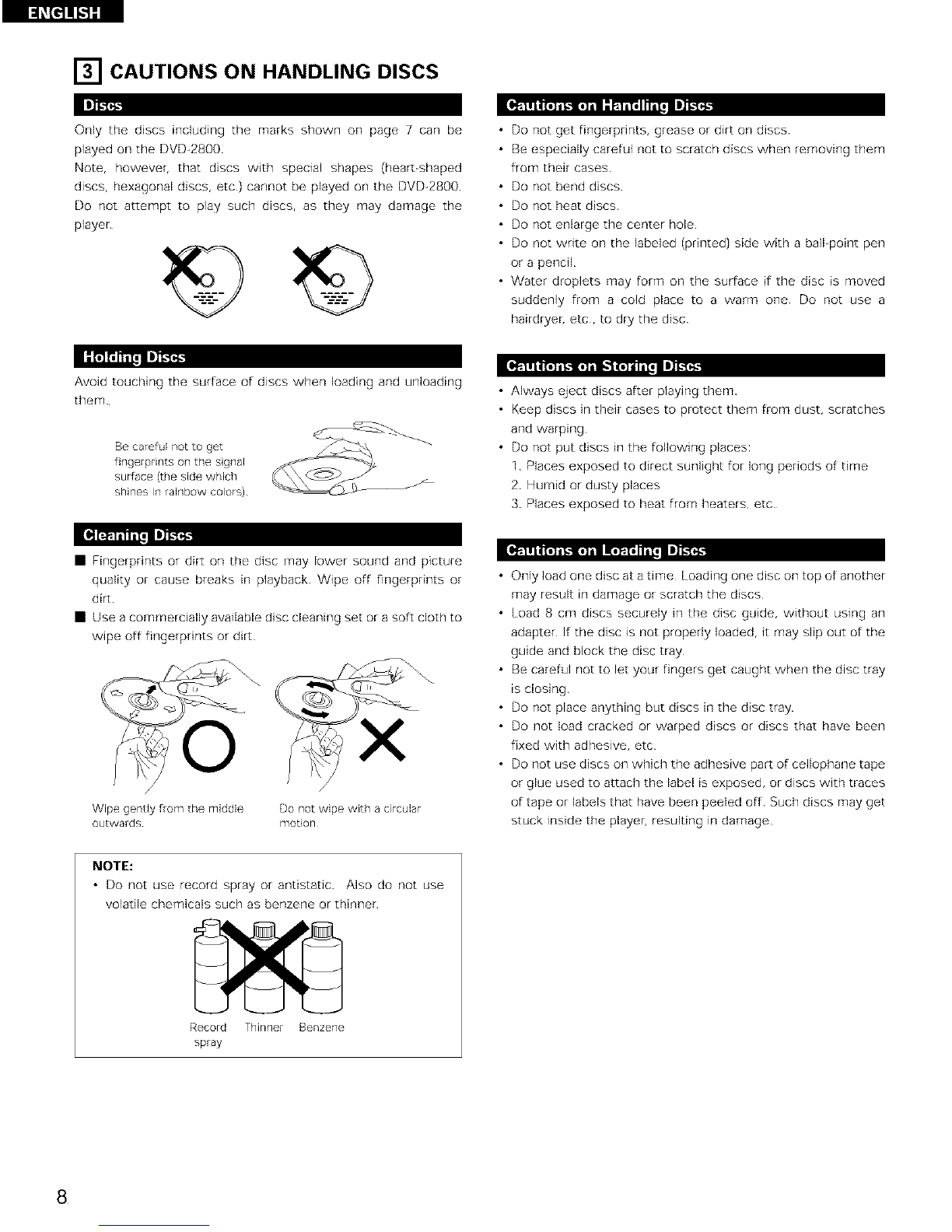
[] CAUTIONS ON HANDLING DISCS
Only the discs including the marks shown on page 7 can be
played on the DVD-2800.
Note, however, that discs with special shapes (hearbshaped
discs, hexagonal discs, etc) cannot be played on the DVD-2800
Do not attempt to play such discsr as they may damage the
player
•Do not get fingerprints, grease or dirt on discs
•Be especially careful not to scratch discs when removing them
from their cases
• Do not bend discs.
• Do not heat discs
• Do not enlarge the center hole
• Do not write on the labeled (printed) side with a bdFpoint pen
or a pencil
• Water droplets may form on the surface if the disc is moved
suddenly from a cold place to a warm one Do not use a
hairdryeh etc, to dry the disc
Avoid touching the surface of discs when loading and unloading
them
Be careful not to get
fingerprints on the signal
surface (the side which
shines in rainbow colors)
• Always eject discs after playing them.
• Keep discs in their cases to protect them from dust, scratches
and warping
• Do not put discs in the following places:
1 Places exposed to direct sunlight for long periods of time
2 Humid or dusty places
3 Places exposed to heat from heaters, etc
• Fingerprints or dirt on the disc may lower sound and picture
quality or cause breaks in playback Wipe off fingerprints or
dirt
• Use a commercially available disc cleaning set or a soft cloth to
wipe off fingerprints or dirt
/
Wipe gently from the middle Do not wipe with a circular
outwards motiorl
• Only load one disc at a time Loading one disc on top of another
may result in damage or scratch the discs
• Load 8 cm discs securely in the disc guide, without using an
adapter If the disc is not properly loaded, it may slip out of the
guide and block the disc tray
• Be careful not to let your fingers get caught when the disc tray
is closing
• Do not place anything but discs in the disc tray
• Do not load cracked or warped discs or discs that have been
fixed with adhesive, etc
• Do not use discs on which the adhesive part of cellophane tape
or glue used to attach the label is exposed, or discs with traces
of tape or labels that have been peeled off Such discs may get
stuck inside the player, resulting in damage
NOTE:
•Do not use record spray or antistatic Also do not use
volatile chemicals such as benzene or thinner
Record Thinner Benzene
spray
8
I:I_[_IIKI-" I
[] CONNECTIONS
• Read the manuals of all the components when making
connections
• Keep the power cord unplugged until all connections have
been completed
• If the power is on when connections are made, noise may
be generated and damage the speakers
NOTES:
• Be sure to connect the left and right channels properly, L
(left) to L, R (right) to R
• Plug the power cord securely into the power outlet
Incomplete connection may result in noise
• Binding the power cord together with connection cords may
result in humming or noise
•Use the included audio video cord to connect the TV's video input connector and audio input connectors to the DVD-2800's VIDEO OUT
or S_VIDEO OUT and AUDIO OUT
]o power outlet
DVD-2800
S-Video output connector
The video signals are divided into color (C) and brightness
(Y) signals, achieving a clearer picture
If the TV is equipped with an S-Video input connectoT, we
recommend connecting it to the DVD-2800's S-Video
output connector using a commercially available S-Video
connection cord
NOTES:
• Connect the DVD_2800's video outputs to the TV either •Set the "TV TYPE" in "VIDEO SETUP" in "SETUP" to
directly or through an AV amplifier Do not connect it via a comply with your TV's video format When the TV is NTSC
VCR (video cassette recorder) Some discs contain copy formated set to NTSC (See page 41)
prohibit signals if such discs are played via a VCR, the copy
prohibit system may cause disturbance in the picture
9
DVD_2800
Color component output connectors (PR/CR, PB/CB and Y)
The red (PR/CR), blue (PB/Crs} and brightness (Y) signals are output independently, achieving more faithful
reproduction o[ the colors
• The color component input connectors may be marked differently on some TVs or monitors (PR, PB and Y/R-
Y, B-Y and Y/CR, CB and Y, etc) For details, refer to the TV's operating instructions
Connect in this way if your TV is compatible with Progressive Scan.
]u power outlet
i i
NOTES:
• Use tile three commercially available video cords to connect the DVD_2800's color component output connectors to the TV or
monitor
• Set the "TV TYPE" in "VIDEO SETUP" in "SETUP" to comply with your TV's video format When the TV is NTSC formated set to
NTSC (See page 41)
• Set the **VIDEO OUT" in "VIDEO SETUP" in "SETUP" to comply with Progressive TV (NTSC formated only)
CONSUMERS SHOULD NOTE THAT NOT ALL HIGH DEFINITION TELEVISION SETS ARE FULLY COMPATIBLE WITH THIS
PRODUCT AND MAY CAUSE ARTIFACTS TO BE DISPLAYED IN THE PICTURE IN CASE OF 525 PROGRESSIVE SCAN PICTURE
PROBLEMS, iT iS RECOMMENDED THAT THE USER SWITCH THE CONNECTION TO THE **STANDARD DEFINITION" OUTPUT
10