Contents
ii D1531iD/D1831iD
2.3 Legal Restrictions on Copying.................................................... 2-5
3 Before Making Copies
3.1 Available Features........................................................................ 3-1
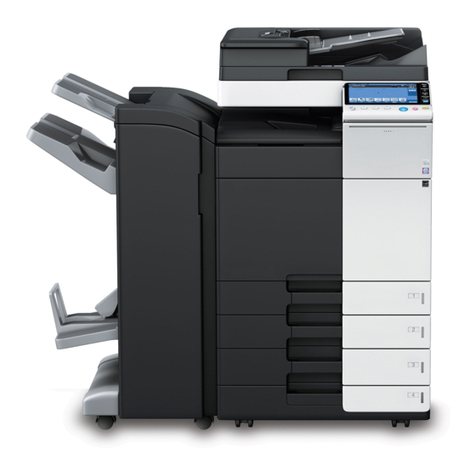
3.2 Components and Their Functions..............................................3-4
3.3 Parts Names and Their Functions .............................................. 3-6
Copier.............................................................................................3-6
Inside the Copier ............................................................................3-8
Options...........................................................................................3-9
3.4 Control Panel .............................................................................. 3-12
Names of Control Panel Parts and Their Functions.....................3-12
Icons on the Control Panel...........................................................3-14
3.5 Turning ON and OFF and the Initial Mode................................3-15
How to Turn ON/OFF the Copier..................................................3-15
When Copier is Turned ON..........................................................3-15
Default Settings............................................................................3-16
3.6 Useful Functions ........................................................................ 3-17
Panel Resetting............................................................................3-17
Auto Panel Reset..........................................................................3-17
Energy Saver................................................................................3-18
Auto Shut OFF..............................................................................3-18
Auto Copy Start............................................................................3-18
Interrupting Copy Jobs .................................................................3-19
Auto Tray Switching......................................................................3-19
Account Number...........................................................................3-20
To enter an account number ........................................................3-20
Printing from the Personal Computer...........................................3-21
Sending and Receiving Faxes Using the Copier..........................3-21
3.7 Copy Paper.................................................................................. 3-22
Paper Specifications.....................................................................3-22
4 Loading Originals
4.1 Two Ways of Loading the Original..............................................4-1
Specific Types of Originals.............................................................4-1
4.2 Loading Originals in the Automatic Document Feeder ............4-2
Precautions for Using the Automatic Document Feeder ................4-2
Mixed Originals...............................................................................4-4
4.3 Place the Original on the Original Glass....................................4-6
Precautions for Placing the Original on the Original Glass.............4-6
How to position a sheet original......................................................4-7
Highly Transparent Originals..........................................................4-8