WARNING: FAILURE TO FOLLOW THESE OPERATING INSTRUCTIONS MAY RESULT IN INJURY
AND/OR DAMAGE.
Please note: The Remote Control is packaged in a red box. The battery is also stored in this box and must be installed in
the remote control before operation.
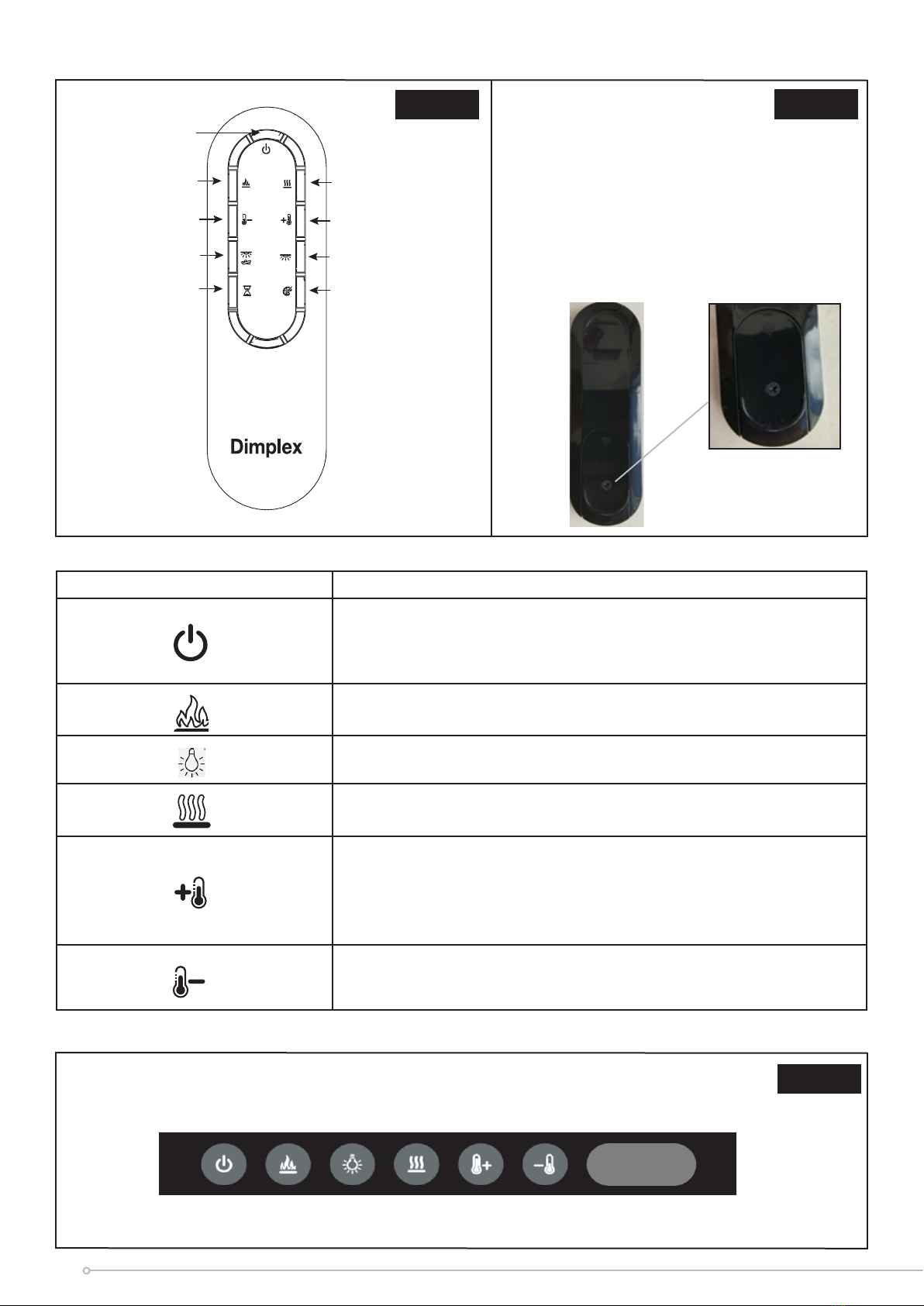
To install the battery, the remote control must be opened by removing the screw and sliding off the access cover, located at
the back. Place the battery into its holder and slide the cover into position, before reassembling the screw.
Operating The Product
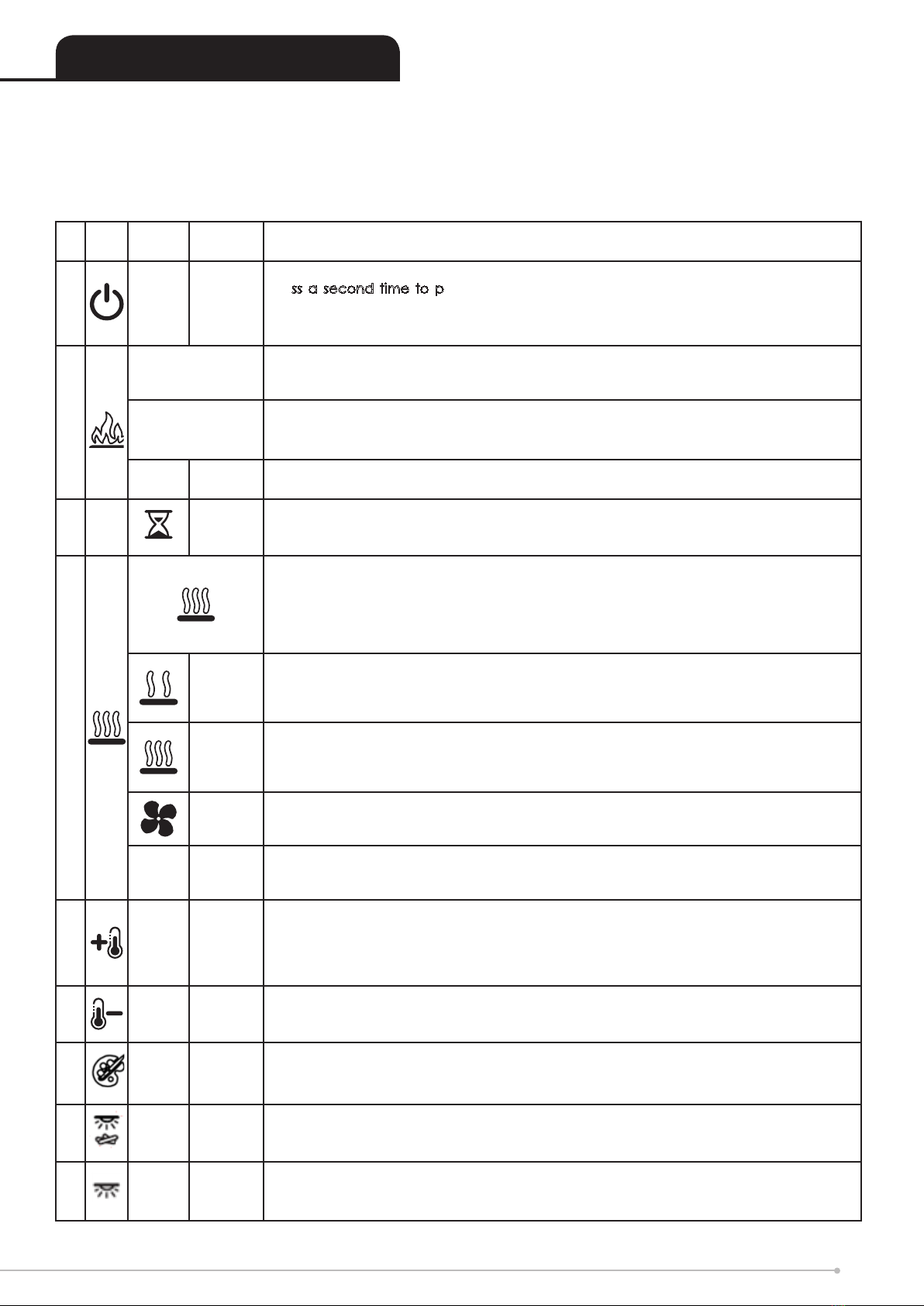
Operating Instructions (Remote Control)- See Figure 7
Dis-
play
Funtion Description
A-Power /
Standby
Press Once to turn the product ‘ON’.
Press a second time to put the product into ‘STANDBY’. Red indicator light will show
upon display for 10 seconds.
(When returning from ‘STANDBY’ mode the product will return to previous settings unless
the product has been unplugged, in which case it will reset to factory settings)
B
F0
Press ‘FLAME EFFECT’ button to F0, there is no ame under this setting. Fuel bed top
light, back panel top light and Fuel bed RGB light are truned on at his model.
Fuel bed top light and back panel top light can be turned off separately at this mode.
F1 / F2 /
F3
‘FLAME EFFECT’ Button
This button will change the brightness of the ame effect.
There are 3 brightness settings shown as F1, F2, F3.
PFlame
Pulsing
This setting is set by pressing the Flame Up button once more after F3. This will cause the
brightness of the ame effect to cycle randomly, creating a ickering effect.
CSleep
Timer
Press multiple times to change the ‘SLEEP TIMER’ in 0.5 hr increments from 0.5
hr to 8.0 hr before turning off. The remaining time on the ‘SLEEP TIMER’ displays.
(This icon is Green in colour)
D
‘HEAT’ button cycles the unit sequentially through the 4 settings: LOW HEAT, HIGH HEAT,
COOL BLOW and OFF. The heat setting will be indicated by an icon in the display.
When the ame effect is ‘ON’ the display will turn off after 5 seconds, however if the
heater is being used independently of the ame effect. The low heat or high heat icon
will appear continuously in the display.
Low
Heat
This setting will run the heater at ‘LOW HEAT’ this setting will be indicated by the ‘LOW
HEAT’ icon and the letters ‘LO’ appearing in the display. To adjust the temperature
setting the Temp Down or Temp Up buttons described below must be used.
(This icon is Orange in Colour)
High
Heat
This icon in the display indicates ‘HIGH HEAT’ this setting will be indicated by the ‘HIGH
HEAT’ icon and the letters ‘HI’ appearing in the display. To Adjust the temperature setting
the Temp Down or Temp Up buttons described below must be used.
(This icon is Red in Colour)
Cool
Blow
This icon in the oating display indicates ‘COOL BLOW’ this setting will be indicated by
the ‘COOL BLOW’ icon and the letters ‘CB’ appearing in the display.
(This icon is Blue in Colour)
- Off
This switches the heater and blower ‘OFF’, no icon will be displayed in the display. Note
the blower will run for 5-10 seconds after being turned off, this is to ensure the product
cools down safely.
E31 Temp Up
Press multiple times to increase the heater temperature in 10C increments. The highest
temperature that can be set 310C.
When High Heat is selected, the letters ‘HH’ appear in the display, this means the heat
will remain ON continusously and is not controlled by the thermostat.
F18 Temp
Down
Press multiple times to lower the heater temperature in 10C increments. The lowest
temperature that can be set is180C.
G-Ambient
Cycle
Press once to display current Ambient Setting. Subsequent presses will cycle trhough
the settings. Range is from “A1” to “A6”.
H-Top-light
Fuel Bed Press to turn ON/OFF the Top light illuminating the fuel bed.
J-
Top-light
Back-
ground
Press to turn ON/OFF the Top-light illuminating the product background.
9