Commands Summary Table
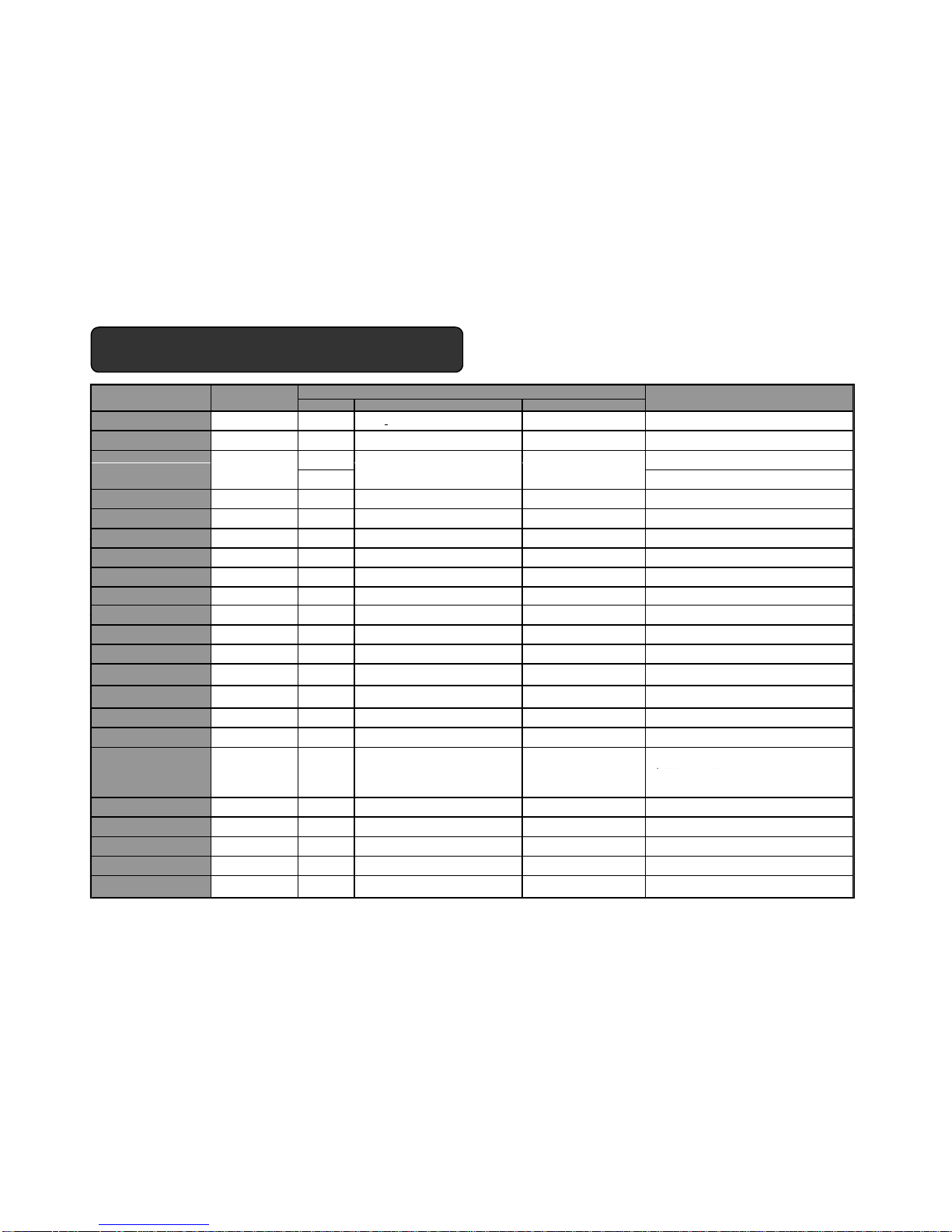
State LED Display Audio (beep)
Power on -Off
Blue light flashes 5 times
(Blue light10 seconds interval) power ontone Press and hold down MFB for 3 seconds
Power off - On Red light flashes 5 times Power off tone Press and hold down MFB for 4 seconds
Off Press and hold down MFB for 7 seconds
ActionFunctions Mobile Phone
State
Bluetooth Headset
On Press and hold down MFB for 4 seconds
Pairing Success
(Connected) On On Blue light flashes 5 times
(Not mandatory) Connectiing tone
Standby On On Blue light flashes 2 times
(5 seconds interval)
Red light blinks once for 10 seconds
Pairing Mode Blue / Red light in turn pairing mode toneOn
Link Loss (out of ranges)
Make a call On (Dials number) On Connectiing tone Tap the MFB once
Voice dial call
Oninidle
(Hands Free Profile) On Connectiing tone Press and hold down MFB for 2 seconds
Accept a call
On On Connectiing tone Tap the MFB once
1) Tap the MFB one : displaythe lists
2) Tap the MFB one : make a call
Ending a call
On On_Talk Ending tone Tap the MFB once
Rejec a call
On On_Ringing Ending tone Press and hold downMFB for 2 seconds
Call waiting On – i n call
(2nd call coming in)
(Hands Free Profile) On_Talk Connectiing tone Press and hold down Vol-Up buttonfor 4 seconds
during calling
Tr ansfer call from phone to
headset
On On_Talk Connectiing tone
(can switchto the headset only once when you receive
a callfrom the mobile phone
Mute on microphone
On On_Talk short time tone twice
(10 seconds interval) Press and hold volume up buttonor volume down
button for 2 seconds while calling
Mute off microphone
On On_Talk mute off tone Press and hold volume up button orvolume down
button for 2 seconds
To places all active calls (if any exist) onhold
and accepts the other (held or waiting) call,
press and hold down multifunction buttonfor
2 seconds.
To release allactive calls (if any exist) and accepts
the other (held or waiting) call, tap multifunction
buttononce.
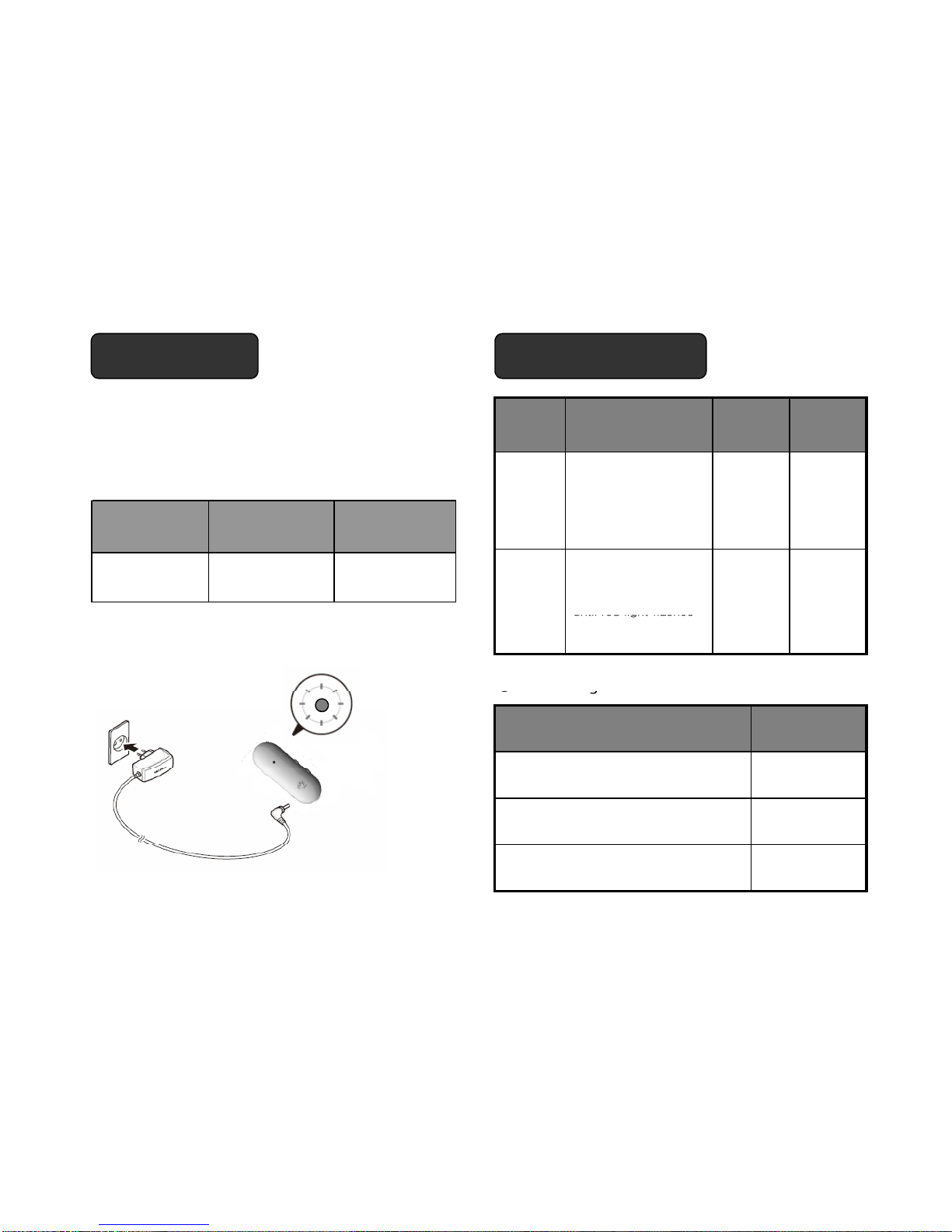
Charging progress -Off RedLEDOn
Charging completed -Off LEDOff
(under 3.7V)
- On Red light blinks warnig tone
Volume maximum or minimum
is reached
On On short time warning tone once
(Not mandatory) press the Volume up button orVolume down button
RF Test mode - On Violet LED On 1) Press the Vol-Up button
2) Press the Vol-Down button
3) Press the Vol-Up buttonand MFB