manuals.online logo
Brands
  1. Home
  2. •
  3. Brands
  4. •
  5. EasyRest
  6. •
  7. Remote Control
  8. •
  9. EasyRest PLATINUM 2.0 User manual

EasyRest PLATINUM 2.0 User manual

Other EasyRest Remote Control manuals

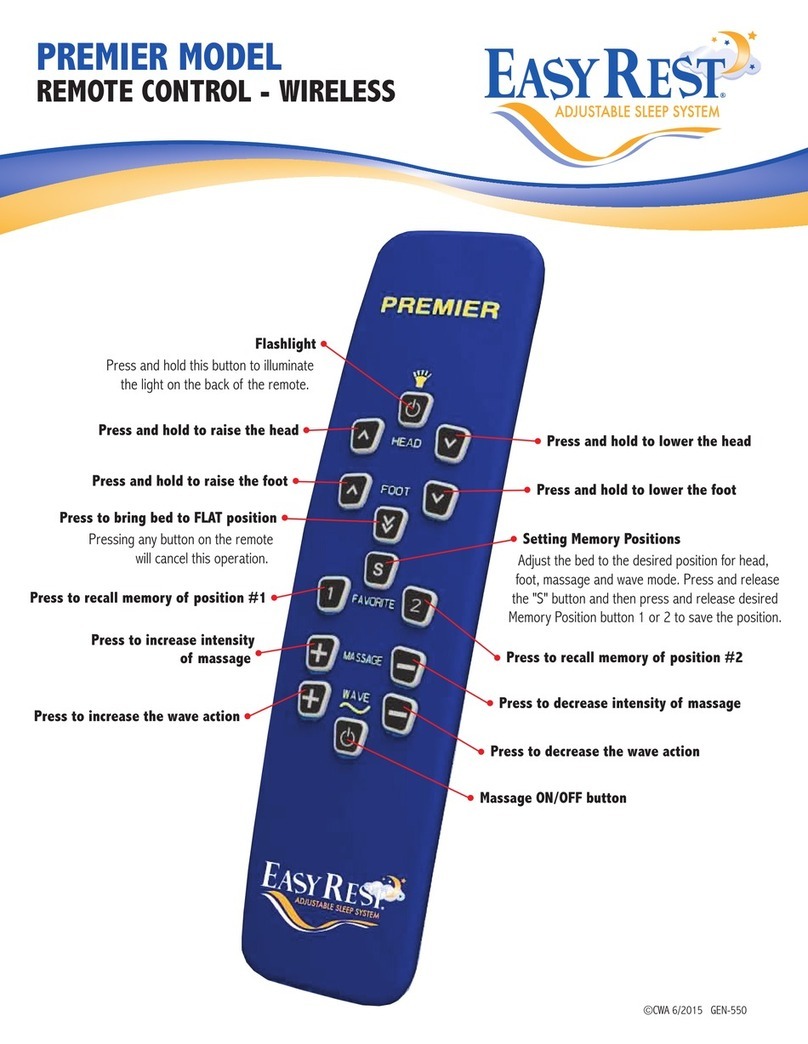
EasyRest PREMIER User manual

EasyRest

EasyRest PREMIER User manual

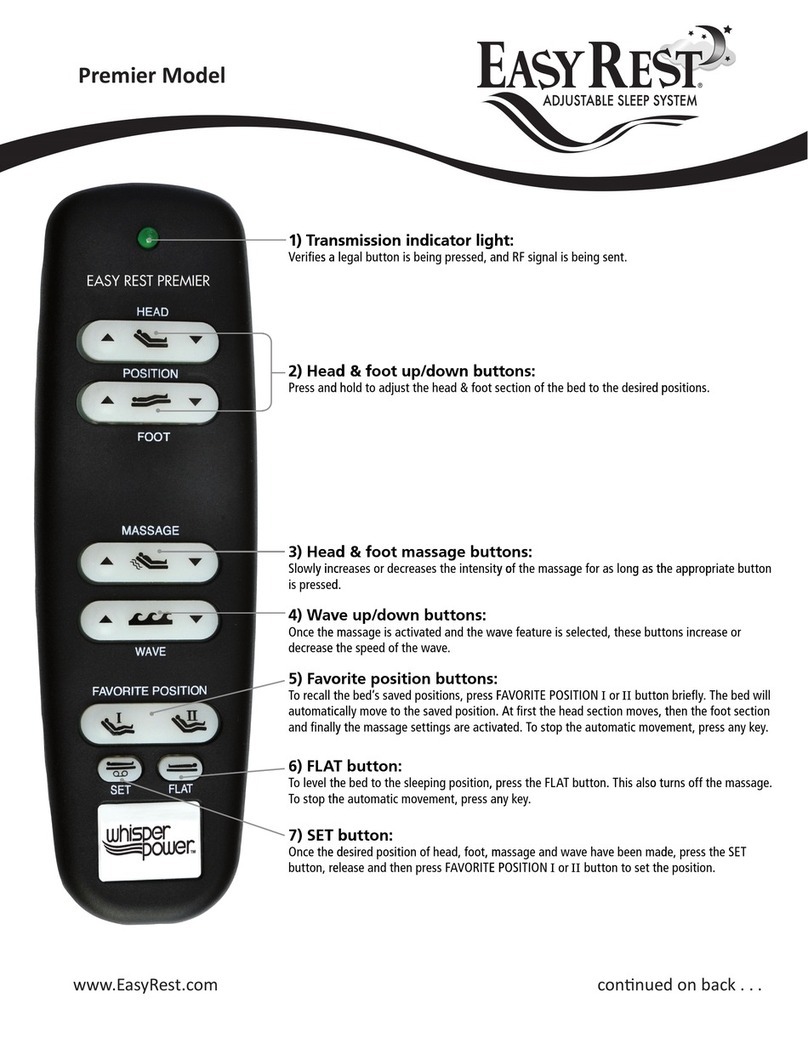
EasyRest PREMIER User manual

EasyRest

EasyRest PREMIER User manual

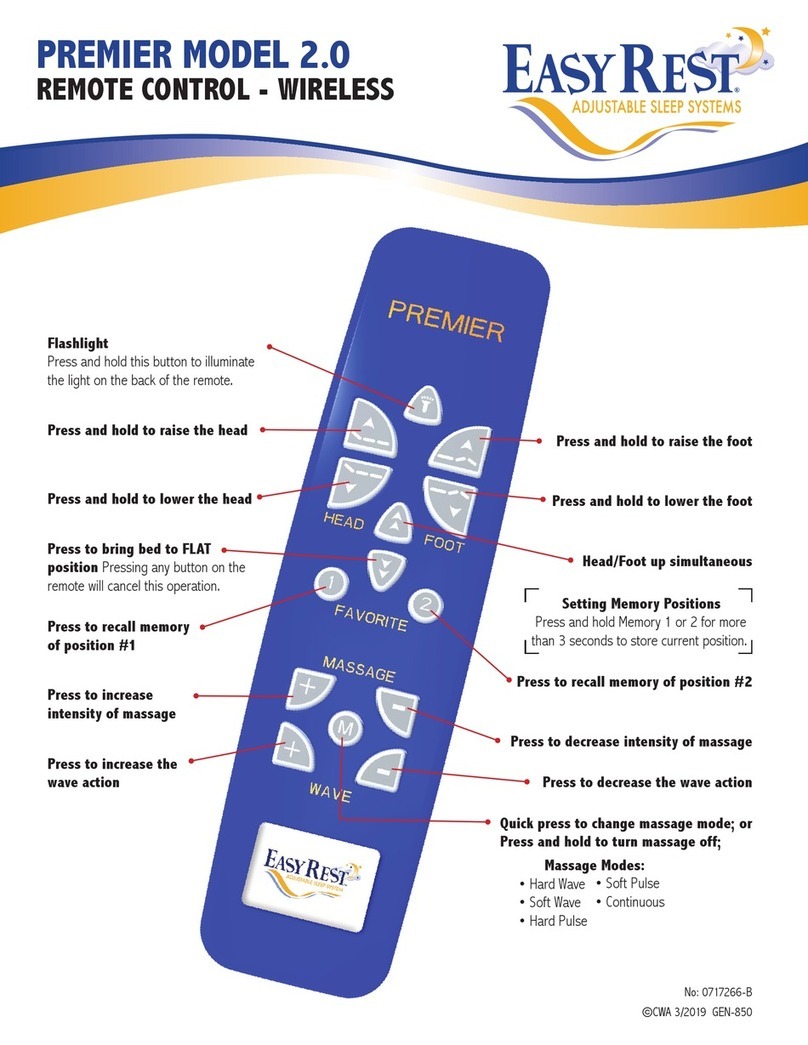
EasyRest PREMIER 2.0 User manual

EasyRest

EasyRest PREMIER 2.0 User manual

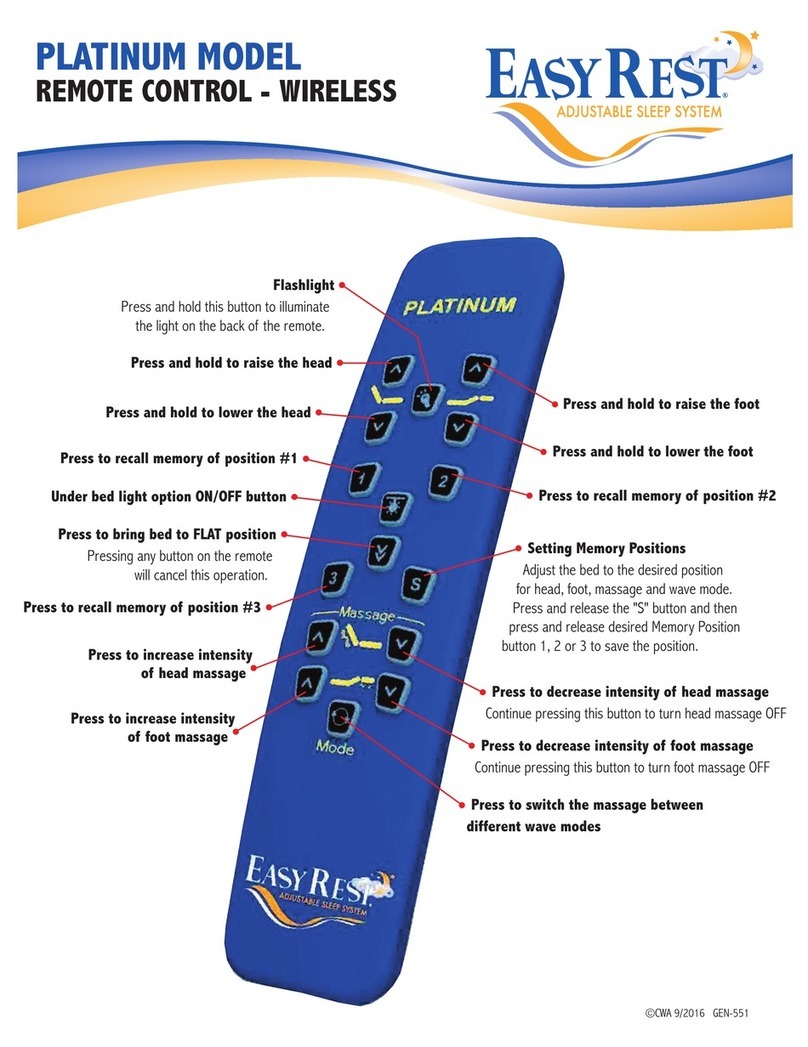
EasyRest PLATINUM User manual

EasyRest

EasyRest PLATINUM User manual

Popular Remote Control manuals by other brands

Bircher Reglomat RC Duo 2 user guide

Bircher Reglomat

Bircher Reglomat RC Duo 2 user guide

Emerson RCBT100 owner's manual

Emerson

Emerson RCBT100 owner's manual

BILDA Element-6 user manual

BILDA

BILDA Element-6 user manual

Absima CR7P manual

Absima

Absima CR7P manual

Mitsubishi Electric PAR-32MAAG Instruction book

Mitsubishi Electric

Mitsubishi Electric PAR-32MAAG Instruction book

RCA RCRTBL08BE1 quick start guide

RCA

RCA RCRTBL08BE1 quick start guide

US Electronics NOVARI user guide

US Electronics

US Electronics NOVARI user guide

Panasonic EUR7622KB0 Operation guide

Panasonic

Panasonic EUR7622KB0 Operation guide

Bang & Olufsen Beo4 user manual

Bang & Olufsen

Bang & Olufsen Beo4 user manual

Marantz RC101 user guide

Marantz

Marantz RC101 user guide

FUTABA 9ZAP - PART2 manual

FUTABA

FUTABA 9ZAP - PART2 manual

HR Matic HR MULTI 3 quick start guide

HR Matic

HR Matic HR MULTI 3 quick start guide

Anritsu MP1777A Operation manual

Anritsu

Anritsu MP1777A Operation manual

Niles WVC100 Installation & operating guide

Niles

Niles WVC100 Installation & operating guide

Bang & Olufsen BEO6 Getting started

Bang & Olufsen

Bang & Olufsen BEO6 Getting started

GE 94901 instruction manual

GE

GE 94901 instruction manual

FUTABA R7108SB Full manual

FUTABA

FUTABA R7108SB Full manual

Invacare G91S user manual

Invacare

Invacare G91S user manual

manuals.online logo
manuals.online logoBrands
  • About & Mission
  • Contact us
  • Privacy Policy
  • Terms and Conditions

Copyright 2025 Manuals.Online. All Rights Reserved.

No: 0717266-B
©CWA 4/2019 GEN-550
PLATINUM MODEL 2.0
REMOTE CONTROL - WIRELESS
Press and hold to lower the head
Press and hold to lower the foot
Press and release to toggle the
under bed light
Press to recall memory of position #2
Press to recall memory of position #4
Press to increase massage intensity
on the foot
Press and release to access the
“B” side of the bed
This button will function the “B” side
of the bed until no buttons are
pressed for 10 seconds. Then it
switches back to the “A” side of the bed.
Press and release to toggle
Massage Modes:
•Hard Wave
•Soft Wave
•Hard Pulse
Flashlight
Press and hold this button to illuminate
the light on the back of the remote.
Press and hold to raise the head Press and hold to raise the foot
Press to recall memory of position #1
Press to recall memory of position #3
Press to increase massage intensity
on the head
Press to decrease massage intensity
on the head
Press to bring bed to FLAT position
Pressing any button on the remote
will cancel this operation.
Press to decrease massage intensity
on the foot
Foot massage ON/OFF buttonHead massage ON/OFF button
• Soft Pulse
• Continuous
Setting Memory Positions
Press and hold Memory 1, 2, 3 or 4 for more
than 3 seconds to store current position.
Press Memory 1 & Memory 2 at same
time to operate bases together.
PLATINUM MODEL 2.0
REMOTE CONTROL - WIRELESS
Should you need to order a replacement remote control for your bed, or, on the rare occasion that the
remote control loses communication with the base unit, you will have to perform this simple operation
to allow the remote to communicate with your base unit.
For Single Beds (Twin, Full, Queen, One-Piece King)
Unplug the power cord to the base unit from the outlet. (For one-piece king units unplug both base
units) Wait 30 seconds. Plug base back into outlet. (For One Piece King plug both bases back into
outlets at the same time.) Press and hold Head Up and Foot Up buttons for 2 seconds. (DO NOT
PRESS ANY OTHER KEYS ON REMOTE DURING THE PAIRING PROCESS) Let go of the buttons and wait 2
seconds then test the bed by raising the head.
For Dual Beds (Split Queen & Split King)
Unplug power to both bases
Keep both remotes with you, noting them as Remote A (for Base A) and Remote B (for Base B)
Remote 1 (Base A)- Plug the power cord to Base A only into the outlet. Remote A- Press and hold the
HEAD UP and FOOT UP buttons, at the same time, for 2 seconds. Put down Remote A, (Do not press
any other button). Get Remote B – Press the RED button, then press HEAD UP and FOOT UP buttons,
at same time, for 2 seconds. Get remote A and test that remote operates Base A.
Remote 2 (Base B)- Plug the power cord to base B only into the outlet.
Remote B – Press and hold the HEAD UP and FOOT UP buttons at the same time, for 2 seconds. Put
down Remote B, (Do not press any other button). Get Remote A – Press the RED button, then press
the HEAD and FOOT up buttons, at the same time, for 2 seconds. Get remote B and test that remote
operates Base B.
Refer to partner function and parallel functions below.
The Platinum Model Remote Control allows you to control your bed individually (Bed A), your partners
bed individually (Bed B), or both beds simultaneously (Parallel Mode) from each remote control
on a dual system. To operate your partner’s bed (Bed B) or to operate both beds in tandem, see
instructions below.
Partner Mode Button: Press & release to operate Partner base (B). Wait 10 seconds &
control your base (A).
Parallel Mode Button: Press & release Mem 1 & Mem 2 at same time. Both base (A) & base
(B) will operate as one.
To get out of Parallel mode push partner (red button) and wait 10 seconds.
If you have followed these directions and are still having difficulty you can reach our Customer Service
Department at 1-800-523-5383 Monday - Friday from 9 am to 5 pm (East Coast Time)
Drawing 1: