manuals.online logo
Brands
  1. Home
  2. •
  3. Brands
  4. •
  5. Electro-Voice
  6. •
  7. Subwoofer
  8. •
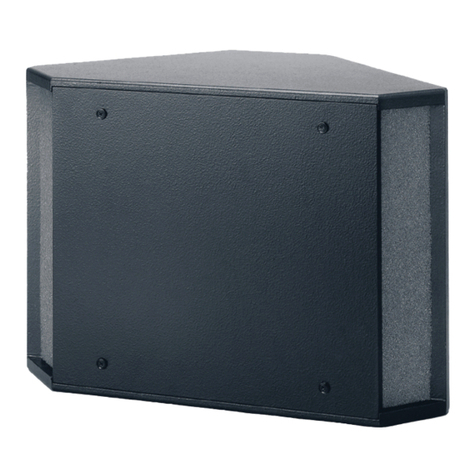
  9. Electro-Voice 2.1P User manual

Electro-Voice 2.1P User manual

This manual suits for next models

2

Other Electro-Voice Subwoofer manuals

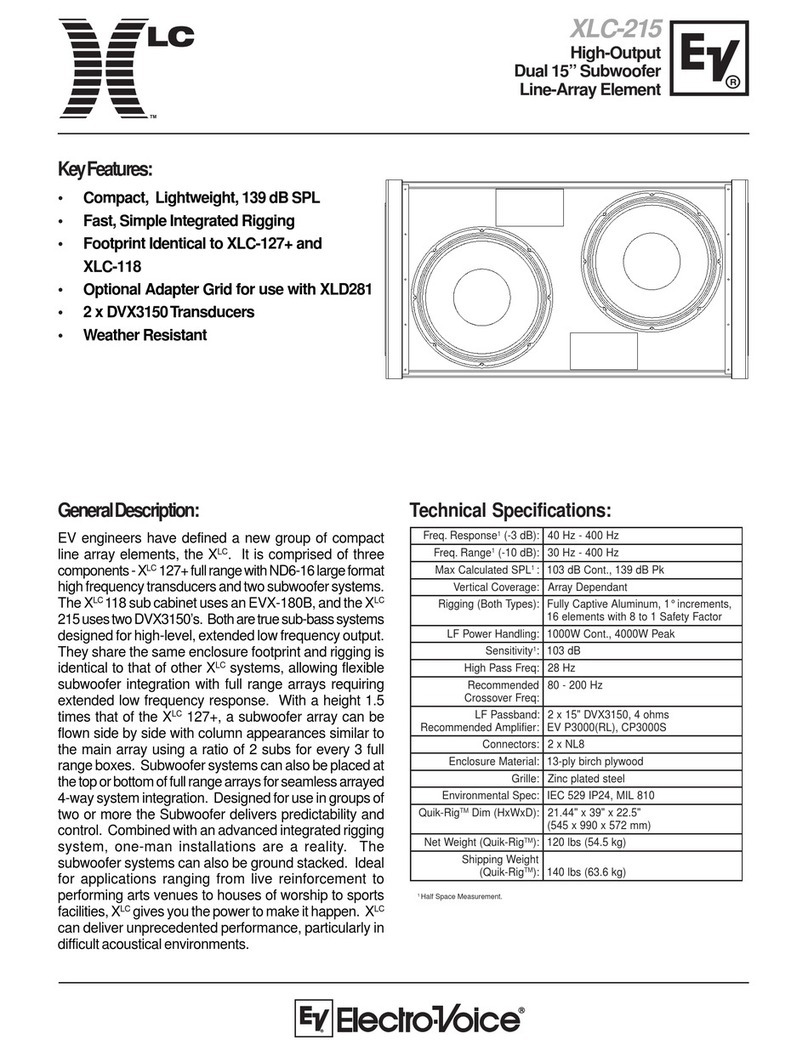
Electro-Voice SH-1800 User manual

Electro-Voice

Electro-Voice SH-1800 User manual

Electro-Voice SB2A User manual

Electro-Voice

Electro-Voice SB2A User manual

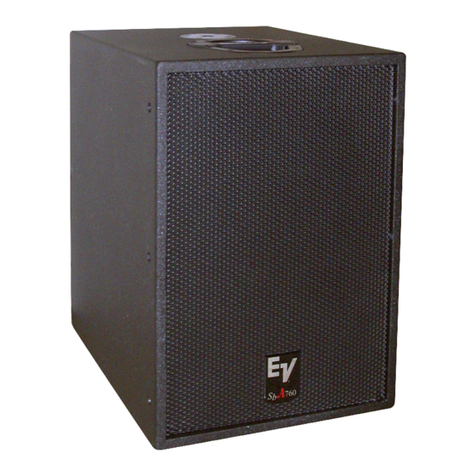
Electro-Voice SbA760 User manual

Electro-Voice

Electro-Voice SbA760 User manual

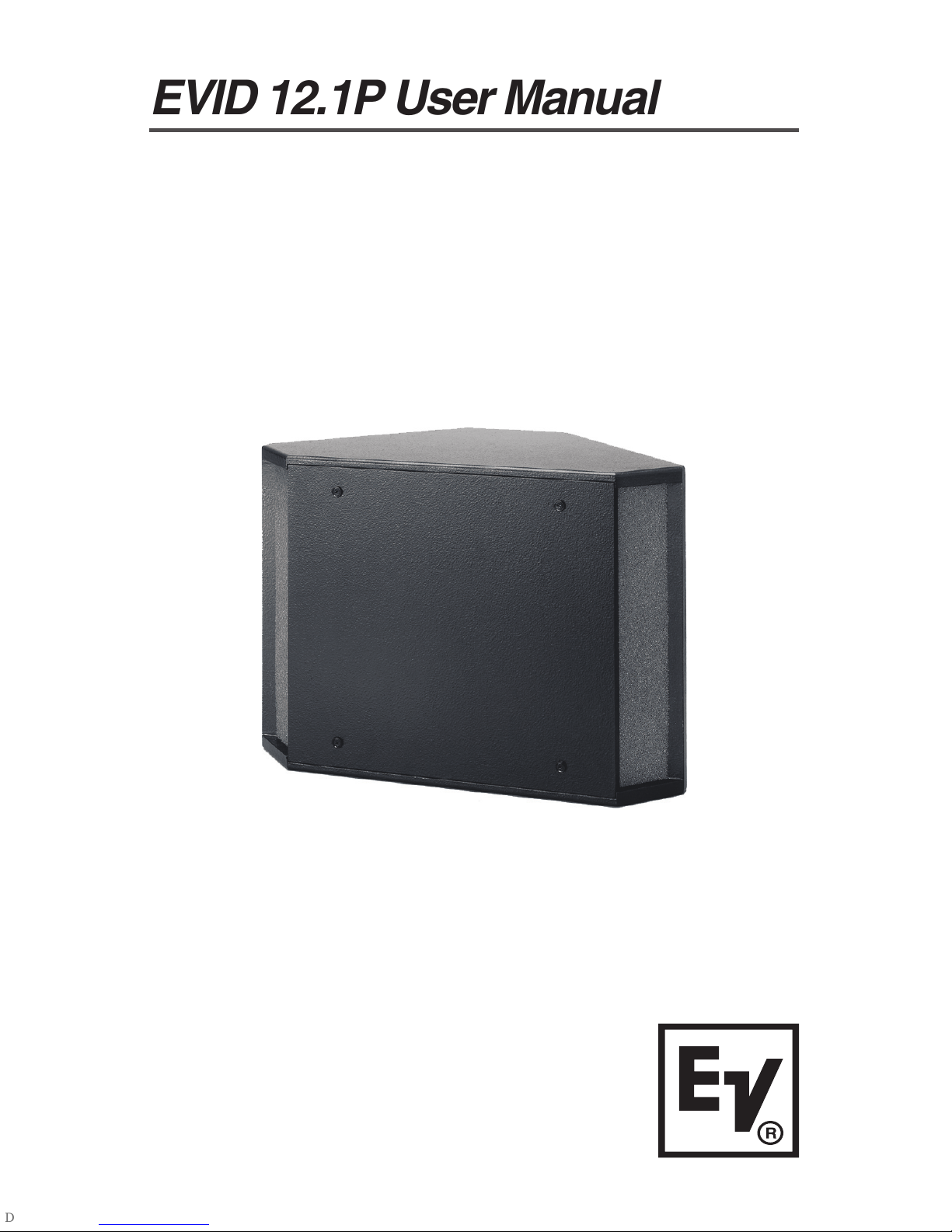
Electro-Voice 12" Powered Subwoofer System EVID 12.1P User manual

Electro-Voice

Electro-Voice 12" Powered Subwoofer System EVID 12.1P User manual

Electro-Voice Dual 18" Direct-Radiating Subwoofer TX2181 User manual

Electro-Voice

Electro-Voice Dual 18" Direct-Radiating Subwoofer TX2181 User manual

Electro-Voice DL12X User manual

Electro-Voice

Electro-Voice DL12X User manual

Electro-Voice ELX112P User manual

Electro-Voice

Electro-Voice ELX112P User manual

Electro-Voice SbA750 User manual

Electro-Voice

Electro-Voice SbA750 User manual

Electro-Voice X-Array XCN User manual

Electro-Voice

Electro-Voice X-Array XCN User manual

Electro-Voice T18 User manual

Electro-Voice

Electro-Voice T18 User manual
Electro-Voice Force Sub User manual

Electro-Voice

Electro-Voice Force Sub User manual

Electro-Voice XCS312 User manual

Electro-Voice

Electro-Voice XCS312 User manual

Electro-Voice SB2A User manual

Electro-Voice

Electro-Voice SB2A User manual

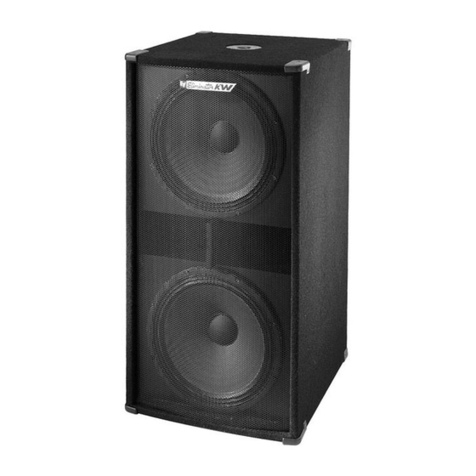
Electro-Voice Eliminator kW User manual

Electro-Voice

Electro-Voice Eliminator kW User manual

Electro-Voice S-181 User manual

Electro-Voice

Electro-Voice S-181 User manual

Electro-Voice SbA750 User manual

Electro-Voice

Electro-Voice SbA750 User manual

Electro-Voice X-Array XCB User manual

Electro-Voice

Electro-Voice X-Array XCB User manual

Electro-Voice 12" Powered Subwoofer System EVID 12.1P User manual

Electro-Voice

Electro-Voice 12" Powered Subwoofer System EVID 12.1P User manual

Electro-Voice EVA-1151D User manual

Electro-Voice

Electro-Voice EVA-1151D User manual

Electro-Voice Sb A760 User manual

Electro-Voice

Electro-Voice Sb A760 User manual

Electro-Voice S18 User manual

Electro-Voice

Electro-Voice S18 User manual

Electro-Voice T18 User manual

Electro-Voice

Electro-Voice T18 User manual

Electro-Voice S188E User manual

Electro-Voice

Electro-Voice S188E User manual
Electro-Voice Plasma Plasma P2 User manual
Electro-Voice

Electro-Voice Plasma Plasma P2 User manual
Popular Subwoofer manuals by other brands

Extron electronics SF 8CT SUB user guide

Extron electronics

Extron electronics SF 8CT SUB user guide

SVS PB-4000 quick start guide

SVS

SVS PB-4000 quick start guide

Pioneer S-DVR9SW Service manual

Pioneer

Pioneer S-DVR9SW Service manual

Yamaha YST-SW515 Service manual

Yamaha

Yamaha YST-SW515 Service manual

Velodyne SPL-800 ULTRA - REV B datasheet

Velodyne

Velodyne SPL-800 ULTRA - REV B datasheet

Teufel US 2110/1 SW operating instructions

Teufel

Teufel US 2110/1 SW operating instructions

Wet Sounds SS-65 user manual

Wet Sounds

Wet Sounds SS-65 user manual

Pyle PLQB10 Specifications

Pyle

Pyle PLQB10 Specifications

Sony XS-L1536 Product guide

Sony

Sony XS-L1536 Product guide

Sony XS-AW8 operating instructions

Sony

Sony XS-AW8 operating instructions

B&C Speakers 15 HPL 76W Specifications

B&C Speakers

B&C Speakers 15 HPL 76W Specifications

Velodyne DD-18+ Specifications

Velodyne

Velodyne DD-18+ Specifications

Sonance Cinema Series SUB 10-150 Specifications

Sonance

Sonance Cinema Series SUB 10-150 Specifications

Hifonics HW-12 Owners & installation manual

Hifonics

Hifonics HW-12 Owners & installation manual

Yamaha 64263 owner's manual

Yamaha

Yamaha 64263 owner's manual

Magnat Audio ADR 130 BP user manual

Magnat Audio

Magnat Audio ADR 130 BP user manual

Technics SB-AS500 Operaing instructions

Technics

Technics SB-AS500 Operaing instructions

Lyngdorf BW-2 owner's manual

Lyngdorf

Lyngdorf BW-2 owner's manual

manuals.online logo
manuals.online logoBrands
  • About & Mission
  • Contact us
  • Privacy Policy
  • Terms and Conditions

Copyright 2025 Manuals.Online. All Rights Reserved.

Electro-Voice®
EVID 12.1P User Manual
Electro-Voice®
EVID 12.1P User Manual
Table of Contents
Product Description ................................................................................. 1
Product Feature Identification .................................................................. 1
Packing List ............................................................................................. 2
Step-by-Step Installation and Wiring ........................................................ 3
Step 1 Mount the Bracket ................................................................. 3
Step 2 Install the Safety Line ............................................................ 3
Step 3 Wire the Speaker .................................................................. 4
Step 4 Mount the Speaker to the Bracket ......................................... 4
For Corner Mounting ................................................................... 4
For Midwall Mounting .................................................................. 5
Mounting through a Suspended Ceiling Grid............................... 6
Floor Mounting ............................................................................ 6
Step 5 Test System Operation .......................................................... 6
Safety Agency Compliance ...................................................................... 7
Maintenance ............................................................................................ 7
Appendix A Warranty Statement ............................................................. 7
Appendix B Installation Examples ........................................................... 8
Characteristics of all Subwoofers ...................................................... 9
Appendix C Painting Process ............................................................... 10
Appendix D Troubleshooting ................................................................. 11
Appendix E Technical Specifiations ...................................................... 12
TOC
Electro-Voice®
EVID 12.1P User Manual
Product Description
The 12.1P is a self contained, powered 12" subwoofer providing over
300 watts continuous output to the speaker. The 12.1P makes the
addition of a subwoofer to a VID system very easy and efficient. Since
the unit is self-powered, the full range satellite speakers can be powered
independently from the subwoofer and optimized for the installation.
The 12.1P features a high performance, variable, 12-dB/octave
crossover and a full range line level output along with a high pass line
level output on the rear panel. The unit can be mounted in a variety of
configurations with the bracket hardware supplied.
Product Feature Identification
The 12.1P subwoofer comes with a dual-mode mounting bracket that
enables the unit to be easily mounted at either a wall/wall (corner) or on
a wall/ceiling (midwall) junction. The included forged steel eyebolt
provides the installer a solid attachment point for a safety line. When
properly anchored and supported, the 12.1P subwoofer may also be
safely installed protruding just 2 3/4" down through a standard sus-
pended ceiling grid. See installation instructions.
1
Figure 2: EVIDTM 12.1P Features
(Rear)
Acoustic
ports
EV®
logo
Dual-mode
mounting
bracket
Figure 1: EVIDTM 12.1P Features
(Front)
Bracket clip
mounting
points
Safety line
attachment
eyebolt
Amplifier
panel
Electro-Voice®
EVID 12.1P User Manual
Packing List
Figure 4: EVIDTM 12.1P Packing List
2
Below is a list of parts included with
the VIDTM 12.1P subwoofer. The
parts are illustrated in Figure 4.
A. VIDTM 12.1P
B. Wall/Corner Mounting Bracket
C. (4) Rubber Mounting Feet
D. (2) Speaker Mounting Clips
. yebolt
F. Right Angle Power Cord
G. Owners Manual
H. Warranty Card
Illustrated in Figure 3 are the major
components of the VIDTM 12.1P
subwoofer amplifier.
A. Variable Crossover Control
B. High Pass XLR Line Level Output
C. Full Range XLR Line Level Output
D. Power Switch
. AC Line Cord Connector
Figure 3: EVIDTM 12.1P
Amplifer Panel
AB
C
EG
D
H
F
A
C
B
D
E
Electro-Voice®
EVID 12.1P User Manual
Step-by-Step Installation & Wiring
Step 1: Mount the Bracket
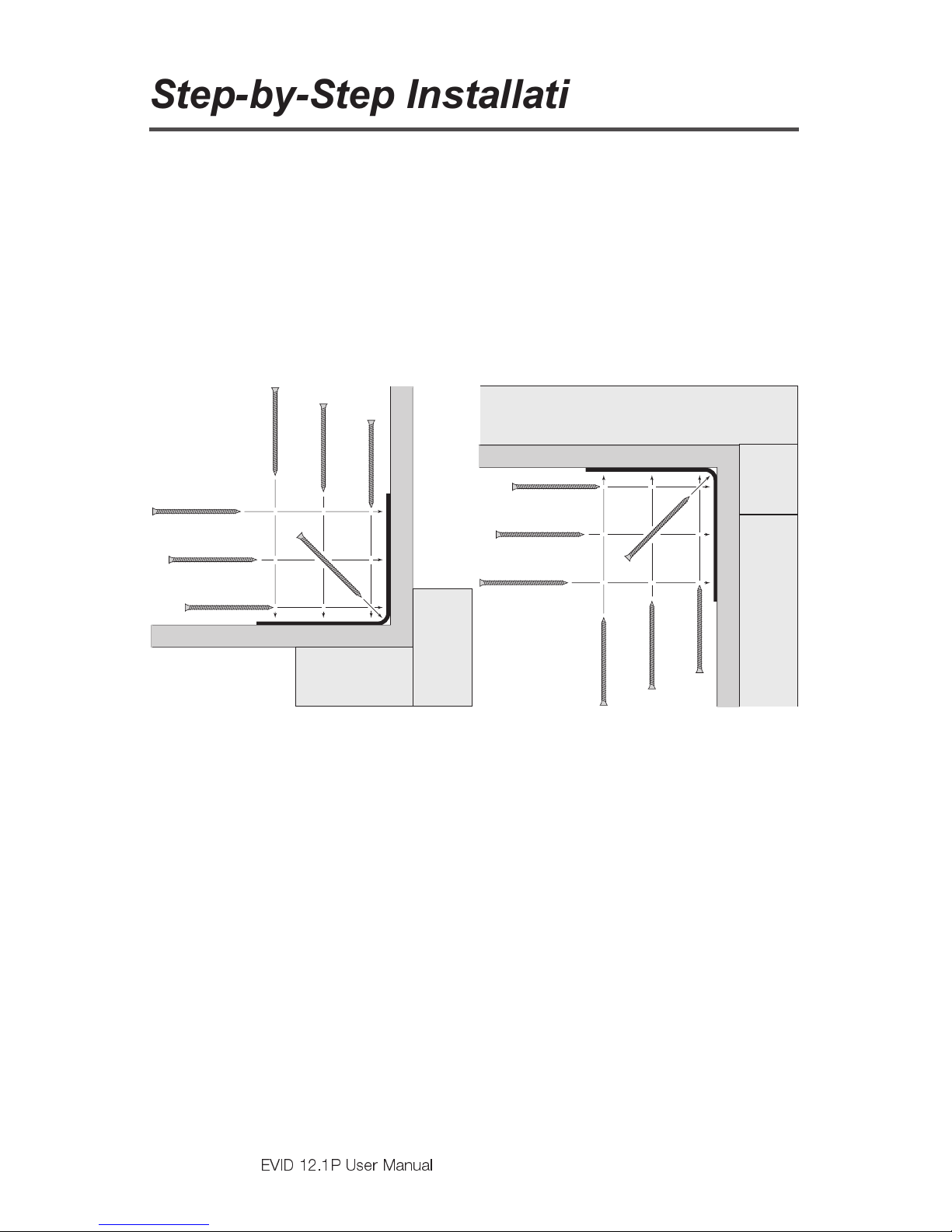
The mounting bracket can be installed two ways (see Figures 5 and 6),
allowing optimal configurations for installations. Leave 1.5" of space
between the bracket and the ceiling when installing in a corner! Attach
the bracket to the wall with suitable fasteners screwed into structural
members in the wall. Remember: It is the installers responsibility to
insure that the structure can safely support the load.
3
Step 2: Install the Safety Line
Using accepted safe rigging practices, secure one end of a suitable
safety line (use cable, not chain, which will rattle) to a strong, secure
point above the speaker, a point that can withstand the shock of the
falling speaker. This is especially important in public spaces constructed
with light gauge steel studs. Do not attach the safety line to the bracket!
The safety line should prevent the speaker from falling if the bracket
tears loose from the wall. Secure the other end to the eyebolt that is fully
threaded into the enclosure.
Figure 5: Corner Installation
(Top View)
Figure 6: Midwall Installation
(Side View)
Stud
Wall
Use a
mimimum of
four screws
Bracket
Wall
Stud
Stud
Wall
Use a
mimimum of
four screws
Ceiling Bracket
Joist
To p
plate
Electro-Voice®
EVID 12.1P User Manual
4
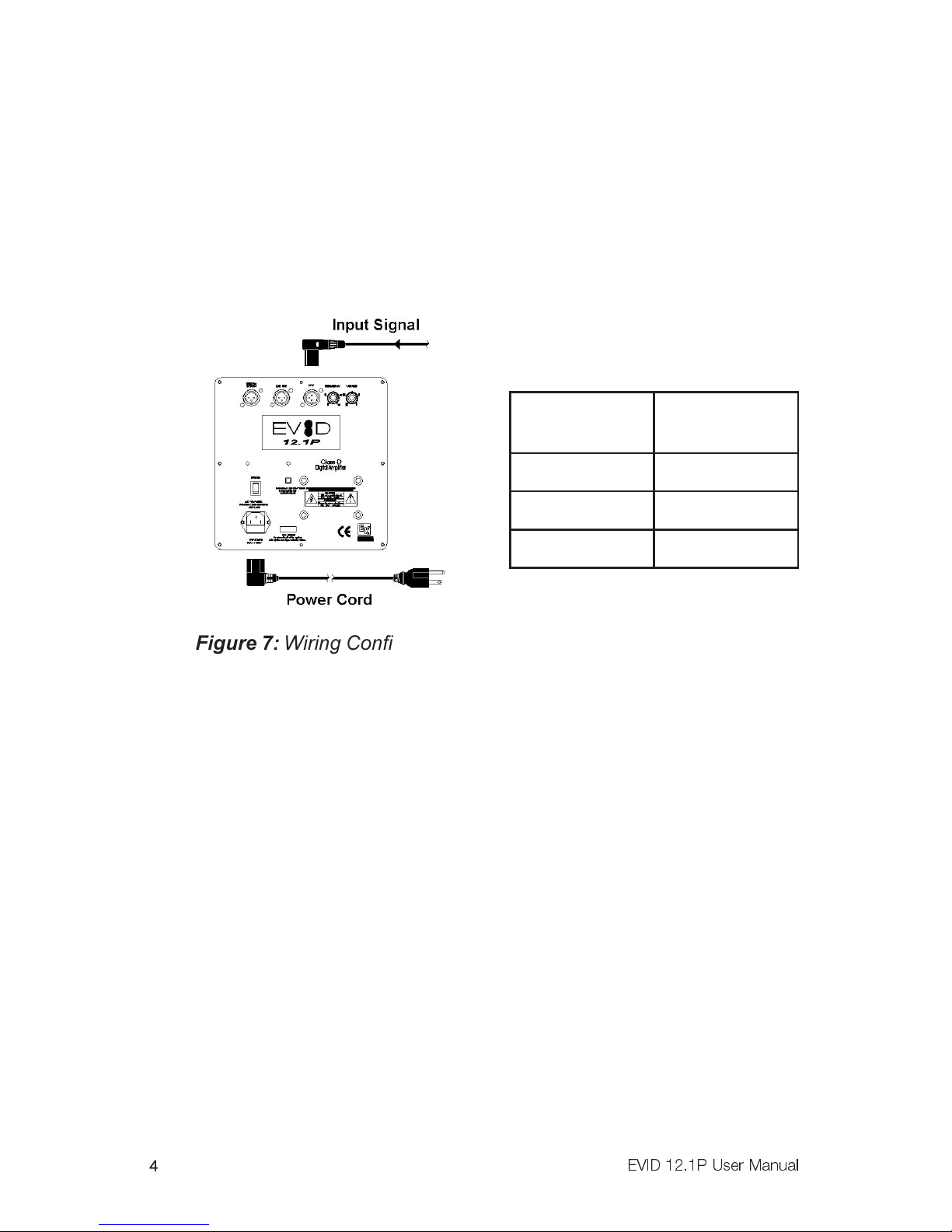
Figure 7: Wiring Configuration
Step 3: Wire the Speaker
A typical wiring configuration is shown in Figure 7. It is highly advisable
to support the unit while these connections are being made. When
mounting the speaker in a corner mount configuration, a right angle XLR
connector such as Neutrik #NC3MRC or equiv. is required for the signal
connections (see Figure 7). Connect the line level signal from the mixer,
pre amplifier or other source into the line input connector. Plug in the
power cord and connect the unit to a standard 120VAC power source.
The proper crossover setting is
determined by the satellite
speakers used. The following
are general guidelines:
Adjust the crossover according
to the chart above. Set the
appropriate sub level before
making the final mounting to the
bracket.
Step 4: Mount the Speaker to the Bracket
First remove the two Phillips-head screws on the rear of the enclosure.
Use the supplied eyebolt to mount one mounting clip to the top of the
speaker as shown in Figure 8. Check to make sure that the wiring
connections to the amplifier and the satellite speakers are correct and
secure.
For corner mounting
Attach the four rubber mounting feet to the front side edges, and secure
the safety line to the eyebolt. Lift the enclosure up to the ceiling and
center it back it into the corner until it touches the bracket rungs, then
carefully lower it so the top clip hooks over the top rung of the bracket
(1). Insert one of the 3/8-16-thread Phillips-head screws through the
remaining clip and, with the clip pointing up, thread the screw finger-tight
into the lower mtg. hole on the enclosure (2, 3). Level the clip and tighten
securely with a #3 right-angle Phillips screwdriver. ven though the
etilletaS
rekaepS
revossorC
gnitteS
2.3zH011
2.4zH59
2.6zH08
Electro-Voice®
EVID 12.1P User Manual
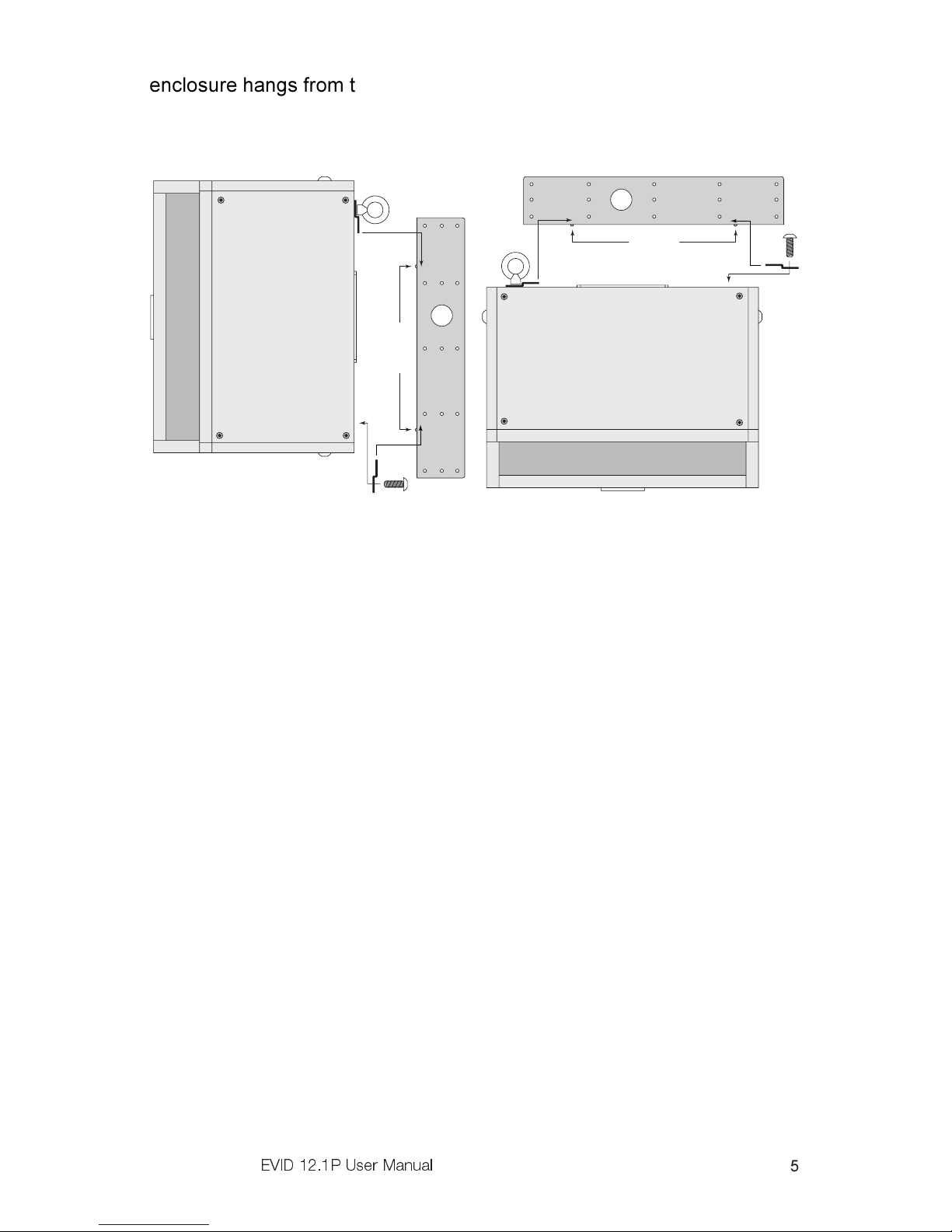
5
enclosure hangs from the top clip, always install the lower one to secure
against possible disengagement of the top clip. Straighten the V® logo
and press firmly at its center to seat it securely into its mounting hole.
For midwall mounting
Attach the four rubber mounting feet inside the corners on the side of the
enclosure that will be against the wall and attach the safety line to the
eyebolt. Insert one of the 3/8-16-thread Phillips-head screws through the
remaining clip and keep it within arms reach. Lift the enclosure up to the
ceiling and bring its back into contact with the bracket rungs. Slide the
enclosure sideways to engage the clip over one bracket rung (1) and,
while holding it tight against both rungs, insert the 3/8-16-thread screw
with its clip into the remaining mounting hole so the clip engages the
remaining bracket rung (2, 3). Finger-tighten the screw and straighten
the clip. The enclosure may now be released. It will slide down the rungs
until the four rubber feet are snug against the wall. Using a #3 right-angle
Phillips screwdriver, securely tighten the second Phillips-head screw.
Gently rotate the V® logo a quarter turn and press firmly at its center to
seat it securely into its mounting hole. See Figure 9.
Figure 8: Corner Mounting Figure 9: Midwall Mounting
1
Rungs
3
2
1
3
2
Rungs
This side towards wall
Electro-Voice®
EVID 12.1P User Manual
6
Mounting through a suspended ceiling grid
On the rear of the enclosure install and tighten two 3/8-16-thread forged
steel eyebolts (one is included) with a 3/8" flat washer under each. Cut
two pieces of ordinary drop ceiling L angle (wall track) 23 3/4" long and
screw them to the top and bottom of the enclosure with 3/4"-long sheet
metal screws, as shown in Figure 10. Connect all of the wires and
suspend the enclosure, face down, by the eyebolts in accordance with
accepted safe rigging practice. Adjust the length of the rigging cables so
the tips of the installed L angles just rest on the ceiling cross-tees. This
stabilizes the enclosure from rocking. Trim the ceiling panel to fit the new
opening(s) and drop into place. It is the installers responsibility to assure
that the chosen rigging points are strong enough to support the load.
Warning Never try to install this speaker in a suspended
ceiling without proper rigging support!
Floor Mounting
The VID 12.1P may be placed directly on the floor in a corner or on
its side along a straight wall by simply attaching the four rubber mounting
feet to the side that will sit on the floor.
Step 5: Test System peration
After all connections are made test the complete system operation.
Appendix C on page 10 contains a troubleshooting guide to assist in
locating a variety of speaker related problems.
Figure 10: Attach L Angles to Speaker
Langle Ceiling
tile
Rigging
cables
Acoustic port
Eyebolts
Electro-Voice®
EVID 12.1P User Manual
7
Safety Agency Co pliance
The VID 12.1P bracket system has successfully passed IA 636 at a
safety factor of 6:1. The bracket system is intended to support the
VID 12.1P only. Do not use it for any other purpose. Never set
anything on, or hang anything from, the VID 12.1P enclosure when
using this bracket. For a copy of the model-specific C Declaration of
Conformity, contact lectro-Voice at the address listed at the end of this
manual.
Maintenance
Your VID system has been designed and manufactured to provide
years of durability and reliable service. No routine maintenance is
necessary. Units may be cleaned by wiping with a soft, damp cloth.
Never use solvents or harsh cleaning agents of any kind.
Appendix A: Warranty State ent
lectro-Voice® Speakers and Speaker Systems are guaranteed against
malfunction due to defects in materials or workmanship for a period of
five (5) years from the date of original purchase. The Limited Warranty
does not apply to burned voice coils or malfunctions such as cone and/or
coil damage resulting from improperly designed enclosures. lectro-
Voice® active electronics associated with the speaker systems are
guaranteed for three (3) years from the date of original purchase.
If such malfunction occurs during the specified period, the product will be
repaired or replaced (at our discretion) without charge. The product will
be returned to the customer prepaid.
Exclusions and Limitations
The Limited Warranty does not apply to: (a) exterior finish or
appearance; (b) certain specific items described in the individual
product-line statements below, or in the individual product sheet or
owners manual; (c) malfunction resulting from use or operation of the
product other than as specified in the product data sheet or owners
manual; (d) malfunction resulting from misuse or abuse of the product;
or (e) malfunction occurring at any time after repairs have been made to
the product by anyone other than lectro-Voice® Service or any of its
authorized representatives.
Electro-Voice®
EVID 12.1P User Manual
8
btaining Warranty Service
To obtain warranty service, a customer must deliver the product, prepaid,
to lectro-Voice® Service or to any of its authorized service
representatives, together with proof of purchase of the product in the
form of a bill of sale or receipted invoice. A list of authorized service
representatives is available from lectro-Voice® Service at:
12000 Portland Avenue,
Burnsville, MN 55337
Ph: (877) 863-4166
Incidental and Consequential Damages
Excluded
Product repair or replacement and return to the customer are the only
remedies provided to the customer. lectro-Voice® shall not be liable for
any incidental or consequential damages including, without limitation,
injury to persons or property or loss of use. Some states do not allow the
exclusion or limitation of incidental or consequential damages, so the
above limitation or exclusion may not apply to you.
ther Rights
This warranty gives you specific legal rights, and you may also have
other rights which vary from state to state.
Appendix B: Installation
Exa ples
The VID Series is a product family with the flexibility to fit the
requirements of many different applications. Listed below are some
suggested combinations for systems using the 12.1P with VID full
range speakers:
•Rich, full-sounding low-level background music and paging in a
quiet restaurant, office, or retail space: use two VID 3.2s or
C4.2s for each 12.1P installed.
•Moderate-level music and paging in a sports bar/restaurant or
upbeat retail space: install two or four VID 4.2s or C8.2s for
each 12.1P used.