manuals.online logo
Brands
  1. Home
  2. •
  3. Brands
  4. •
  5. Esatto
  6. •
  7. Oven
  8. •
  9. Esatto EO605TB User manual

Esatto EO605TB User manual

Other Esatto Oven manuals

Esatto EO605MS User manual

Esatto

Esatto EO605MS User manual

Esatto EO605MB User manual

Esatto

Esatto EO605MB User manual

Esatto EO64M.1 User manual

Esatto

Esatto EO64M.1 User manual

Esatto EO9060XL9M User manual

Esatto

Esatto EO9060XL9M User manual

Esatto EO64 User manual

Esatto

Esatto EO64 User manual

Esatto EF54W User manual

Esatto

Esatto EF54W User manual

Esatto EOP6010TB User manual

Esatto

Esatto EOP6010TB User manual

Esatto EO9060XL9M User manual

Esatto

Esatto EO9060XL9M User manual

Esatto ECE6 User manual

Esatto

Esatto ECE6 User manual

Popular Oven manuals by other brands

Brandt FC 222 user manual

Brandt

Brandt FC 222 user manual

aumate TOA20M04N-1E instruction manual

aumate

aumate TOA20M04N-1E instruction manual

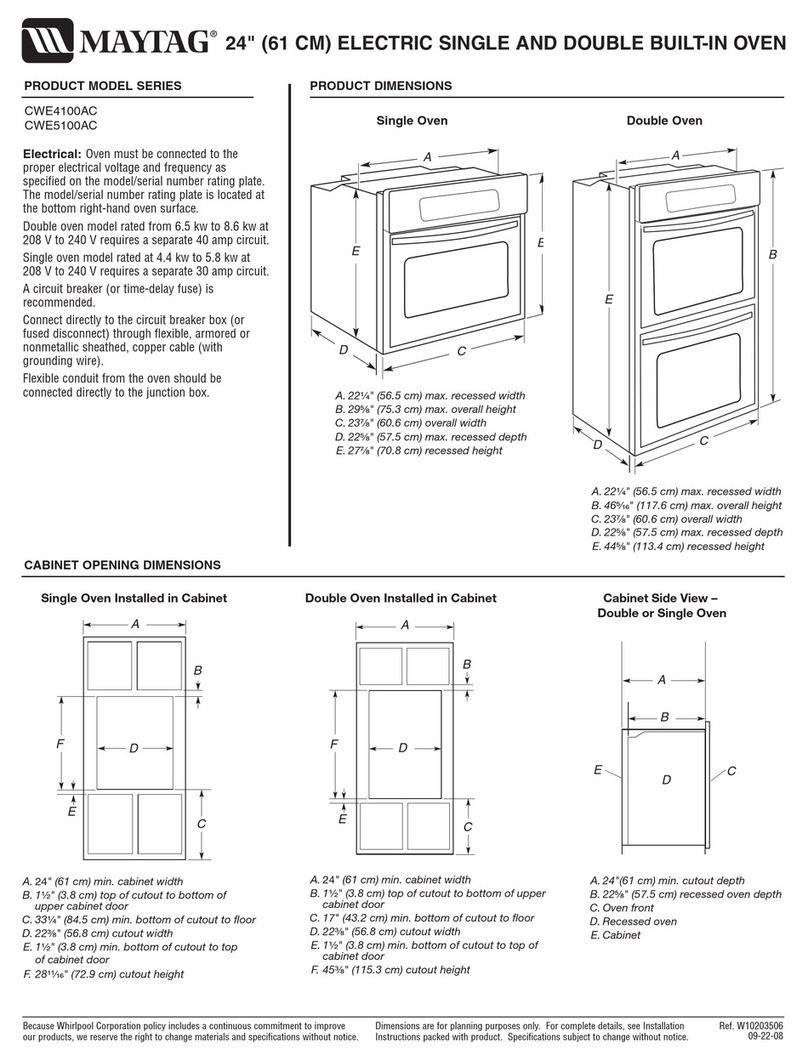
Maytag CWE4100AC - 24" Single Electric Wall Oven Dimension Guide

Maytag

Maytag CWE4100AC - 24" Single Electric Wall Oven Dimension Guide

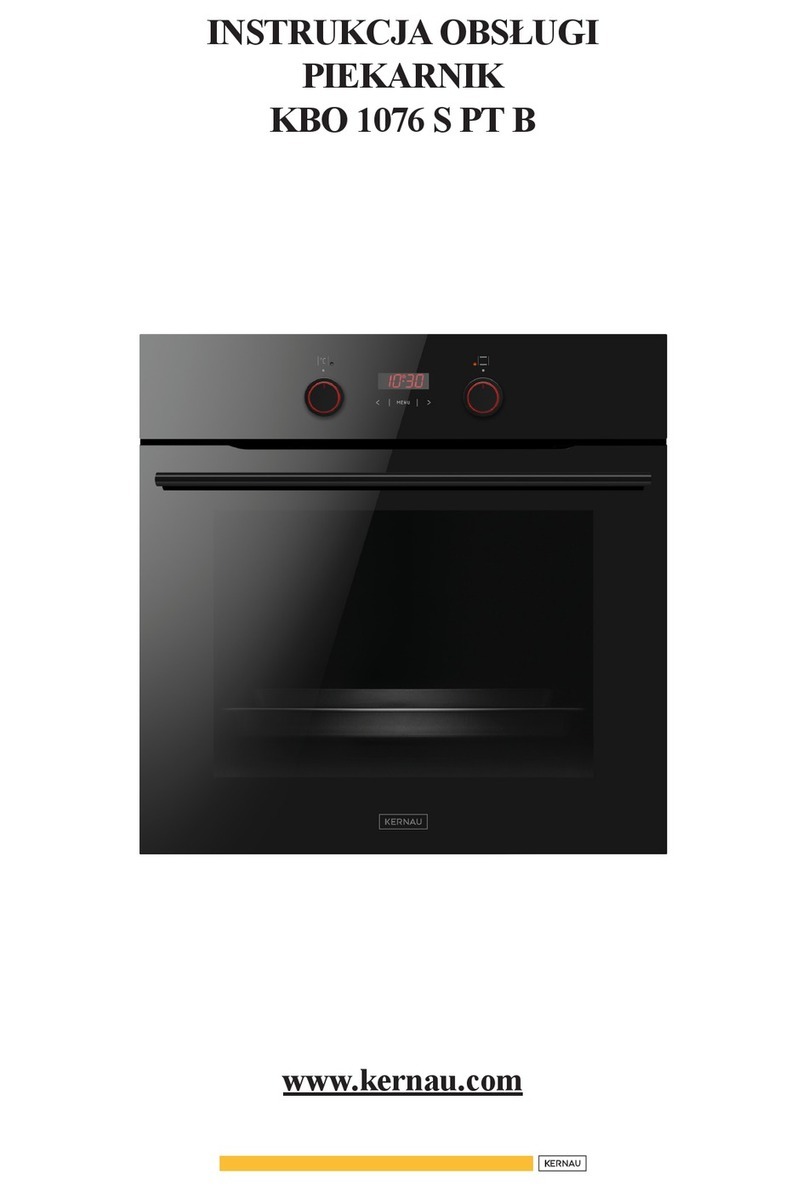
Kernau KBO 1076 S PT B instruction manual

Kernau

Kernau KBO 1076 S PT B instruction manual

Bosch HB 37 N Series User manual and installation instructions

Bosch

Bosch HB 37 N Series User manual and installation instructions

Electrolux EOD5420AA user manual

Electrolux

Electrolux EOD5420AA user manual

Mx Onda MX-HC2183 instruction manual

Mx Onda

Mx Onda MX-HC2183 instruction manual

Daewoo F6EV19SM2 Service manual

Daewoo

Daewoo F6EV19SM2 Service manual

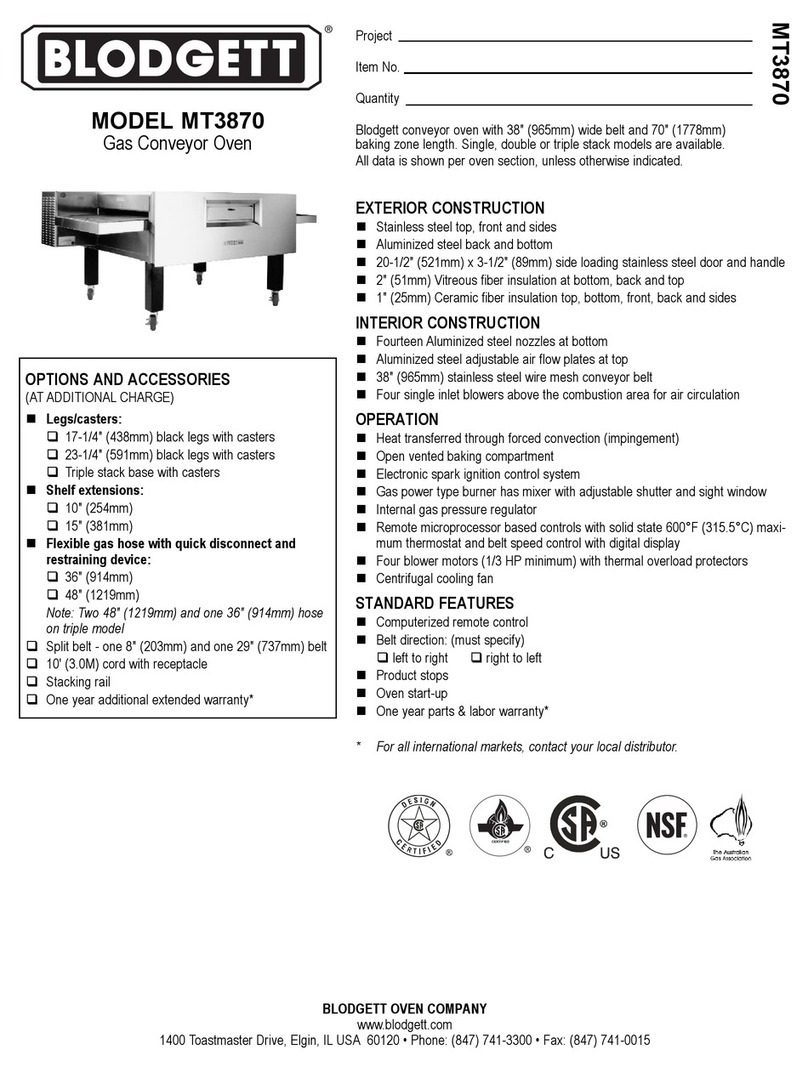
Blodgett MT3870 Specifications

Blodgett

Blodgett MT3870 Specifications

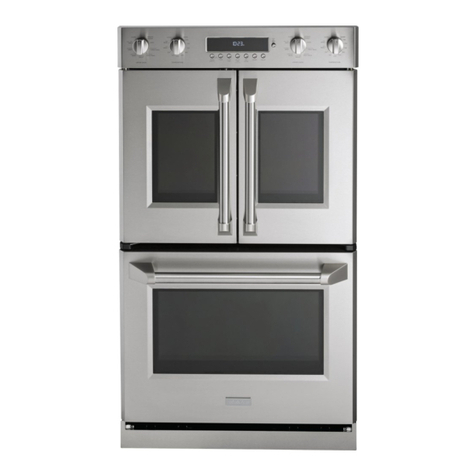
GE ZET2F owner's manual

GE

GE ZET2F owner's manual

GE JK3000DF3WW owner's manual

GE

GE JK3000DF3WW owner's manual

eka EKF 523 NT Operating and instruction manual

eka

eka EKF 523 NT Operating and instruction manual

AEG Electrolux E3191-5 user manual

AEG Electrolux

AEG Electrolux E3191-5 user manual

Pratica Rocket Express quick start guide

Pratica

Pratica Rocket Express quick start guide

Viking Professional VGSO260T user guide

Viking

Viking Professional VGSO260T user guide

FM RX203 instruction manual

FM

FM RX203 instruction manual

Bosch HBN331 9B Series instruction manual

Bosch

Bosch HBN331 9B Series instruction manual

NEFF B95M42N0MK Instructions for use

NEFF

NEFF B95M42N0MK Instructions for use

manuals.online logo
manuals.online logoBrands
  • About & Mission
  • Contact us
  • Privacy Policy
  • Terms and Conditions

Copyright 2025 Manuals.Online. All Rights Reserved.

Version
V1.1 1022
Everything you need
for your 60cm 5 Function
Built-in Oven is in this
User Manual
Model/s
EO605TB
User Manual
2
Welcome
Congratulations on purchasing your new Built-in Oven. The Esatto brand is
proudly distributed within Australia by Residentia Group Pty Ltd.
Please refer to the warranty card at the rear of this manual for information
regarding your product’s parts and labour warranty, or visit us online at:
www.residentia.group
At Residentia Group, we are customer obsessed and our Support Team are there
to ensure you get the most out of your appliance. Should you want to learn more
about your new oven, it's features or importantly taking care of the appliance,
our Support Team are here to help.
You can use our online Support Centre at anytime by visiting:
http://support.residentiagroup.com.au
Or you can contact us via phone by dialing: 1300 11 HELP (4357).
It is important that you read through the following use and care manual
thoroughly to familiarise yourself with the installation and operation
requirements of your appliance to ensure optimum performance.
Again, thank you for choosing an Esatto appliance and we look forward
to being of service to you.
Kind Regards,
The Residentia Team
Residenti roup
—
Head Office
165 Barkly Avenue
Burnley, Victoria
Australia 3121
—
ACN
600 546 656
—
Online
residentia.group
www.esatto.house
@esatto.house
—
Postage
PO Box 5177
Burnley, Victoria
Australia 3121
—
Telephone
1300 11 4357
www.esatto.house
esatto.house
3
Pge 2
Welcome
Pge 4
Sfety Instructions
Pge 7
Instlltion
Instructions
Pge 8
Your Built-in Oven
Pge 9
Opertion
Instructions
Pge 13
Mintennce
 Clening
Pge 14
Troubleshooting
Pge 15
Your Receipt
Contents
Pge 15
Purchse Detils
Pge 16
Wrrnty
User Manual
4
IMPORTANT SAFETY INSTRUCTIONS
READ CAREFULLY AND KEEP
FOR FUTURE REFERENCE
Read this manual thoroughly before rst use,
even if you are familiar with this type of product.
The safety precautions enclosed herein reduce
the risk of re, electric shock and injury when
correctly adhered to. Make sure you understand
all instructions and warnings.
Keep the manual in a safe place for future
reference, along with the completed warranty
card and purchase receipt. If you sell or transfer
ownership of this product, pass on these
instructions to the new owner.
Always follow basic safety precautions and
accident prevention measures when using an
electrical appliance. The following statements you
will see in this booklet have these meanings:
WARNING: Indicting informtion concerning
your personl sfety.
CAUTION: Indicting informtion on how to
void dmging the pplince or cbinetry.
IMPORTANT: Indicting tips nd informtion
bout use of the pplince.
USAGE CONDITIONS AND RESTRICTIONS
• Domestic use only: This appliance is intended
for indoor household use only. It is not intended
for commercial, industrial or outdoor use. It is not
intended for use in a recreational vehicle.
• Purpose: Do not use this appliance for anything
other than its intended purpose. Other uses are
not recommended and may cause re, electric
shock or personal injury.
• Attchments: The use of attachments is not
recommended by the appliance manufacturer
and distributor as they may be hazardous.
• Improper use: Damage due to improper use,
or repairs made by unqualied personnel will
void your warranty. We assume no liability
for any eventual damages caused by misuse
of the product or noncompliance with these
instructions.
BEFORE USING YOUR APPLIANCE
This manual explains the proper use of your new
Esatto oven. Please read this manual carefully
before using the product. This manual should be
kept in a safe place for handy reference.
This oven is a domestic appliance which has been
manufactured and tested to comply with Australian
and New Zealand Standards.
This oven must only be installed in accordance with
the instructions provided. Incorrect installation may
cause harm to persons, damage property and void
the product’s warranty.
Read the following carefully to avoid damage
or injury.
IMPORTANT: Check for any damage or marks.
If you nd the appliance is damaged or marked,
you must report it within 7 days if you wish to claim
for damage/ marks under the manufacturer’s
warranty. This does not aect your statutory rights.
SAFETY INSTRUCTIONS
• Before the installation and use of the appliance,
carefully read the supplied instructions.
• The manufacturer is not responsible if an
incorrect installation and use causes injuries and
damages.
• Always keep the instructions with your appliance
for future reference.
• Do not use the oven unless you are wearing
something on your feet. Do not touch the oven
with wet or damp hands or feet.
• Some parts of appliance may keep its heat for a
long time; it is required to wait for it to cool down
before touching onto the points that are exposed
to the heat directly.
• If you will not use the appliance for a long time, it
is advised to turn the plug o.
WARNING: To prevent any damages to your and
others’ life or property, you have to follow the
safety notes.
WARNING: Caution, risk of re!
Sfety Instructions
esatto.house
5
CHILDREN VULNERABLE PEOPLE SAFETY
WARNING: Risk of suocation, injury
or permanent disability.
• This appliance can be used by children aged
from 8 years and above and persons with
reduced physical, sensory or mental capabilities
or lack of experience and knowledge if they have
been given supervision or instruction for the
operation of the appliance by a person who is
responsible for their safety.
• Do not let children play with the appliance.
• Keep all packaging away from children.
• Keep all detergents away from children.
• Keep children and pets away from the appliance
door when it is open.
• Do not allow children to go near the oven when it
is operating, especially when the grill is on.
• Cleaning and user maintenance shall not be
made by children without supervision.
BEFORE INSTALLATION
• Remove all the packaging.
• Do not install or use a damaged appliance.
• Always move the appliance cautiously. Do not
use the machine door or the handle of oven, to
lift the appliance.
• When the oven is rst switched on, it may give o
an unpleasant smell. This is due to the bonding
agent used for the insulating panels within the
oven. Please run the new empty oven with the
conventional cooking function, 250 °C for 90
minutes to clean oil impurities inside the cavity.
• During the rst time use, it is completely normal
that the oven will show slight signs of smoke and
unpleasant odours. Please wait for the smell to
clear before putting food into the oven.
• Please use this product under the open
environment.
• The appliance and its accessible parts become
hot during use. Care should be taken to avoid
touching heating elements.
• If the surface is cracked, switch o the appliance
to avoid the possibility of electric shock.
• During use, the appliance becomes very hot.
Care should be taken to avoid touching heating
elements inside the oven.
• Ensure that the appliance is switched o before
replacing the oven lamp to avoid the possibility of
electric shock.
• The means for disconnection must be
incorporated in the xed wiring in accordance
with the wiring specications.
• Accessible parts may become hot during use.
• An all-pole disconnection means must be
incorporated in the xed wiring in accordance
with the wiring rules.
• The appliance must be installed by an authorised
technician and put into use. The manufacturer
is not responsible for any damage that might
be caused by defective placement, and
installation by unauthorised personnel.
Please contact 1300 11 HELP (4357) to arrange
an authorised technician.
ELECTRICAL CONNECTION
CAUTION: Risk of re and electrical shock!
• The appliance must be earthed.
• Make sure that the electrical information on the
rating plate agrees with the power supply. If not,
contact an electrician.
• Always use a correctly installed shockproof
socket.
• Do not use any multi-plug adapters or extension
cables.
• Connect the mains plug to the mains socket
only at the end of the installation. Make sure
that there is access to the mains plug after the
installation. Do not connect the appliance plug
with a power connection board.
• Do not pull the mains cable to disconnect the
appliance. Always pull the mains plug.
• Do not touch the mains cable or the mains plug
with wet hands.
WARNING: If the supply cord is damaged, it must
be replaced by the manufacturer or its service
agent or similarly qualied person in order to avoid
a hazard.
WARNING: All electrical work must be done in
accordance with local and national electrical
codes as applicable and should be undertaken by
licenced and qualied persons only. Failure to follow
these instructions can result in death, re
or electrical shock.
User Manual
6
Sfety Instructions (Continued)
APPLIANCE USE
WARNING: Risk of re, explosion, electric shock or
damage to the appliance.
• Use this appliance in a household only.
• Do not change the specication of this oven.
• Do not sit or stand on the open door.
• Please do not close the machine door with
excessive force
• When the door or drawer of oven is open do not
leave anything on it, you may unbalance your
appliance or break the door.
• The appliances are not intended to be operated
by means of an external timer or separate
remote control system.
• The instructions for ovens that have shelves shall
include details indicating the correct installations
of the shelves.
CARE CLEANING
CAUTION: Risk of injury or damage to the oven.
• Before maintenance, deactivate the appliance
and disconnect the mains plug.
• Do not use a steam cleaner on the appliance.
• Clean the appliance with a moist soft cloth.
Only use neutral detergents. Do not use abrasive
products, abrasive cleaning pads, solvents or
metal objects.
• Do not use harsh abrasive cleaners or sharp
metal scrapers to clean the oven door glass since
they can scratch the surface, which may result in
shattering of the glass.
UNPACKING
During transportation, protective packaging was
used to protect the appliance against any damage.
After unpacking, please dispose of all elements of
packaging in a way that will not cause damage to
the environment.
All materials used for packaging the appliance are
environmentally friendly; they are
100% recyclable and are marked with the
appropriate symbol.
CAUTION: During unpacking, the packaging
materials (polythene bags, polystyrene pieces, etc.)
should be kept out of reach of children.
DISPOSAL OF THE APPLIANCE
• Disconnect the appliance
from the mains supply.
• Cut o the mains cable
and discard it.
• Remove the door catch to prevent children and
pets to get closed in the appliance.
Old appliances should not simply be disposed
of with normal household waste and should be
delivered to a collection and recycling centre for
electric and electronic equipment. A symbol shown
on the product, the instruction manual or the
packaging shows that it is suitable for recycling.
Materials used inside the appliance are recyclable
and are labelled with information concerning this.
By recycling materials or other parts from used
devices you are making a signicant contribution to
the protection of our environment.
Information on appropriate disposal centres for
used devices can be provided by your local authority.
DECLARATION OF COMPLIANCE
When you have unpacked the oven, make sure that
it has not been damaged in any way. If you have any
doubts at all, do not use it: contact a professionally
qualied person. Keep packing materials such as
plastic bags, polystyrene, or nails out of the reach
of children because these are dangerous to children.
esatto.house
7
DISPOSAL OF THE APPLIANCE
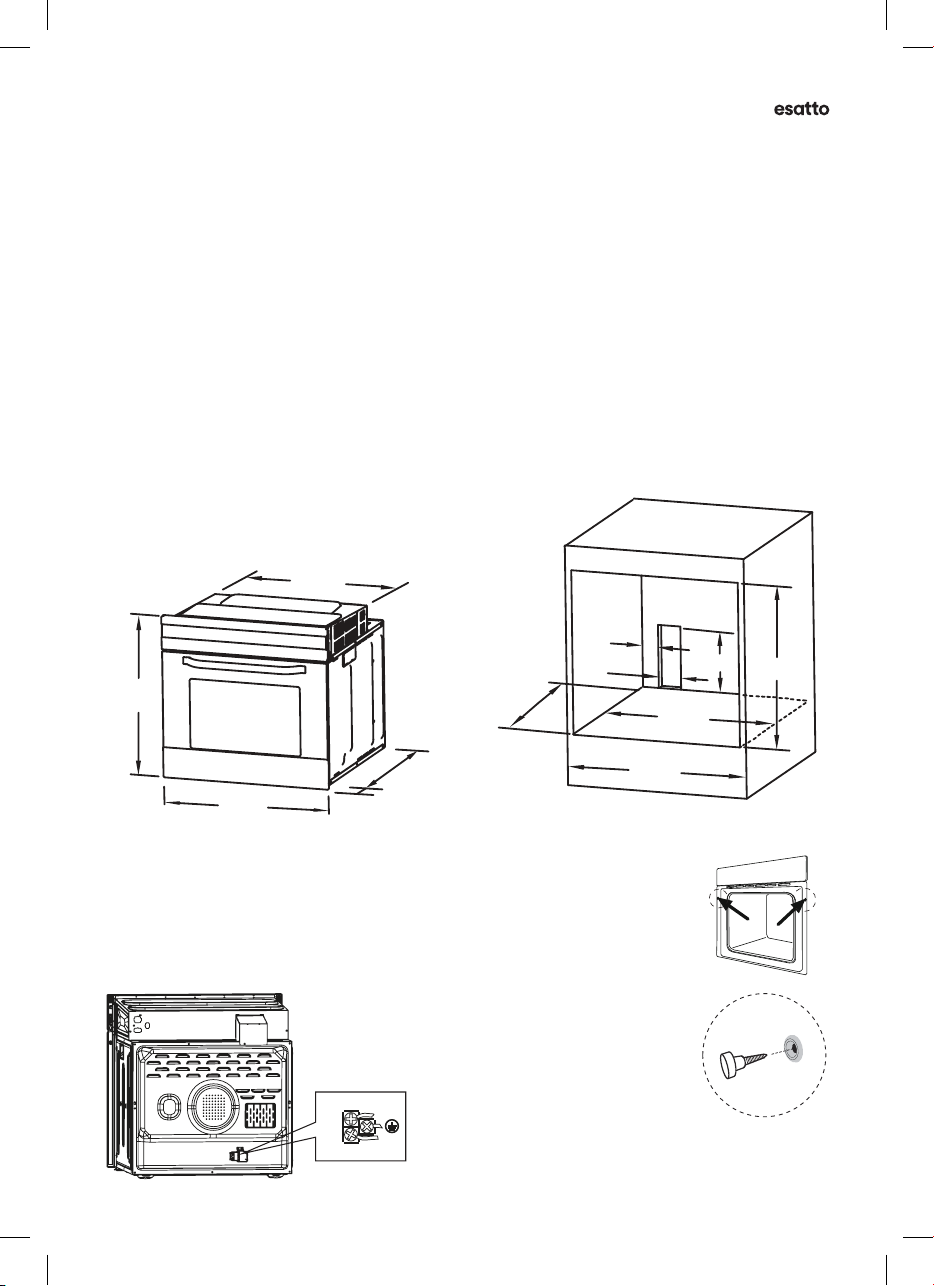
Fit the oven into the space provided in the kitchen unit; it may be tted underneath a work
top or into an upright cupboard. Fix the oven in position by screwing into place, using the two
xing holes in the frame. To locate the xing holes, open the oven door and look inside. To allow
adequate ventilation, the measurements and distances adhered to when xing the oven.
IMPORTANT: If the oven is to work properly, the kitchen housing must be suitable. The panels of the
kitchen unit that are next to the oven must be made of a heat resistant material. Ensure that the glues
of units that are made of veneered wood can withstand temperatures of at least 120º C. Plastics or
glues that cannot withstand such temperatures will melt and deform the unit, once the oven has
been lodged inside the units, electrical parts must be completely insulated. This is a legal safety
requirement. All guards must be rmly xed into place so that it is impossible to remove them
without using special tools. Remove the back of the kitchen unit to ensure an adequate current
of air circulates around the oven. The hob must have a rear gap of at least 45mm.
Note:
• The cavity is not to include the power switch or socket.
• The oven & cabinet dimensions are in millimetres (mm)
SECURING THE OVEN TO THE CABINET
1. Fit oven into the cabinet recess.
2. Open the oven door and determine the location of the mounting screw holes.
3. Fix the oven to the cabinet with two screws..
CONNECTION OF THE OVEN
Instlltion Instructions
12
NOTE: The number of accessories included depends on the particular appliance purchased.
INSTALLATION
Remark:
1.Only plus deviations are admissible for all dimension.
2.The cabinet is not include the power switch or socket.
CONNECTION OF THE OVEN
L
N
VENTILATING OPENINGS
When cooking is finished or in pause state or in waiting state, if the oven's center temperature is
over 75 degree, the cooling fan will continue working for 15 minutes. Or when the oven's center
temperature becomes lower than 75 degree, the cooling fan will stop in advance.
Ventilating openings
555
20
595
595
560
570
min.560
606
600
80
250
100
NOTE: The number of accessories included depends on the particular appliance purchased.
INSTALLATION
570
min. 560
606
600
80
250
100
Remark:
1.Only plus deviations are admissible for all dimension.
2.The cabinet is not include the power switch or socket.
VENTILATING OPENINGS
CONNECTION OF THE OVEN
Ventilating openings
L
N
When cooking is finished, if the temperature of ventilating openings is over 70 degree, the cooling
fan will continue working. The cooling fan will not stop working until the temperature becomes
lower than 60 degree.
555
20
595
595
560
9
11
BULB REPLACEMENT
For replacement, process as follows:
1> Disconnect power from the mains outlet or switch off the circuit breaker of the unit's mains outlet.
2> Unscrew the glass lamp cover by turning it counter-clockwise (note, it may be stiff) and replace
the bulb with a new one of the same type.
3> Screw the glass lamp cover back in place.
NOTE: Only use 25-40W/220V-240V , T300°C halogen lamps.
SHELF PLACEMENT WARNING:
OR
To ensure the oven shelves operate safely, correct placement of the shelves between the side
rail is imperative. Shelves and the pan only can be used between the first and fifth layers.
The shelves should use with the right direction, it will ensure that during careful removal of the
shelf or tray, hot food items should not slide out.
SECURING THE OVEN TO THE CABINET
1. Fit oven into the cabinet recess.
2. Open the oven door and determine the location of the mounting
screw holes.
3. Fix the oven to the cabinet with two screws.
User Manual
8
Your Built-in Oven
CONTROL PANEL
1. Function Knob
2. Display Screen
3. Temperature Knob
4. Decrease Button
5. Function Button
6. Increase Button
7. Preheat Indicator
ACCESSORIES
Your Esatto Built-in Oven is supplied with:
• 2 × Wire Shelves
For grill, dishes, cake pan with items for roasting and grilling
• 2 × Slider brckets
These shelf support rails on the right and left sides of the oven can be removed.
Dishes and tray can be placed on the oven base, using the Grill & Max Grill
and Fan functions.
• 1 × Bking Try
For cooking large quantities of food such as cakes, pastries, frozen food etc,
or for collecting fat/spillage and meat juices.
SHELF PLACEMENT
To ensure the oven shelves operate safely, correct placement of the shelves between the
side rail is imperative. Shelves and the pan only can be used between the rst and fth
layers. The shelves should use with the right direction, it will ensure that during careful
removal of the shelf or tray, hot food items should not slide out.
TECHNICAL SPECIFICATIONS
Model EO605TB
Gross Volume: 80L
Product Dimensions (W × D × H): 595 × 575 × 595mm
Weight (Net/Gross): 31kg / 34kg
Rated Voltage 220-240V~
Rated Frequency 50Hz-60Hz
Rated Power 2.1kW
No. of Functions 5
Note: The images in this user manual are for reference only. Your appliance may appear dierently.
All text and icons: Pantone Cool Gray 5C
65M90D2 9H(澳洲5功能)美的版控盒丝印-玻璃 65M90M1-04010-24
4
R2
* 593 0.5
* 255 0.5
45
* 117 0.5
* 58.5 0.5
* 33.5 0.3
15.5
2- 37.5
4-R4
75
18
3-
65M90M1-04010 (24)
透视窗
10
透光区
25.6
29.4
10
Visual with 42mm knobs in place:
F
F
ºC
50
100
150
200
250
ºC
50
100
150
200
250
5 6 74
1 32
BULB REPLACEMENT
For replacement, process as follows:
1> Disconnect power from the mains outlet or switch off the circuit breaker of the unit's mains outlet.
2> Unscrew the glass lamp cover by turning it counter-clockwise (note, it may be stiff) and replace
the bulb with a new one of the same type.
3> Screw the glass lamp cover back in place.
NOTE: Only use 25-40W/220V-240V, T300°C halogen lamps.
SHELF PLACEMENT WARNING:
SECURING THE OVEN TO THE CABINET
1. Fit oven into the cabinet recess.
2. Open the oven door.
3. Secure the oven to the kitchen cabinet with two
distance holders " A " which fit the holes in the
oven frame and fit the two screws " B ".
To ensure the oven shelves operate safely, correct placement of the shelves between the side rail
is imperative. Shelves and the pan only can be used between the first and fifth layers.
The shelves should be used with the right direction, it will ensure that during careful removal of the
shelf or tray, hot food items should not slide out.
OR
8
esatto.house
9
Operting Instructions
OVEN FUNCTIONS
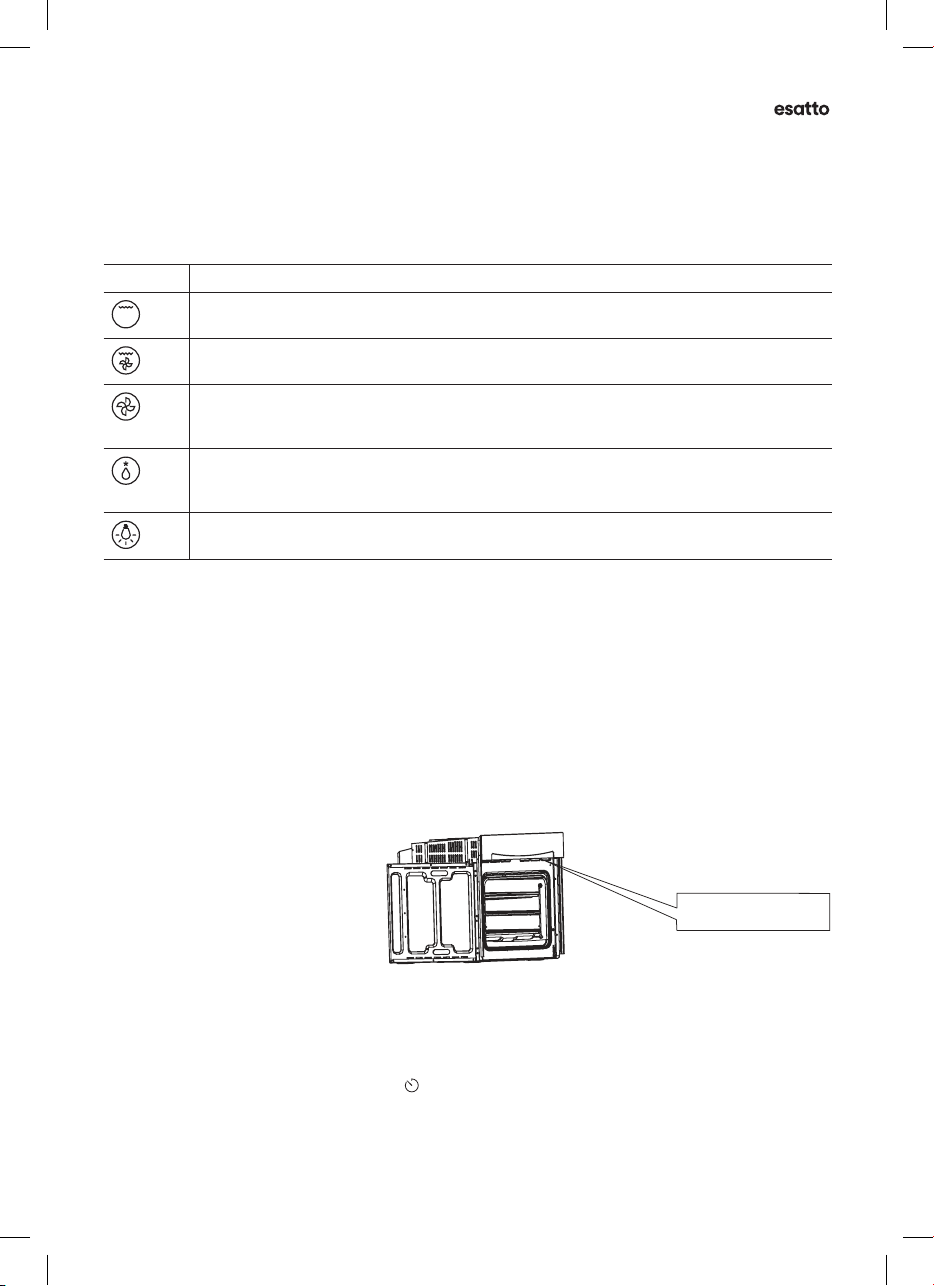
SYMBOL FUNCTION DESCRIPTION
Grill: This cooking method is for everyday grilling, utilising only the inner grill element only,
which directs heat downwards onto the food.
Grill  Fn: Utlising the inner grill element along with the fan, is suitable for grilling a large
amount of cooking.
Convection: Heat from the rear heating element circulated around the cavity by the fan. It is
faster and economical than the conventional mode. This function also helps food cook faster
whilst also reducing hot and cool spots and helping dishes on every shelf cook more evenly.
Defrost: The circulation of air at room temperature enables quicker thawing of frozen
food (without the use of any heating elements). It is a gentle but quick way to speed up the
defrosting time and thawing of ready-made dishes, cream-lled produce, etc.
Oven Light: This function enables the user to observe the progress of cooking without
opening the door. The oven lamp will light for all cooking functions.
BEFORE FIRST USE
• Before using the oven for the rst time, read this manual thoroughly, even if you are familiar with this
type of appliance. Pay particular attention to the safety instructions, installation instructions and
operating instructions.
• After the appliance has been properly installed, and before rst use, you should burn o any dust,
oil or other remnants that may have been left inside the cavity from the manufacturing process or
transportation. Please run the new empty oven with the conventional cooking function at 250º C for
at least 90 minutes.
• When rst connected, the display screen will show “ 12.30 ”. A beep will sound and the “ 12 ” and “ . ” will
ash, prompting you to set the correct time of day before using the oven. Please note: This is a 24 hour
clock, for example 2pm shown as 14.00. Ensure the correct time of the day is set before using the oven.
VENTILATION
When cooking is nished, or in a paused
or standby state, and if the oven cavity
temperature is over 75 degrees, the
cooling fan will operate for 15 minutes
or until the oven cavity temperature
become lower than 75 degrees.
USING YOUR BUILTIN OVEN
• Your oven is a re risk if the cooking time is not set or if the time is set too long.
It is important to keep close supervision when the oven is in operation.
• Set functions by turning the function knob to desired option.
• The oven will automatically start cooking after function, time and temperature are set.
• To set the time of the cooking, press the “ ” function button and use the “ + ” and “ - ” buttons to set
your desired setting. After the cooking time is up, the unit will make an audible sound as the oven stops.
• Set the temperature by turning the temperature knob. If the unit is not in use, always set the knobs to
the “ ● ” o position.
NOTE: The number of accessories included depends on the particular appliance purchased.
INSTALLATION
570
min. 560
606
600
80
250
100
Remark:
1.Only plus deviations are admissible for all dimension.
2.The cabinet is not include the power switch or socket.
VENTILATING OPENINGS
CONNECTION OF THE OVEN
Ventilating openings
L
N
When cooking is finished, if the temperature of ventilating openings is over 70 degree, the cooling
fan will continue working. The cooling fan will not stop working until the temperature becomes
lower than 60 degree.
555
20
595
595
560
9
VENTILATION OPENINGS
User Manual
10
Operting Instructions (Continued)
SETTING THE CLOCK
1. Press the “ + ” and “ - ” button to adjust the hour.
2. Press the “ ” function button to conrm the hour.
3. Press the “ + ” and “ - ” buttons to adjust the minute.
4. Press the “ ” function button to conrm the minute.
5. The oven will now be in standby mode.
Note: If the display does not ash, press the “ + ” and “ - ” buttons at the same time for more
than 3 seconds, and repeat the above steps.
SELECTING THE OVEN OPERATION MODE
When the oven is in standby mode (not in use), press the Function button for 5 seconds.
The oven will enter Manual mode and the symbol “ ” will display on the screen continuously.
1. Turn the Function knob and Temperature knobs to desired settings.
2. From Manual mode, press the “ ” function button to cycle through the other oven
operation modes. The sequence of the operation modes are Manual mode, Minute minder,
Duration (Dur) and End.
Note:
• The oven will turn on after you select the Manual Cooking mode, Minute Minder mode,
Cooking Duration mode (Dur) or Cooking End mode.
• You can turn the oven o automatically by using the Cooking Duration mode (Dur) or
Cooking End mode.
• After you have nished cooking in Manual mode or Minute minder, to return to standby
mode, turn the Function knob and Temperature knob to the “ ● ” o position,
and then press the Function button and “ + ” buttons for 5 seconds.
• After selecting an oven operation mode, you may change the cooking function or adjust
the cooking temperature if required.
MANUAL COOKING MODE
In manual cooking mode, the cooking duration is controlled by the user. Only the time of day
and the symbol “ ” are displayed on the screen.
Note: When the oven is in manual cooking mode, after 5 hours of inactive use, the timer will
ash once per second to warn you that the oven will be entering standby mode. After 10 hours
of inactive use, the oven will enter standby mode to ensure the oven is not left on accidentally.
If the timer is ashing in manual cooking mode, you can press any button to reset the timer
if you intend to continue using the oven. Alternatively, press the “ ” function and “ + ” buttons
together for more than 3 seconds to enter standby mode if the oven will no longer be used.
MINUTE MINDER MODE
You can set a period of time using the minute minder function, and an alarm will sound when
that time has elapsed.
1. Turn the Function knob and Temperature knob to desired settings.
2. Press the “ ” function button to select the Minute minder function.
The relevant “ ” “ . ” symbol will ash.
3. Use the “ + ” and “ - ” buttons to adjust minute minder. (Refer to the instructions for setting
the correct time of day.) Press the “ ” function button to conrm, the “ ” symbol will