Windows 7 Audio Device Hardware Configuration
Click on the Sounds
Sounds icon located in the Control Panel
Control Panel (Figure 1) or right click the speaker icon in
your system tray then click Playback Devices.
Figure 1
In the Sound
Sound window, choose the Playback
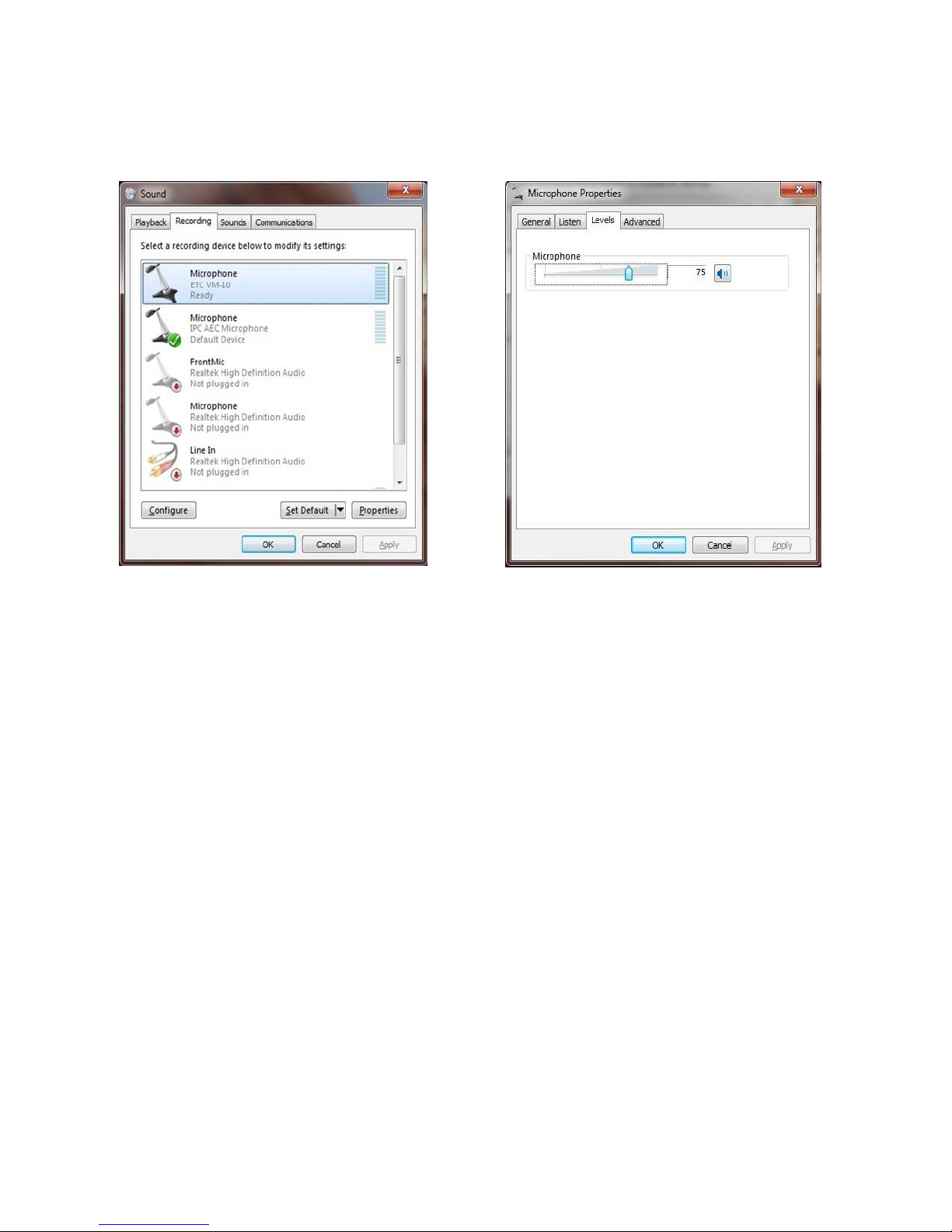
Playback tab, select Speakers ETC VM
Speakers ETC VM-
-10 Default Device
10 Default Device (Figure
2)
and click the
Properties
Properties button. In the Speakers Properties
Speakers Properties window (Figure 3) , choose the Levels
Levels
tab. Adjust the Speakers
Speakers level to 75, the Microphone
Microphone level to 0 (zero), and MUTE the Microphone.
MUTE the Microphone.
Figure 2 Figure 3
Page 7 of 11