1
Operating Instructions
Safety Relay ESM-BA2..
Correct use
The ESM-BA2.. is a universal safety emergency stop
switching device with two safe relay outputs that
can quickly and safely stop the moving parts of a
machine or installation in case of danger.
Applications for the ESM-BA2.. include single- or
dual-channel emergency stop circuits and guard
monitoring on machines and installations.
Before the device is used, a risk assessment must
be performed on the machine, e.g. in accordance
with the following standards:
fENISO13849-1
fENISO12100
fIEC62061.
Correct use includes observing the relevant require-
ments for installation and operation, particularly
based on the following standards:
fENISO13849-1
fEN60204-1
fIEC62061.
Important!
fThe user is responsible for the integration of the
device in a safe overall system. For this purpose,
the overall system must be validated, e.g. in
accordance with ENISO13849-2.
fThe device user must assess and document
remaining risks.
fIf a data sheet is included with the product, the
information on the data sheet applies.
Safety precautions
WARNING
fInstallation and setup of the device must be
performed only by authorized personnel.
fObserve the country-specic regulations when
installing the device.
fThe electrical connection of the device is only
allowed to be made with the device isolated.
fThe wiring of the device must comply with the
instructions in these operating instructions,
otherwise there is a risk that the safety function
will be lost.
fIt is not allowed to open the device, tamper with
the device or bypass the safety devices.
fAll relevant safety regulations and standards are
to be observed.
fThe overall concept of the control system in
which the device is incorporated must be vali-
dated by the user.
fFailure to observe the safety regulations can re-
sult in death, severe injuries and serious damage.
fNote down the version of the device (see type la-
bel Vx.x.x) and check it each time prior to setup.
If the version changes, the use of the device in
the overall application must be validated again.
Features
f2 safe, redundant relay outputs
fConnection of:
- Emergency stop buttons
- Safety switches
- Non-contact safety switches
- Safety components with OSSD outputs
fSingle- and dual-channel operation possible
fFeedback loop for monitoring downstream contac-
tors or expansion modules
fCyclical monitoring of the output contacts
fIndication of the switching state via LED
f2 start behaviors possible:
- Monitored manual start
- Automatic start
fUse up to PLe, SILCL3, category 4
Function
The safety emergency stop switching device
ESM-BA2.. is designed for safe isolation of safety
circuits according to EN 60204-1 and can be
used up to safety category4, PLe according to
ENISO13849-1.
The internal logic system closes the safety contacts
when the start button is pressed.
When the safety switch is opened, the positively
driven safety contacts are opened and safely switch
the machine off. It is ensured that a single fault does
not lead to a loss of the safety function and that
every fault is detected by cyclical self-monitoring
no later than when the system is switched off and
switched on again.
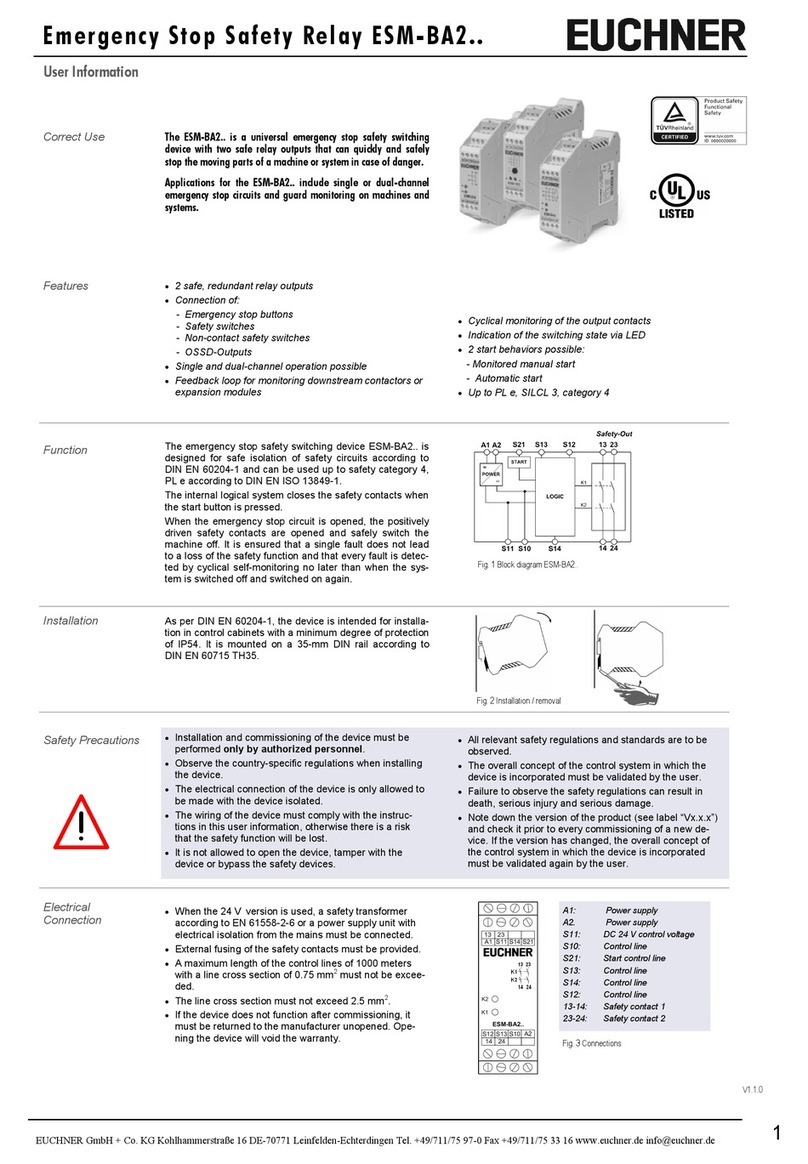
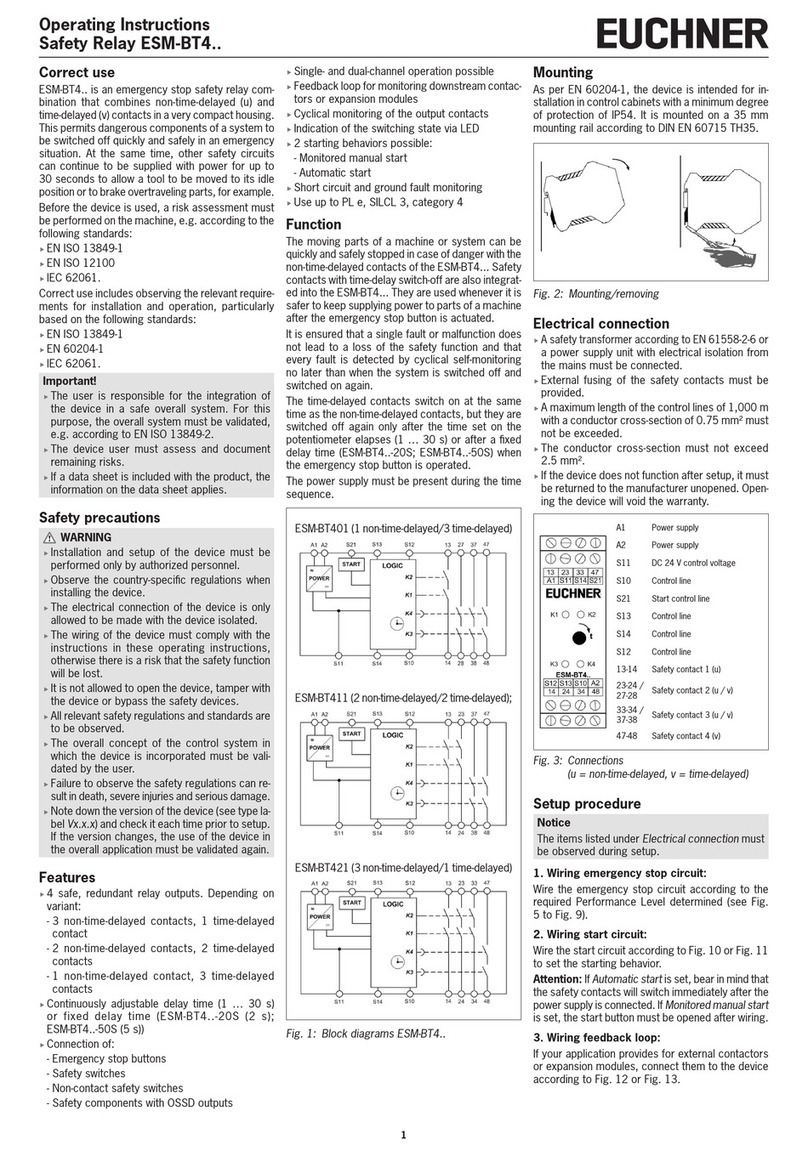
Fig. 1: Block diagram for ESM-BA2..
Mounting
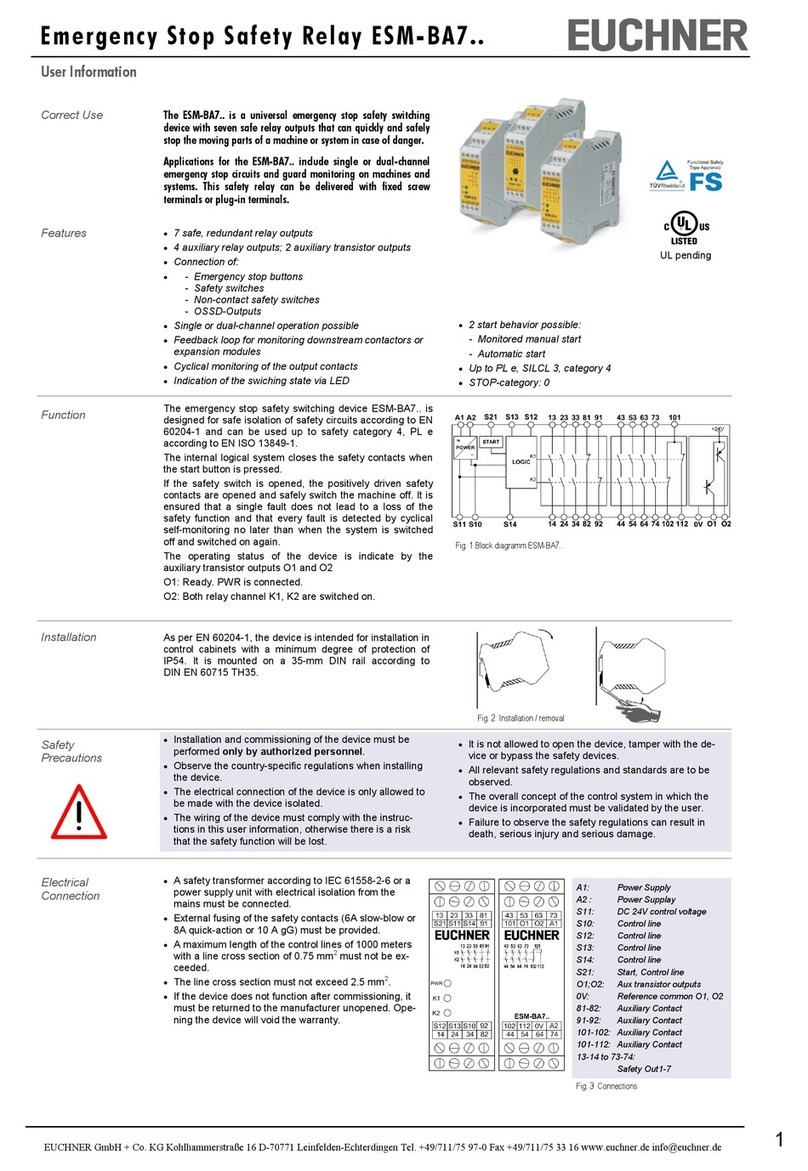
As per EN60204-1, the device is intended for in-
stallation in control cabinets with a minimum degree
of protection of IP54. It is mounted on a 35 mm
mounting rail according to DINEN60715TH35.
Fig. 2: Mounting/removing
Electrical connection
fWhen the 24 V version is used, a safety transform-
er according to EN61558-2-6 or a power supply
unit with electrical isolation from the mains must
be connected.
fExternal fusing of the safety contacts must be
provided.
fA maximum length of the control lines of 1,000 me-
ters with a conductor cross-section of 0.75mm²
must not be exceeded.
fThe conductor cross-section must not exceed
2,5mm².
fIf the device does not function after setup, it must
be returned to the manufacturer unopened. Open-
ing the device will void the warranty.
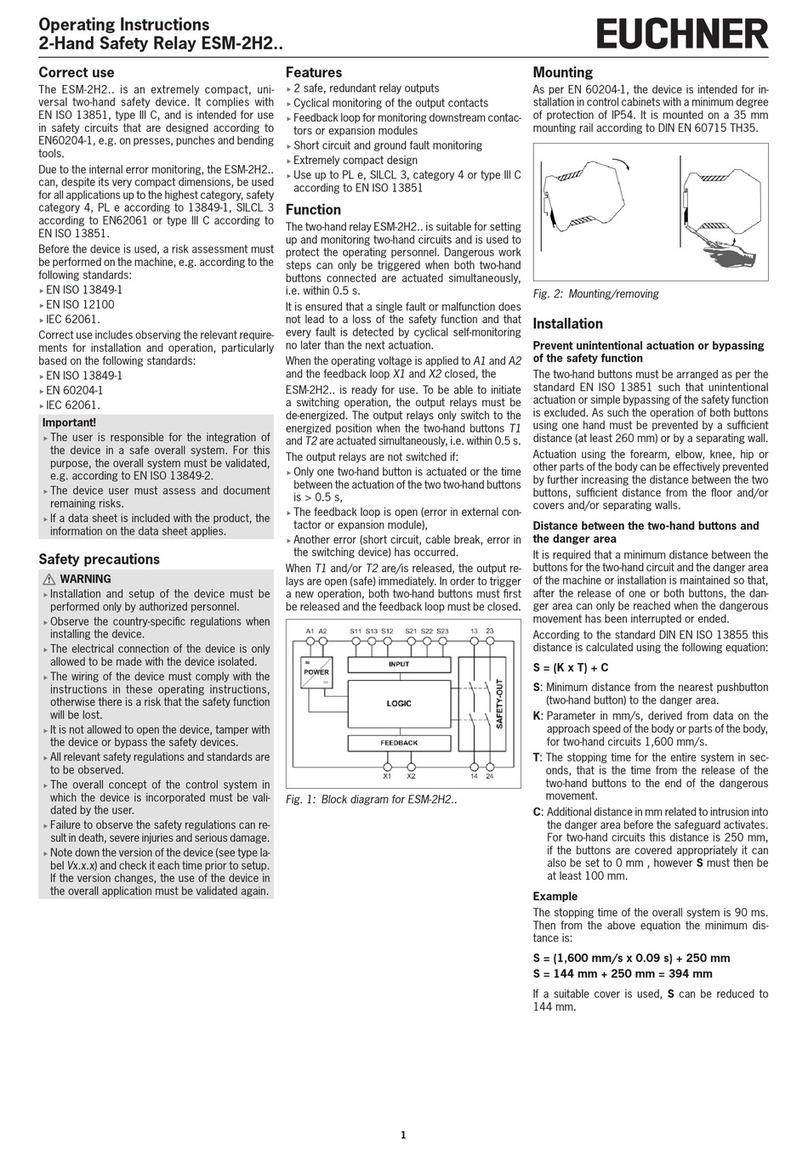
A1 Power supply
A2 Power supply
S11 DC24V control voltage
S10 Control line
S21 Start control line
S13 Control line
S14 Control line
S12 Control line
13-14 Safety contact 1
23-24 Safety contact 2
Fig. 3: Connections
Setup procedure
Notice
The items listed under Electrical connection must
be observed during setup.
1. Wiring emergency stop circuit:
Wire the emergency stop circuit according to the
required Performance Level determined (see Fig.
5 to Fig. 9).
2. Wiring start circuit:
Wire the start circuit according to Fig. 10 or Fig. 11
to set the starting behavior.
Attention: If Automatic start is set, bear in mind that
the safety contacts will switch immediately after the
power supply is connected. If Monitored manual start
is set, the start button must be opened after wiring.
3. Wiring feedback loop:
If your application provides for external contactors
or expansion modules, connect them to the device
according to Fig. 12 or Fig. 13.
4. Wiring power supply:
Connect the power supply to terminals A1 and A2
(see Fig. 14).
Attention: Wiring only in de-energized state.
5. Starting the device:
Switch the operating voltage on.
Attention: if the Automatic start behavior is set, the
safety contacts will close immediately.
If the Monitored manual start behavior is set, close
the start button to close the safety contacts.
LEDs K1 and K2 illuminate.
6. Activating safety function:
Open the emergency stop circuit by actuating the
connected safety switch. The safety contacts open
immediately.
7. Reactivation:
Close the emergency stop circuit. If Automatic
start is selected, the safety contacts will close
immediately.
If the Monitored manual start behavior is set, close
the start button to close the safety contacts.