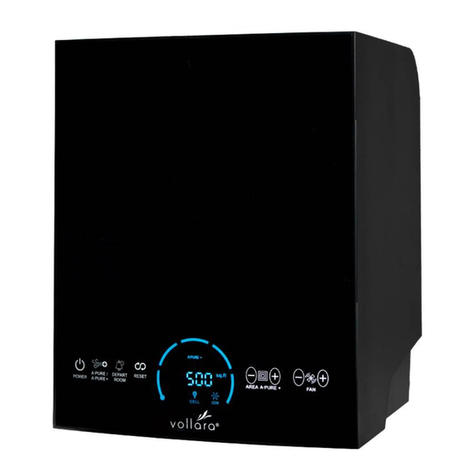
Operation Guide
lON/OFF
Connected with power, the unit beeps with all the display icons illuminating
together and enters Standby Mode after 1 second.
Press the ON / OFF button, the unit starts running at Strong speed. 'Refresh'
and 'Purify Air', do not function together until 3 minutes later when the unit shifts
to Auto Mode, under which the Ionizer and UV tubes work together.
Any time the unit gets restarted, it remembers its last working status.
lFan Speed
It controls Fan Speed and Auto Function.
Based on the initial Strong speed, the Fan Speed Cycles in the following order:
Strong ---Turbo --- Auto (according to air quality) ---Silent --- Middle
There are indicators in different colours for each Fan Speed. For Silent, it’s
green. For Middle it's blue. For Strong it's orange and for Turbo it's red.
lRefresh
Press this button and the Ionizer starts generating Anions. Press this button
again and the Ionizer stops working.
lTimer
Each press of this button increases 1 hour to the counter until it accumulates to
12 hours, after which point the counter will be called off. When this button is
kept pressed down, the programmed time increases rapidly.
lPurify Air
It controls photocatalytic purification.
Maintenance
Cover and Housing
lDo remember to cut off the power supply before maintenance
lClean the unit only when necessary. If the unit is used in a dirty environment, it
may need more frequent cleaning
lWipe the dirt with soft fibres
lFor obstinate dirt, only a neutral detergent is recommended
Caution: Never expose (the Housing) to hard and speculate objects to avoid
nicks. Carefully remove the front cover or the parts may get damaged.
Sensors
lClean out the dust blocking the sensors’ air inlet
lClean out the dust in an aperture or a limited space with the vacuum cleaner
lWipe the sensors’ lens with a cotton bar. Do remember never wipe the lens with
organic solvent for the lens is coated with protective membrane EN
FEEL THE ENERGY.
FEEL THE FRESHNESS.
6