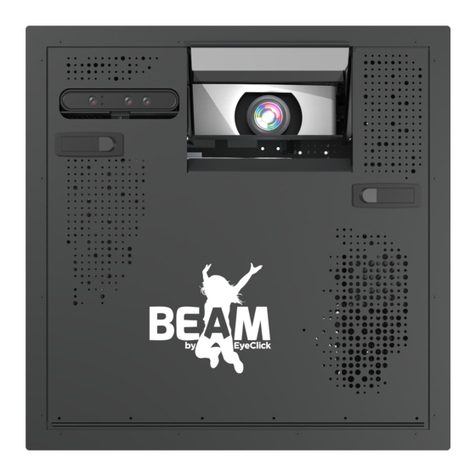
EyeClick BEAM User manual

QUICKSTART GUIDE

Controlling your BEAM is easy using the keyboard.
Please make sure that:
Batteries are equipped and that the
yellow saftey ribbon is pulled out.
Navigate and control your obie using the
keyboard's trackpad.
The toggle on the side of the keyboard is
on and its green background is visible.
BEAM KEYBOARD
1 2 3

You can always access the control area on your
device by pressing CTRL+Q.
CONTROL AREA

The control area is divided to 4 sections:
Navigate between the sections through the top menu bar
PROJECTOR
Turn the projection o, manage device schedules
and the adjust the projection.
GAMES
Control your games and playlist.
INFO
View the device, components and software
information relevant when contacting support.
SETTINGS
View and control your BEAM's settings.
CONTROL AREA

GAMES
Control your games and playlist.
INSTALLED GAMES
A list of all the games installed on your BEAM.
1
1
2
GAME ROW
Click on a game row to select that game. You can
select multiple games.
2

GAMES
Control your games and playlist.
ADD SELECTED GAMES
Once you've selected several games from the
Installed Games list, click on the ADD >> button
to add them to the Playlist. Click on the ADD ALL
>> button to add all the installed games at once.
1
12
3
PLAYLIST
This list contains all the games set to be played.
2
DELETE PLAYLIST
Clear all the games in the playlist - you can always
add them again from the Installed Games list.
3
Note
You can also click the ADD ALL >> button to select and add all the
installed games to the Playlist.

GAMES
Control your games and playlist.
SET PLAYLIST GAMES' DURATION
Edit the seconds eld and click the SET button
to change the duration for all the games
currently in the Playlist.
1
2
1
3 4
SET A GAME'S DURATION
Edit the seconds eld to change the duration of a
specic game in the Playlist.
2
ORDER ARROWS
Click the arrow buttons to change the game
order in the Playlist.
3
REMOVE GAME
Click the remove button to remove a specic
game from the Playlist.
4

GAMES
Control your games and playlist.
1
2
LAUNCH PLAYLIST
Start playing the games in the playlist.
2
LAUNCH PLAYLIST FROM A
SPECIFIC GAME
Click the play icon to start the Playlist from a
specic game.
1

GAMES
You can also play a single game without
creating a Playlist:
2
3
1
SET GAME
Click on the SET >> button to set the selected
game. This will remove all the games in the
existing playlist.
2
LAUNCH PLAYLIST
Start playing the set game. As it has no set
duration, it will continue playing indenitly until
you decide to stop it.
2
SELECT A SINGLE GAME
By clicking the specic game row in the Installed
Games list.
1

PROJECTOR
Turn the projection o, manage device schedules and
the adjust the projection.
ADD SCHEDULE
Create a new operating schedule
EDIT SCHEDULE
Change the times and days of a schedule
DISABLE/ENABLE A SCHEDULE
Disable/enable a schedule
1
32
1
2
3
Other manuals for BEAM
1
Table of contents
Other EyeClick Projector manuals