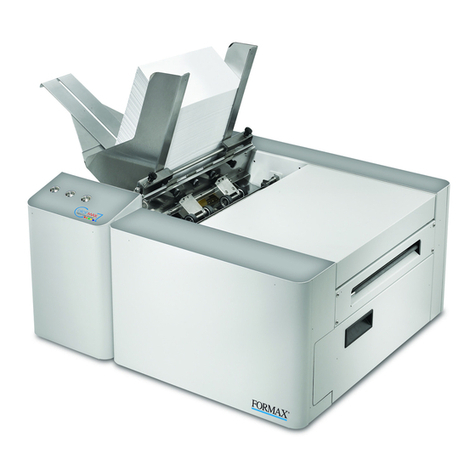
Formax 6304 Series User manual

6304 Series
Inserter
OPERATOR MANUAL
Rev. 1
/2010


1
ENGLISH
TABLE OF CONTENTS
1 Health, Safety and Environment ...................................................... 2
1.1 Precautions and Safety Issues ................................................... 2
2 Functional description ..................................................................... 5
2.1 Overview ................................................................................ 5
2.2 Operating Controls .................................................................. 7
2.3 Control Panel .......................................................................... 8
2.4 Software Description ................................................................ 8
3 Operating Instructions .................................................................. 12
3.1 Installation .. .......................................................................... 12
3.2 Preparation .. ......................................................................... 12
3.3 Starting Up ............................................................................ 13
3.4 Loading Documents ................................................................ 14
3.5 Loading Envelopes .................................................................. 16
3.6 Filling the Sealing Liquid Reservoir ............................................ 17
3.7 Run a Job .............................................................................. 17
3.8 Using an Automatic Job ........................................................... 18
3.9 Daily Mail .............................................................................. 18
3.10 Stopping the system ............................................................... 19
4 Job Programming .......................................................................... 20
4.1 Create a Job .......................................................................... 20
4.2 Job Settings .......................................................................... 21
4.3 Edit a Job .............................................................................. 27
4.4 Copy a Job ............................................................................ 28
4.5 Delete a Job .......................................................................... 28
5 Options .......................................................................................... 29
5.1 Activate an Option .................................................................. 29
5.2 Reading .. .............................................................................. 29
5.3 Online Services ...................................................................... 36
5.4 Production Feeder (MF-2) ......................................................... 39
5.5 High Capacity Feeder .............................................................. 41
5.6 High Capacity Vertical Stacker (HCVS-1) ................................... 42
5.7 Side exit ............................................................................... 42
5.8 Mail Piece Production Control (MPPC) (Option) ............................ 42
5.9 Mailing/Franking .................................................................... 42
6 Operator Maintenance ................................................................... 43
7 Fault finding .................................................................................. 44
7.1 Error Messages ...................................................................... 44
7.2 Clearing Stoppages ................................................................. 45
7.3 Operator Troubleshooting ........................................................ 46
8 Specifications ................................................................................ 50
8.1 Technical Specifications ........................................................... 50
8.2 Configuration Dimensions ........................................................ 50
8.3 Other Specifications ................................................................ 50
8.4 Document Specifications ......................................................... 51
8.5 Envelope and Insert Specifications ............................................ 51
8.6 Specifications High Capacity Vertical Stacker .............................. 52
8.7 Specifications Production Feeder ............................................... 53
9 Terminology .................................................................................. 54
Index.............................................................................................. 60

2
1. HEALTH, SAFETY AND ENVIRONMENT
1.1 Precautions and Safety Issues
Thoroughly read this operator manual, before using this system.
According to the EC declaration (European Commission) following the Low Voltage
Directive (2006/95/EC), this operator manual must be available in the national
language(s) of the country where the system is delivered. Therefore, if you do not have an
operator manual in your country’s language(s), contact your authorized distributor.
Warnings
• Disconnect the mains supply before performing any maintenance.
• Before connecting check if the system is suitable for the local mains voltage. Refer to
the type plate.
Safety Precautions
• Only competent personnel should operate this system.
If incompetent personnel do operate this system, the manufacturer does not accept
responsibility for any resulting accidents or injuries.
• Only skilled persons, who are aware of the risks involved, may open the protective
covers.
For safety reasons, the system will not function when the covers are open.
• Keep long hair, fingers, jewelry, etc. away from rotating and moving parts.
• The power connection must be easily accessible, preferably close to the system.
• For safety reasons, it is essential that the system is connected to a socket outlet that
has a protective earth connection.
• Over-current protection in the equipment also relies on the branch circuit protection
(max. 20 A).
• The following part(s) is (are) considered the equipment disconnect device(s):
- Power supply cord plug

3
ENGLISH
Conventions
Note
A note gives additional relevant information.
Caution
Indicates the presence of a hazard that can cause personal injury or property damage, if
the hazard is not avoided.
Warning
This symbol:
• Identifies situations where improper use of the system can result in
personal injury or permanent/catastrophic damage to the system.
• Indicates that the operator manual should be consulted.

4
Please use the subjoined return or

5
ENGLISH
2. FUNCTIONAL DESCRIPTION
The system feeds, folds and inserts documents into envelopes and then seals and stacks
the envelopes. Automatic monitoring ensures the correct number of inserts per envelope.
The system is a sophisticated folding and inserting system which can process large
quantities of mail rapidly and easily. The system can be operated by means of a user
friendly interface.
The settings of the system (document type, envelope type and fold type) is recorded in
jobs. These jobs can be programmed by an authorized user.
The system is equipped with a variety of special features as programmable jobs, including
double feed control, hopper swap, multifeed, and daily mail.
2.1 Overview
The system consists of the following areas:
1
2
3
4
6
5

6
2.1.1 Feeder (1)
The feeder is the feeding part of the system. There are two types of feeders available: the
automatic and the special feeder. The automatic feeder does not require any adjustments
for the separation. The feeder is equipped with double feed control. In this way the system
can detect faulty sets of documents. The feeder is equipped with hopper swap. This means
that two feeders can be linked as pairs. When the first feeder is empty, the system
switches to the other feeder. Meanwhile the other empty feeder can be refilled without
stopping the system. It’s also possible to feed multiple documents from one feeder. In this
way more documents can be fed from one station, for example an original and a copy of a
document.
The upper automatic feeder is equipped with a “daily mail” function for processing
documents or sets of documents which cannot be processed automatically (e.g. stapled).
2.1.2 Collating Area (2)
After feeding, the documents are gathered and aligned in the collating area.
2.1.3 Folder (3)
The folder unit folds the documents. The following fold types are possible (see
“Terminology” on page 54).
• No fold
• Single fold
• Letter fold
• Zig-zag fold
• Double parallel fold
2.1.4 Envelope Feeder (4)
The envelopes are picked up and transported to the insert position inside the system.
2.1.5 Inserter (5)
After folding the documents are transported to the inserter unit where the documents are
inserted into a waiting envelope. The inserter then seals the envelope.

7
ENGLISH
2.2 Operating Controls
A catch tray K sensors
Benvelope slide L bellows
C control panel with touch screen M unlocking handle for rollers envelope
track
D upper unit N sealing liquid reservoir
E locking hand grip upper unit O side cover (opened)
F document feeder tray P ruler
G collator arm Q thumb wheel for side guide adjustment
H collating area R side guides envelope hopper
I power inlet, power switch,
RS232 connector / USB / modem
S handle for separation adjustment
J handles for clearing jams T Envelope support bracket
Q OPRST JKL
N
JM
A B C
F
G
H
I
D
E

8
2.3 Control Panel
The system has a graphical touch screen.
There are two buttons next to the touch screen:
• : the start key
When the start key is pressed the system starts
processing
: the stop key
When the stop key is pressed, the system completes the current set and stops.
Caution
The touch screen is covered with a thin pressure-sensitive layer. To avoid permanent
damage of the touch screen, do not use sharp objects to press on the touch screen.
2.4 Software Description
2.4.1 Home
When you start up the system, the ‘home’ menu
appears. With the arrows you can scroll through the
jobs. If you want more information on a job, select
the job (see 2.4.2 ”Job Description” below).
If you just want to start without job definition, press
New job and select Automatic (see 3.8 ”Using an
Automatic Job” on page 18).
With the home button you get back to the
‘home’ menu.
The MENU button opens the main menu (see
2.4.3 ”Main Menu” on page 10).
2.4.2 Job Description
If you want more information on a job, select the job
in the ‘home’ menu.
The ‘current job’ menu shows the following
information of the selected job:
• Job number and Job name
• Total: total number of envelopes that have been
processed using this job
• To do: number of envelopes to do. Only
indicated if a ‘stop at’ value is set.
Table of contents
Other Formax Printer manuals