Worried you’ll miss a programme?
Well worry no more. You can set
a reminder from the TV Guide or
while watching live TV.
From the TV Guide (Screen 1).
Highlight the programme, you want to set
a reminder for, press OK
TV GUIDE RECORDINGS
SHOWCASE
SETTINGS
HOME LIST
TEXT
SEARCH
BACK EXIT SUB AD
P
+P
P
-
P
INFO
R
i
and select
Set reminder
While watching live TV (Screen 2).
Highlight a programme, press OK
TV GUIDE RECORDINGS
SHOWCASE
SETTINGS
HOME LIST
TEXT
SEARCH
BACK EXIT SUB AD
P
+P
P
-
P
INFO
R
i
and
select Set reminder
The reminder prompt will appear on
screen 30 seconds before the programme
starts, and will then auto tune to the
channel (Screen 3).
Setting a reminder
2
3
1
Ways to record
1) one touch record from live TV
To record the programme you’re watching
now, press
OK TV GUIDE RECORDINGS
SHOWCASE
SETTINGS
HOME LIST
TEXT
SEARCH
BACK EXIT SUB AD
P
+P
P
-
P
INFO
R
2) from the Now & Next banner
Highlight the programme you want to
record, press
OK TV GUIDE RECORDINGS
SHOWCASE
SETTINGS
HOME LIST
TEXT
SEARCH
BACK EXIT SUB AD
P
+P
P
-
P
INFO
R
3) from the TV Guide
Highlight the programme you want to
record, press
OK TV GUIDE RECORDINGS
SHOWCASE
SETTINGS
HOME LIST
TEXT
SEARCH
BACK EXIT SUB AD
P
+P
P
-
P
INFO
R
4) from Showcase
Record any of the upcoming programmes
in Showcase by pressing OK
TV GUIDE RECORDINGS
SHOWCASE
SETTINGS
HOME LIST
TEXT
SEARCH
BACK EXIT SUB AD
P
+P
P
-
P
INFO
R
i
and selecting
Record
5) from Search
Record straight from the Search results,
by pressing OK
TV GUIDE RECORDINGS
SHOWCASE
SETTINGS
HOME LIST
TEXT
SEARCH
BACK EXIT SUB AD
P
+P
P
-
P
INFO
R
i
and selecting Record
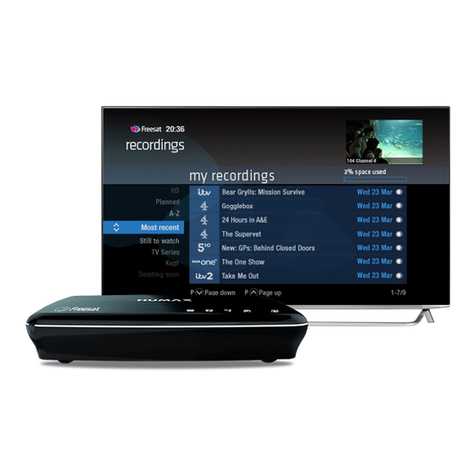
Multi tasking
Your Freesat box can record one channel
while you watch another. Or you can
record two dierent channels, and play
back a recording you made earlier.
The box will need to be connected to
the satellite dish with two cables. If you
only use one cable, this feature won’t be
available.
Pressing standby while recording won’t
stop the recording. Your Freesat box will
go into standby when the recording has
finished.
Record from when you started watching
Your Freesat box automatically saves up
to 30mins of the channel you’re watching,
even if you’re not recording.
So if you decide that you want to record
a programme part way through, press
OK TV GUIDE RECORDINGS
SHOWCASE
SETTINGS
HOME LIST
TEXT
SEARCH
BACK EXIT SUB AD
P
+P
P
-
P
INFO
R
and it will record from the point
you tuned to that channel.
Recordings
To cancel a reminder, press
OK TV GUIDE RECORDINGS
SHOWCASE
SETTINGS
HOME LIST
TEXT
SEARCH
BACK
when the prompt is on screen.
TOP TIP
15
14