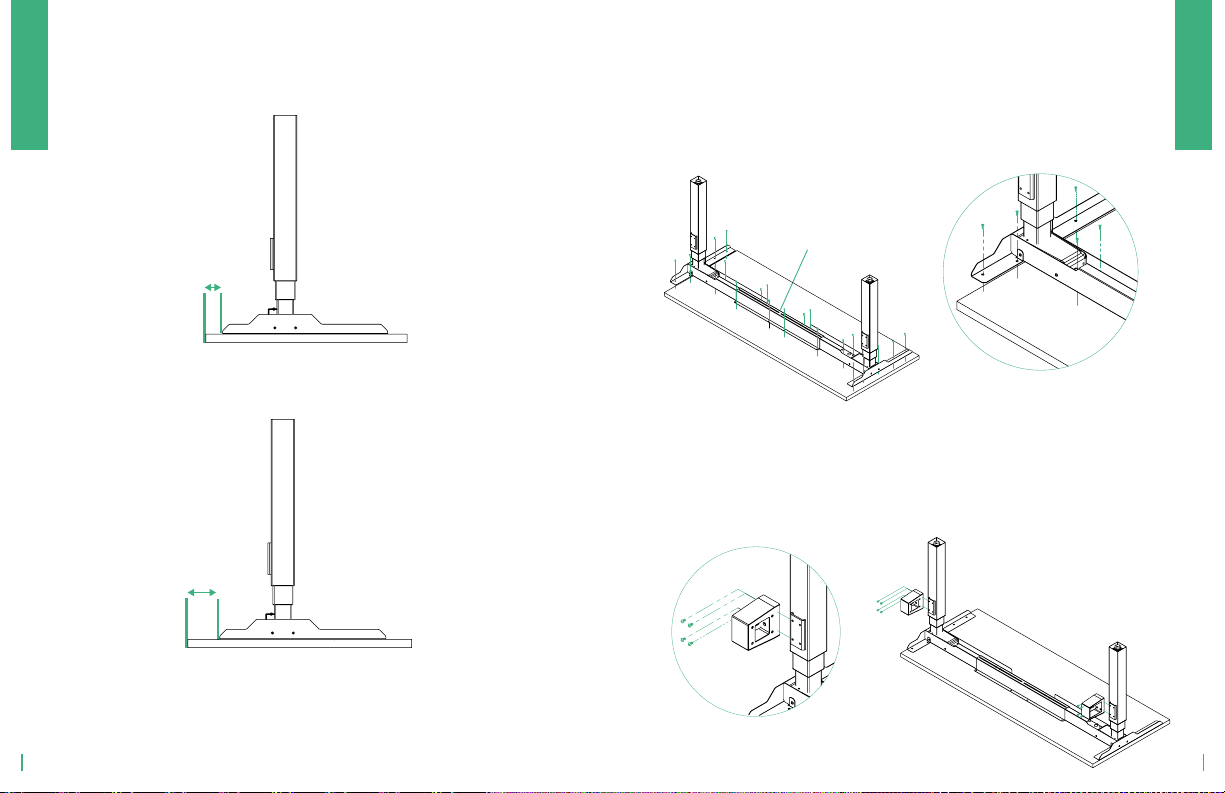
Set frame assembly upside down on floor and then place legs
inside of frame aligning the second hole of the frame with the front
of the foot.
1| SECURE LEGS TO FRAME
Note: Be sure welded brackets are facing back of workstation
Note: Longer side of bracket should face front of workstation
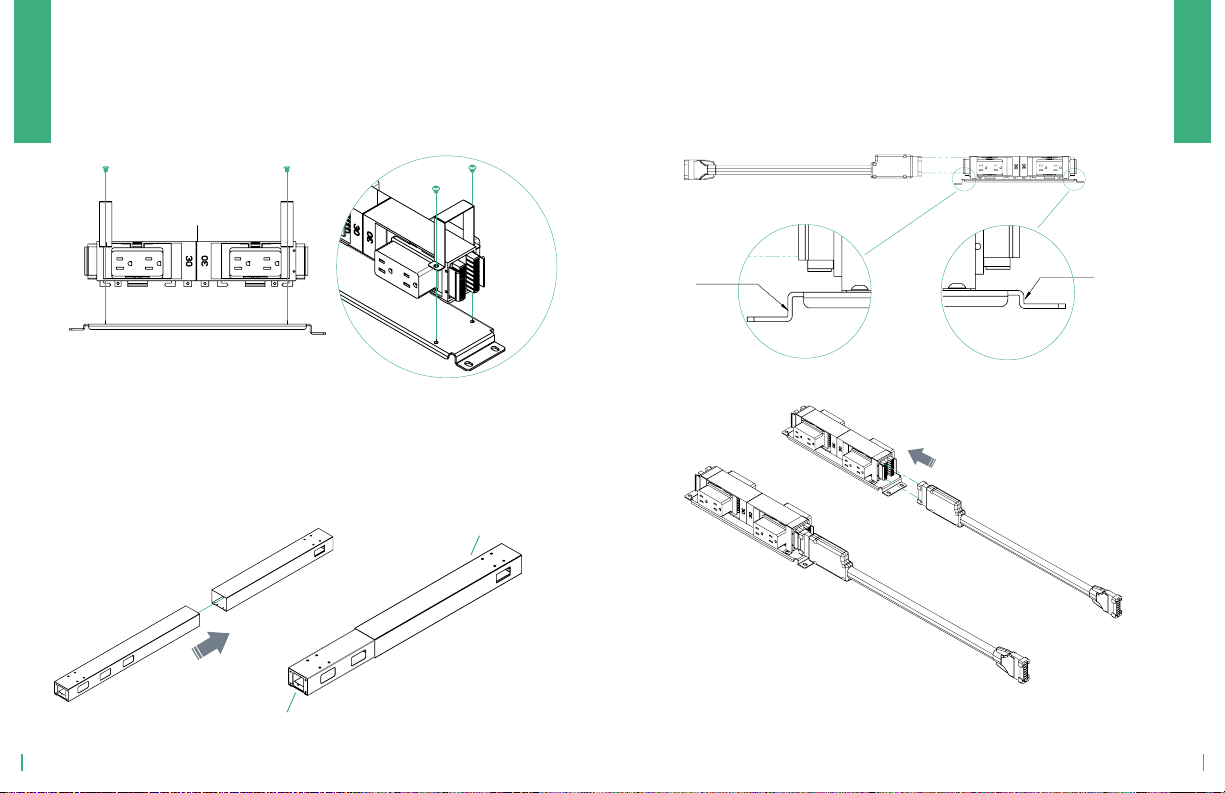
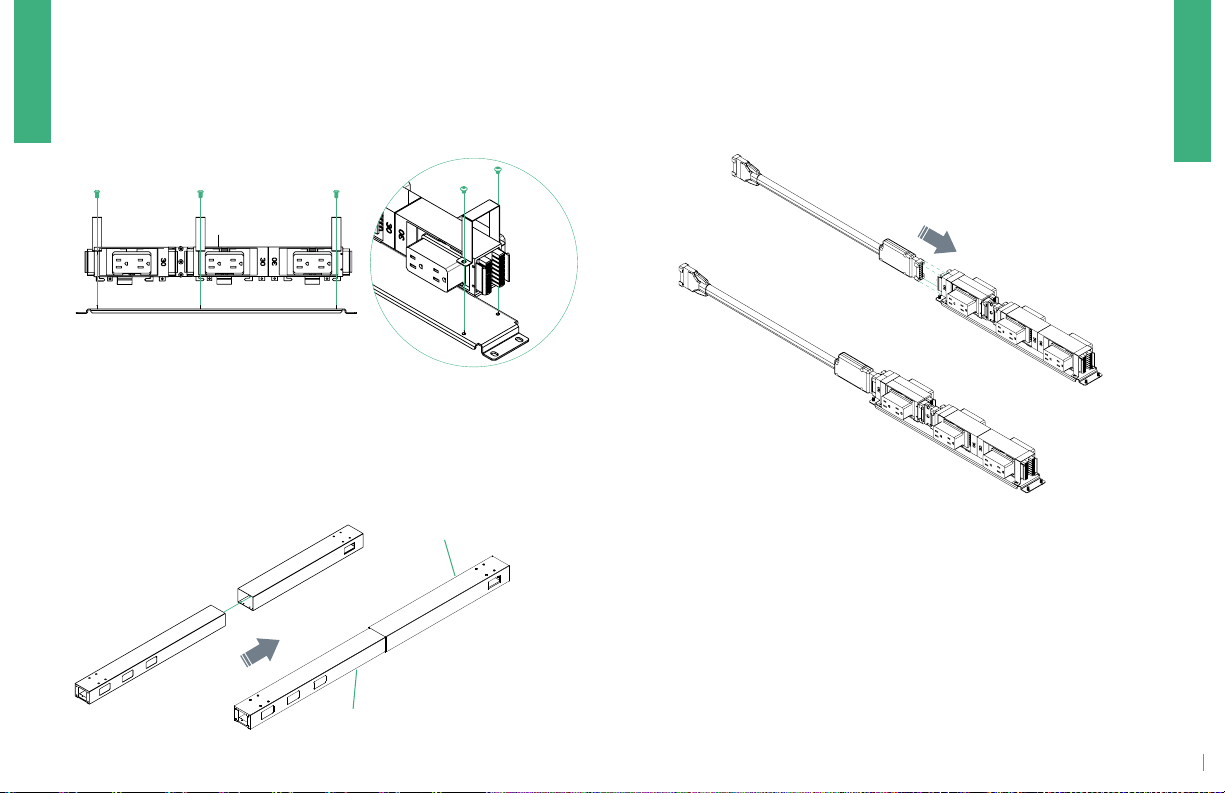
2 | CONNECT SURFACE BRACKETS
Slide bracket under frame, align pre-drilled holes of surface
bracket to main frame and secure with 4 screws each.
Front
Back
3.1 | SET WORKSTATION LENGTH
Measure from outer edges of workstation legs to determine proper
workstation length. Use the chart below to determine the length of
workstation frame.
Note: See 3.2 chart if working with option #2 surface configuration.
Surface
Width
Frame
Length (#)
48" 47.5"
54" 54"
60" 60"
66" 66"
72" 66"
#"
SPROUTPRO
SPROUTPRO
The return surface and main surface will be along the main frame.
The frame will be centered along the combined surface width.
3.2 | ALTERNATIVE CONFIGURATION OPTION
Combined Surface Width
Frame Length (#)
Surface
Width
Frame
Length (#)
66"
66"72"
78"
SIDE-BY-SIDE L-SHAPE
SIDE-BY-SIDE L-SHAPE
12 13