
Gallagher T15 Mifare Reader Black Quick start guide

Page 1
3E4237 Gallagher T15 Reader | Edion 11 | February 2022
Copyright © Gallagher Group Limited
Gallagher
T15 Reader
Installaon Note
T15 MIFARE®Reader, Black: C300470
T15 MIFARE®Reader, White: C300471
T15 Mul Tech Reader, Black: C300480
T15 Mul Tech Reader, White: C300481
T15 PIV Reader, Black: C305470
T15 PIV Reader, White: C305471
T15 PIV Reader - Mul Tech, Black: C305480
T15 PIV Reader - Mul Tech, White: C305481

Page 2
3E4237 Gallagher T15 Reader | Edion 11 | February 2022
Copyright © Gallagher Group Limited
Disclaimer
This document gives certain informaon about products and/or services provided by Gallagher Group Limited
or its related companies (referred to as "Gallagher Group").
The informaon is indicave only and is subject to change without noce meaning it may be out of date at any
given me. Although every commercially reasonable eort has been taken to ensure the quality and accuracy
of the informaon, Gallagher Group makes no representaon as to its accuracy or completeness and it should
not be relied on as such. To the extent permied by law, all express or implied, or other representaons or
warranes in relaon to the informaon are expressly excluded.
Neither Gallagher Group nor any of its directors, employees or other representaves shall be responsible
for any loss that you may incur, either directly or indirectly, arising from any use or decisions based on the
informaon provided.
Except where stated otherwise, the informaon is subject to copyright owned by Gallagher Group and you may
not sell it without permission. Gallagher Group is the owner of all trademarks reproduced in this informaon.
All trademarks which are not the property of Gallagher Group, are acknowledged.
Copyright © Gallagher Group Ltd 2022. All rights reserved.

Page 3
3E4237 Gallagher T15 Reader | Edion 11 | February 2022
Copyright © Gallagher Group Limited
Contents
1 Introducon ..................................................................................................................................... 4
2 Before you begin .............................................................................................................................. 4
3 Distance between readers ............................................................................................................... 7
4 Installaon ....................................................................................................................................... 7
5 LED indicaons ............................................................................................................................... 10
6 Accessories .................................................................................................................................... 10
7 Technical specicaons .................................................................................................................. 11
8 Approvals and Compliance Standards............................................................................................ 12
9 Mounng dimensions .................................................................................................................... 13

Page 4
3E4237 Gallagher T15 Reader | Edion 11 | February 2022
Copyright © Gallagher Group Limited
1 Introducon
The Gallagher T15 Reader is a smart card and Bluetooth® low energy technology reader. It can be
installed as either an entry reader or exit reader. The reader sends informaon to the Gallagher
Controller and acts upon informaon sent from the Gallagher Controller. The reader itself does not
make any access decisions.
The reader is available in ten variants. The supported technologies and compability for each variant is
shown in the table below.
Reader
Variant
Product
Codes
Card Technologies
Supported
NFC Access
for Android
Supported
From
Bluetooth®
Access
Supported
From
HBUS
Comms
Supported
From
Cardax IV
Comms
Supported
From
T15 MIFARE
Reader
C300470
C300471
ISO 14443A MIFARE®
DESFire® EV1/EV2*,
MIFARE Plus®, and
MIFARE Classic® cards
vEL7.80
HBUS only
None vEL7.00 vEL1.02
T15 Mul
Tech Reader
C300480
C300481
ISO 14443A MIFARE
DESFire EV1/EV2*,
MIFARE Plus, MIFARE
Classic, and 125 KHz cards
vEL7.80
HBUS only
vEL7.60
HBUS only
vEL7.00 vEL1.02**
T15 PIV
Reader
C305470
C305471
ISO 14443A PIV, PIV-I,
CAC, TWIC, MIFARE
DESFire EV1/EV2*,
MIFARE Plus, and MIFARE
Classic cards
vEL7.80
HBUS only
None vEL7.10 None
T15 PIV
Reader -
Mul Tech
C305480
C305481
ISO 14443A PIV, PIV-I,
CAC, TWIC, MIFARE
DESFire EV1/EV2*,
MIFARE Plus, MIFARE
Classic, and 125 KHz cards
vEL7.80
HBUS only
None vEL7.10 None
* MIFARE DESFire EV2 is supported from vEL7.70.
** Gallagher strongly recommends against using dual technology 125/MIFARE cards with Mul Tech
Readers for sites running pre-Command Centre v7.00 soware. From Command Centre v7.00, a site
may specify which technology a Mul Tech Reader should read o a dual technology card.

Page 5
3E4237 Gallagher T15 Reader | Edion 11 | February 2022
Copyright © Gallagher Group Limited
2 Before you begin
2.1 Shipment contents
Check the shipment contains the following items:
• 1 x Gallagher T15 Reader facia assembly
• 1 x Gallagher T15 Reader bezel
• 1 x M3 Torx Post Security screw
• 2 x 25 mm No.6 self tapping, pan head, Phillips drive xing screws
• 2 x 40 mm No.6 self tapping, pan head, Phillips drive xing screws
2.2 Power supply
The Gallagher T15 Reader is designed to operate over a supply voltage of 13.6 Vdc measured
at the reader terminals. The operang current draw is dependant on the supply voltage at the
reader. The power source should be linear or a good quality switched-mode power supply. The
performance of the reader may be aected by a low quality, noisy power supply.
2.3 Cabling
The Gallagher T15 Reader requires a minimum cable size of 4 core 24 AWG (0.2 mm2) stranded
security cable. This cable allows the transmission of data (2 wires) and power (2 wires). When
using a single cable to carry both power supply and data, both the power supply voltage drop
and data requirements must be considered.
HBUS cabling topology
The HBUS communicaons protocol is based on the RS485 standard and allows the reader to
communicate over a distance of up to 500 m (1640 ).
The cabling between HBUS devices should be done in a "daisy chain" topology, (i.e. A "T" or
"Star" topology should not be used between devices). Should "Star" or "Home-Run" wiring be
required, the HBUS 4H/8H Modules and the HBUS Door Module allow mulple HBUS devices to
be individually wired to the one physical locaon.
The end devices on the HBUS cable should be terminated using 120 ohms resistance. To
terminate the Gallagher Controller 6000, connect the supplied on-board terminaon jumpers
to the Controller. To terminate a reader, connect the orange (terminaon) wire to the green
(HBUS A) wire. Terminaon is already included at the HBUS Module, (i.e. each HBUS port is
permanently terminated at the module).

Page 6
3E4237 Gallagher T15 Reader | Edion 11 | February 2022
Copyright © Gallagher Group Limited
Connect the on-board
terminaon jumper
Controller 6000
RS485 1
HBUS
Device
"T" or "Star" circuits are
not permied between
HBUS devices
HBUS
Device
Terminate
HBUS
Device
HBUS
Device
HBUS
Device
HBUS
Device
HBUS
Device
HBUS
Device
Terminate
Remove the on-board
terminaon jumper
RS485 1
"T" or "Star" circuits are
not permied between
HBUS devices
HBUS
Device
Terminate
HBUS
Device Controller 6000
Controller 6000
H1 H4
H8
H5
HBUS
Device
Terminate
HBUS
Device
Terminate
HBUS Module
HBUS
Device
HBUS
Device
Terminate
HBUS
Device
Terminate
HBUS
Device

Page 7
3E4237 Gallagher T15 Reader | Edion 11 | February 2022
Copyright © Gallagher Group Limited
Cable distance
Cable type Cable format* HBUS
single reader
connected
using data
only in a single
cable
Cardax IV
single reader
connected
using data
only in a single
cable***
HBUS/Cardax IV
single reader
connected using
power and
data in a single
cable****
CAT 5e or
beer**
4 twisted pair each 2 x
0.2 mm2 (24 AWG)
500 m (1640 ) 200 m (650 ) 100 m (330 )
BELDEN
9842**
(shielded)
2 twisted pair each 2 x
0.2 mm2 (24 AWG)
500 m (1640 ) 200 m (650 ) 100 m (330 )
SEC472 4 x 0.2 mm2 Not
twisted pairs (24 AWG)
400 m (1310 ) 200 m (650 ) 100 m (330 )
SEC4142 4 x 0.4 mm2 Not
twisted pairs (21 AWG)
400 m (1310 ) 200 m (650 ) 150 m (500 )
C303900/
C303901
Gallagher
HBUS Cable
2 Twisted pair each 2
x 0.4 mm2 (21 AWG,
Data) and 2 x 0.75
mm2 Not Twisted Pair
(~18 AWG, Power)
500 m (1640 ) 200 m (650 ) 450 m (1490 )
* The matching of wire sizes to equivalent wire gauges are only approximate.
** Recommended cable types for opmal HBUS RS485 performance.
*** Not applicable for PIV or Bluetooth® enabled reader installaons.
**** Tested with 13.6V at start of cable.
Notes:
• Shielded cable may reduce the obtainable cable length. Shielded cable should be
grounded at the Controller end only.
• If other cable types are used, operang distances and performance may be reduced
depending on the cable quality.
• HBUS allows up to 20 readers to be connected to a single cable. Each reader requires
13.6 Vdc to funcon correctly. The cable length and the number of readers connected will
have an impact on the voltage at each reader.
3 Distance between readers
The distance separang any two proximity readers must not be less than 200 mm (8 in) in all direcons.
When mounng a proximity reader on an internal wall, check that any reader xed to the other side of
the wall is not less than 200 mm (8 inches) away.
200 mm
200 mm

Page 8
3E4237 Gallagher T15 Reader | Edion 11 | February 2022
Copyright © Gallagher Group Limited
4 Installaon
ATTENTION: This equipment contains components that can be damaged by
electrostac discharge. Ensure both you and the equipment are earthed before
beginning any servicing.
The Gallagher T15 Reader is designed to be mounted on any solid at surface. However installaon on
metal surfaces, parcularly those with a large surface area will reduce read range. The extent to which
the range is reduced will depend upon the type of metal surface.
Note: Consideraon should be given to the installaon environment when using Bluetooth® enabled
readers, as the read range may be reduced.
The recommended mounng height for the reader is 1.1 m (3.6 ) from the oor level to the centre of
the reader device. However this may vary in some countries and you should check local regulaons for
variaons to this height.
1. Use the reader bezel as a guide to drill all three holes. Drill the 13 mm (1/2 inch) diameter centre
hole (this is the centre hole for which the building cable will exit the mounng surface) and the
two xing holes.
2. Run the building cabling out through the centre hole and through the reader bezel.
3. Secure the bezel to the mounng surface using the two xing screws provided. It is important
the bezel of the reader is ush with and ght against the mounng surface. Three screw
locaons have been provided. Gallagher recommend using the outer screw locaons.
Note: It is strongly recommended that you use the screws provided. If an alternave screw is
used, the head must be no larger nor deeper than that of the screw provided.
Note: Ensure the centre hole allows the cable to run freely out through the mounng surface, so
that the reader facia can clip into the bezel.
Bezel
Building cable
No. 6 pan head screw
No. 6 pan head screw
4. Connect the reader tail extending from the facia assembly to the building cable. Connect the
wires for the appropriate reader you wish to interface, either an HBUS Reader or a Cardax IV
Reader, as shown in the following diagrams.
Note: PIV and Bluetooth® enabled readers must be connected as HBUS Readers. PIV readers
connect to the Gallagher Controller 6000 High Spec PIV (C305101) only.

Page 9
3E4237 Gallagher T15 Reader | Edion 11 | February 2022
Copyright © Gallagher Group Limited
An HBUS Reader connects to a Gallagher Controller 6000, Gallagher 4H/8H Module (aached to
a Controller 6000) or a Gallagher HBUS Door Module (connected to a Controller 6000).
A Cardax IV Reader connects to a Gallagher Controller 6000, Gallagher 4R/8R Module (aached
to a Controller 6000) or a Gallagher GBUS Universal Reader Interface (Gallagher GBUS URI).
HBUS Reader connecon: HBUS Reader terminated:
Posive Red
Negave Black
HBUS Terminaon Orange
HBUS A Green
HBUS B Brown
CDXIV TX White
CDXIV RX Blue
HBUS Reader
Posive Red
Negave Black
HBUS Terminaon Orange
HBUS A Green
HBUS B Brown
CDXIV TX White
CDXIV RX Blue
HBUS Reader
Note: To terminate an HBUS Reader, connect the Orange (HBUS Terminaon) wire to the Green
(HBUS A) wire.
Cardax IV Reader connecon:
Posive Red
Negave Black
HBUS Terminaon Orange
HBUS A Green
HBUS B Brown
CDXIV TX White
CDXIV RX Blue
Cardax IV Reader
5. Fit the facia assembly into the bezel by clipping the small lip, into the top of the bezel and holding
the top, press the boom of the facia assembly down into the bezel.
6. Insert the M3 Torx Post Security screw (using a T10 Torx Post Security screwdriver) through the
hole at the boom of the bezel to secure the facia assembly.
Note: The Torx Post Security screw needs only to be lightly ghtened.
Building cable
Facia
Reader tail
Connecon
Fit screw to secure facia to bezel
7. Removal of the facia assembly is a simple reversal of these steps.

Page 10
3E4237 Gallagher T15 Reader | Edion 11 | February 2022
Copyright © Gallagher Group Limited
Hint: Aer removal of the security screw, press the top of the facia. The boom of the facia will
exit the reader bezel.
8. Congure the reader in Command Centre. If the reader is connected as an HBUS Reader, refer to
the topic "Conguring HBUS Devices" in the Command Centre Conguraon Client Online Help.
If the reader is connected as a Cardax IV Reader, refer to the topic "Creang Readers" in the
Command Centre Conguraon Client Online Help.
5 LEDindicaons
LED (squiggle) HBUSindicaon
3 Flash (Amber) No communicaons with the Controller.
2 Flash (Amber) Communicaons with the Controller, but reader is not congured.
1 Flash (Amber) Congured to a Controller, but reader is not assigned to a door or elevator car.
On (Green or Red) Fully congured and funconing normally.
Green = Access mode is Free
Red = Access mode is Secure
Flashes Green Access has been granted.
Flashes Red Access has been denied.
Flashes (Blue) Reading and validang a PIV card. Reading a Gallagher mobile credenal.
LED (squiggle) CardaxIVindicaon
3 Flash (Amber) No communicaons with the Controller.
On (Green or Red) Fully congured and funconing normally.
Green = Access mode is Free
Red = Access mode is Secure
Flashes Green Access has been granted.
Flashes Red Access has been denied.
6 Accessories
Accessory Product code
T15 Bezel, Black, Pk 10 C300296
T15 Bezel, White, Pk 10 C300297
T15 Bezel, Silver, Pk 10 C300298
T15 Bezel, Gold, Pk 10 C300299
T15 Dress Plate, Black, Pk 10 C300324
Other manuals for T15 Mifare Reader Black
1
This manual suits for next models
8
Table of contents
Other Gallagher Card Reader manuals
Gallagher
Gallagher T12 Installation and operation manual
Gallagher
Gallagher T20 Installation and operation manual

Gallagher
Gallagher HR3 User manual
Gallagher
Gallagher T10 Quick start guide
Gallagher
Gallagher T10 Installation and operation manual

Gallagher
Gallagher HR4 User manual
Gallagher
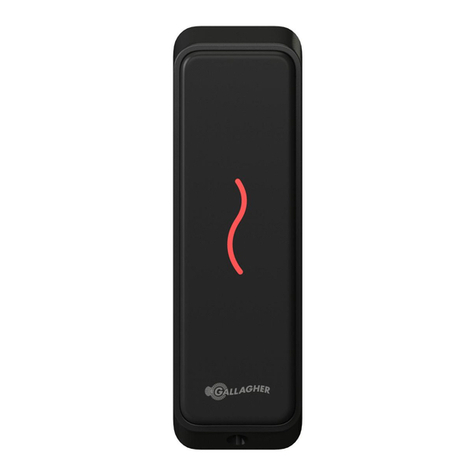
Gallagher T15 Mifare Reader Black Installation and operation manual
Gallagher
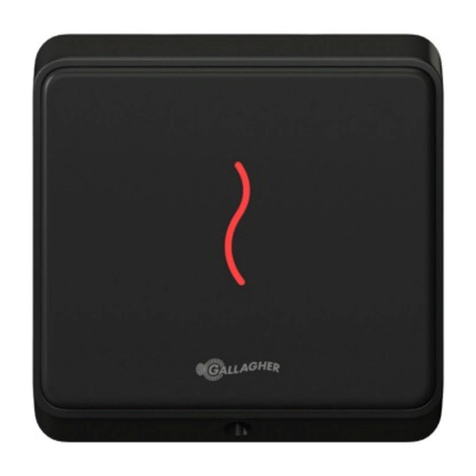
Gallagher T12 Installation and operation manual
Gallagher
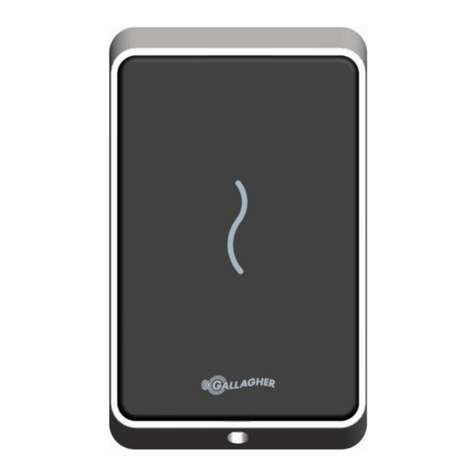
Gallagher T11 Installation and operation manual
Gallagher
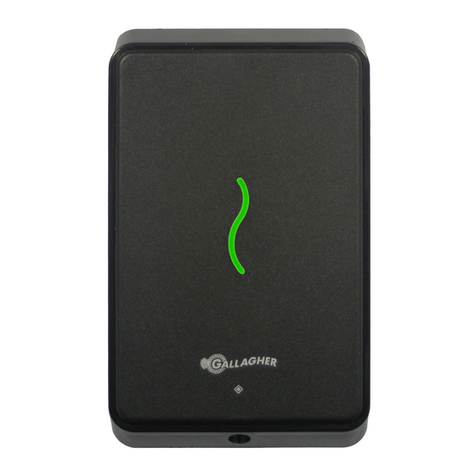
Gallagher T11 Installation and operation manual

















