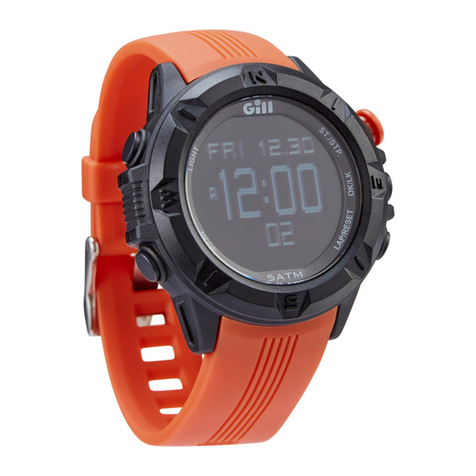
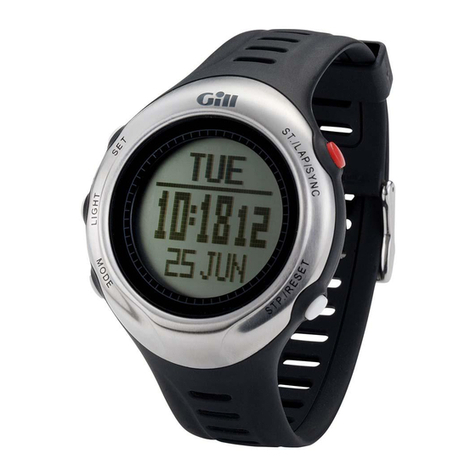
Gill Regatta Master Watch W012 User manual

Regatta Master Watch_W012
Watch Instructions

This watch comes with a 2 year warranty.
For warranty issues please contact your nearest stockist.
Proof of purchase required.

1.0 Introduction
The watch is carefully designed and produced
for outdoor activities. In order to utilize these
features of your watch, it is advisable to read
the following notes before using the watch:
- Avoid exposing the watch to extreme
conditions for an unreasonable time.
- Avoid rough usages or severe impacts to your
watch.
- Watch's case should only be opened by a
certified service agency because the Watch
contains precise electronic sensors and
components.
- Occasionally clean your watch with a soft cloth
to prolong the working life of your watch.
- Store the watch in a dry place when it is not in
use for a long time.

[S]
[L]
[M]
[S/L/S]
[S/R]
2.0 Buttons Operation Summary
Mode Button [M]
- In function modes: Press to enter to the
next modes display
- In any setting display: Press to choose
among different settings
ST./LAP/SYNC. Button [S/L/S]
- In Alarm Time Mode: Press to select the
Alarm Time between ALM1 and ALM 2.
- In Chronograph Mode: Press to start or
make a lap time.
- In Timer Mode : Press to start or
synchronize.
- In setting displays: Press to increase the
settings or hold it to increase at a high
speed.
STP./RESET Button [S/R]
- In Alarm Time Mode: Press it select the
Alarm Time ON/OFF.
- In Chronograph Mode: Press to stop or
hold to reset chronograph.
- In Timer Mode: Press to stop or hold to
reset the timer.
In setting displays: Press to decrease
the settings or hold it to decrease at a
high speed.
Set Button [S]
- In Real Time Mode, press and hold it for
about 2 seconds can enter to the time setting
display.
- In Function Mode, press and hold it for about
2 seconds can enter to the functional setting
display.
- In functional setting display, press to exit the
setting and return to the function mode.
Backlight Button [L]
- In any mode/display, press it to turn ON the
EL backlight for about 3 seconds.
Note: The button operations are summarized
as above, for detailed operating instructions,
please continue reading.

[M]
[M] [M]
[M][M]
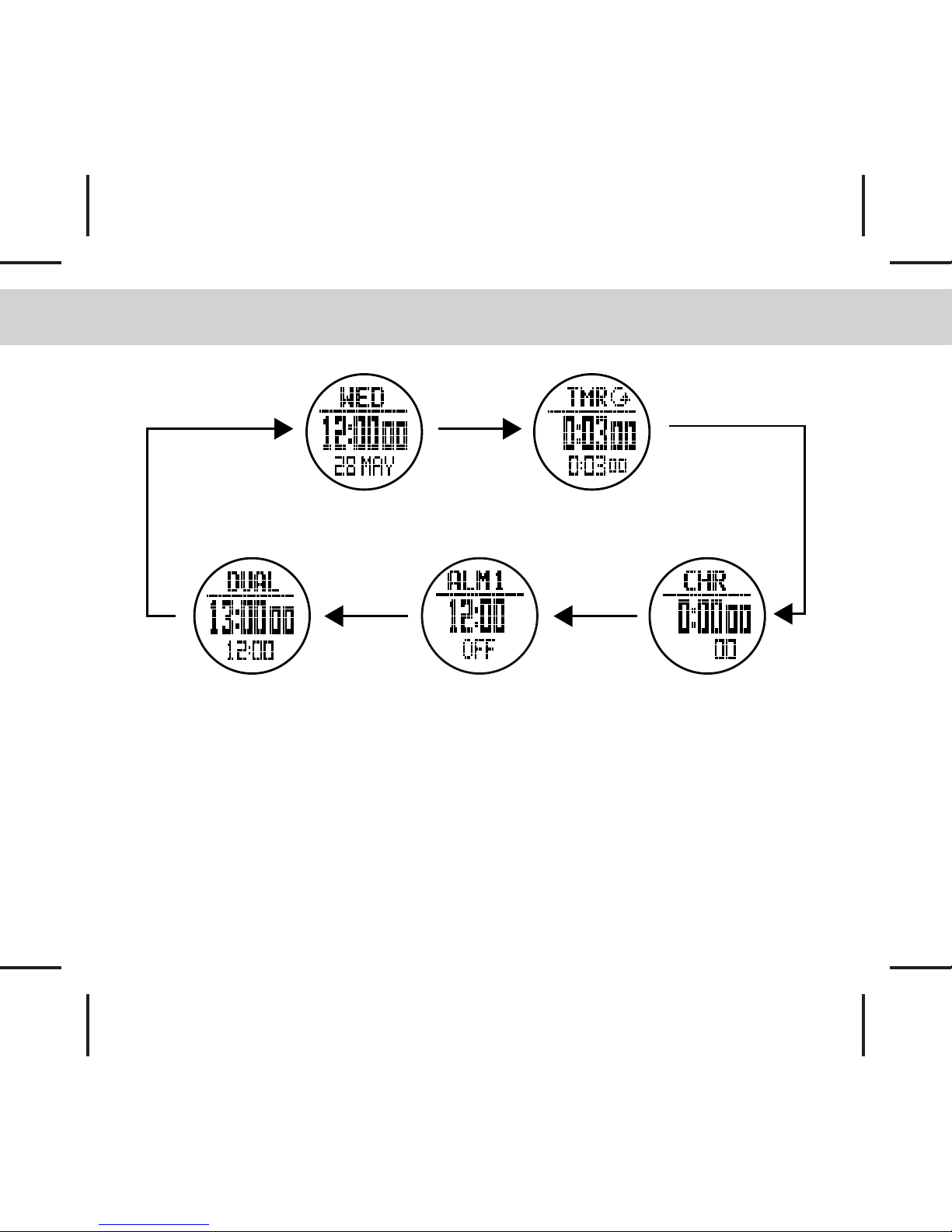
3.0 Major Function Modes
Real Time Mode
Daily Alarm ModeDual Time Mode Chronograph Mode
Timer Mode

[S]
[L]
[M]
[S/L/S]
[S/R]
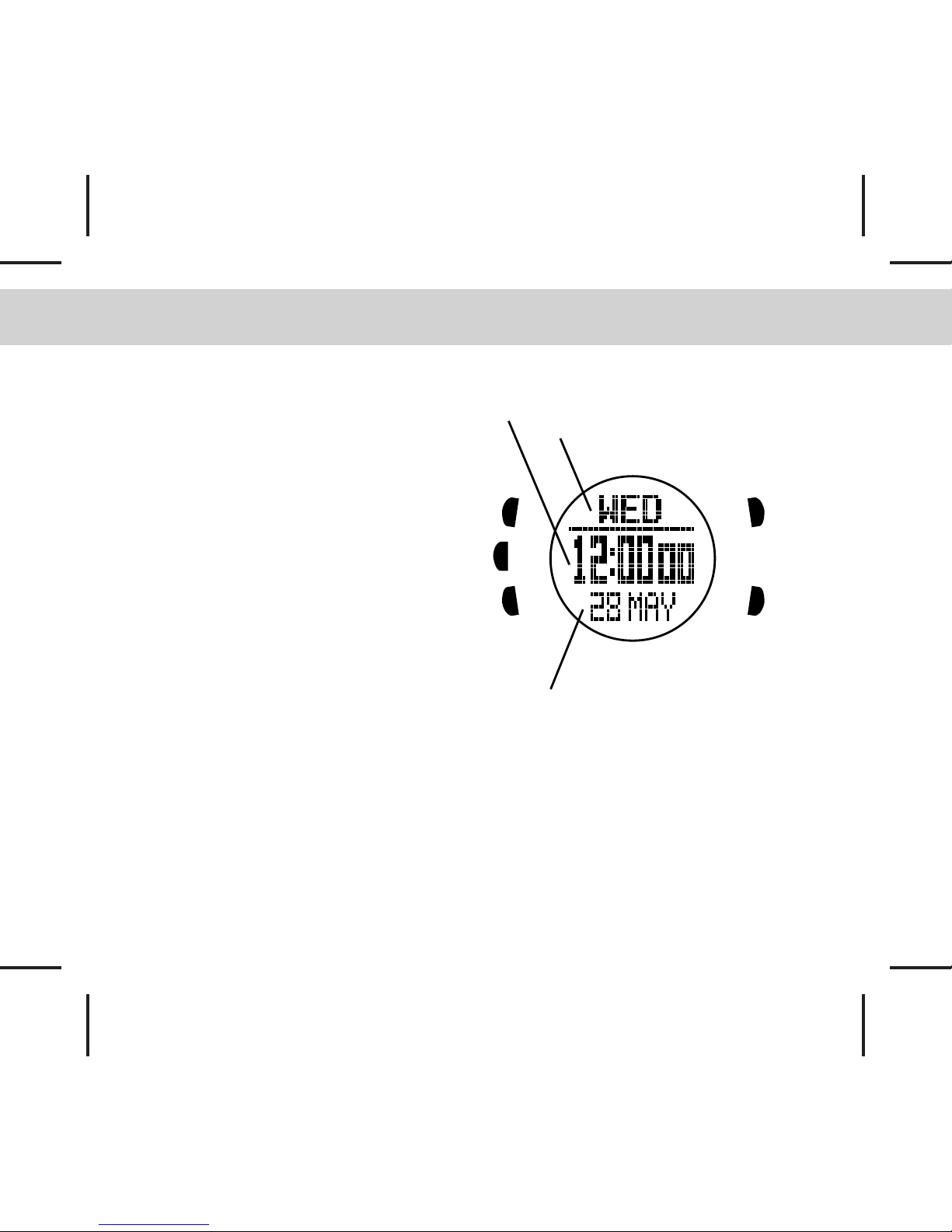
4.0 Real Time Mode
Day of Week
Real Time
Date
How to set the Real time
- To set the Real time, date, and other
settings; In Real Time Mode,press and
hold the [S] button for about 2 seconds to
enter the setting display (Firstly, the
second digits will start flashing).
The Setting Sequence
- When the second digits start flashing,
press the [M] button to move the flashing
following the setting sequence of the
diagram in next page or press the [S/L/S]
or [S/R] buttons to reset the second digits
to zero.
- When the Minute, Hour is flashing, press
the [S/L/S] button to adjust the number.
- When the Format is flashing, press the
[S/L/S] or [S/R] buttons to select the 12/24
Hr format.
- When the Year, Month, Day LCD Level is flashing, press the [S/L/S] or [S/R] buttons to adjust
the number.
- If one of the settings (Minute, Hour, Year, Month, Day and other settings) is flashing, press the
[M] button to move to the next flashing and press the [S/L/S] or [S/R] buttons to adjust the
number.
- When the Chime/Keytone ON/OFF digits is flashing, press the [S/L/S] or [S/R] buttons to toggle
it ON/OFF.
- When the setting is completed, press the S button once to exit the setting sequence. The
setting display will return to Real Time Mode automatically if there is NO Key-stroke for about
1 minute.


4.1 Real Time Mode - Setting Sequence
[M]
[M]
[M] [M]
[M]
[M]
[M]
[M]
[M]
[M]
[S] HOLD [S]
Second
Minute
Hours
Format
Chime
Day
Keytone
ON / OFF
LCD Level
Month
Year

[M]
[M]
[M]
[M]
[M]
[S]
[S]
[L]
[M]
[S/L/S]
[S/R]
5.0 Timer Mode
How to set the Timer
- In Timer Mode, press and hold [S] button for 2s, the hour will be flashing, press the [S/L/S]
or [S/R] buttons to adjust the time which you want. Press the [M] button to change the setting
item.
- When the Minute, Second digits is flashing, press the [S/L/S] or [S/R] buttons to adjust the
time.
- In SYNC setting, press the [S/L/S] or [S/R]
buttons can select between the SYNC Round
and SYNC Down. (5.1 Timer Mode - Count
Down Running for more details)
- When Alert ON/OFF is flashing, press the [S/L/S]
or [S/R] buttons to toggle it ON/OFF. (5.1 Timer
Mode - Count Down Running for more details)
Key Lock Function (not operate while timer
setting)
- Press and hold [L] button to toggle key lock
function ON/OFF, when key lock function is ON,
will be shown at button. The operation of
[S/L/S] and [S/R] button will be stopped, in order
to prevent mistaken key pressing.
HOLD [S]
The time which the timer will countdown
from (Hour, minute and second).

[S/R]
[S/R]
[S]
[S/R]
[S/R]
[S/R]
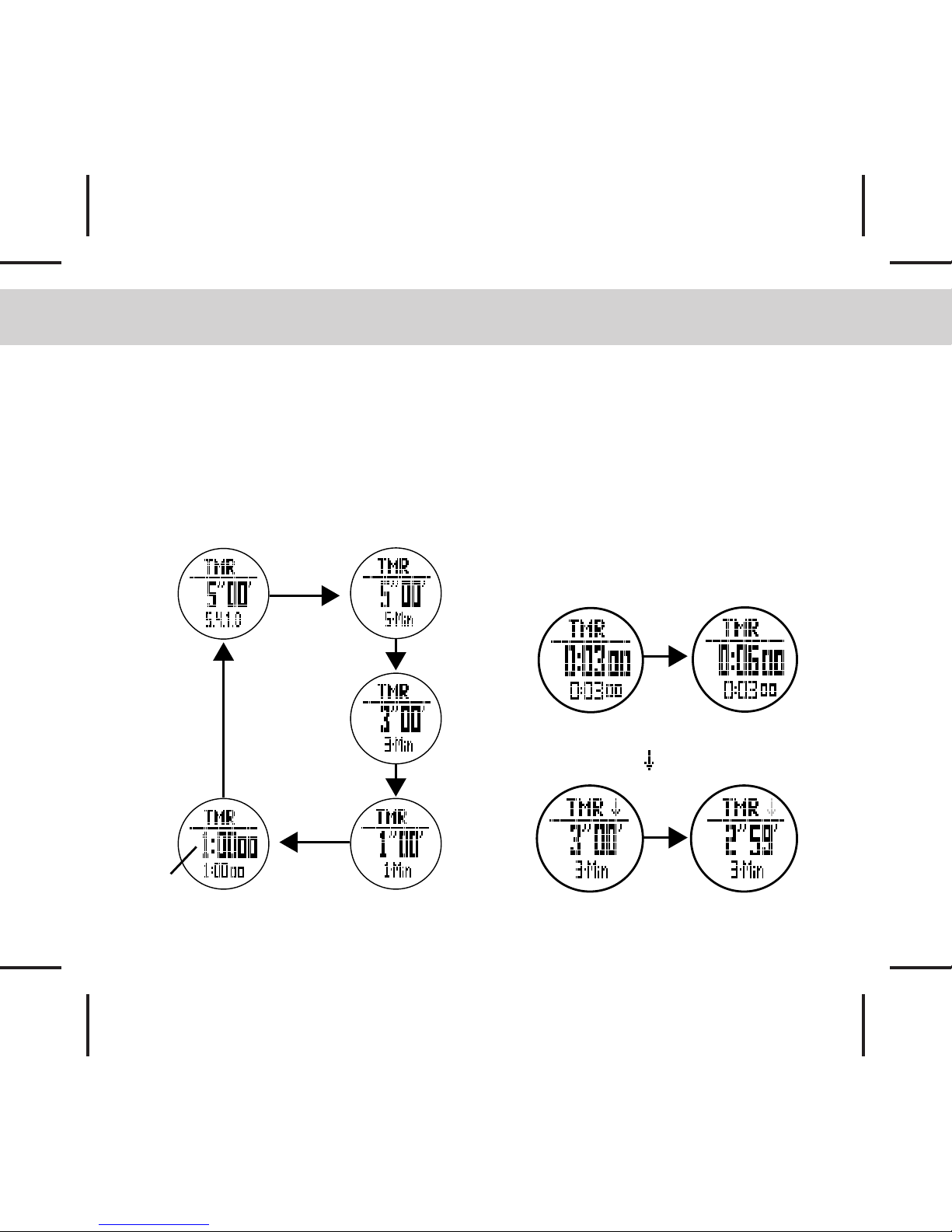
5.1 Timer Mode - Countdown Timer
Countdown Timer
Four Preset Values & One User-defined
Value
- This watch’s timer has four pre-set values:
5.4.1.0, 5-Min, 3-Min and 1-Min and one user
defined value, press [S/R] can change the
display among them.
Multiples of Present Value
- After you choose one of the present
values, you also can mutliply those
values by pressing the [S] button.
For example: If pre-set timer is 3 Min,
press [S] button once the value will
multiply one time to 6 Min, if press [S]
button twice, the value will keep multiply
two times to 9 Min... etc.
Press [S/L/S] button to start, the
countdown icon will start flashing.
*Remark:
Timer is stopped
User
Define

5.2 Timer Mode - Countdown Timer
Synchronization Function
- During timer countdown running, press
[S/L/R] button to round up the counting time.
- If the timer is in “SYNC Down” status, the
timer will round down to the next full minute.

- If the timer is in “SYNC Round” status, the
timer will round down or up to the closest
minute.

Repeat Function
- In Timer Mode, press and hold the [M]
button for about 2s, to toggle the repeat
function ON/OFF.
- When Repeat icon is on, the timer will
repeat counting among the pre-set values.
Alert Indications
- The watch will Beep once for each
minute.
- The watch will beep once for last minute
of countdown at 50, 40, 30 & 20seconds,
and it will beep once for each second of
last 10 seconds; Long beep for 3s when
reach zero.
- The watch will keep silent when the Alert
has been set to OFF.
- For 5.4.1.0 sequnce, two beeps will be
heard at minutes 4 and 1.
Countdown display from the
last 59 seconds to 1 second
shows in big digits.
Repeat on icon
Table of contents
Other Gill Watch manuals
Popular Watch manuals by other brands

Casio
Casio QW 5513 Operation guide

Piaget
Piaget 560P Instructions for use

Armitron
Armitron pro sport MD0346 instruction manual

West Marine
West Marine BlackTip 13411293 Instruction Booklet and Care Guide

Jaeger-leCoultre
Jaeger-leCoultre HYBRIS MECHANICA CALIBRE 184 manual

FOREVER
FOREVER iGO PRO JW-200 user manual