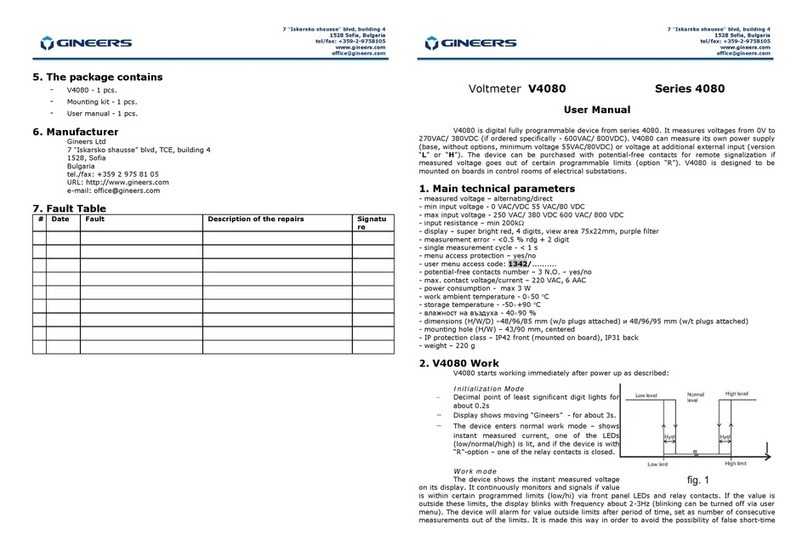
normal limits, the current must be within the limits plus programmed hysteresis value, as shown on
fig.1. There is no time delay when returning to “within limits” mode.
AM4080 programming
AM4080 can be programmed via user menu. The user can enter in the menu by pressing the
“OK” key when the device is in normal working mode. IT IS FORBIDDEN to press any key when the
device is in initialization mode! If AM4080 is with option “С” (АМ4080C), the menu requires user code ;
the display shows ‘uSEr’, until “OK” key is depressed. After that the display shows “codE” and the device
waits for four-digit user code to be entered. If the entered code is valid, then the user is allowed to the
menu; and if the code is invalid, the user cannot have access to the menu and the device returns back
to normal working mode. Entering the code is basically four-digit parameter edit (see below). If the
device is without option “C”, user code is not required and the user is allowed to the menu, the display
shows the first parameter in the menu (diSP).
User menu parameters:
-nominal (primary) current (diSp)
This is the value the display shows at nominal input current, i.e. this parameter along with the
next (decimal point position) determine the nominal input current when current transformer is
used (set '1000' if the connection is direct).
-decimal point position (dP)
-low level (Lo)
Below this level of input current AM4080 signals for value below limits – with LED and relay
-high level (Hi)
Over this level of input current AM4080 signals for value above limits – with LED and relay
-display blinking when value is outside programmed limits (bLin)
turns on/off display blinking if the value is outside programmed limits
-hysteresis (HYSt)
This is the difference between current entering and exiting “value outside limits” mode ad
signalization
-signalization delay (rdEL)
This is the number of consecutive measurements before the device signals that the current is
outside programmed limits
When entering user menu the display shows “diSP” – the first parameter in the menu. Other
parameters can be chosen by pressing ‘Ò’ key, and editing the chosen parameter can be done by
pressing ‘ОК’ key. Exiting the menu can be done only if parameter is not edited at the moment
(i.e. the user can exit the menu only when choosing parameter to edit) by pressing and holding ‘Ò’
key and briefly pressing ‘OK’ key when 'Ò’ is pressed. After exiting the menu AM4080 continues to
work normally.
IMPORTANT: When the device is in the menu, it does not measure input value and
therefore does not alarm if the value is – or it is not – within the programmed limits. All
of the signals remain as they were prior entering the menu!
Parameter editing – if the parameter is chosen by ‘Ò’ key, with ‘OK’ key the user can edit
the parameter. If the parameter has several digits to be entered, with both the keys the digits are
edited one by one: after entering “parameter edit” mode the display shows the current value of the
parameters and the most significant digit is blinking. Blinking of the digit means that it is the current
edited digit, and pressing ‘Ò’ key increments it with 1. After reaching ‘9’ incrementing the digit resets its
value to '0'. Pressing ‘OK’ key confirms the value of this digit and goes to the next digit, which now
blinks. After confirmation of the last digit the parameter is saved and the user goes back to the menu to
select another parameter to edit.
If the parameter to edit has several values or options, then with ‘Ò’ key the user can go round
all the options/values and when selects the correct one, confirms it with the ‘OK’ key and goes back to
the menu.
This table shows the factory default settings and limits for all the parameters in the menu:
Parameter(submenu) Display Limits Default value
Nominal primary current diSP 0000-9999 1000
Decimal point position dP 1.000-1000 10.00
High level Hi 0000-9999 1200
Low level Lo 0000-9999 0800
Display blinking bLin on/oFF On
Hysteresis HYSt 0000-0099 0010
Relay delay rdEL 0000-0099 0008
3. Mounting and
electrical connection
АМ4080 should be mounted
on board with opening 43x90mm with
mounting kit, supplied with the device.
All connections must be made with
isolated cables with cross sectional area
of 0.75mm2÷2.5mm2. The connections
are shown on the next figure:
С1 ‘Power'
No Description
1, 3 Power supply
2 Not used
Input current'
No Description
1 Input current, minus /shunt input minus
2 Не се използва
3 Input current, plus /shunt input plus
С3 'Relays'
No Description
1,2 NO-contact “high value”
3,4 NO-contact “normal value” (value within limits)
5,6 NO-contact “low value”
IMPORTANT: Only qualified personnel, familiar with safety instructions and this user manual
should be allowed to work with AM4080!
4. Warranty
The warranty of the device is limited to two years from the date of sale. If the device shows
any defect or malfunctions during that period, the manufacturer is obligated to repair the device in its
own service for manufacturer's expense, or, if the repair is impossible, to replace the device with new
one. The transportation costs to the manufacturer's service are due to the client. The warranty voids if
this manual instructions are not met, warranty seals are removed or the device was opened by
unauthorized by the manufacturer personnel.
Serial number:.................... Date of sale:........................
Signature:...........................
11
33
22123456
C1 C2 C3
POWER
55-250Vac
80-350Vdc
INPUT
0-10AAC/ADC
HI
NC
NORM
NC
LO
NC