RECIPES 20 WARRANTY 21
RECIPES Ginnys.com • 1.800.544.1590 2120
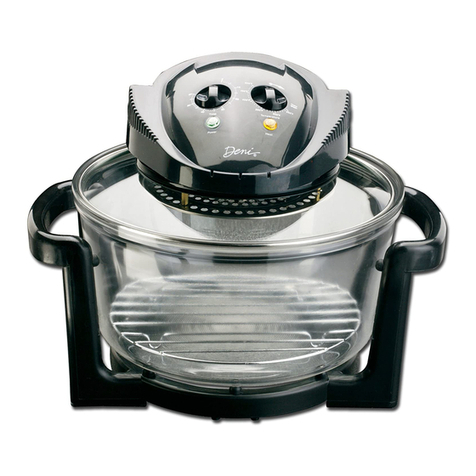
Hand cleaning
1. Unplug the oven and allow it to cool completely before performing
any cleaning or maintenance.
2. Once glass bowl has cooled completely, clean all parts thoroughly
with warm soapy water and a damp cloth. The glass bowl and racks
are dishwasher safe.
3. To clean the fan cover, remove the screw and take the cover off to be
washed in warm water with gentle detergent. Allow to dry completely
before re-assembling.
NOTE: Spraying the bowl and racks with cooking oil prior to cooking
may make cleaning easier.
CAUTION:
• Never immerse the lid, cord, or plug in water or other liquid.
• If scrubbing is necessary, use a nylon or polyester mesh pad.
• Do not use a steel wool pad or abrasive material.
• Never use solvents or cleaning powder.
• Do not allow liquids to seep inside of the operating mechanism
located on the underside of the lid.
CARE & CLEANING
PROBLEM OVEN WILL NOT TURN ON
Solution • Make sure the power cord is plugged in.
• Check, by connecting another appliance, that the
outlet is working properly.
• Check that the thermostat is set to desired
temperature. Make sure the timer as been set. If you
select a temperature, but do not set the timer, the
oven will not turn on.
• Make sure the handle has been pushed all the way
down until it clicks into place.
PROBLEM OVEN WILL NOT HEAT UP
Solution • Check the thermostat to see if it is set to the correct
temperature.
• Make sure the timer has been set. If you select a
temperature, but do not set the timer, the oven will
not turn on.
PROBLEM I AM NOT SURE WHAT TYPE OF COOKING VESSEL
CAN BE USED IN THE HALOGEN OVEN
Solution • Any cooking vessel that is safe to use in a regular
oven is also safe in this halogen oven. If unsure,
check the cookware’s manual or contact the
manufacturer. Be sure to allow 1” to 1-1/2” air space
around any cooking vessel. Cookware with plastic
parts should not be used in any oven.
PROBLEM THE MAIN LIGHT INSIDE THE OVEN TURNED OFF
Solution • When the oven reaches the desired temperature, the
interior light will turn off. This is normal. It will turn off
when the selected temperature is reached, and cycle
on and off during the cooking cycle. The light will
only turn on when the temperature is lower than the
one selected.
• Turn the knob to the maximum temperature level.
PROBLEM THE OVEN SMOKES
Solution • The appearance of a small amount of smoke is
normal during the rst few uses. If after a few uses,
it is still smoking, unplug the unit and wipe excess
grease from the underside of the lid and metal
screen.
TROUBLESHOOTING
Ginnys.com • 1 • 800.544.1590 TROUBLESHOOTING
14 15
Self-cleaning - ‘Wash’ setting
This oven has a special self-cleaning setting labeled ‘Wash’ on the
temperature control knob, which may be used to clean the glass bowl:
1. Remove excess food and drain away liquids from the glass bowl.
2. Add approximately 1/2 inch of warm water into the glass bowl with a
squirt of dishwashing liquid. Replace the glass lid and turn the
temperature control to ‘Wash’.
3. Set the time control to 10 - 15 minutes, depending on how much
residue is on the glass bowl.
4. The combination of heat, the swirling motion caused by
the fan and the dish liquid will clean the glass bowl quickly and
efciently. The cooking racks may also be left in the glass bowl, when
using the wash setting, to soften any stuck-on residue.
5. Allow the oven to cool.
6. You may still need to use a sponge or scrub brush to remove
stubborn deposits before rinsing and wiping dry.
STORAGE
1. Allow the appliance to cool completely before storing. Store the
appliance in a cool, dry location and cover to protect from dust.
2. Do not place any heavy items on top of this appliance during storage.
3. Place the lid upside down in the bowl for more compact storage.