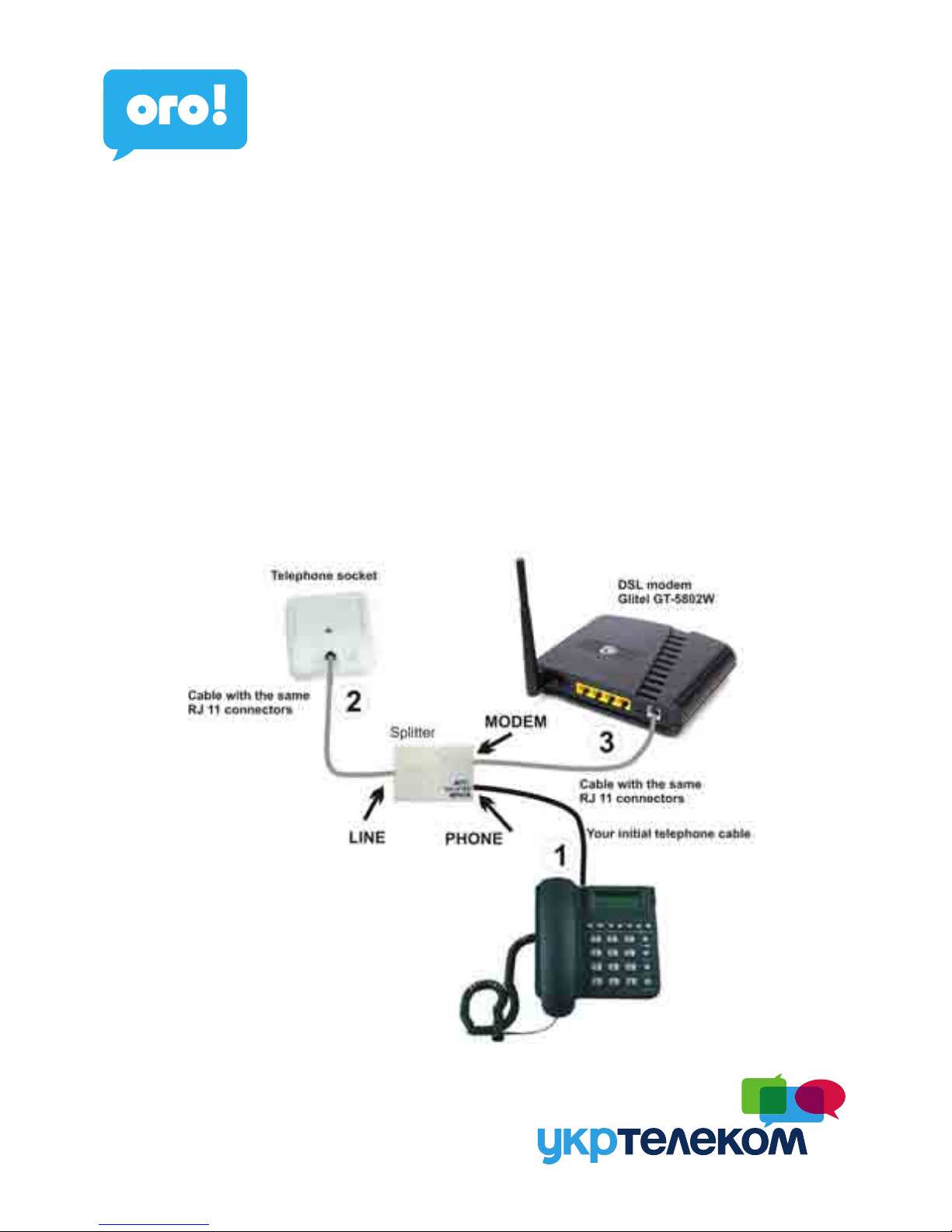
Before installation check the functionality of your traditional telephone or ISDN
line, functionality of network card in your PC and check the content of the package.
We assume no responsibility for the proper installation of the operating system and
secure your PC against security threats associated with the use of the Internet,
before connecting the PC to the Internet so you should install on your computer
appropriate security programs.
More informations can be obtained on Internet Hotline.
Your PC must meet the following minimum requirements:
Windows 98SE/2000/ME/NT/XP/Vista/Windows 7, Linux, Mac OS, network card
10/100/1000 Mb, Internet Explorer 5.5 or newer
If you are even following the procedure in this guide can not connect the internet,
we recommend to reset modem with button „RESET“ on the back of the modem.
Reset of modem Glitel GT-5802W with button RESET
a) Switch off DSL modem with button ON/OFF (button set to state OFF)
b) On the back of DSL modem find the hole, over is marked „RESET“. Push, for
example with ballpoint pen tip into the hole (which is also a reset button) and hold
throughout the process.
c) While holding the button „RESET“, switch on the DSL modem with button
ON/OFF (button set to state), but still hold pressed the button „RESET“ min. 10
seconds.
You have made a complete reset and your modem has factory settings:
1. IP address 192.168.1.1
2. User name: admin
3. User password: adslroot
After reseting modem has been cleared all your settings and also your login infor-
mation. Is therefore necessary to put them again as described in 1. page 6.
Warning: