globalspecialties.com
Global Specialties
6
Operating Instructions
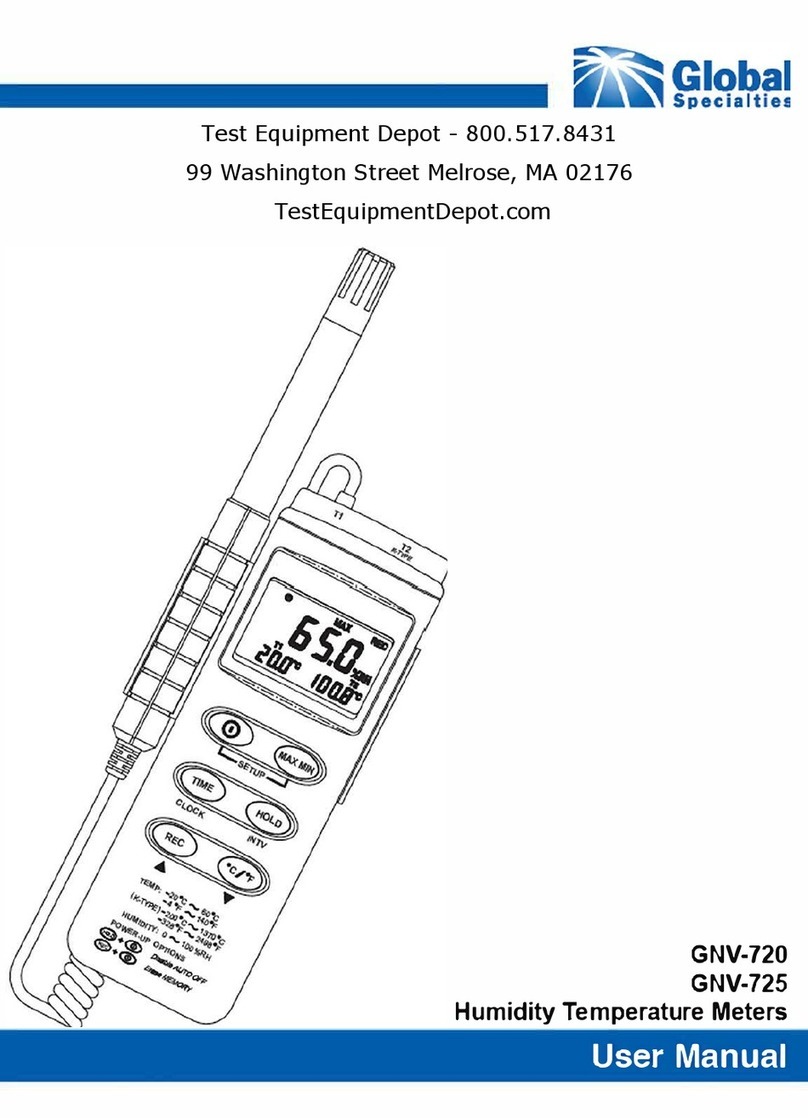
• Press the power button to turn the Humidty Temperature Meter ON or
OFF. Upon power up, the available memory will be displayed (GNV-
725).
• To measure the ambient temperature and humidity place the meter
within the desired environment and press the power button.
• To measure with the “K” type thermocouple, first insert the plug portion
into the channel labeled “T2” at the top of the meter. Then position the
bead on the object under test and press the power button.
• To switch the temperature scale, press either the ˚C or ˚F button.
• To hold the current reading, press the HOLD button. To release this
value, press the HOLD button again.
• To view the maximum or minimum values, press the MAX MIN button.
The maximum value is displayed while MAX is showing and the
minimum value is displayed while MIN is showing. The maximum and
minimum values will both be displayed while MAX and MIN are both
blinking. To exit this mode, simply hold the MAX MIN button for two
seconds.
• To view the change in values press the ∆REL button. This uses the
current value as reference then takes the difference with all subsequent
values and then displays it.
• The auto power off function is the default setting and turns the meter
off after 30 minutes in the absence of button presses or RS-232
communication. This can be disabled by pressing and holding rst the
HOLD button and then the power button together until you hear two
beeps. The
will no longer be displayed indicating the meter will not
turn off automatically anymore.
• Replace the battery once the
symbol is displayed.
• The digital output is a 9600 bps N 81 serial interface.
Data Logging
• To initiate data logging press the REC button. Pressing the REC button
again will stop recording. To clear the memory, rst power the meter off.
Then, while holding the REC button, press the power button. Release
both buttons and “CLR” will be displayed to show that the memory has
be cleared.