GMC Infotainment System (GMNA-Localizing-2.6-U.S./Canada-12680691) -
2019 - CRC - 3/28/18
Introduction 7
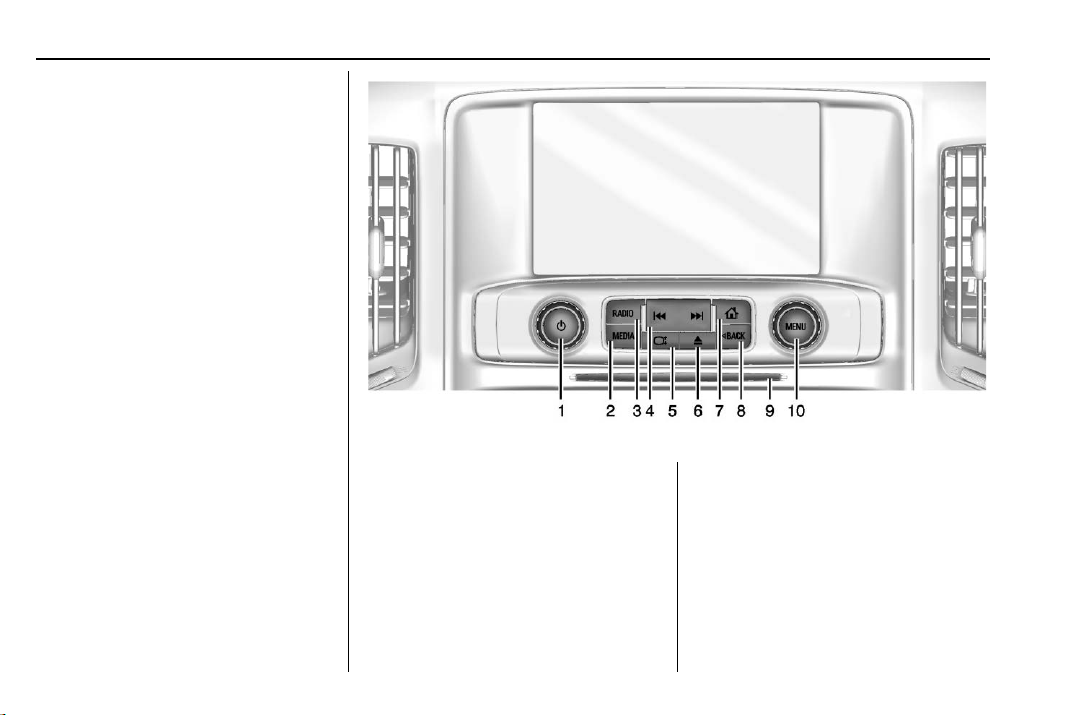
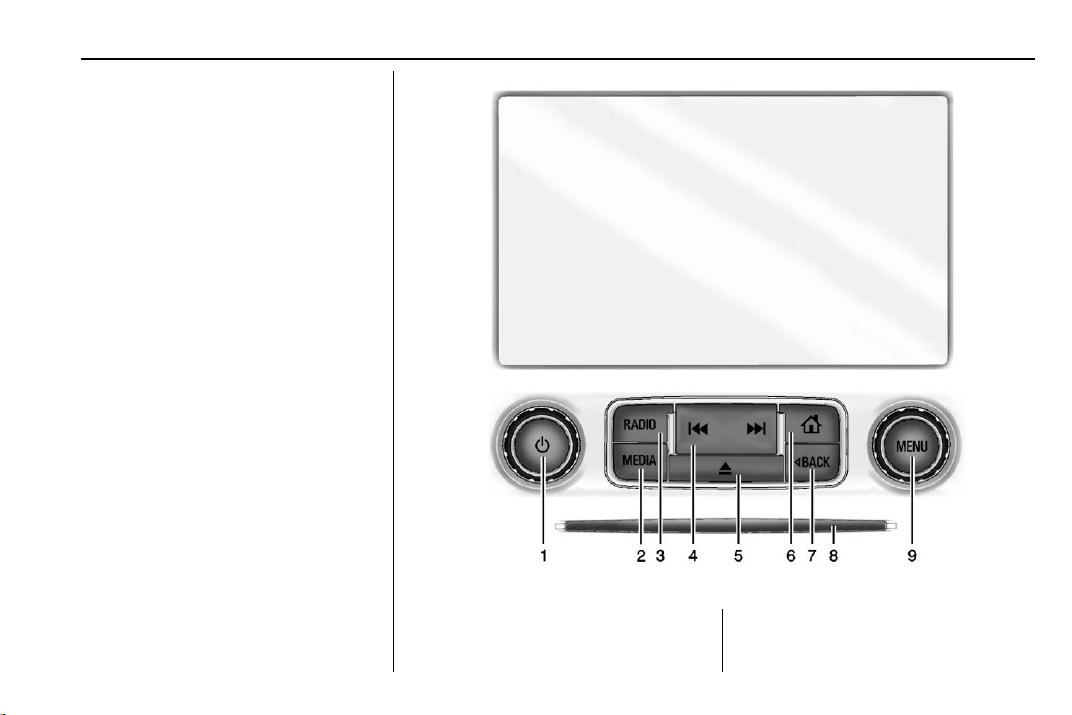
{:Press to go to the Home Page.
See “Home Page”later in this
section.
RADIO : Press to change the audio
source to AM, FM, or SXM,
if equipped.
MEDIA : Press to change the media
source to CD (if equipped), USB,
Bluetooth, or AUX.
MENU : Turn the knob to highlight a
feature. Press to activate the
highlighted feature.
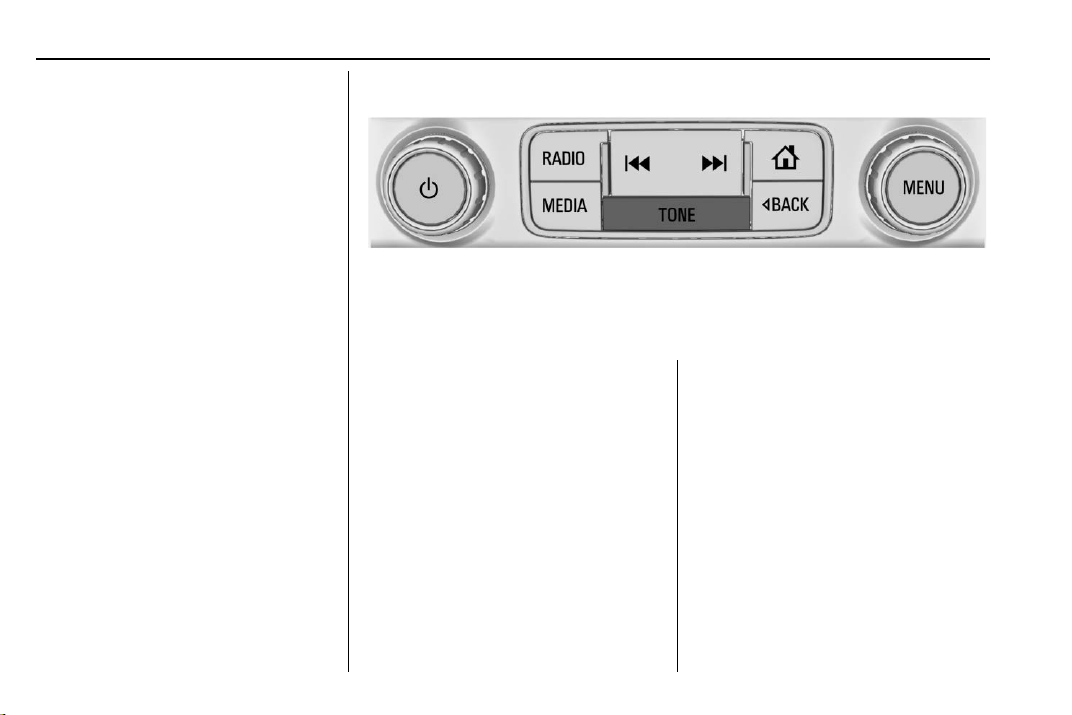
TONE : If equipped, press to adjust
the Bass, Midrange, Treble,
or Surround, if equipped. See
AM-FM Radio 013.
g:
.AM, FM, or SXM, if equipped:
Press to seek to the previous
strong station. See AM-FM
Radio 013.
.CD (if equipped), USB, AUX,
or Bluetooth Audio: Press to
seek the beginning of the current
or previous track.
.CD (if equipped), USB, AUX,
or Bluetooth Audio: Press
and hold to quickly reverse
through a track. Release to
return to playing speed. See CD
Player 019, if equipped, USB
Port 021,Auxiliary Jack 025,
or Bluetooth Audio 025.
d:
.AM, FM, or SXM, if equipped:
Press to seek the next strong
station.
.CD, if equipped, USB, AUX,
or Bluetooth Audio: Press to
seek the next track.
.CD, if equipped, USB, AUX,
or Bluetooth Audio: Press and
hold to fast forward through a
track. Release to return to
playing speed. See CD Player
019,USB Port 021,Auxiliary
Jack 025, or Bluetooth Audio
025.
oBACK : Press to return to the
previous display in a menu.
Home Page
The Home Page is where vehicle
application icons are accessed.
Some applications are disabled
when the vehicle is moving.
The Home Page can be set to have
up to five pages with eight icons
per page.
Touch hor kto access the pages of
icons.
h:Touch to go to the previous
Home Page.
k:Touch to go to the next
Home Page.
l:Touch the interaction selector
to display the favorites.