4 308-092
Operation
WARNING
MOVING P
ARTS HAZARD
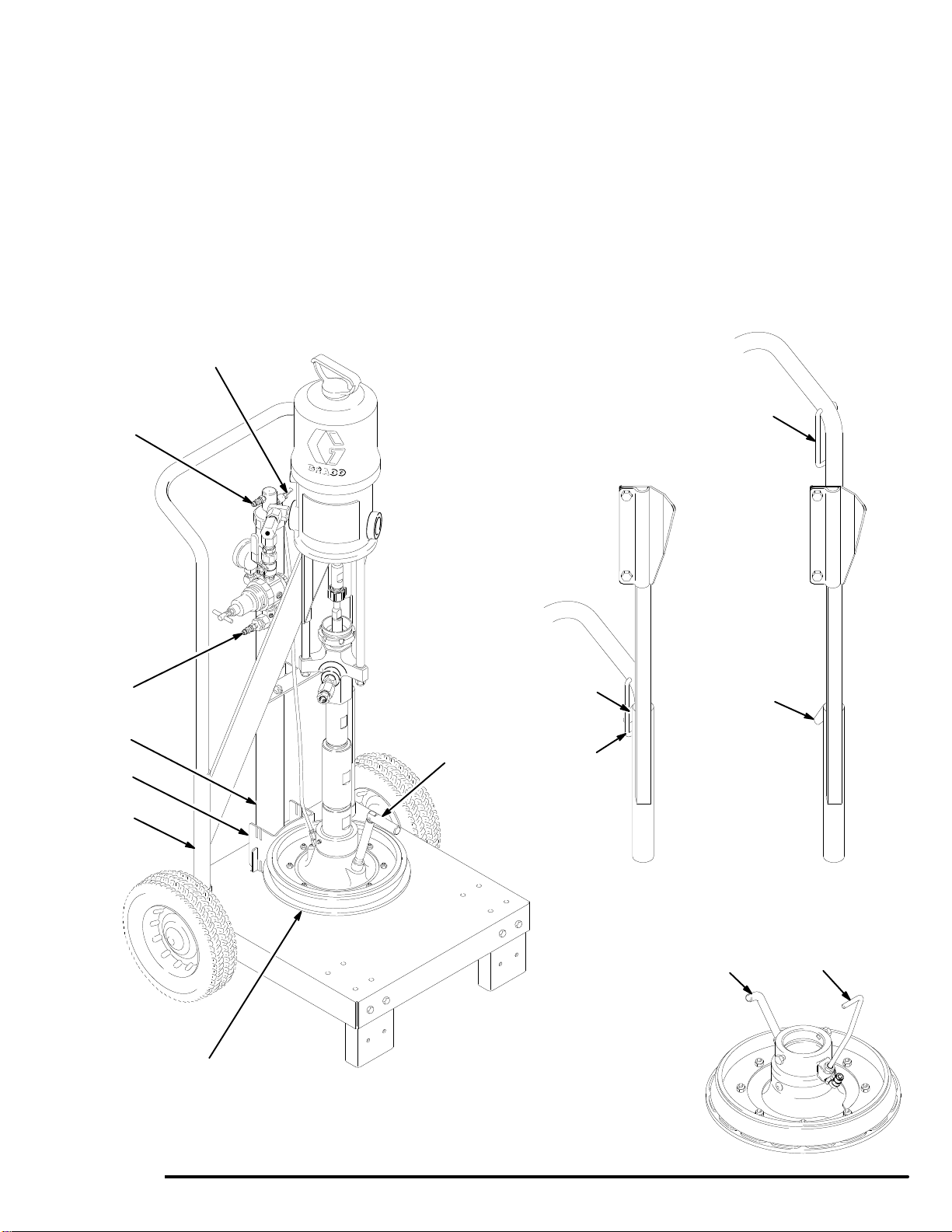
The elevator tube (F) and frame slides
(G) move up and down when the eleva
-
tor is in operation, and can pinch fingers
or hands caught between them and the cart frame.
Keep your hands away from the elevator tube,
frame slides, and the frame of the cart when the
elevator is in operation. See Fig. 2.
The wiper plate (K) moves downward as the eleva
-
tor is lowered, and can pinch or amputate fingers or
hands caught between it and the lip of the fluid
container
. Keep your hands away from the wiper
plate and the lip of the fluid container when the
elevator is in operation. See Fig. 2.
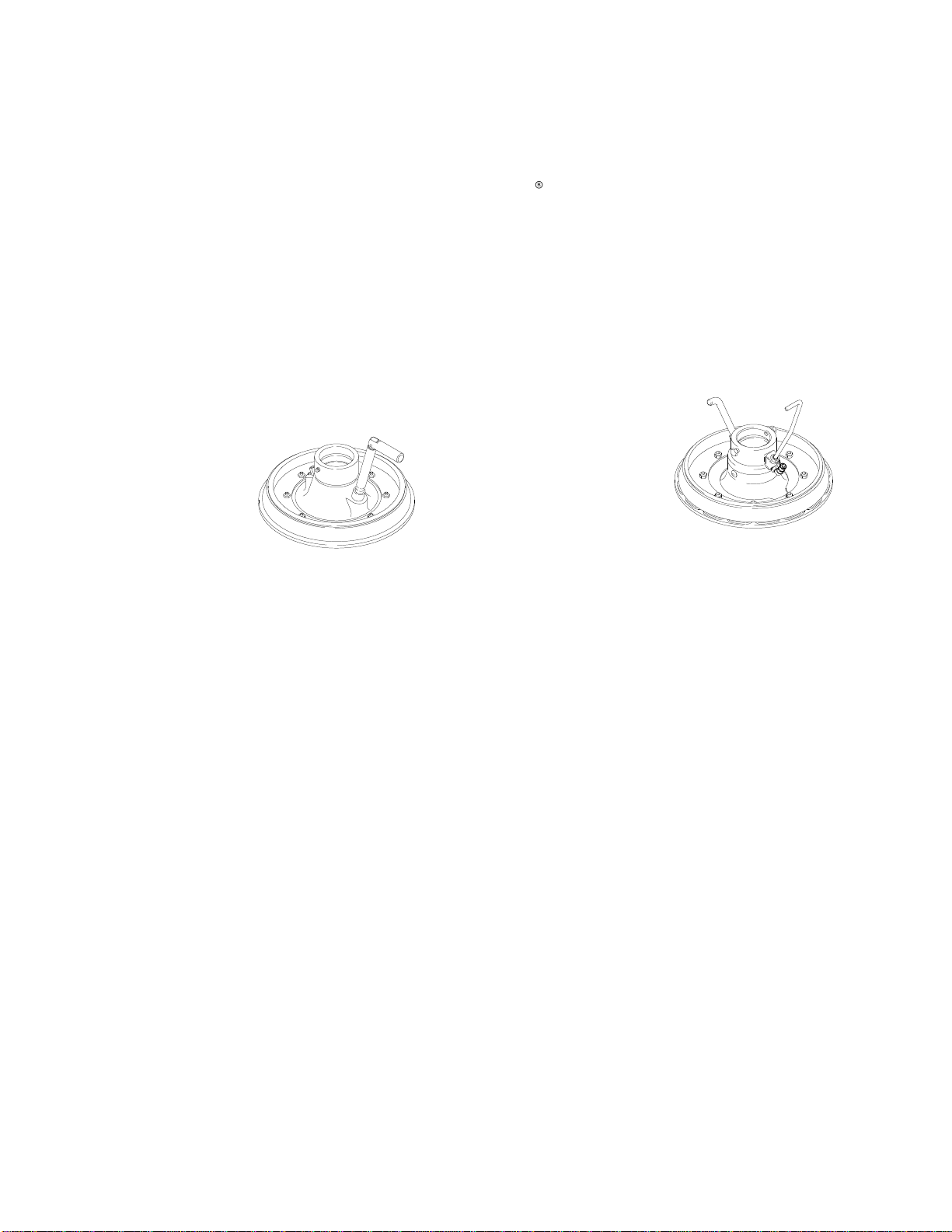
Wiper Plates 222–812 and 222–909
Wiper
plates 222–812 and 222–909 are shipped for
use with straight-sided pails on a 19 liter (5 gallon)
ram. The plates must be modified for use with this
pneumatic elevator cart, or for use with tapered pails.
Refer to the separate wiper plate manual 308–049 for
details.
Raising the Elevator and Positioning the
Pail
NOTE: T
o ensure smooth operation of the elevator
,
grease the vertical portions of the cart handle so the
frame slides (G) move up and down easily
.
1.
Disconnect the female quick coupler from the
pump air inlet fitting (L) and connect it to the air
inlet fitting (3n) on the elevator
. T
urn on the main
air
. See Fig. 2.
2.
Raise the elevator to its maximum height, so the
hanger (H) on the cart handle is below the hook (J)
on the elevator frame.
3.
Place a 19 liter (5 gallon) pail of fluid on the base
of the cart. Slide the pail back against the pail stop
(15). The pail stop is adjustable to four positions,
to properly align the pail with the wiper plate (K).
4.
Make the fluid surface concave by scooping fluid
from the center of the pail to the sides.
Lowering the Elevator
1. Pull
the hanger (H) upward and hold it firmly
against the handle of the cart. Disconnect the
female quick coupler from the elevator air inlet
fitting (3n) and connect it to the pump air inlet
fitting (L). After a short delay
, the weight of the
pump will cause the elevator to move downward.
Continue to hold the hanger (H) against the cart
handle until the hook (J) on the frame is low
enough to prevent it from engaging the hanger
.
See Fig. 2.
2.
If necessary
, push down on the top of the pump to
help the wiper plate (K) enter the pail. When the
wiper plate enters the pail, open the wiper plate
vent (M) and leave it open until fluid appears at the
vent hole. Close the vent.
3.
Start the pump as explained in the separate pump
manual.
4.
When the pail is empty
, change pails as follows.
Changing Pails
To
raise the pump out of an empty pail:
WARNING
T
o reduce the risk of serious injury whenever you
are instructed to relieve pressure, always follow the
Pressure Relief Procedure
in your separate pump
manual.
1.
Stop the pump.
Relieve the pressure.
2.
Set the air release toggle valve (N) to the open
position (down). The toggle valve directs air under
the wiper plate, making it easier to pull the plate
out of the pail. See Fig. 2.
3.
For Stainless Steel W
iper Plate 222–909 only:
Rotate the long handle (P) in the wiper plate
housing 45
clockwise
and pull the handle up
-
ward (it should travel about 1/2 inch up and down).
This opens a passage for air to assist in getting
the plate out of the pail. See the Detail in Fig. 2.
4.
Disconnect the female quick coupler from the
pump air inlet fitting (L), and connect it to the
elevator air inlet fitting (3n). After a short delay, the
elevator will begin to raise the pump from the pail.