3
EN
Cooking
• Plug in the appliance: you will hear a beep indicating that it is
connected to the mains. The colour of the chosen programme flashes.
The screen with suggested cooking time flashes.
• Place the programme selector below the symbol of your chosen
programme - fig.6.
• The suggested cooking time can be adjusted with buttons and .
• If you take no further action, the screen will go off and the appliance
will switch to standby after 2 minutes.
• Press button to leave standby mode.
Choose the cooking time
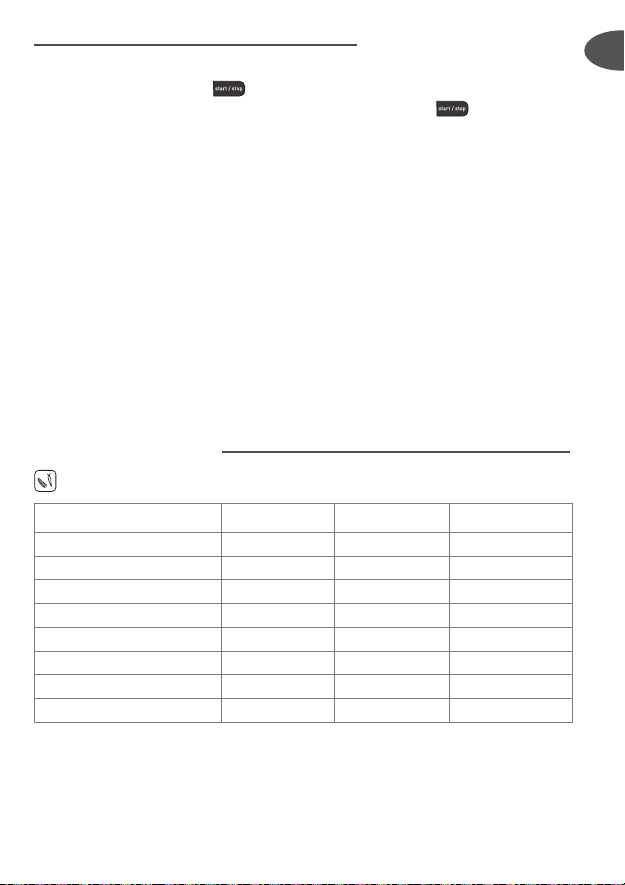
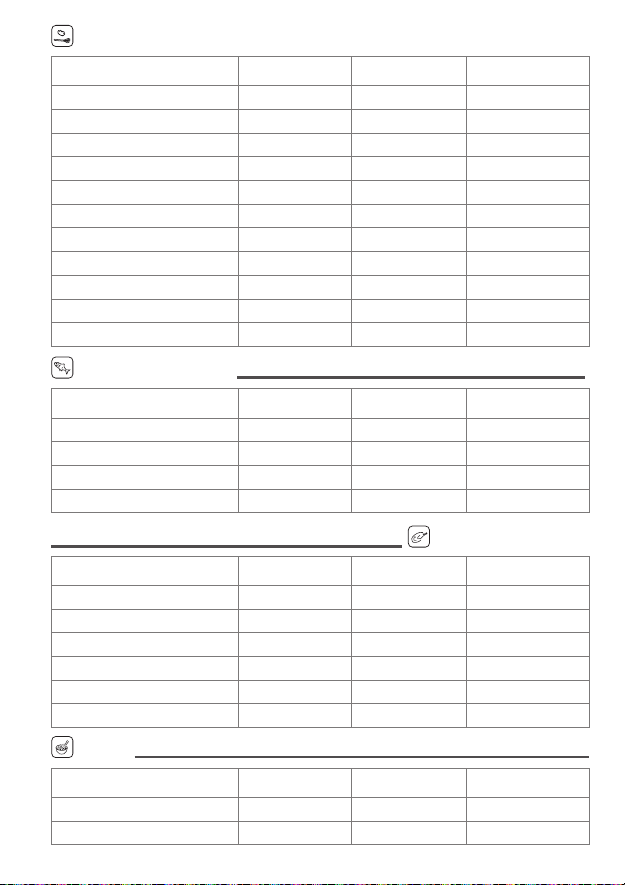
• Your appliance offers 6 cooking programmes associated with 6 colour
indicators:
Programme 1/BLUE: Fish (pre-set 15 mins)
Programme 2/ORANGE:
Vegetables short cooking time (pre-set 20 mins)
Programme 3/GREEN:
Vegetables long cooking time (pre-set 30 mins)
Programme 4/PURPLE: Meat (pre-set 35 mins)
Programme 5/YELLOW: Rice/eggs (pre-set 40 mins)
Programme 6/RED: Cake (pre-set 17 mins)
• The programme colour lights up and flashes - fig.7.
• The default time setting flashes:
- If you are happy with the pre-set time, press - fig.8.
- If you wish to change the pre-set time, adjust with buttons and
and press
to confirm the selected time.
• The selected time and programme light are now set and cooking begins.
• During cooking, the remaining time counts down in minutes, and then
seconds during the last minute.
• Once cooking has begun, you can adjust the cooking time whenever
you wish using buttons
or
and changing the programme.
Keep warm function
• The sound indicator will beep twice at the end of the cooking time
- fig.9.
• The keep warm function comes on automatically at the end of the
cooking time and the programme colour flashes on and off. Button
will light up - fig.10.
• The elapsed keep warm time since cooking is displayed.
A long press
on the + or –
touchpad allows
you to increase
or decrease the
cooking time more
quickly.
Do not place your
hands above the
appliance when
in use, as steam is
emitted through
the holes in the lid.
While the keep
warm function is
in operation, no
other action is
possible, except
stop when
required
(by pressing
button
).