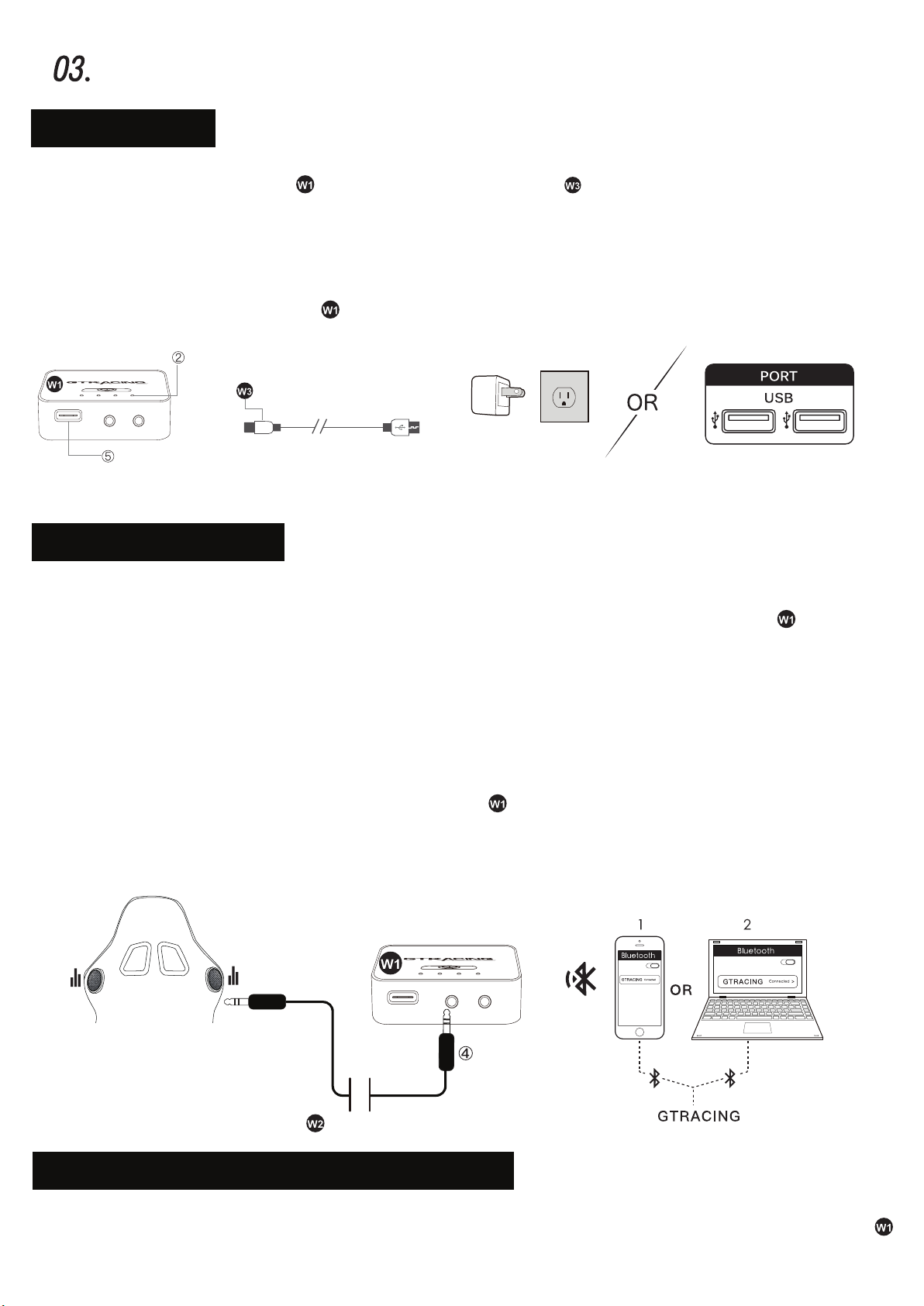
3). Connect Bluetooth Reciver to the Bluetooth speakers, now you can enjoy music wirelessly.
2). Power Off — Long press the multi-function button ① again for 5s to turn off the Bluetooth
receiver and the voice will prompt “POWER OFF".
3.1). The music automatically pauses when you dial a phone number or receive an incoming call.
3.2). This Bluetooth music receiver doesn’t have a microphone, so you need to switch the call to
the mobile phone. The music will automatically play when the call is ended.
4). Play Music — Short press multi-function button once to play music.
Pause Music — Short press multi-function button once when playing music to pause.
5). Click the multi-function button ① to check the remaining battery.
⑷.BluetoothReceiverIndicatorReference
[ Left 1 light: flashing red and blue ●● ]— Bluetooth pairing
[ Left 1 light: blue light always on ● ] — Bluetooth connected
[ Left 1 light: flashing blue ● ]— Charging
Power Input
Output Voltage
Battery Capacity
Charging Time
Working Frequency
Working Time
Wireless Streaming Range Distance
Support Mobile System
USB 5V
3.8V
1000mAh
90 min
2.402 ~ 2.483ghz
7-8 H
10~15m(No occlusion)
Android / iOS
⑸.TechniqueSpecification
GAINACOMPLETEINTERCONNECTEDEXPERIENCE
No Bluetooth transmission function
in your device?We recommend
Compatible with 「Nintendo Switch, Windows7/8/10/11, PlayStation4/5」 and other devices
to enjoy games, music and movies,“GT Lynck” can be used in a high-quality wireless
sound environment. Want to own this product? Please check the “GT Lynck” product
information in GTRACING store.
「USB Bluetooth Transmitter “GT Lynck”」!