manuals.online logo
Brands
  1. Home
  2. •
  3. Brands
  4. •
  5. Gyration
  6. •
  7. Remote Control
  8. •
  9. Gyration GP2100-001 User manual

Gyration GP2100-001 User manual

Other Gyration Remote Control manuals

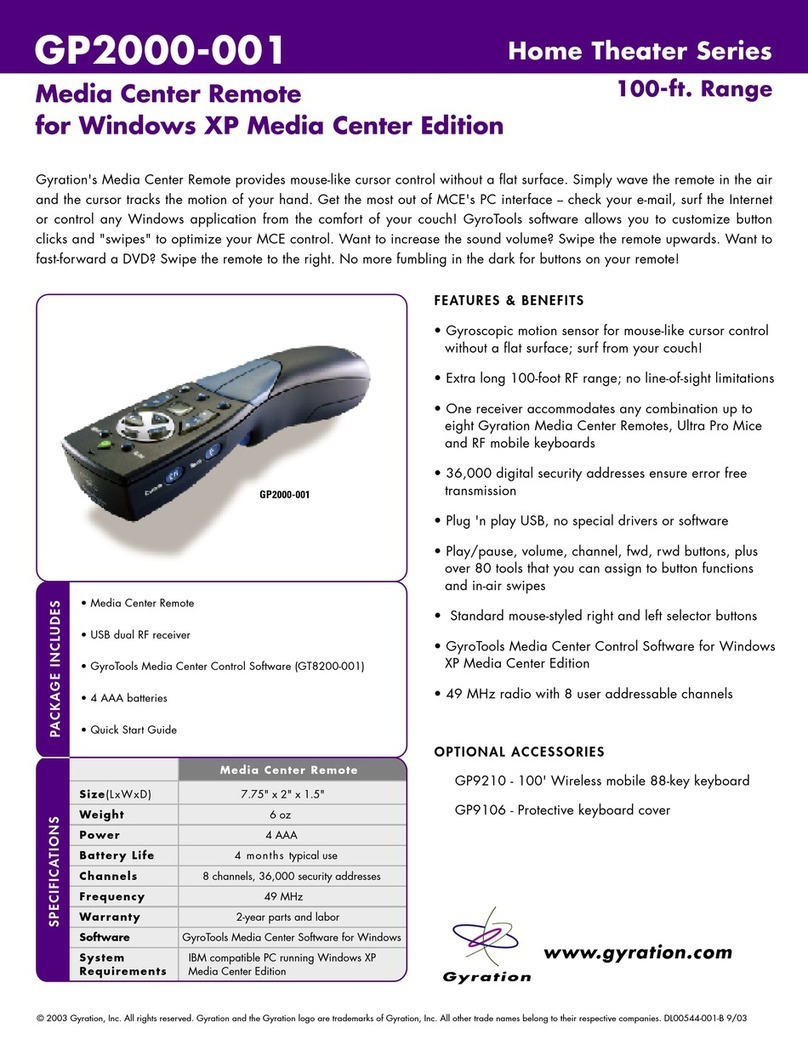
Gyration GP2000-001 User manual

Gyration

Gyration GP2000-001 User manual

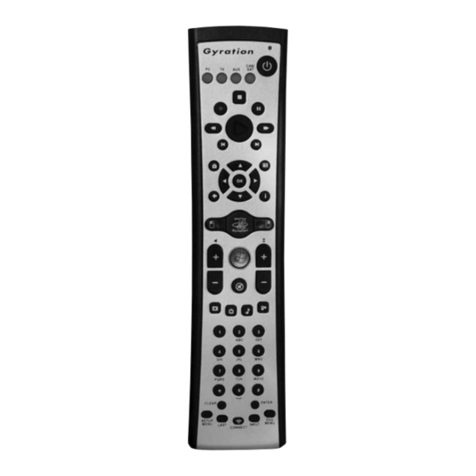
Gyration GYR3101 User manual

Gyration

Gyration GYR3101 User manual

Gyration GYR4101US User manual

Gyration

Gyration GYR4101US User manual

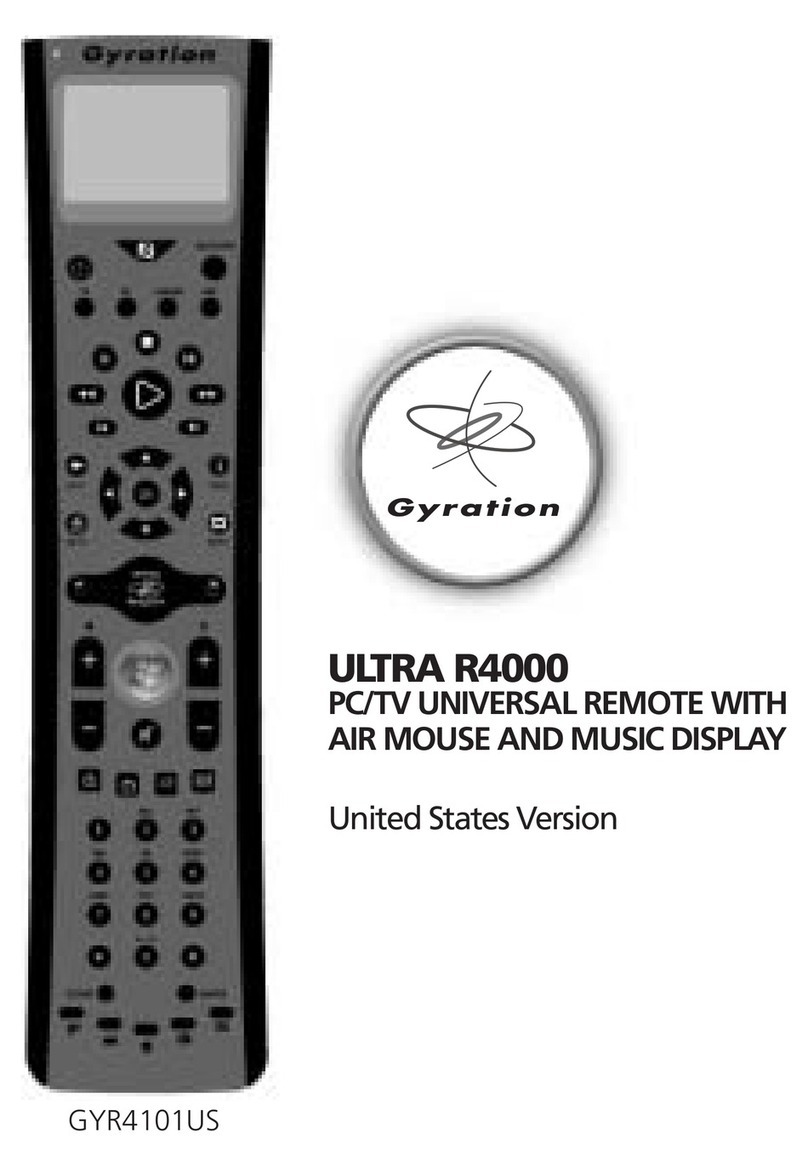
Gyration ULTRA R4000 User manual

Gyration

Gyration ULTRA R4000 User manual

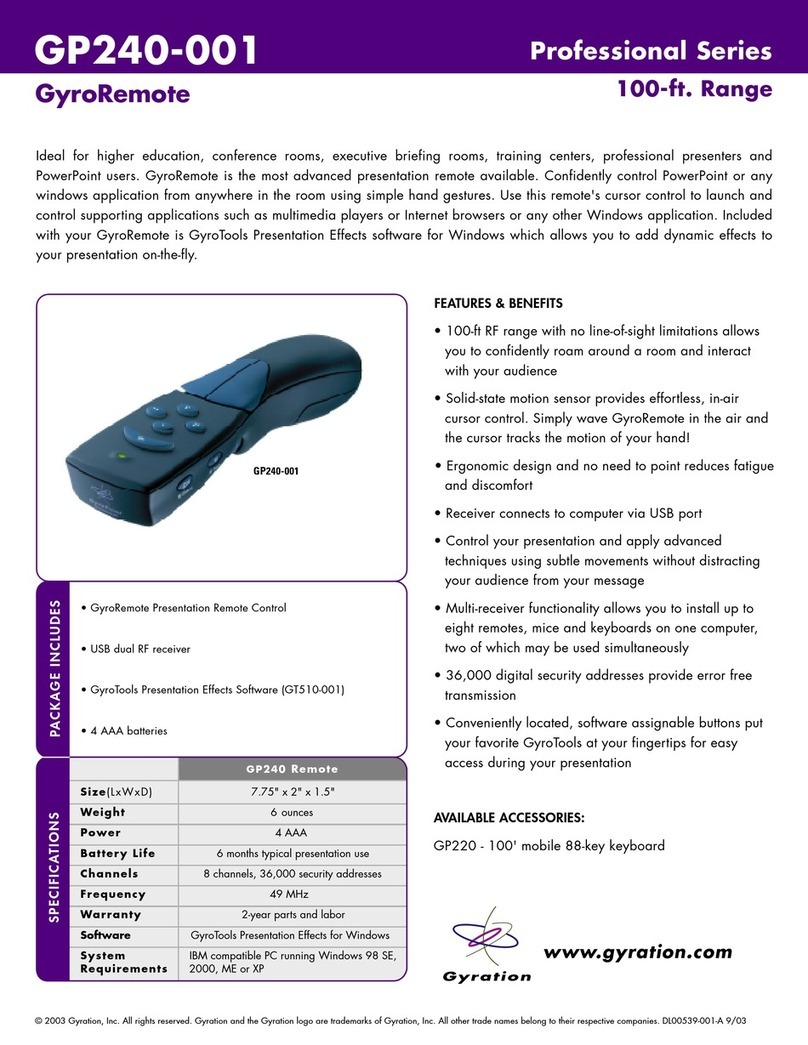
Gyration GP240-001 User manual

Gyration

Gyration GP240-001 User manual

Gyration GYR4101US User manual

Gyration

Gyration GYR4101US User manual

Gyration Media Center Remote User manual

Gyration

Gyration Media Center Remote User manual

Popular Remote Control manuals by other brands

Bircher Reglomat RC Duo 2 user guide

Bircher Reglomat

Bircher Reglomat RC Duo 2 user guide

Emerson RCBT100 owner's manual

Emerson

Emerson RCBT100 owner's manual

BILDA Element-6 user manual

BILDA

BILDA Element-6 user manual

Absima CR7P manual

Absima

Absima CR7P manual

Mitsubishi Electric PAR-32MAAG Instruction book

Mitsubishi Electric

Mitsubishi Electric PAR-32MAAG Instruction book

RCA RCRTBL08BE1 quick start guide

RCA

RCA RCRTBL08BE1 quick start guide

US Electronics NOVARI user guide

US Electronics

US Electronics NOVARI user guide

Panasonic EUR7622KB0 Operation guide

Panasonic

Panasonic EUR7622KB0 Operation guide

Bang & Olufsen Beo4 user manual

Bang & Olufsen

Bang & Olufsen Beo4 user manual

Marantz RC101 user guide

Marantz

Marantz RC101 user guide

FUTABA 9ZAP - PART2 manual

FUTABA

FUTABA 9ZAP - PART2 manual

HR Matic HR MULTI 3 quick start guide

HR Matic

HR Matic HR MULTI 3 quick start guide

Anritsu MP1777A Operation manual

Anritsu

Anritsu MP1777A Operation manual

Niles WVC100 Installation & operating guide

Niles

Niles WVC100 Installation & operating guide

Bang & Olufsen BEO6 Getting started

Bang & Olufsen

Bang & Olufsen BEO6 Getting started

GE 94901 instruction manual

GE

GE 94901 instruction manual

FUTABA R7108SB Full manual

FUTABA

FUTABA R7108SB Full manual

Invacare G91S user manual

Invacare

Invacare G91S user manual

manuals.online logo
manuals.online logoBrands
  • About & Mission
  • Contact us
  • Privacy Policy
  • Terms and Conditions

Copyright 2025 Manuals.Online. All Rights Reserved.

Media Center Remote
and Compact Keyboard Suite
Home Theater Series
100-ft. Range

GP2100-001
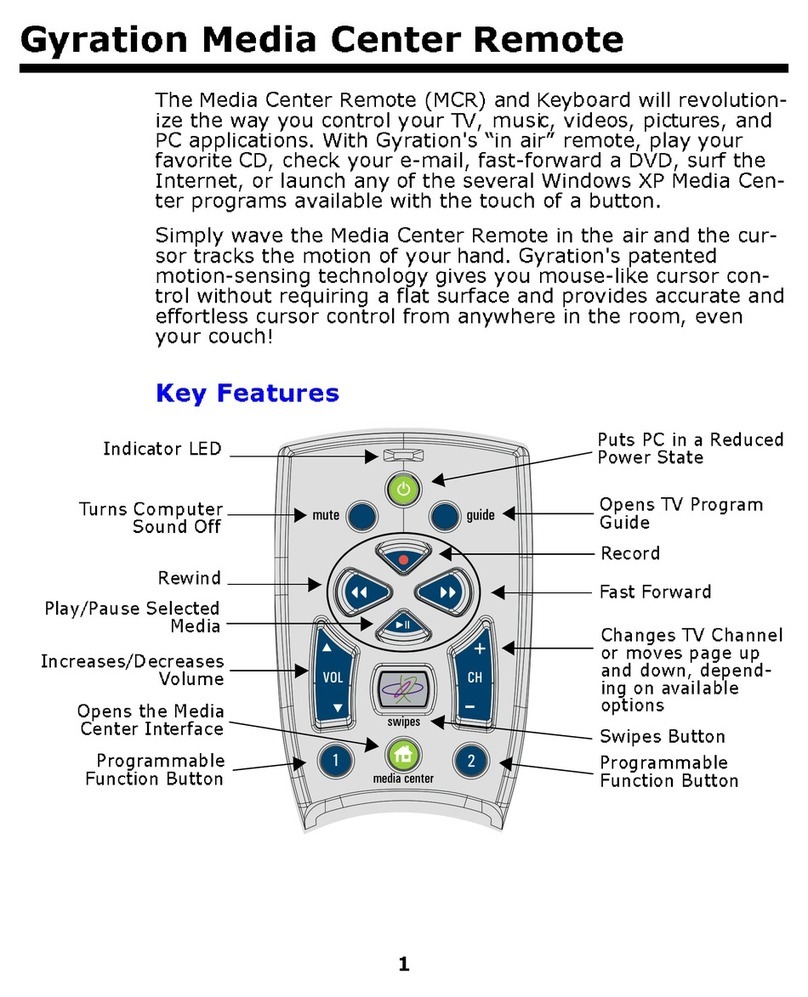
Gyration's Media Center Remote provides mouse-like cursor control without a flat surface. Simply wave the remote in the air
and the cursor tracks the motion of your hand. Gyration's Compact Keyboard is lightweight and durable and the perfect
accessory to the Media Center Remote. 15 Multimedia and Internet hot keys let you check your e-mail, launch a web
browser or control your sound with a touch of a button. GyroTools software allows you to customize button clicks and
"swipes" to optimize your MCE control. Want to increase the sound volume? Swipe the remote upwards. What to fast-
forward a DVD? Swipe the remote to the right. No more fumbling in the dark for buttons on your remote!
• Media Center Remote
• USB dual RF receiver
• 88-key mobile keyboard
• GyroTools Media Center Control Software (GT8200-001)
• 8 AAA batteries for remote and keyboard
• Keyboard cover
• Quick Start Guide
PACKAGE INCLUDES
FEATURES & BENEFITS
• Extra long 100-foot RF range, no line-of-sight limitations
• One receiver accommodates any combination up to
eight Gyration Media Center Remotes, Ultra Pro Mice
and RF mobile keyboards
• 36,000 digital security addresses ensure error free
transmission
• Plug 'n play USB, no special drivers
• 49 MHz radio with 8 user addressable channels
MEDIA CENTER REMOTE
• Gyroscopic motion sensor for mouse-like cursor control
without a flat surface; surf from your couch!
• Play/pause, volume, channel, fwd, rwd buttons; plus
over 80 tools that you can assign to button functions
and in-air gestures
• Standard mouse-styled right and left select buttons
• GyroTools Media Center Control Software for Windows
XP Media Center Edition
COMPACT KEYBOARD
• 88-key QWERTY layout in a compact, lightweight
design
• 15 conveniently located Internet & multimedia hotkeys
• Keyboard hotkeys require no special software or drivers
www.gyration.com
Remote Keyboard
GP2100-001
SPECIFICATIONS
Size(LxWxD) 7.75" x 2" x 1.5" 12.5" x 6" x 1"
Weight 6 oz 40 oz
Power 4 AAA 4 AAA
Battery Life 4 months  6 months typical use
Channels 8 channels, 36,000 security addresses
Frequency  49 MHz
Warranty  2-year parts and labor
Software GyroTools Media Center Software for Windows
System IBM compatible PC running Windows XP
Requirements Media Center Edition
© 2003 Gyration, Inc. All rights reserved. Gyration and the Gyration logo are trademarks of Gyration, Inc. All other trade names belong to their respective companies. DL00545-001-B 9/03

www.gyration.com
ã2003 Gyration, Inc. All rights reserved. Gyration and the Gyration logo are trademarks of Gyration, Inc. All other trade names belong to their respective owners. DL00553-001-A
GA104
Bring your entertainment center to life with powerful special effects and Media Center tools. Assign your favorite Media
Center functions to Swipes or Buttons on your Media Center Remote to increase volume, fast forward, or rewind your
favorite videos. No more fumbling in the dark for buttons on your remote!
GyroTools Media
Center Software
Home Theater Series
GT8200-001
Internet
Activate
Go to URL
Forward/Backward
Refresh
Home
Search
Favorites
Add to Favorites
New Window
Stop
Down/Up
Page Down/Up
MCE AV
Volume Up/Down/Mute
Channel Up/Down
DVD Menu
Standby
My TV
My Recorded TV
My Music
My Pictures
My Videos
PC Input
Scroll
Center Cursor
Keyboard
Keypad
Keystroke
Page Up/Down
Enter/Escape/Delete
Windows
Cut/Copy/Paste
Close Application
Close Document
Top of Document
Bottom of Document
Previous Page
Next Page
Minimize/Restore All
Next Window
Previous Window
Next Document
Previous Document
Help
Start Menu
MCE Navigation
Home
OK
Guide
TV
Channel Pad
Details
Back
PC Media
Volume Up/Down/Mute
Play/Pause/Stop
Next Track
Prev Track
Play CD
Play Sound
Play Movie
MCE Transport
Play/Pause/Stop
Record
FF/Rewind
Skip/replay
General
Launch Program
Display Configuration Screen
Change Profile
Screen Saver
Capture Image
Zoom Screen
Clipboard
Launch Mail
Pen
Highlighter
FEATURES & BENEFITS
• Convenient interface allows you to easily assign your
favorite tools to your Media Center Remote or Ultra
mouse
• Customize button clicks and gestures to optimize your
TV control such as launching your web browser,
playing media files, and controlling volume at your
fingertips
• For Microsoft Windows XP
TOOLS INCLUDED WITH GYROTOOLS MEDIA CENTER EDITION: