logo
Brands
  1. Home
  2. •
  3. Brands
  4. •
  5. Hitachi
  6. •
  7. LCD TV
  8. •
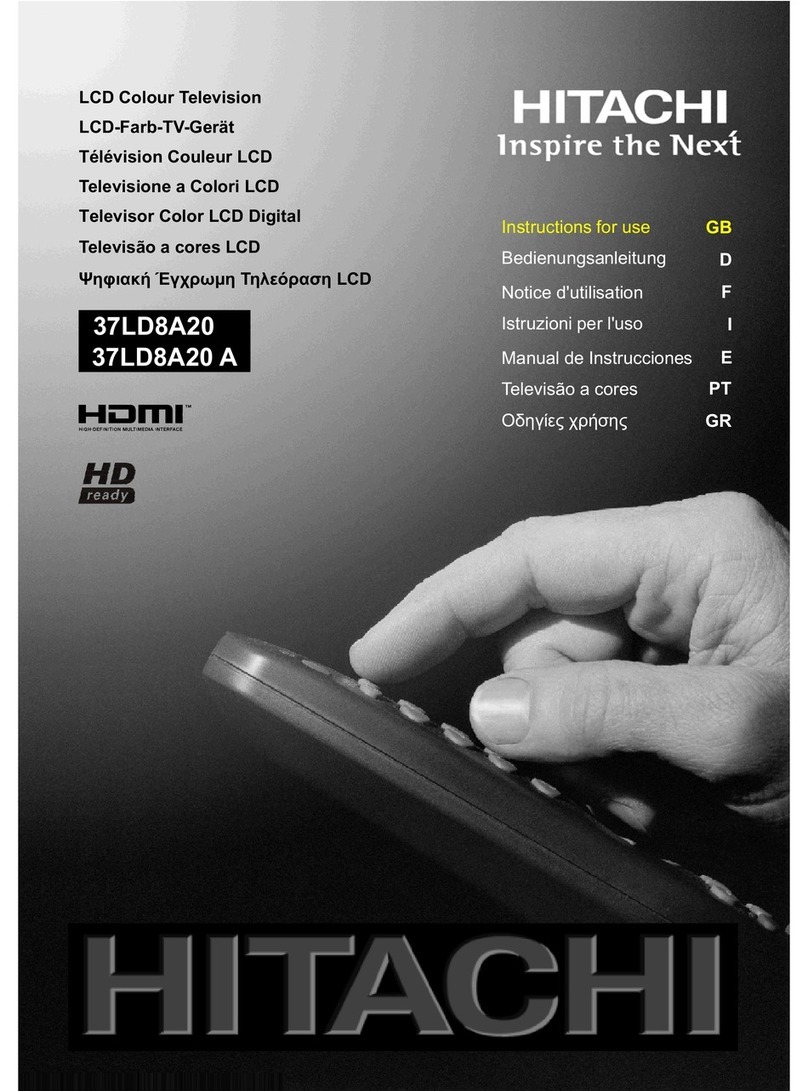
  9. Hitachi 15LD2200 User manual

Hitachi 15LD2200 User manual

Other manuals for 15LD2200

2

Other Hitachi LCD TV manuals

Hitachi L40C205 User manual

Hitachi

Hitachi L40C205 User manual

Hitachi HILF65101 User manual

Hitachi

Hitachi HILF65101 User manual

Hitachi VZ435100 User manual

Hitachi

Hitachi VZ435100 User manual

Hitachi 32HDL52 - 32" LCD TV User manual

Hitachi

Hitachi 32HDL52 - 32" LCD TV User manual

Hitachi Alpha Series L40A105A User manual

Hitachi

Hitachi Alpha Series L40A105A User manual

Hitachi ULTRAVISION LE19S304 User manual

Hitachi

Hitachi ULTRAVISION LE19S304 User manual

Hitachi 26LD9000TA2 User manual

Hitachi

Hitachi 26LD9000TA2 User manual

Hitachi 37LD8D20UA User manual

Hitachi

Hitachi 37LD8D20UA User manual

Hitachi L32H01E A User manual

Hitachi

Hitachi L32H01E A User manual

Hitachi 32HBT41 User manual

Hitachi

Hitachi 32HBT41 User manual

Hitachi 49HBT62 User manual

Hitachi

Hitachi 49HBT62 User manual

Hitachi 37LD8D20U User manual

Hitachi

Hitachi 37LD8D20U User manual

Hitachi 32LD9700U User manual

Hitachi

Hitachi 32LD9700U User manual

Hitachi 17LD4200 User manual

Hitachi

Hitachi 17LD4200 User manual

Hitachi Ultravision 50C60 User manual

Hitachi

Hitachi Ultravision 50C60 User manual

Hitachi 42PD3200A User manual

Hitachi

Hitachi 42PD3200A User manual

Hitachi 26LD4550U User manual

Hitachi

Hitachi 26LD4550U User manual

Hitachi LE32ECD05AU User manual

Hitachi

Hitachi LE32ECD05AU User manual

Hitachi L32HP03E User manual

Hitachi

Hitachi L32HP03E User manual

Hitachi 19LD3560UA User manual

Hitachi

Hitachi 19LD3560UA User manual

Hitachi LE55G508 User manual

Hitachi

Hitachi LE55G508 User manual

Hitachi L32HP01E User manual

Hitachi

Hitachi L32HP01E User manual

Hitachi UltraVision L42S503 User manual

Hitachi

Hitachi UltraVision L42S503 User manual

Hitachi 15LD2400A User manual

Hitachi

Hitachi 15LD2400A User manual

Popular LCD TV manuals by other brands

Panasonic Vieta TX-26LX600P null

Panasonic

Panasonic Vieta TX-26LX600P null

LG 22LK33 Series null

LG

LG 22LK33 Series null

Philips BDL323I null

Philips

Philips BDL323I null

LG 32LC4R* Service manual

LG

LG 32LC4R* Service manual

Samsung LA32E420 E-manual

Samsung

Samsung LA32E420 E-manual

Dell W1900 19 Setting up

Dell

Dell W1900 19 Setting up

Samsung LN40C670M1F user manual

Samsung

Samsung LN40C670M1F user manual

Toshiba 57X3000A owner's manual

Toshiba

Toshiba 57X3000A owner's manual

Runco CX-52HD Owner's operating manual

Runco

Runco CX-52HD Owner's operating manual

Sharp LC-32AX3H Service manual

Sharp

Sharp LC-32AX3H Service manual

Philips 47PFL7704D Specifications

Philips

Philips 47PFL7704D Specifications

Vizio VO42LFHDTV10A user manual

Vizio

Vizio VO42LFHDTV10A user manual

Philips 42PF7520D/79 user manual

Philips

Philips 42PF7520D/79 user manual

Insignia NS-LCD32-09 Service manual

Insignia

Insignia NS-LCD32-09 Service manual

Sony WEGA KLV-27HR3 operating instructions

Sony

Sony WEGA KLV-27HR3 operating instructions

Nexus NX32031 owner's manual

Nexus

Nexus NX32031 owner's manual

Zenith Z32LC2D Specifications

Zenith

Zenith Z32LC2D Specifications

Sony KDL-32S3000R - 32" Class Bravia S-series Digital Lcd... Specifications

Sony

Sony KDL-32S3000R - 32" Class Bravia S-series Digital Lcd... Specifications

https://manuals.online logo
https://manuals.online logoBrands
  • About & Mission
  • Contact us
  • Privacy Policy
  • Terms and Conditions

Copyright 2025 Manuals.Online. All Rights Reserved.

GB
Instructions for use
15LD2200
- 1 -
Contents
Teletext .................................................. 18
To Operate Teletext ............................ 18
To Select A Page Of Teletext ............... 18
To Select Index Page ......................... 19
To Select Teletext With A TV
Programme ........................................ 19
To Select ouble Height Text ............. 19
To Reveal Concealed Information ... 19
To Stop Automatic Page Change ....... 19
To Select A Subcode Page ................. 19
Fastext ................................................ 19
To Exit Teletext .................................... 19
To isplay The Time .......................... 20
Connect Peripheral Equipment ........... 20
PC Sound Connection ....................... 20
Via The Scart Socket .......................... 20
Via Aerial Input .................................... 20
ecoder.............................................. 20
TV And Video Recorder ...................... 20
Playback NTSC .................................. 20
Aerial Connections ............................... 22
Search For And Store The Test Signal Of
The Video Recorder ........................... 23
Camera And Camcorder .................... 23
Connect The ecoder To The Video
Recorder ............................................ 23
Connecting Headphones .................. 23
PC INPUT T PICAL DISPLA MODES ... 24

Tips ........................................................ 25
Care Of The Screen ........................... 25
Poor Picture ........................................ 25
No Picture ........................................... 25
Sound ................................................. 25
Remote Control .................................. 25
Specifications ....................................... 26
UK Guarantee ........................................ 27
Important Instruction ........................... 28
Remote Control Buttons ......................... 2
Control Panel Buttons ............................ 3
Preparation ............................................. 4
Installation of device on the wall .......... 4
Features ............................................... 6
Panel Features .................................... 6
Safety Precautions ................................. 6
Before Switching On our TV ................ 9
Power Connection ............................... 9
Connections to the Aerial socket ......... 9
How To Connect Other evices ........... 9
Inserting Batteries In The Remote
Control Handset ................................... 9
Switching The TV ON/OFF ...................... 9
To switch the TV on: ............................. 9
To switch the TV off: ............................ 10
Operating The TV .................................. 10
Initial A.P.S. (Automatic Programming
System) .............................................. 10
Operating with the buttons on the TV set
10
Operating With Remote Control ........ 10
Menu System ........................................ 11
picture menu ...................................... 11
audio menu ........................................ 12
window menu..................................... 13
options menu ..................................... 14
settings menu .................................... 15
Other Features ...................................... 17
TV Status ............................................ 17
Previous Programme......................... 17
Sound Indicator .................................. 18
Mute Indicator ..................................... 18
AV Modes ............................................ 18
PC Mode ............................................. 18
(1*/,6+8.LQFK3L[HO:RUNV0%6$0:0S 
- 2 -
Remote Control Buttons
= Stand By
= Cursor Up
= Cursor Right
OK = Okay (Store)
= Info
0 - 9 = irect Programme
= Image size
=Previous Programme
P/CH + = Programme Up
+ = Volume Up
= TV / Quit Menu
= External Source
(AV-1, RGB1, AV-2, SVHS, PC)
Yellow button
Blue button
= Hold
= Update
= Index Page
= Reveal / PC = Switch from TV to PC
= Expand
= Mix
= Teletext
= Time / Subcode page
Red button
Green button
= Mute
I-II = Mono/Stereo - ual I-II
- = Volume own
- P/CH = Programme own
= Color temperature settings
M = Menu

= Cursor own

= Cursor Left
(1*/,6+8.LQFK3L[HO:RUNV0%6$0:0S 
- 3 -
Control Panel Buttons
)227723&29(5
92/80(
0(18 3&K
32:(5 0(18 92/80(3&K
63($.(5
/('
,1)5$5('5(&(,9(5
(1*/,6+8.LQFK3L[HO:RUNV0%6$0:0S 
- 4 -
Preparation
Install isplay on solid horizontal surface such as a table or desk.
For ventilation, leave a space of at least 10 cm free all around the set. To prevent any fault
and unsafe situations, please do not place any objects on top of the set.
Installation of device on the wall (Wall Bracket Optional Extra)
Step1:
Invert the flat monitor screen and placed it on a flat surface. Remove the back support from
the screen. Replace the support with the mounting bracket align the holes from the bracket
with the mounting holes found on the back of the monitor chassis. Secure the bracket with
the same four (4) 4 (mm) head screws.
Step 2:
Choose the wall where the monitor would be located. Level and mark with a pencil the four
(4) mounting points found on the wall bracket. rill pilot holes for the plastic anchors then
secure the wall bracket with the four (4) L=32 mm x D=5 mm screws (supplied).
Step 3:
Raise the monitor with the mounting bracket attached and slip the top opening to the safety
flange on the secured wall bracket. Let the monitor fall in place safely and secure the two (2)
D=4 mm x L=10 mm safety screws (supplied) with a long screwdriver for additional security.
"When the wall bracket is used to in-
stall the back cover and the front panel
after the foot assembly is removed, to
eliminate the space which occurs at
the lower side of the front cover (front
panel) and back cover, use the screws
that are supplied for the lower side of
the foot top cover (back support)."
Note: Do not over tighten!
(1*/,6+8.LQFK3L[HO:RUNV0%6$0:0S 
- 5 -
0
R
X
Q
W
L
Q
J

E
U
D
F
N
H
W
:
D
O
O

E
U
D
F
N
H
W




3
O
D
V
W
L
F

D
Q
F
K
R
U
V




'

P
P

[

/


P
P

V
F
U
H
Z
V




/


P
P

[

'

P
P

V
F
U
H
Z
V




'

P
P

[

/


P
P

V
F
U
H
Z
V
:
$
/
/

6
7
5
8
&
7
8
5
(
/
&
'

0
2
1
,
7
2
5
(1*/,6+8.LQFK3L[HO:RUNV0%6$0:0S 
- 6 -
Panel Features
 High resolution (1024 x 768), 15-inch TFT
LC display.
 Contrast ratio (400:1 typical)
 Brightness (typical) 430 cd/m2.
 High-speed response time < 25 msec.
 Wide viewing angle (typical) 140° (horizontal)
and 120° (vertical).
 8-bit colour depth, display 16.2 M colours.
Safety Precautions
IMPO TANT SAFETY
INFO MATION ON OPE ATING
YOU TV
Dos and Donts
DOs
This Television has been designed and
manufactured to meet international safety
standards, but like any electrical equipment,
care must be taken if you are to obtain the
best results and safety is to be assured.
DO read the operating instructions before
you attempt to use the equipment.
DO consult your dealer if you are in any
doubt about installation, operation or safety
of your equipment.
DO be careful with glass panels or doors on
equipment.
This TV is supplied with a fitted mains plug.
This plug must not be cut off as it may con-
tain a special radio interference filter, the re-
moval of which could lead to impaired per-
formance. If you wish to extend the lead, ob-
tain an appropriate safety approved exten-
sion lead or consult your dealer.
Observe the manufacturers instructions
when connecting extension leads to the TV.
Check the fuse rating on the new plug, this
should be fitted with a 5 Amp fuse which
conforms to either ASTA or BSI (BS1 362)
approvals, these are easily identifiable by ei-
ther the or symbols. If you are in
Features
 Remote controlled colour television.
 100 programmes from VHF, UHF bands or
cable channels can be preset.
 It can tune to cable channels.
 Controlling the TV is very easy by its menu
driven system.
 It has an SCART socket for an external de-
vice (such as video, video games, audio
set, etc.)
 Stereo sound system (Nicam).
 Full function Teletext (Fastext)
 Headphone connection.
 irect channel access.
 A.P.S. (Automatic Programming System).
 All programmes can be named.
 Programme swapping between the last two
programmes.
 Forward or backward automatic tuning.
 Sleep timer.
 Child Lock
 Automatic sound mute when no transmis-
sion.
 Wide, Auto and Fill all modes.
 NTSC Playback.
 AV in is available.
 SVHS is available.
 VGA connector.
 AVL (Automatic Volume Limiting)
 When no valid signal is detected, after 5
minutes the TV switches itself automatically
to stand-by mode.
 PLL (Frequency Search)
 PC input (Support Up to XGA 1024 x 768)
 Plug&Play for Windows 9X, ME, 2000, XP
 4H Comb Filter
(1*/,6+8.LQFK3L[HO:RUNV0%6$0:0S 
- 7 -
any doubt about the installation of an exten-
sion lead, please consult a competent elec-
trician.
DONTs
DONT continue to operate the equipment if
you are in any doubt about it working nor-
mally, or if it is damaged in any way switch
off, withdraw the mains plug and consult
your dealer.
DONT place water filled vessels on top of
T.V. cabinets.
DONT remove any fixed cover as this may
expose dangerous voltages.
DONT leave equipment switched on when it
is unattended unless it is specifically stated
that it is designed for unattended operation
or has a stand-by mode. Switch off using
the switch on the equipment and make sure
your family know how to do this. Special ar-
rangements may need to be made for infirm
or handicapped people.
DONT use equipment such as personal
stereos or radios so that you are distracted
from the requirements of traffic safety. It is
illegal to watch television whilst driving.
DONT obstruct the ventilation of the equip-
ment, for example with curtains or soft fur-
nishings. Overheating will cause damage
and shorten the life of the equipment.
DONT use makeshift stands and NEVER fix
legs or stands to the TV with any screws
other than those provided - to ensure com-
plete safety always use the manufacturers
approved stand with the fixings provided.
DONT allow electrical equipment to be ex-
posed to rain or moisture.
ABOVE ALL
 NEVER let anyone, especially children
push anything into holes, slots or any
other opening in the case - this could re-
sult in a fatal electric shock.
NEVER guess or take chances with
electrical equipment of any kind - it is et-
ter to e safe than sorry!
1. Power Source
The TV set is designed to operate on 12 V
DC. The adaptor should be operated from a
220-240 V AC, 50 Hz. outlet. Ensure you se-
lect the correct voltage setting for your conve-
nience.
2. Power Cord
The power supply cord should be placed so
that it is not likely to be walked on or pinched
by items placed upon them or against it. Pay
particular attention to cord where it enters
the plug, power outlet, and the point where it
exits from the receiver.
3. Moisture and Water
o not use this equipment in a humid and
damp place (avoid the bathroom, the sink in
the kitchen, and near the washing machine).
o not expose this equipment to rain or wa-
ter, as this may be dangerous and do not
place objects filled with liquids on top. Avoid
from dripping or splashing.
4. Cleaning
Before cleaning, unplug the receiver from
the main supply, outlet. o not use liquid or
aerosol cleaners. Use soft and dry cloth.
5. Ventilation
The slots and openings on the receiver are
intended for ventilation and to ensure reli-
able operation. To prevent overheating,
these openings must not be blocked or cov-
ered in anyway.
6. Lightning
In case of storm and lightning or when go-
ing on holiday, disconnect the power cord
from the wall outlet.
7. eplacement Part
When replacement parts are required, be sure
the service technician has used replacement
parts which are specified by the manufacturer
or have the same specifications as the origi-
nal one. Unauthorised substitutions may re-
sult in fire, electrical shock, or other hazards.
(1*/,6+8.LQFK3L[HO:RUNV0%6$0:0S 
- 8 -
DO NOT LEAVE OUR TV AT STAND-B
OR OPERATING WHEN OU LEAVE OUR
HOUSE
"The LCD panel is very high technology
product with about a million thin film tran-
sistors, giving you fine picture details. Oc-
casionally, a few non-active pixels may ap-
pear on the screen as a fixed point of blue,
green or red. Please note that this does
not affect the performance of your prod-
uct."
" The mains plug of the power supply is
used as disconnect device and therefore
shall remain readily operable. "
DO use the power cord given/supplied by
the manufacturer for the AC adaptor of the
product.
8. Servicing
Please refer all servicing to qualified per-
sonnel. o not remove cover as this may re-
sult in electric shock.
9. Naked Flame Sources
o not place naked flame sources on the
apparatus.
WARNING: When the device is not in use
for a long time, disconnect from power.
Instructions for waste disposal:
 Packaging and packaging aids are recy-
clable and should principally be recycled.
Packaging materials, such as foil bag, must
be kept away from children.
 Battery, including those which is heavy
metal-free, should not be disposed of with
household waste. Please dispose of used
battery in an environmentally sound man-
ner. ind out about the legal regulations
which apply in your area.
(1*/,6+8.LQFK3L[HO:RUNV0%6$0:0S 
- 9 -
Before Switching On Your TV
Power Connection
$&DGDSWHU
7R  32 : ( 5
,1387'&9
WHUPLQDO
IMPORTANT: The TV set is designed to op-
erate on 12 V DC. For this, an adaptor is
used which gives 12V DC voltage. Connect
this adaptor to a system that supplies 220-
240 V AC, 50 Hz.
 After unpacking, allow the TV set to reach the
ambient room temperature before you con-
nect the set to the mains.
Connections to the Aerial socket
9+)8+)

:
795($53$1(/
&$%/(79
6$7(//,7(5(&(,9(5
 Connect the aerial or cable TV plug to the
aerial socket located at the rear of the TV
and connect the cable plug coming out from
the TV out socket located on the devices
(VCR, VB etc.) to this socket as well.
How To Connect Other Devices
IMPORTANT: Switch off the TV before con-
necting any external device.
Sockets for external connections are at the
rear side of the TV. For connection of other
devices via SCART refer to the manuals of
the related devices.
Inserting Batteries In The emote
Control Handset
 Remove the battery cover located on the
back of the handset by gently pulling up-
wards from the indicated part.
 Insert two AAA (R03) or equivalent type of
batteries inside.
 Replace the battery cover.
NOTE: Remove the batteries from remote
control handset when it is not to be used for
a long period.Otherwise it can be damaged
due to any leakage of batteries.
Switching The TV ON/O
To switch the TV on:
Your TV will switch on in two steps:
1- Connect the power supply cord to the sys-
tem. Press the   (POWER) button at the
top of the TV. Then the TV switches itself to
stand-by mode and the led becomes red
located on the front of the TV.
2- To switch on the TV from stand-by mode
either:
Press a digit button on the remote control so
that a programme number is selected,
or,
Press -P/Ch or "P/Ch+ button at the top of
the TV or press -P/CH or P/CH+ button on
the remote control, so that last switched off
programme is selected.
Either way the TV will switch on and the LE
becomes green.
(1*/,6+8.LQFK3L[HO:RUNV0%6$0:0S 