Main Loop Service Loop
Press button
> 3 sec
Window 1 Window S1
Window 2 Window S2
Window S3
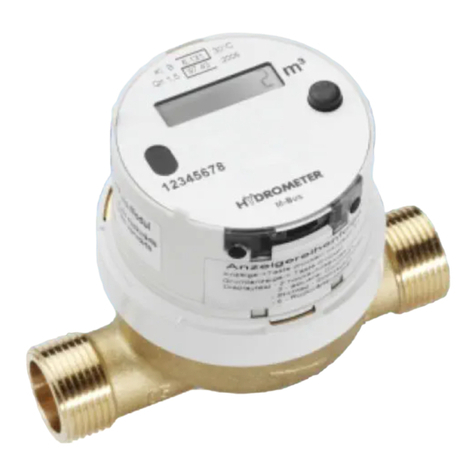
The LC display has a power save mode.
The display is activated by pressing a
button and showes the accumulated
energy since initial operation ->basic
display
Next display -> press button < 3 sec
Switch from main loop to service loop
->press button < 3sec
Display switches off automatically and
changes to the power save mode if the
button is not pressed for 5 minutes
Attention: Activate LCD with button
Display Fault description
C 1 Basic parameter part of RAM damaged.
F 1 Sensor short-circuit, sensor break.
F 3 Return sensor registers a higher temperature than forward
sensor. Check if the heat meter/temperature sensors are located
in the correct lines.
(Not for cooling & heat meter)
F 4 Flow sensors defective.
F 5
Heat meter operating correctly. Optical communication is tem-
porarily out of operation to save power.
F 6
Volume measuring component is installed opposite to the
direction of flow.
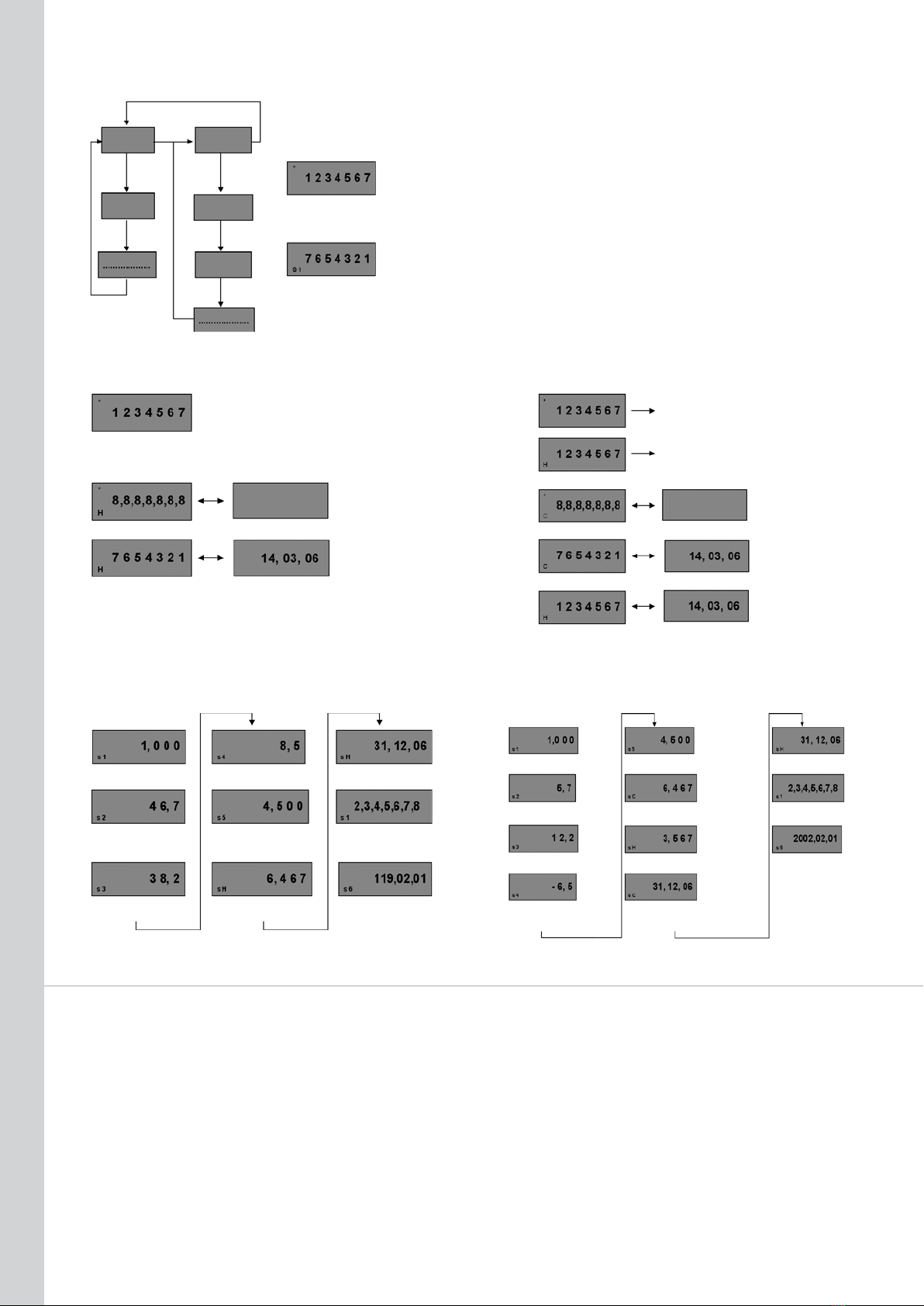
MAIN LOOP
Heat meter
Accumulated energy since
initial operation selected
energy unit
Basic display
+meter is active
Segment test of LC display,
then automatic change
to date reading.
Attention: changeover
Cooling & heat meter
Accunu-
lated cold
since initial
operation
Accunula-
ted heat
since initial
operation in
selected unit
calibrated memory
uncalibrated memory
Basic display
H ˚V > heat
Segment test of LC display , then
automatic change to date reading
Attention: changeover time
all on
3 sec. <–> 1 sec.
all off
time 4 sec
Alternates between energyH
˚V > heat on reading date
and reading date. (3 sec.<->
all on
3 sec. <–> 1 sec.
all off
4 sec.
Alternates between energy on
reading date and reading date (3
sec. <–> 1 sec.) If the first reading
Energy on reading date in
selected energy unit
reading date
1 sec.) If the first reading
date has not yet been rea-
ched, the production date
is shown.
Cold on reading date Cold reading date
date has not yet been reached, the
production date is shown
C ˚V > cold
H ˚V > heat
Heat on reading date
Heat reading date
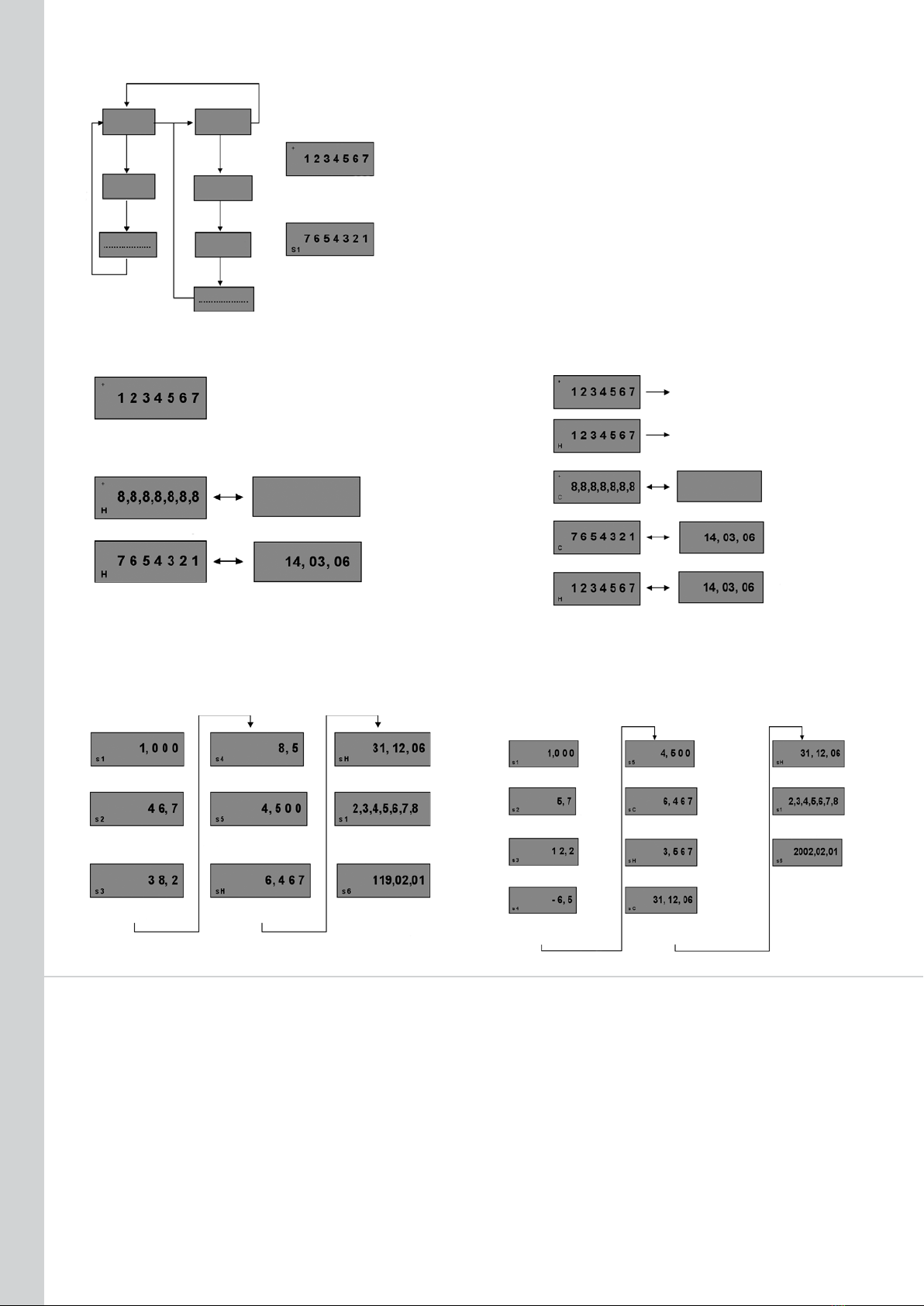
SERVICE LOOP
Heat meter
Cooling & heat meter
Current flow in m
3
current power always in kW even if next reading date
current flow in m
3
temp. difference, always in
°C to 1 decimal place
next reading date
DD.MM.YY
basic display e.g. in MWh *1/*2
heat DD.MM.YY
forward temp., always in
°C to 1 decimal place
return temp., always in
°C to 1 decimal place
Decimal places
current power, always in
kW, even if basic display
e.g. in MWh *1/*2
accumulated volume since
initial operation in m
3
*2
secondary address 8 digits
press button > 3 sec
SW version number
119 –> Complete SW
version
02 –> SW version of part
forward temp. always in
°C to 1 decimal place
return temp. always in
°C to 1 decimal place
temp. difference, always
in °C to 1 decimal place
with sign
accumulated cold volume since
initial operation in m
3
*2
accumulated heat volume since
initial operation in m
3
*2
next reading date
cold DD.MM.YY
secondary address 8 digits
press button > 3 sec
Firmware version number
2002 –> Complete SW
version
02 –> SW version of part
not subject to calibration
01 –> SW version of part
subject to calibration
*1 Main display no decimal place –> 3 decimal places
*2 Decimal place in main display –> decimal place same
as main display
not subject to calibration
01 –> SW version of part
subject to calibration
CHECK THE FOLLOWING POINTS BEFORE LOOKING
FOR A FAULT IN THE HEAT METER ITSELF
·
Is the heating system in operation?
·
Is the circulating pump running?
·
Are the stop valves fully open?
·
Is the pipe clear (clean strainers)?
·
Are all the seals intact (tampering)?
·
Is the meter rating correct?
FAULT CLEARANCE
Display shows temperatures but no flow rate:
·
Check direction of meter and correct if necessary
·
Remove meter, blow into meter and check that the impeller turns
or the + sign
(active flow) flashes in the display.