8
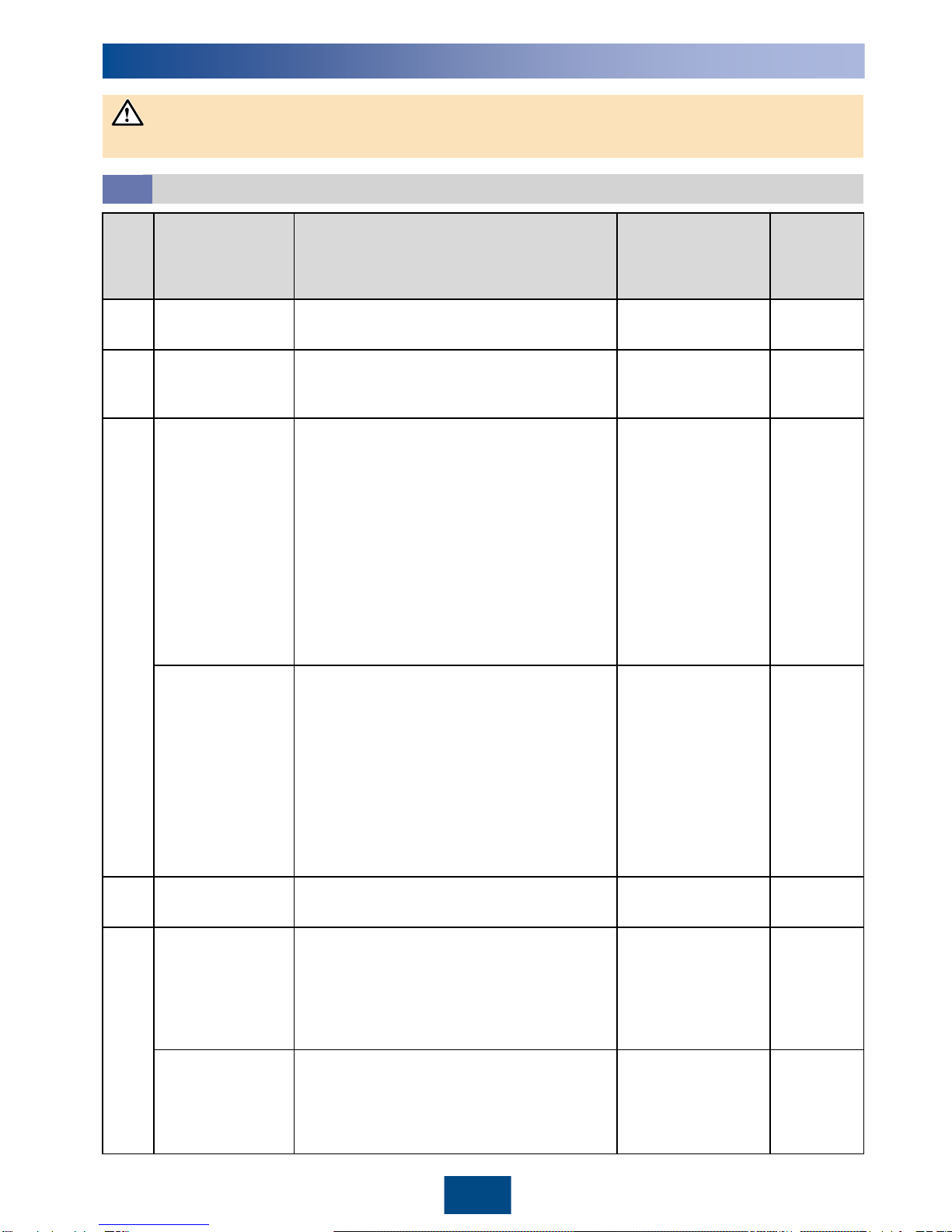
1. Use the positive and negative Amphenol UTX metal contacts and DC connectors supplied with
the SUN2000. Using other positive and negative metal contacts and DC connectors may result in
serious consequences. The caused device damage is not covered under any warranty.
2. Before connecting the DC input power cable, label the cable polarities to ensure correct cable
connections. Otherwise, the SUN2000 may be damaged.
3. Measure the voltage at the DC input end using a multimeter. If the voltage is a negative value,
the DC input polarity is incorrect. Correct the polarity. If the voltage is greater than 1500 V, too
many PV modules are configured to the same string. Remove some PV modules.
4. If the DC input power cable is reversely connected and the DC switch is turned on, do not
perform operations on the DC switch or the positive/negative connectors immediately. Otherwise,
the device may be damaged. The caused device damage is not covered under any warranty.
Wait until the night when solar irradiance declines and the PV string current drops to below 0.5 A.
Then turn the two DC switches to the OFF position, remove the positive and negative DC input
power connectors, and correct the polarity of the DC input power cable.
Positive connector
Negative
connector
Positive metal contact
Negative metal contact Ensure that the cable
cannot be pulled out after
being crimped.
UTXTC0002
(Amphenol)
Click
Ensure that the
locking nut is
secured.
UTXTWA001
(Amphenol)
Click
DC voltage
measurement range
≥ 1500 V DC
Selecting the Communications Mode
4.6
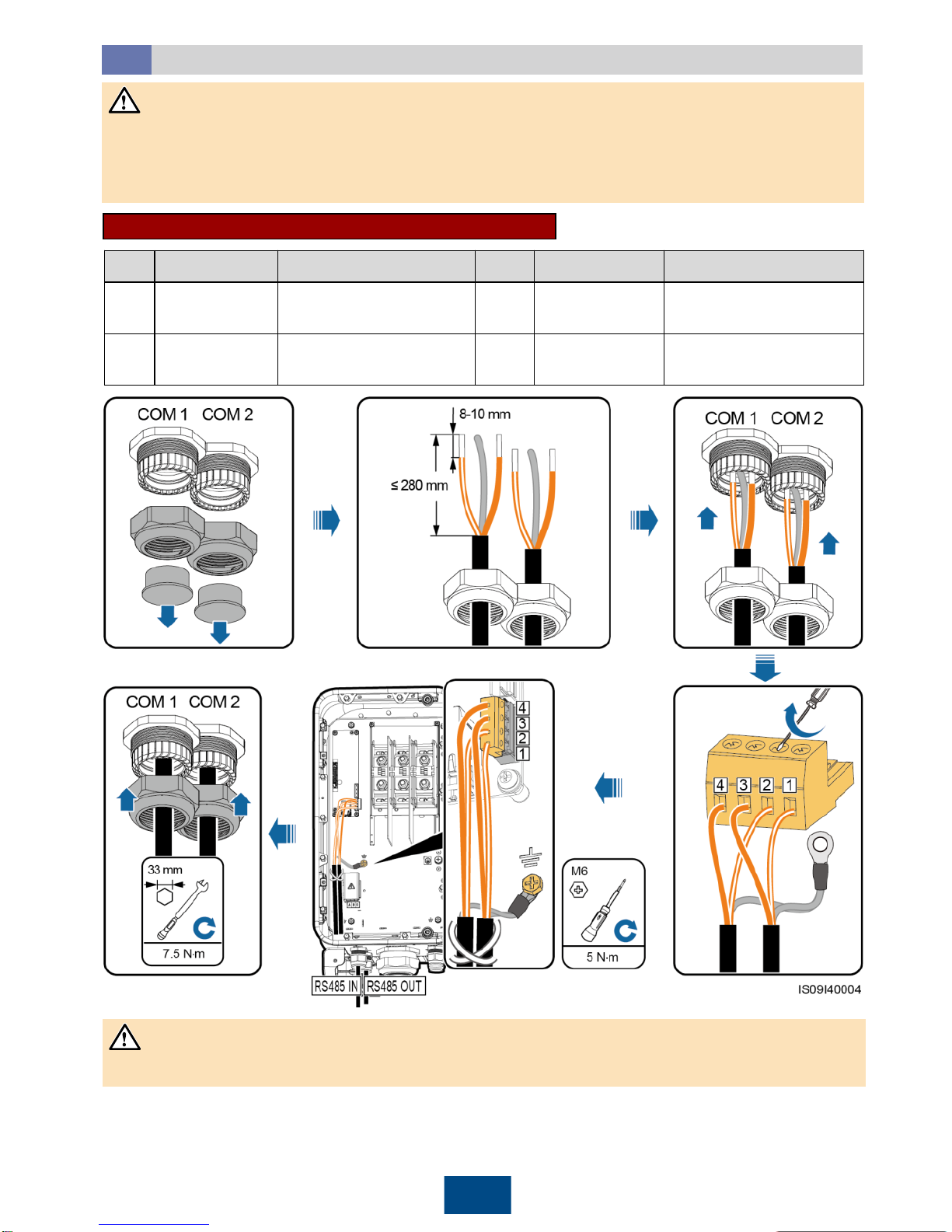
•If PLC is selected, no RS485 communications cable is required to connect to the SUN2000, but
the AC power cable needs to connect to the SmartLogger2000 that supports PLC.
•If RS485 is selected, connect an RS485 communications cable to the SUN2000, but the AC
power cable does not need to connect to a SmartLogger2000 that supports PLC.
The SUN2000 supports PLC and RS485 communications modes, but you can only choose one of them.
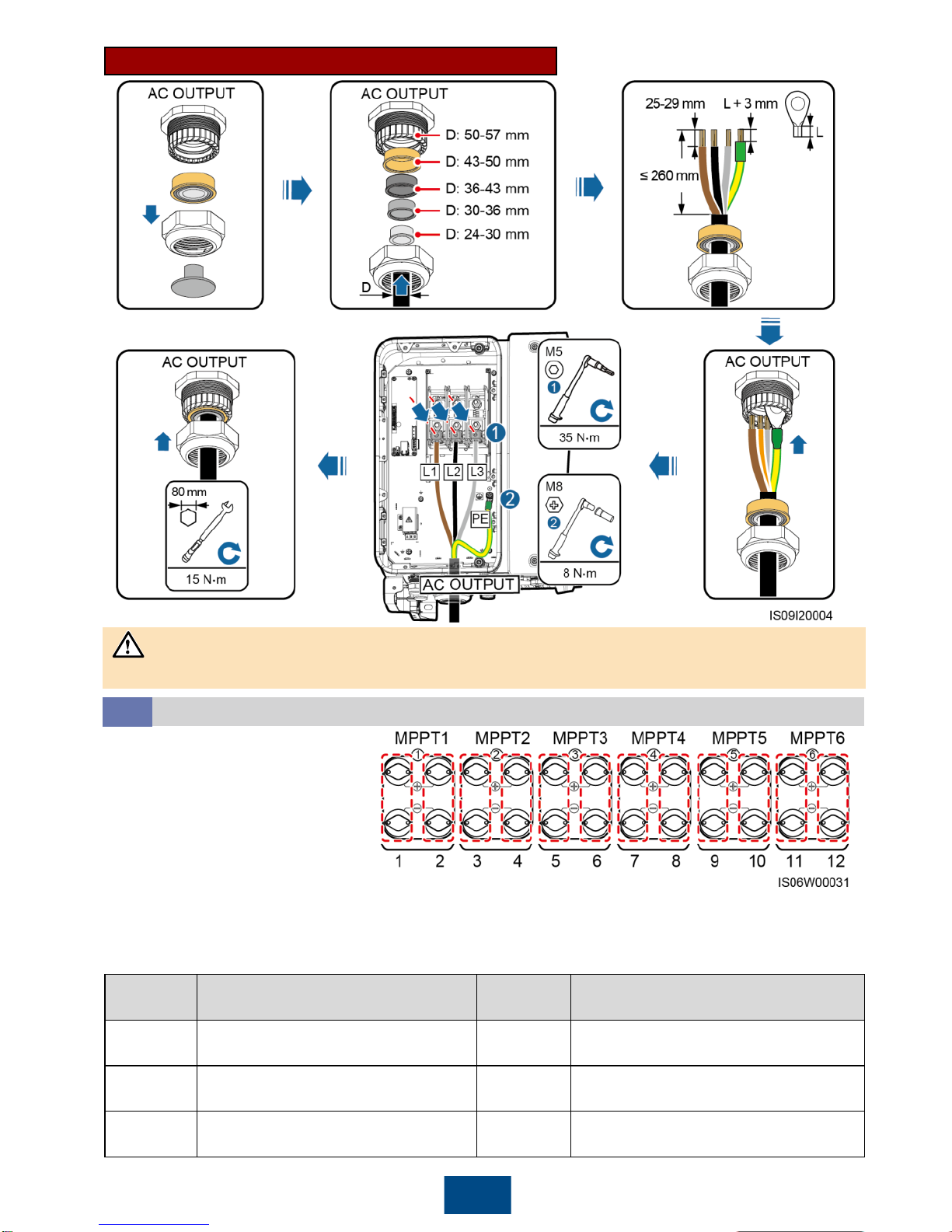
•Ensure that the PV module output is well insulated to ground.
•Before inserting the positive and negative connectors respectively into the positive and negative
DC input terminals of the SUN2000, ensure that the DC voltage does not exceed 1500 V DC using
a multimeter and that the cable polarities are correct. Otherwise, the SUN2000 will be damaged.