manuals.online logo
Brands
  1. Home
  2. •
  3. Brands
  4. •
  5. Humboldt
  6. •
  7. Industrial Equipment
  8. •
  9. Humboldt HM-5035.3F User manual

Humboldt HM-5035.3F User manual

Other Humboldt Industrial Equipment manuals

Humboldt PROMAT HM-4187H User manual

Humboldt

Humboldt PROMAT HM-4187H User manual

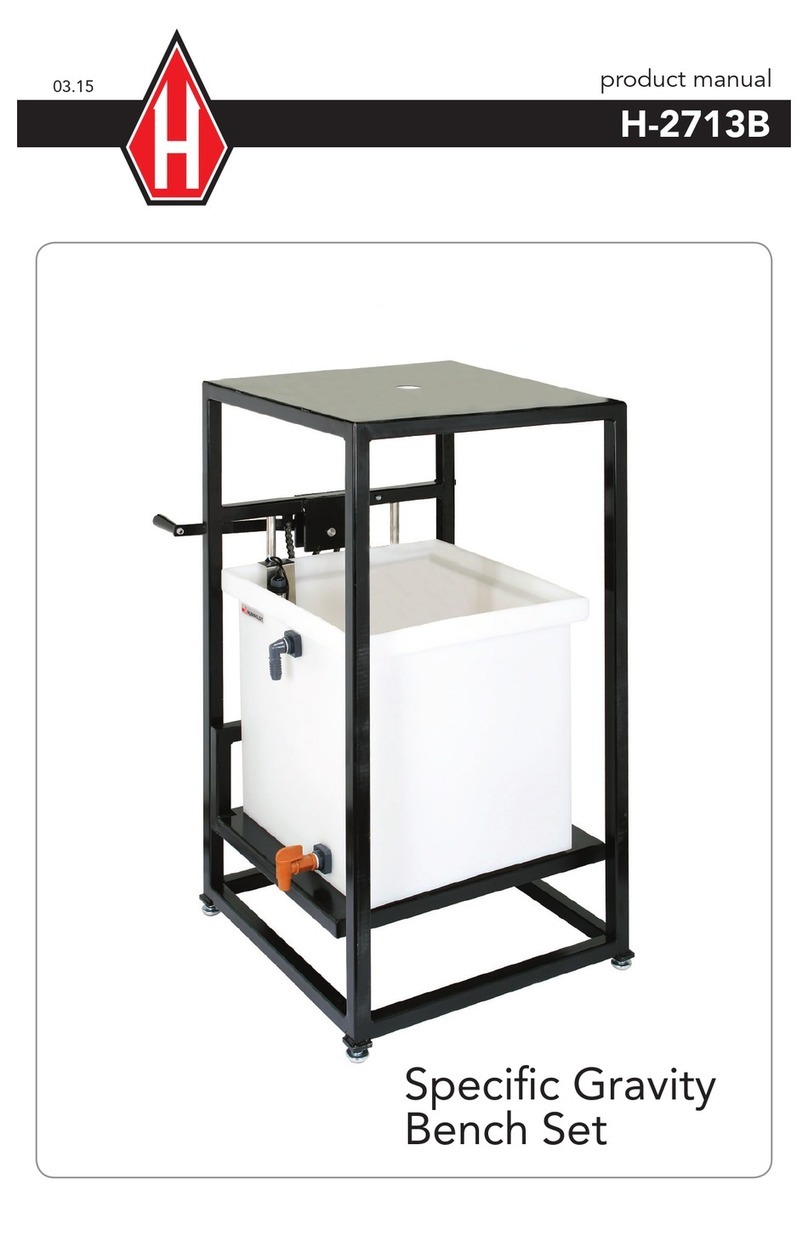
Humboldt H-2713B User manual

Humboldt

Humboldt H-2713B User manual

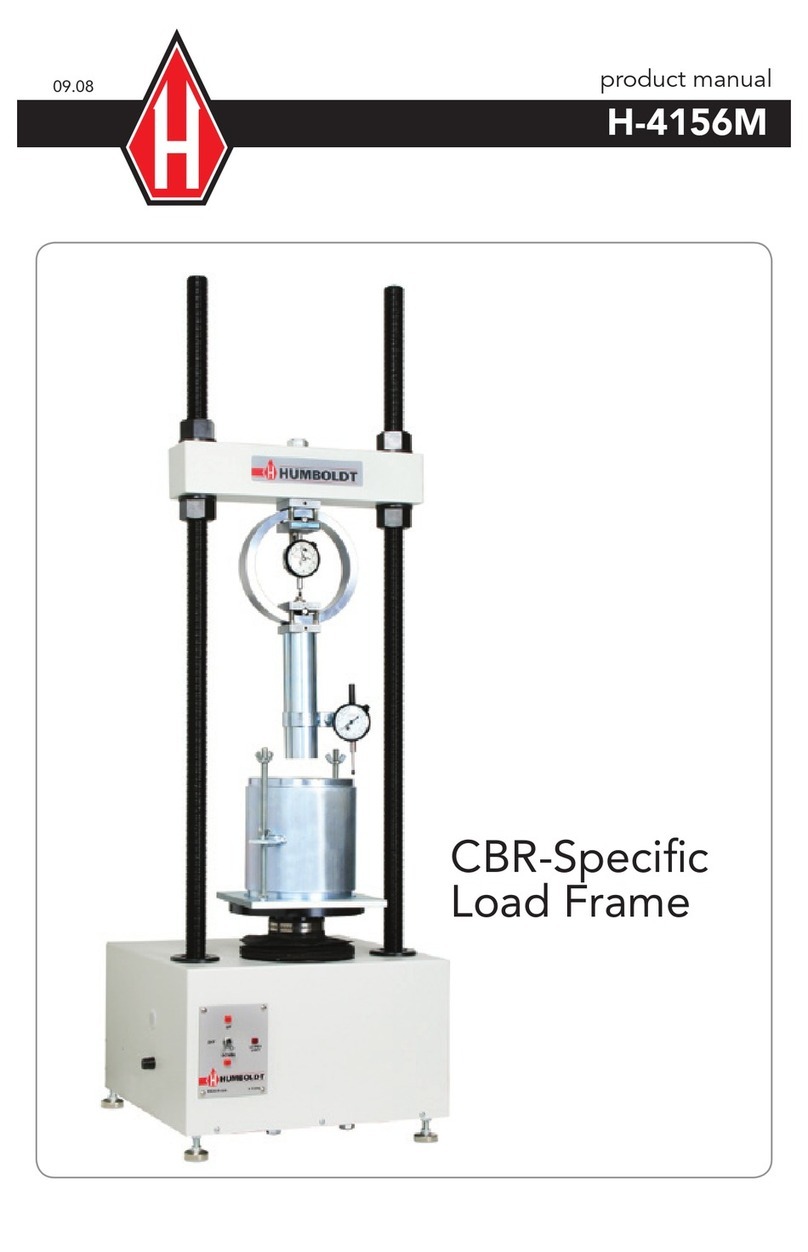
Humboldt H-4156M User manual

Humboldt

Humboldt H-4156M User manual

Humboldt HCM-5090.3F User manual

Humboldt

Humboldt HCM-5090.3F User manual

Humboldt H-3860 User manual

Humboldt

Humboldt H-3860 User manual

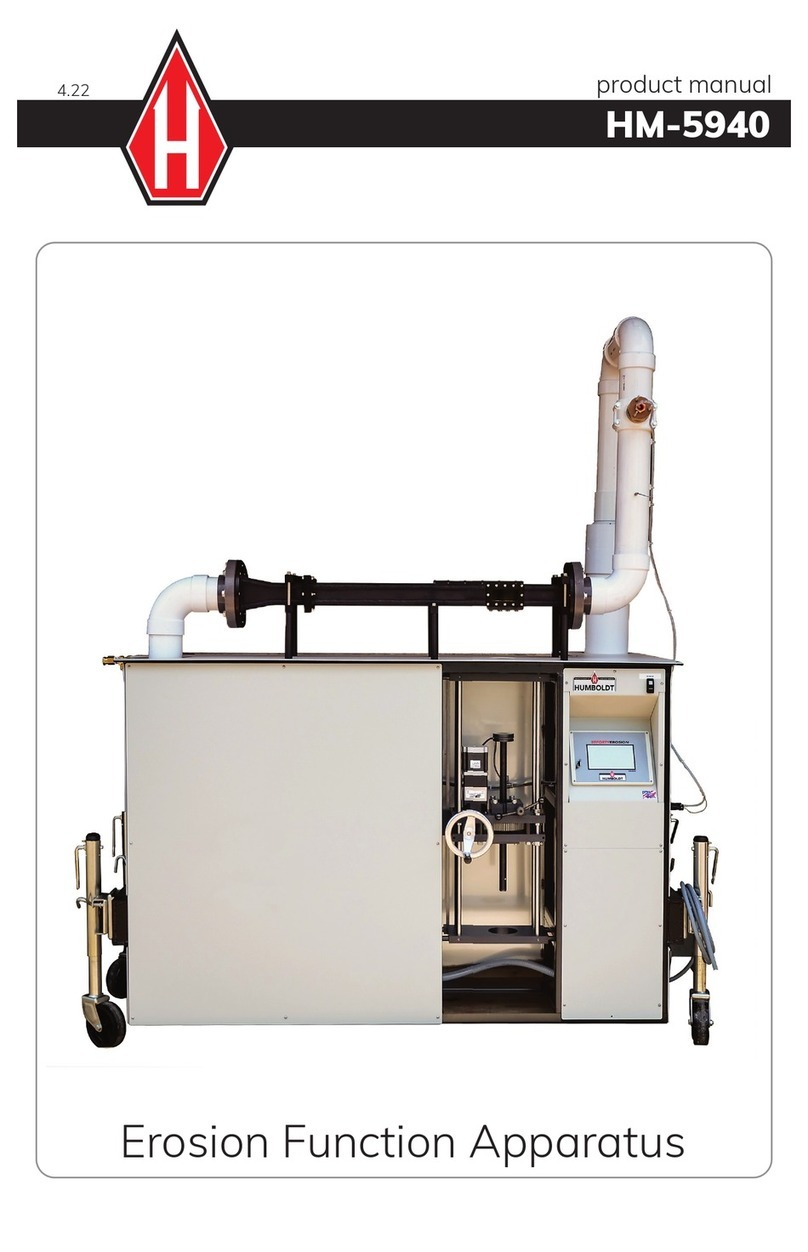
Humboldt HM-5940 User manual

Humboldt

Humboldt HM-5940 User manual

Humboldt H-3600 User manual

Humboldt

Humboldt H-3600 User manual

Popular Industrial Equipment manuals by other brands

ABB +Q957 user manual

ABB

ABB +Q957 user manual

G.B.C BASIC EDGE 50 instruction manual

G.B.C

G.B.C BASIC EDGE 50 instruction manual

Tronair Batpak 11-6602-1000 Operation & service manual

Tronair

Tronair Batpak 11-6602-1000 Operation & service manual

Pilz PNOZ mi2p Operation manual

Pilz

Pilz PNOZ mi2p Operation manual

Clemco Zero BNP 6012 manual

Clemco

Clemco Zero BNP 6012 manual

Erskine Attachments V-Plow Operator's manual

Erskine Attachments

Erskine Attachments V-Plow Operator's manual

ABB HT610965 Operation manual

ABB

ABB HT610965 Operation manual

Morra MH 540 user manual

Morra

Morra MH 540 user manual

Eaton S090ST manual

Eaton

Eaton S090ST manual

GRIGGIO G 240 P4 instructions

GRIGGIO

GRIGGIO G 240 P4 instructions

Nexen AIR CHAMP HT45 user manual

Nexen

Nexen AIR CHAMP HT45 user manual

WTE V5 installation manual

WTE

WTE V5 installation manual

ABB HT845232 Operation manual

ABB

ABB HT845232 Operation manual

SMC Networks CJP Series Operation manual

SMC Networks

SMC Networks CJP Series Operation manual

JohnDow Industries JDI-AFT58 Operator's manual

JohnDow Industries

JohnDow Industries JDI-AFT58 Operator's manual

IMB MB9016A instruction manual

IMB

IMB MB9016A instruction manual

Clarke CUMB1 Assembly & operating instructions

Clarke

Clarke CUMB1 Assembly & operating instructions

amiad Arkal Spin Klin 2 user guide

amiad

amiad Arkal Spin Klin 2 user guide

manuals.online logo
manuals.online logoBrands
  • About & Mission
  • Contact us
  • Privacy Policy
  • Terms and Conditions

Copyright 2025 Manuals.Online. All Rights Reserved.

product manual 04.23
Master Loader Plus Load Frame
HM-5035.3F
3
Quick Start Guide 4
Unpacking
Installation and Equipment Setup 4
Electrical Connections 4
Power Switch 4
Instrumentation Connections and Setup 5
HM-5035 Rear Instrumentation Panel 5
Network 5
USB Power 5
Instrument Inputs 5
Initial Set-up — Calibration 7
Calibration Input Screen 9
Units 10
Value 10
Export Calibration via USB 11
Initial Set Up — Date/Time 11
Date 12
Time 12
Clock Style 12
Clock 12
Initial Set Up — Display 13
Brightness 13
Dim Display 13
Turn Display Off 14
Preferences 14
Initial Set Up — Preferences 14
Preferences – General Tab 14
Logger ID 15
Sound 15
Automatically Update System 15
Update Check Frequency 15
Preferences – System Units Tab 15
Ambient Temperature 15
Motor Speed Unit 16
Stress Control Unit 16
Preferences – Specimen Parameters Tab16
Specimen Height 16
Specimen Diameter 16
Specimen Width 16
Preferences – Storage Tab 16
Test Storage Limit 17
Recycled Tests 17
Test Templates 17
Initial Set Up — Network 17
Network Settings Screen 19
DHCP 19
IP Information 19
Local Status 19
Internet Status 19
Initial Set Up — Information 19
Initial Set Up —
System Information 20
Firmware Version 20
IP Information 20
Local Status 20
Internet Status 20
Memory 20
Factory Screen 20
Export Log File 20
Initial Set Up — Contact 21
Contact Information 21
Initial Set Up — Update 22
Update from USB 22
Check for Update 24
Update Details 24
Download Updates 24
Equipment Setup 25
Installation and Equipment Setup 26
Electrical Connections 26
Power Switch 26
Instrumentation Connections and Setup 26
Rear Instrumentation Panel 26
Network 27
USB Power 27
Instrument Inputs 27
Instrumentation Setup 28
Typical Setups 29
Third-Party Instrumentation 30
Calibration of Instrumentation 30
How to Perform a Calibration 30
Calibration Input Screen 32
Units 32
Value 33
Performing a New Calibration 33
Test Setup 41
Test Setup Wizard – Select Test Type 42
Test Setup Wizard – Template 43
Test Setup Wizard – Select Test Inputs 43
Test Setup Wizard – Select Motor Condition 44
Test Setup Wizard – Logging Condition 46
Interval Logging 46
Linear Time Interval 47
Interval Logging Table 48
Elapsed Time Table 50
Test Setup Wizard – Stop Condition 52
Test Setup Wizard – Graph Options 53
Test Setup Wizard – Start Options 53
Test Setup Wizard – Start 55
Tests– Current Tests Tab 56
Tests– Previous Tests Tab 59
Specications 62
General Warnings 63
Warranty 63
Manufacturers Rights & Responsibilities 64
CONTENTS

4
QUICK START GUIDE
Unpacking
Initial inspection should include checking for physical dam-
age during shipping and obvious external damage to the
product.
Package contents are de ned by your packing list. Each
Load Frame is con gured according to customer speci ca-
tions. In your inspection, make certain that the contents of
your shipment match the documentation provided by your
packing list.
Place unit on a  at, smooth surface and use leveling feet
(supplied) and a bubble level to ensure that the unit is level
side-to-side and back-to-front.
Installation and Equipment Setup
Electrical Connections
The HM-5035 is equipped with an internal digital switching
power supply, which allows it to be used with most power
con gurations throughout the world. The unit is supplied
with an IEC electrical cord with a standard 110V plug.
The HM-5035 arrives ready for operation. Attach the sup-
plied IEC electrical cord to the machine and plug into a
standard wall receptacle for use in the United States. For
locations other than the U.S., replace the supplied electrical
cord with an IEC cord that has the correct plug for your ap-
plication. The supplied cord can also be used by cutting the
standard plug from the cord and attaching the correct plug.
Power Switch
The Power Switch is located on the left side of the back of
the machine, above the electrical cord inlet. The Fuse Com-
partment is located between the electrical cord inlet and the
Power Switch. The HM-5035 uses a 10 amp fuse. To begin
operation, attach the supplied electrical cord, plug it in and
press the Power Switch.
Fig. 1 Power Switch
Fuse Compartment
QUICK START GUIDE
5
Instrumentation Connections and Setup
HM-5035 Rear Instrumentation Panel
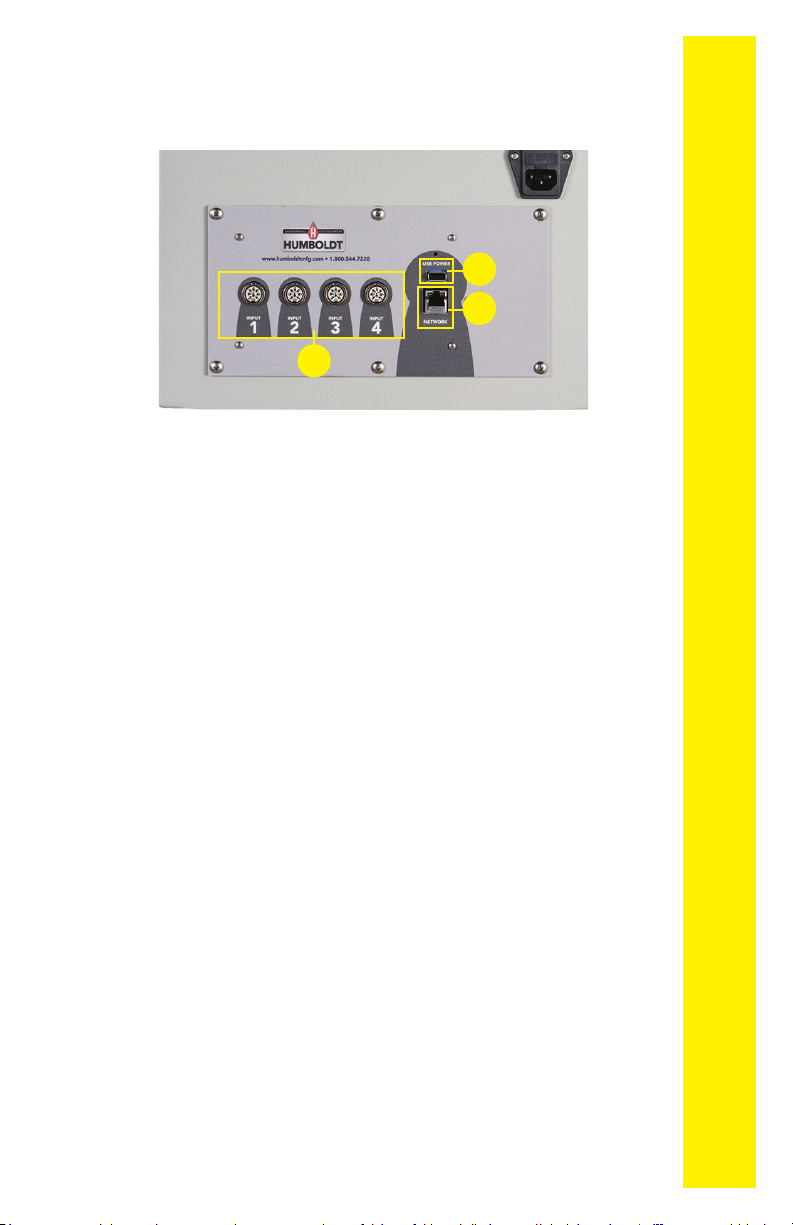
Above is a photo of the rear instrumentation panel of the HM-
5035.
Network (1)
Ethernet input for connecting machine to a local area net-
work (LAN) and/or the internet.
USB Power (2)
The USB Power port is used for powering a wireless access
appliance for those who want to use a wireless LAN setup.
Instrument Inputs (3)
The panel features four (4) inputs for connecting instrumentation
to the machine. Each input represents a separate channel. If you
have purchased instrumentation from Humboldt with your HM-
5035, it has been assigned to a speci c channel and calibrated. In-
strumentation will have a numbered tag attached to it and should
be plugged into the corresponding input on the machine.
2
1
3
QUICK START GUIDE
6
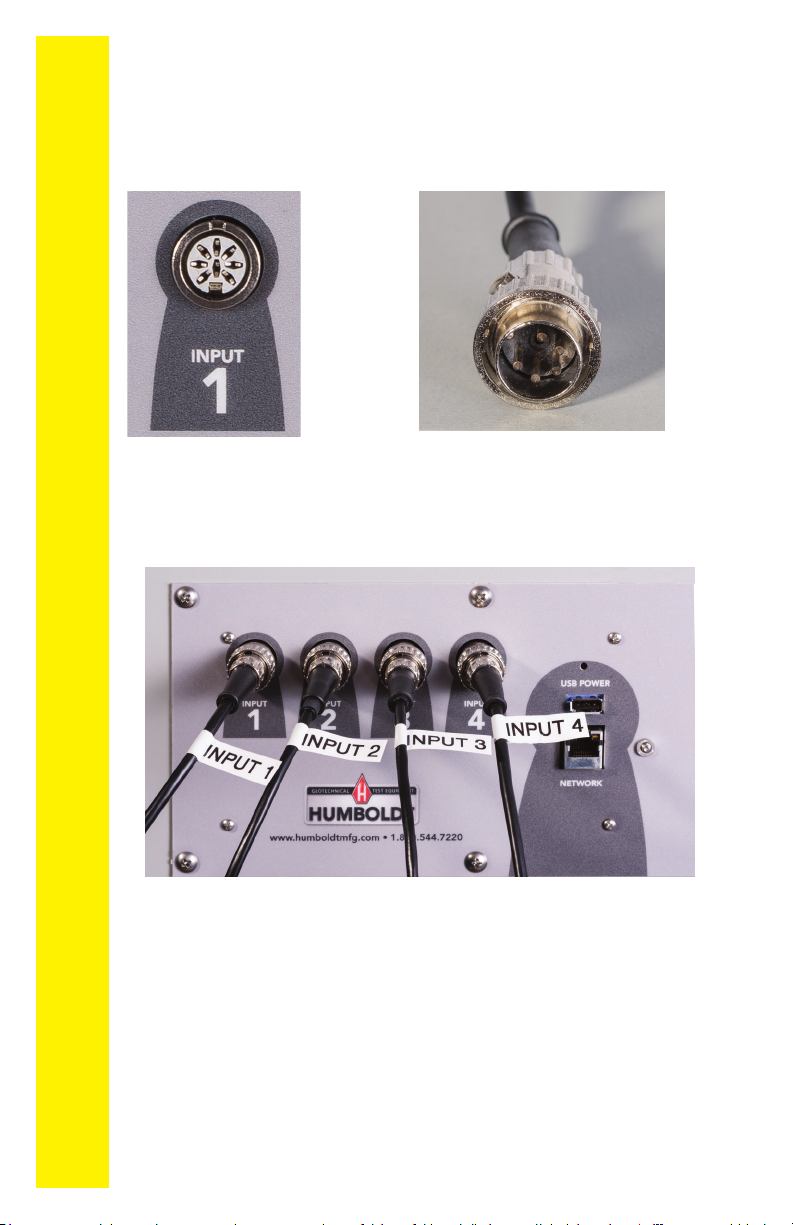
Once you have installed the instrumentation into the correct
inputs, your rear panel should look like this if you are using
all four inputs.
Below are photos of an instrumentation input and the in-
strumentation plug. Install the plugs into the inputs by lining
up the guide at the bottom of the plug with the slot at the
bottom of the input.
Instrumentation Input Instrumentation Plug
If you purchased multiple load cells and/or transducers with
your machine, they will either be mounted and calibrated, or
in the case of more than four (4) load cells/transducers, cali-
brated and assigned to a specic input, but not mounted.
Additional load cells/transducers will be marked to indicate
what input channel was used in their calibration. These
load cells/transducers should be connected to the indicat-
ed channels when desired for use, however you will have
to import the correct calibration information to that input
before use. This information can be found on a USB thumb0
QUICK START GUIDE
7
1
Setup section of this manual, page 25 for additional informa-
tion and instructions on how to accomplish this.
Third-party instrumentation, which is compatible, can also
be used with the HM-5035. If you plan to use third-party
load cells and/or transducers, please refer to the Equipment
Setup section of this manual, page 30 for instructions.
Remember, if you purchased Humboldt instrumentation
with your HM-5035, it is already calibrated and assigned
to a channel and will not need calibration, however you
shouldconrmthattheinstrumentationhasbeensetup
and calibrated. If you are using 3rd-party instrumenta-
tion, go to the Equipment Setup section for calibration
instructions.
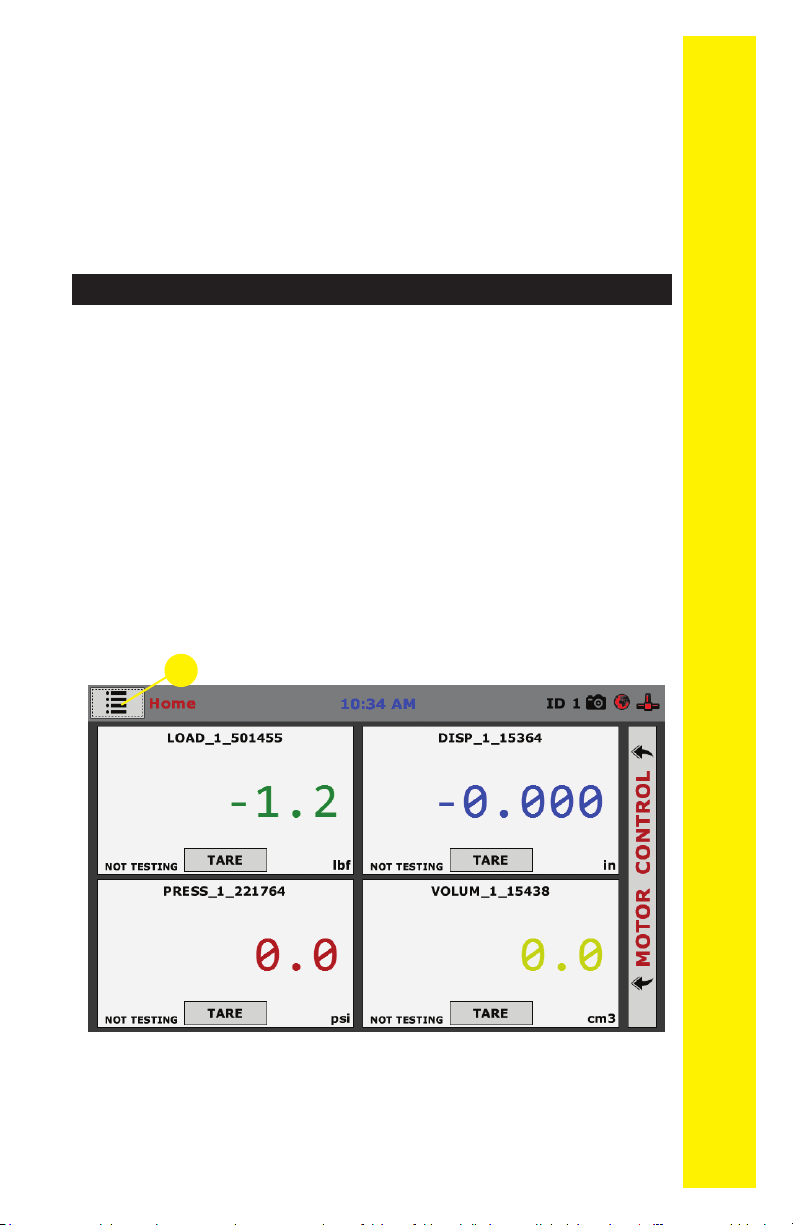
When your HM-5035 is rst turned on, the screen below will
appear.
DO NOT RECALIBRATE!
From this screen, to conrm your machine instrumentation has
been calibrated, navigate to the Calibration section by clicking
the Menu icon in the top left corner of the screen (1). When you
click on this button, you will see a drop-down menu appear,
see below.
Initial Set Up
QUICK START GUIDE
8
Navigate to the bottom of this drop-down menu and click
on System Settings (1). You will see the following screen.
Click on the Calibration tab in the top left corner (2).
You will see the following screen.
2
1
Initial Set Up — Calibration
QUICK START GUIDE
9
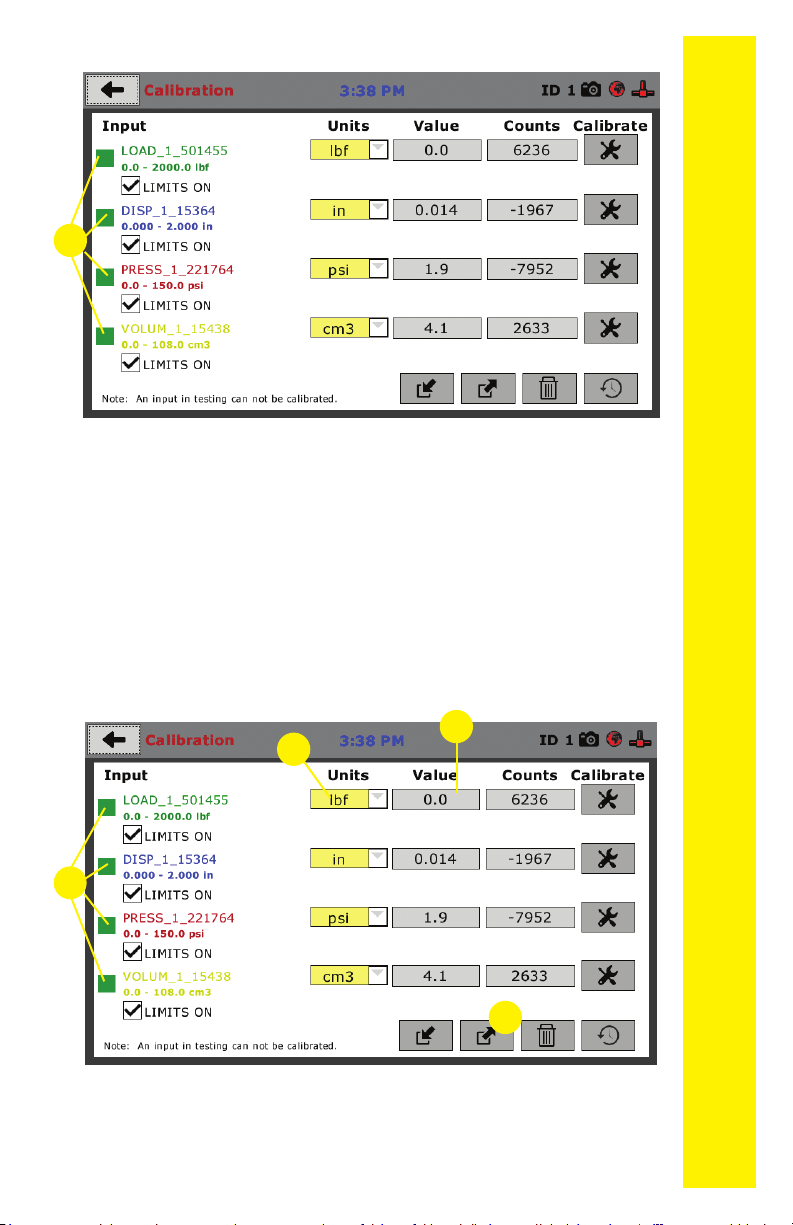
Calibration Input Screen
The Calibration Input Screen (above) is used to monitor and
calibrate instrumentation and assign them to specic chan-
nels of the HM-5035. The Calibration Input Screen provides
a summary of the calibration status of each channel. At this
time, verify the calibration information.
A green box at the left of a channel indicates that the chan-
nel has instrumentation assigned to it and that it is calibrat-
ed and ready for use (1).
1
1
23
Each channel has a “Limits On” check box. Use the Limits
On to keep the machine from exceeding the sensor limits
of the instrumentation. By selecting this option, before the
test can exceed the limits of the sensors, all tests will stop
4
QUICK START GUIDE
10
The screen above shows a typical calibration setup. In this
example, the HM-5035 has been set up for a standard
Consolidated Drained or Undrained Triaxial setup. Input One
has been set up for the load cell with a value of 0.000 to
running and the motor will stop to avoid damaging con-
nected instrumentation.
Note: An input cannot be calibrated during testing.
Units (2)
In this eld, a calibrated instrument will display the units
that were chosen for use at the time of calibration. This eld
can also be used to automatically toggle conversion of units
between lb.-in. and SI units if the need arises.
Value (3)
This eld displays the current calibration value. This val-
ue should already be set with 3 decimal point accuracy . If
the instrument is not calibrated, the unit will read “N/A.” To
change the numbers of decimels shown, click on the eld
and the following window will appear. Fill in the number of
decimal points desired (1).
1