English
USING THE AUX-IN JACK
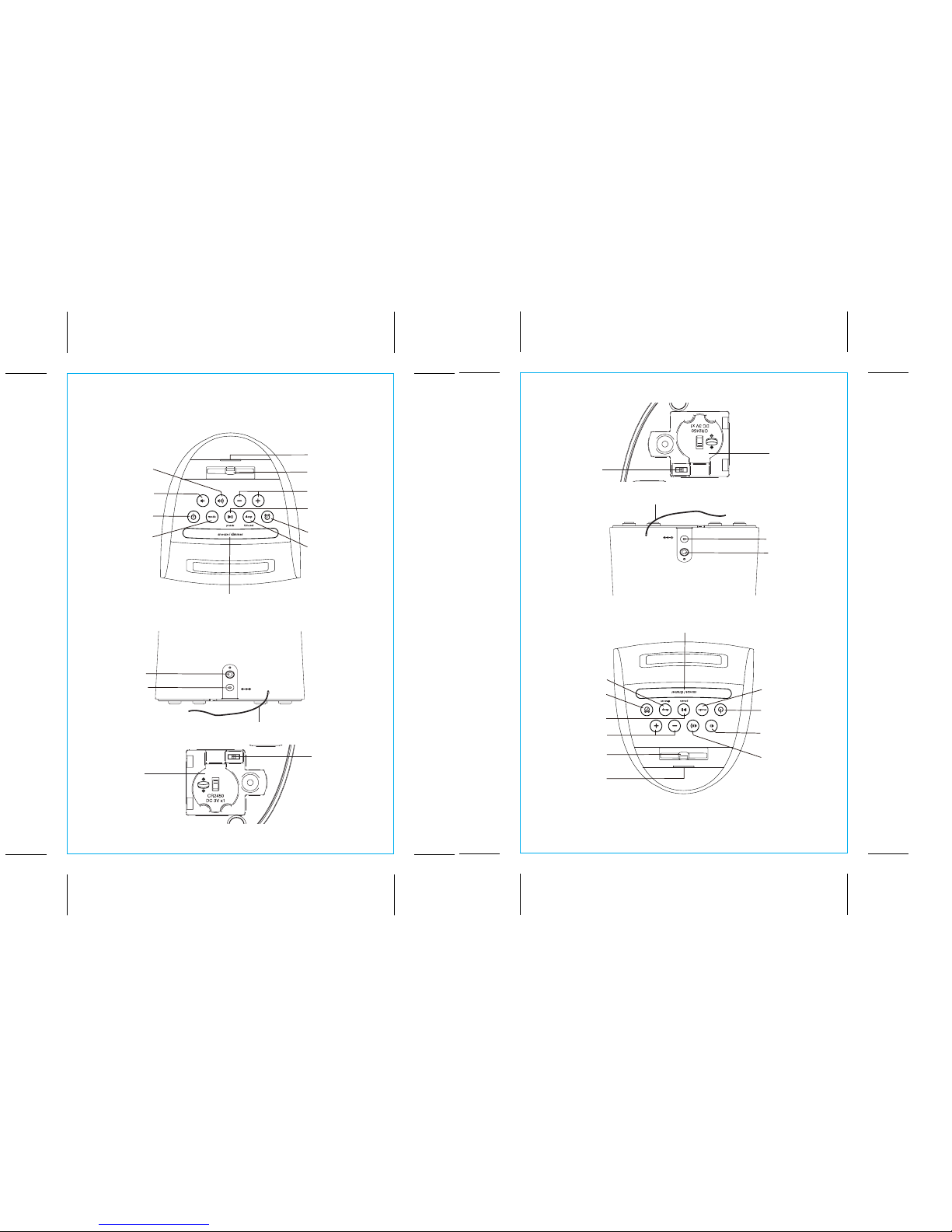
1. Connect a standard audio cable with 3.5mm plug to the Aux-in Jack on
the back of the unit and connect the other end to the headphone or
aux-out jack on your audio device.
2. Press the Power Button to turn the unit on.
3. Press the Mode Button to cycle unit to AUX mode.
4. Control audio playback and navigate tracks and menus on your audio
device.
5. Press the or Buttons on the unit to adjust the system volume. You
may need to adjust the volume on your audio device, too.
6. Press the Power Button to turn o the unit.
NOTE: Connecting an already playing device will turn on the unit in Aux
mode, or switch audio playing in iPod or FM mode to Aux mode a udio.
LISTENING TO FM RADIO
Tuning and Playing the Radio
Extend FM wire antenna fully for best reception. Do not strip, alter or attach to
other antennas.
1. Press and release the Power Button to turn on the unit, then press and
release the Mode Button as needed to cycle through iPod (Lightning dock),
FM radio and Aux modes.
2. When FM mode is selected, press the +or –Buttons to tune the radio to a
desired station. The current radio frequency appears on the display. Press
the +or –Buttons for a few seconds to scan for the next clear station.
3. To memorize a station as a preset:
A. Press the presets Button as needed to step through the 6 presets
(P1 - P6) to the number you wish to assign, and then hold the presets
Button until the current radio frequency begins flashing in the display
and a beep sounds.
B. Press the +or –Buttons to tune the radio to a desired station. Hold briefly
to have the radio autoscan/search for the next clear station.
C. Press the presets Button to confirm the setting, two confirmation
beeps will confirm the setting and the preset number you wish to assign.
Repeat steps A-C to preset up to 6 stations.
4. To listen to a preset station, use the Mode Button to select FM mode, then
press the presets Button to choose the desired preset.
5. Press the or Button on the unit to adjust the system volume.
9
USAR A FICHA AUX-IN
1. Ligar um cabo áudio normal com uma ficha de 3,5mm à ficha Aux-in na
parte de trás do equipamento e ligar o outro terminal ao auricular ou a
ficha aux-out ao dispositivo de áudio.
2. Premir e manter premido o botão Power para ligar o aparelho.
3. Premir o botão Mode para colocar o aparelho no modo AUX.
4. Controlar a reprodução áudio e navegar nas faixas e nos menus do
dispositivo áudio.
5. Premir os botões ou no aparelho para ajustar o volume do sistema.
Pode ser necessário também, ajustar o volume no seu dispositivo áudio.
6. Premir o botão Power para desligar o aparelho.
NOTA: Ligar um dispositivo que já está a reproduzir activará o aparelho no
modo Aux, ou mudar a reprodução de áudio no modo iPod ou FM para
o modo áudio AUX.
OUVIR RÁDIO FM
Sintonizar e Reproduzir o rádio
Esticar totalmente o cabo de antena FM para uma melhor recepção. Não
desmonte, altere, nem conecte-a a outras antenas.
1. Prima e liberte o botão Energia para ligar o aparelho, em seguida, prima
e liberte o botão Mode conforme necessário para deslocar-se entre os
modos dock (Lightning dock), AUX e rádio FM.
2. Quando o modo FM está seleccionado, prima os botões + ou – para
sintonizar a estação de rádio pretendida. A frequência da estação
sintonizada aparecerá no visor. Prima os botões + ou – durante alguns
segundos para procurar a próxima estação com boa sintonia.
3. Para memorizar uma estação como pré-definida:
A. Prima o botão presets conforme necessário para avançar através
das 6 predefinições (P1 - P6) até ao número que pretende atribuir e, e
depois manter premido o botão presets até que a frequência actual
do rádio comece a ficar intermitente no visor e soar um bip.
B. Prima os botões + ou – para sintonizar a estação de rádio pretendida.
Mantenha premidos os botões brevemente para que o rádio procure
automaticamente a próxima estação de sinal forte.
C. Prima o botão presets para confirmar a definição, dois avisos
sonoros irão confirmar a definição e o número predefinido que
pretende atribuir. Repita os passos de A a C para armazenar até 6
estações na memória.
4. Para ouvir uma estação predefinida, utilize o botão Mode para
seleccionar o modo FM, em seguida, prima o botão presets para
escolher a predefinição pretendida.
5. Prima o botão o no aparelho para ajustar o volume do sistema.
Portugese
9